


{{ secondMenu.name }}
 {{ language }}






Athena NGFW also supports secure SSH login. After logging in, you can manage devices by using the command line.
Operation Steps:
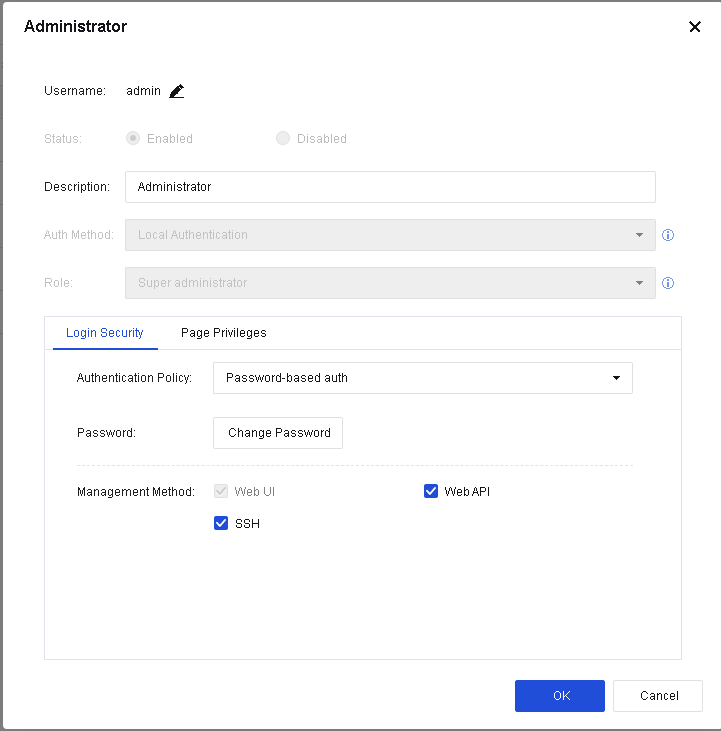
Step 1.Log in to the Web UI and go to System > Administrator. On the Administrator page, select an account and click Edit. In the Administrator dialog box, go to the Login Security tab and check the SSH option in Management Method.
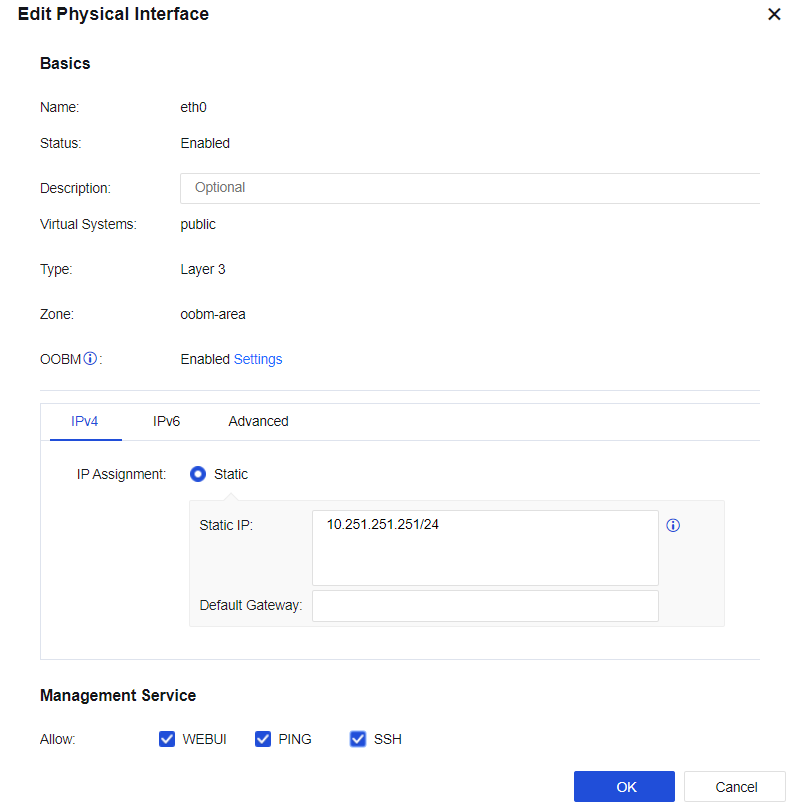
Step 2.Go to Network > Interfaces. Select a network interface and enable SSH in Management Service.
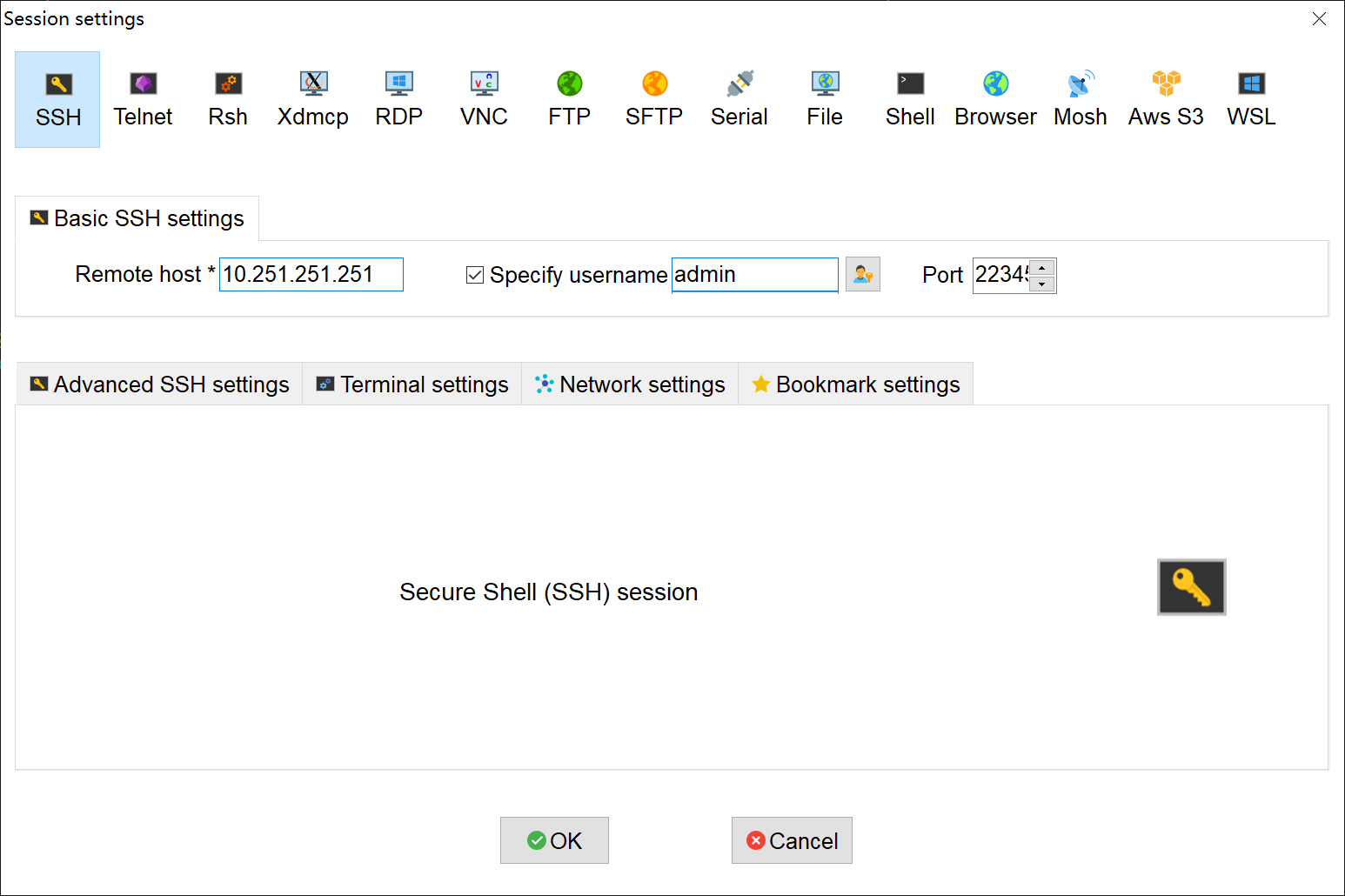
Step 3.Open the SSH management tool, set the port to 22345, and enter the administrator username and password to log in.
This manual does not describe the specific command parameters supported in the command line management mode. For more information, click the Question mark icon to view the CLI Documentation, as shown below.



 {{ $t('index.defaultHeader.chromeBrowserTip') }}