


{{ secondMenu.name }}






After the import is successful, Edit aSEC VM interface to configure the network card.
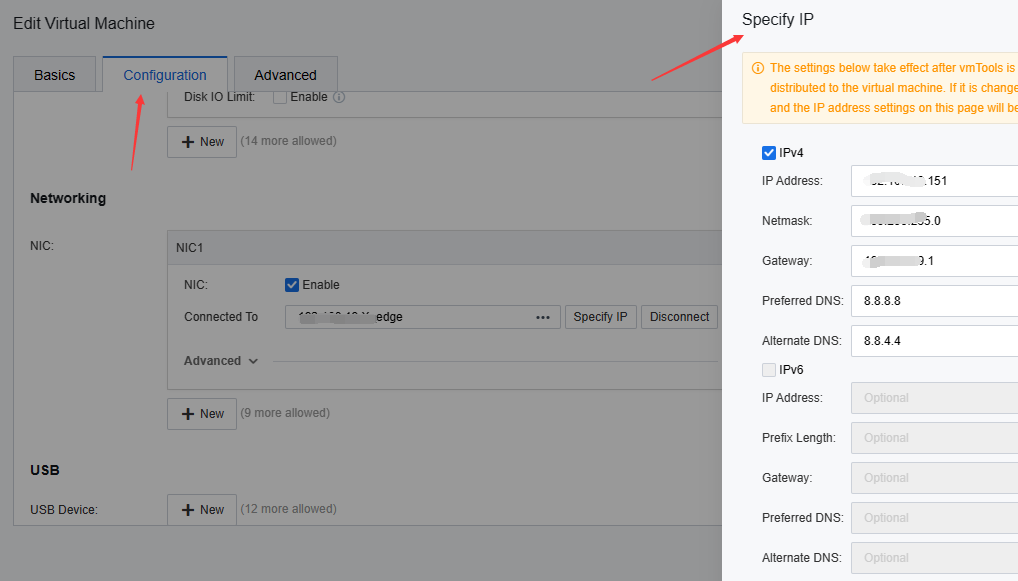
Enable NIC , connect to the physical edge, click the Specify IP button, select use IPv4 Address, configure the IP address of the aSEC virtual machine, and use it as the management network of the Cloud Security Center (it must be able to communicate with the SCP and HCI management ip). It is recommended to be on the same network segment as the SCP management network.


 {{ $t('index.defaultHeader.chromeBrowserTip') }}