Hyper Converged Infrastructure (HCI/aSV)

Sangfor HCI and aSV provide a unified infrastructure combining compute, storage, networking, and built-in security to simplify deployment, operations, and services.
{{ $t('productDocDetail.guideClickSwitch') }}
{{ $t('productDocDetail.know') }}
{{ $t('productDocDetail.dontRemind') }}
{{sendMatomoQuery("Hyper Converged Infrastructure (HCI/aSV)","Automated Hot Add")}}

Automated Hot Add

{{ $t('productDocDetail.updateTime') }}: 2026-01-09

Automated hot add refers to adding CPU, memory, NIC and disks to virtual machines manually or automatically when virtual machines are running.

All the VM operating systems support automated disk and NIC hot add. Some VM operating systems do not support automated CPU and memory hot add. Refer to operation system list or contact relevant OS developers.

You may check resource usage regularly and add resources according to actual situations, so as to ensure proper operation of businesses. Configure automated hot add as follows:
  1. Enterprise edition is required.
  2. Ensure that there are virtual machines in the cluster which support automated hot add.
  3. Install vmTools.
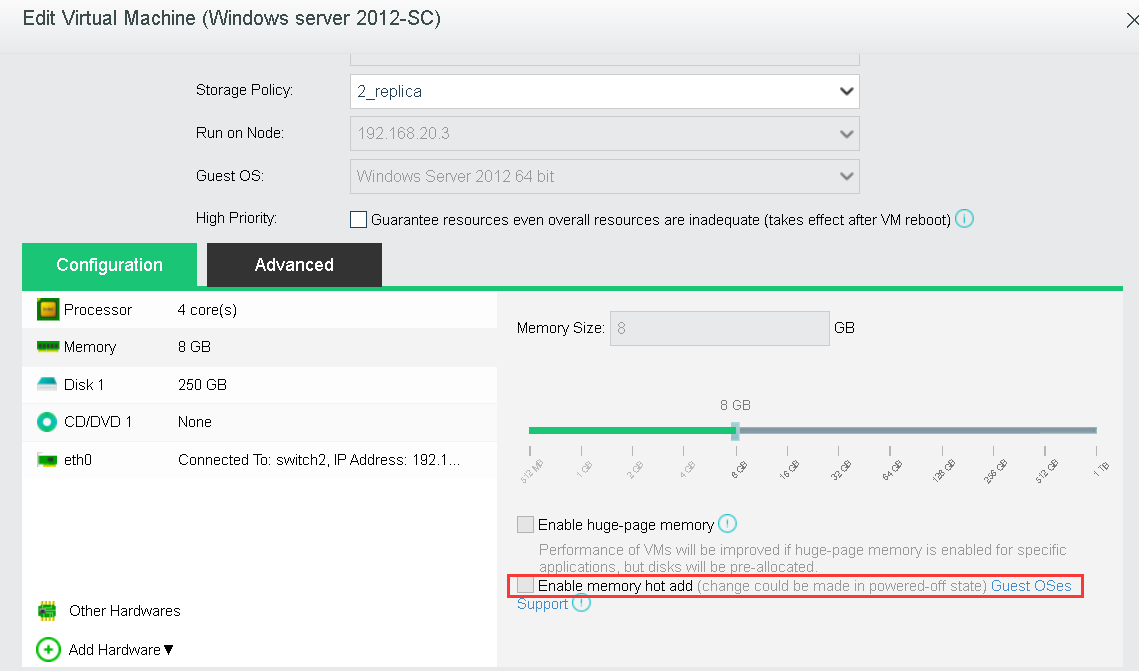
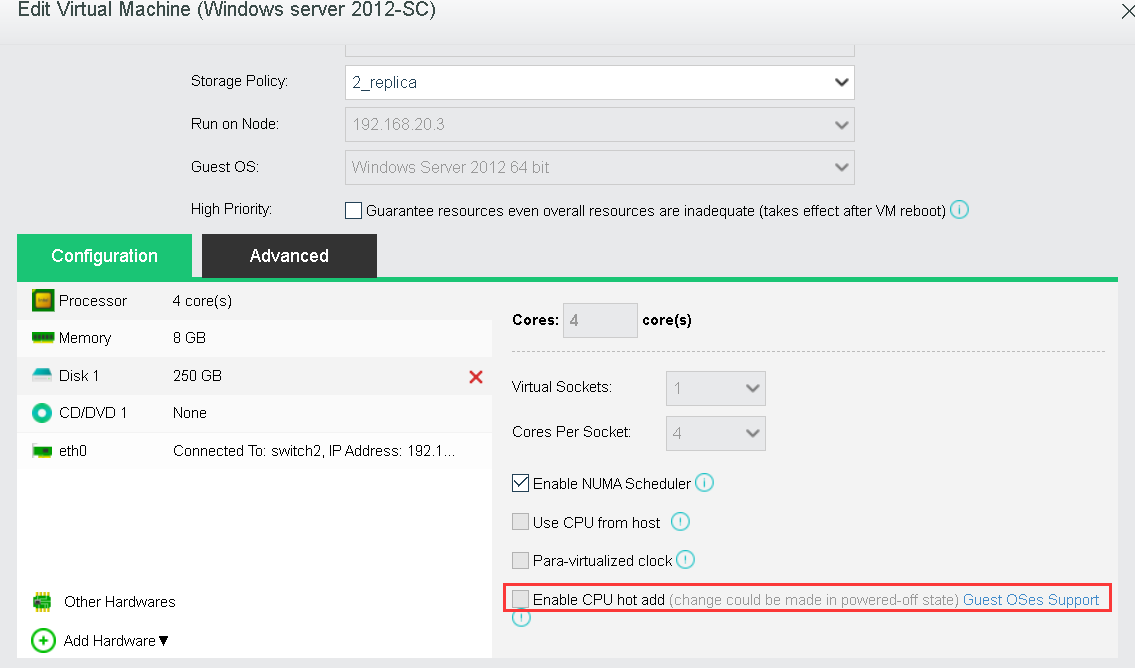
  4. Go to edit virtual machines to enable CPU hot add and memory hot add.


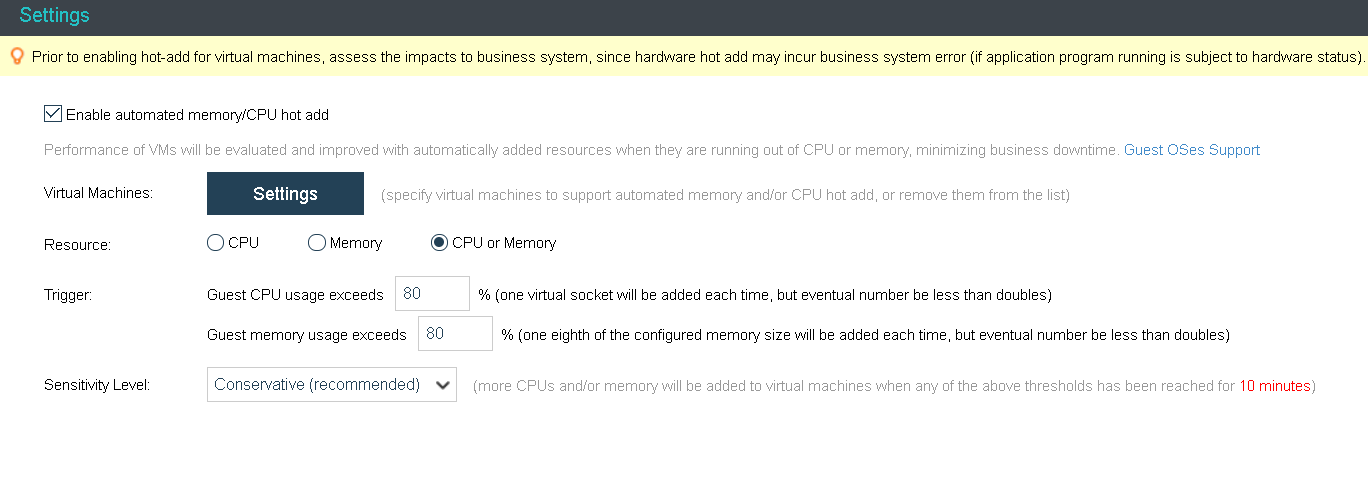
  1. Go to System > HA & Resource Scheduling > Automated Hot Add, select Enable automated memory/CPU hot add, and configure Resource, Trigger and Sensitivity Level fields.

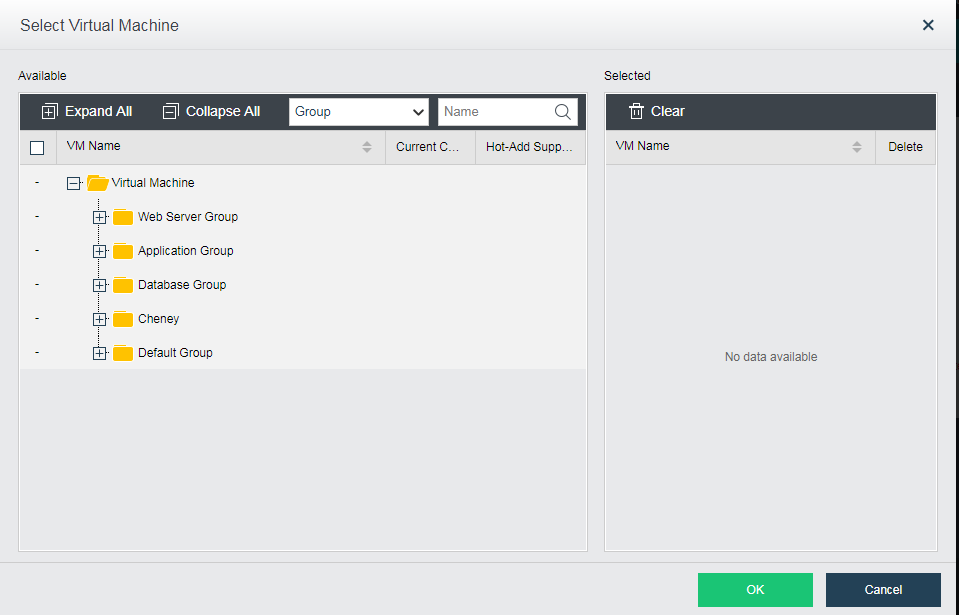
  1. Add virtual machines to the VM list which support automated hot add.

  1. Click OK to save changes