


{{ secondMenu.name }}






On the Backups tab, VM backups can be displayed by VM group, node, datastore and backup repository. Such information as VM name, number of backups, total size, previous backup repository, last backup and backup policy will be displayed.
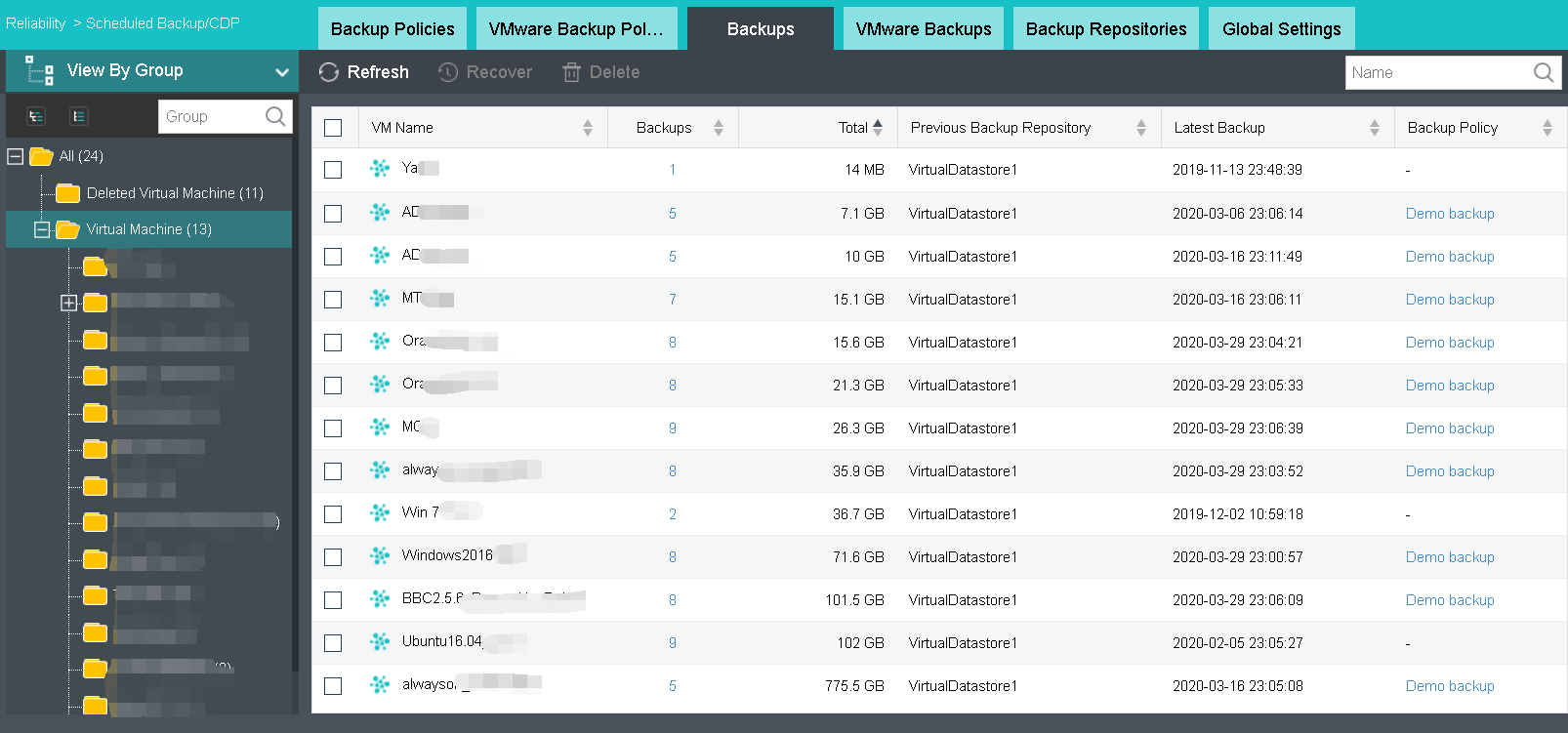
Recover: Select backed up virtual machines and restore them to their previous status and configuration. You may also go to Backup/CDP tab to perform recovery operation. For details, refer to Recovering Virtual Machine in Backup/CDP section.
Delete: To delete backups of virtual machine, select the virtual machine and click Delete. If scheduled backup or continuous backup policy is configured and enabled, a full backup will be created again for the virtual machine. IO activity logs will also be deleted if there is any. Backups will go to Recycle Bin and be preserved for 30 days, but IO activity logs will be deleted immediately and cannot be recovered any more. This operation requires you to enter password of the username to confirm. 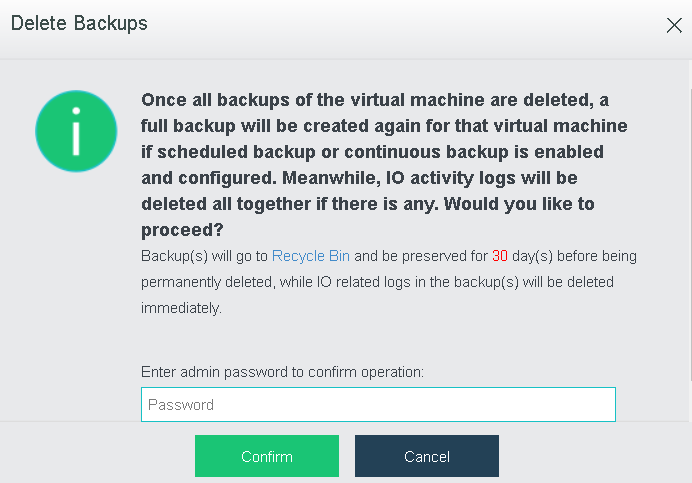
VM Name: It displays the name of the virtual machine that has been backed up.
Backups: It displays the number of backups. You may click on the number to view detailed information of backups of the virtual machine. For details, refer to the 2.2.1.16 Configuring Backup/CDP section.
Total Size: It displays total size of the backup files of the virtual machine.
Previous Backup Repository: It displays the previous backup repository.
Lastest Backup: It displays time that the last backup happens.
Backup Policy: It displays the backup policy with which the virtual machine is associated. You may click on the backup policy to edit it.


 {{ $t('index.defaultHeader.chromeBrowserTip') }}