


{{ secondMenu.name }}






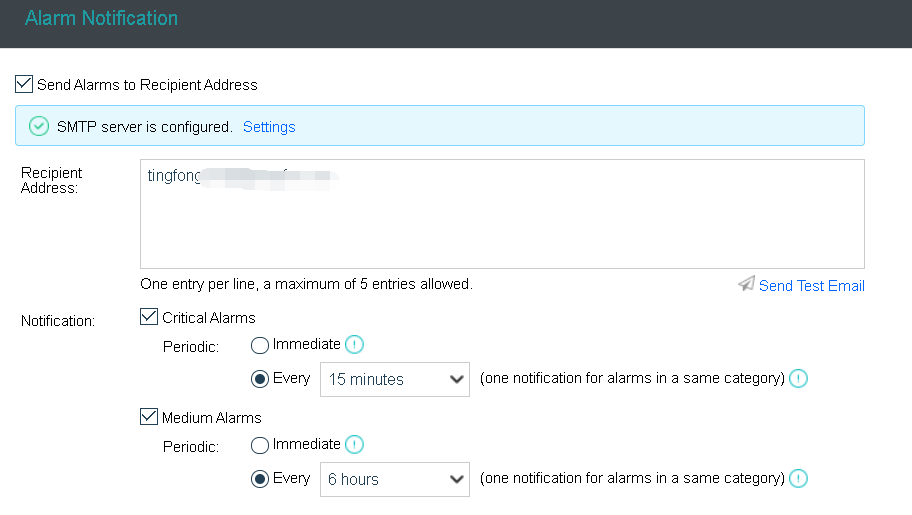
To send alarm email, you need check the option Send alerts to specified email addresses and then specify Recipient Email Addresses, and the recipient email addresses, and configure the SMTP server by clicking on Settings, as shown below:
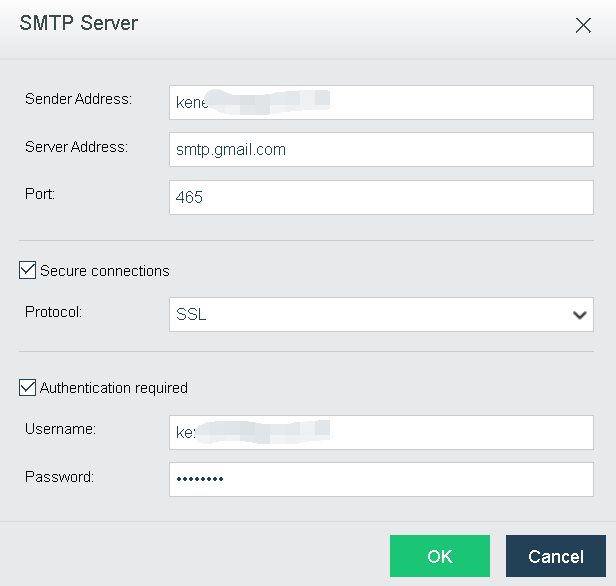
Sender Address: Specifies sender email address.
SMTP Server: Specifies IP address and domain name of SMTP server.
Port: Specifies port of SMTP server. Default port number is 25.
If the SMTP server requires authentication, select Authentication required, and enter username and password.
If For alarm-triggering events of critical alarms and medium alarm occurring within N minutes, send one alert email only (one for each node) is selected, only one alert email will be sent for alarm-triggering events of the same category within the specified period. 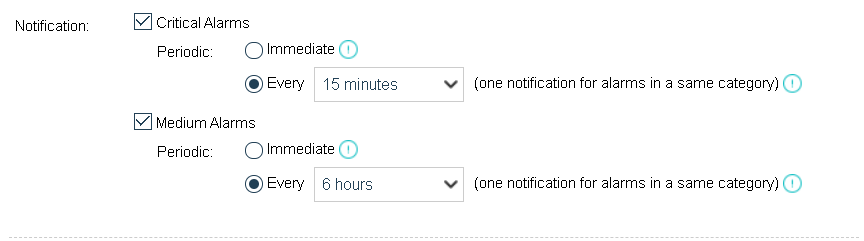


 {{ $t('index.defaultHeader.chromeBrowserTip') }}