


{{ secondMenu.name }}






You need to configure iSCSI Servers in Storage > Other Datastore > ISCSI server before adding iSCSI type of datastore. Then, click New. iSCSI disks will be automatically discovered when iSCSI server settings are saved.
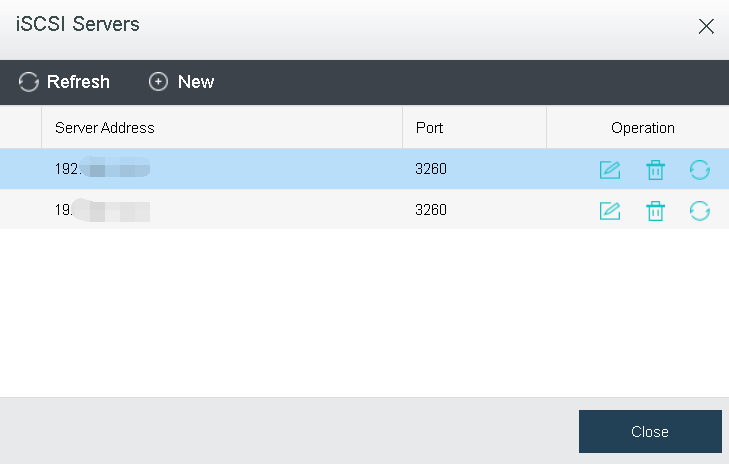
On the Add New iSCSI Server page, you need to specify IP address and port of iSCSI server.
If iSCSI server needs to authenticate initiator, you need to select One-way CHAP, and specify the corresponding Username and Password. iSCSI uses CHAP authentication, including one-way CHAP and mutual-way CHAP authentication, which depends on authentication settings on iSCSI server.
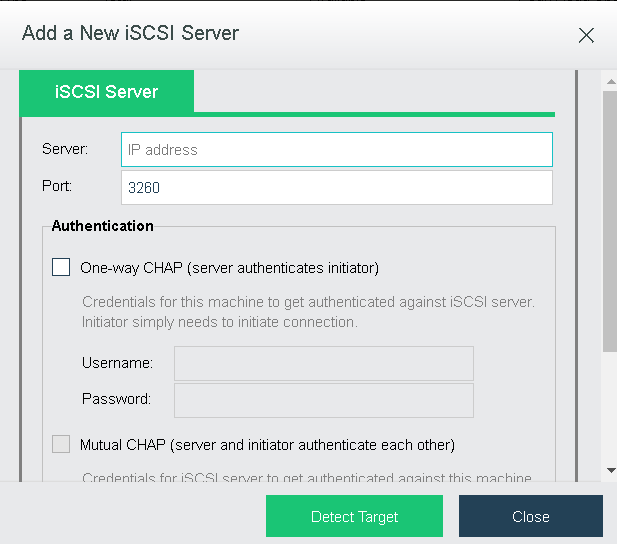
After username and password are specified, click Detect Target. On the iSCSI Targets tab, click Start to start authentication.
In some environment, iSCSI server may require each iSCSI disk to perform different authentication. In this case, you need to provide the corresponding credentials after clicking Start. 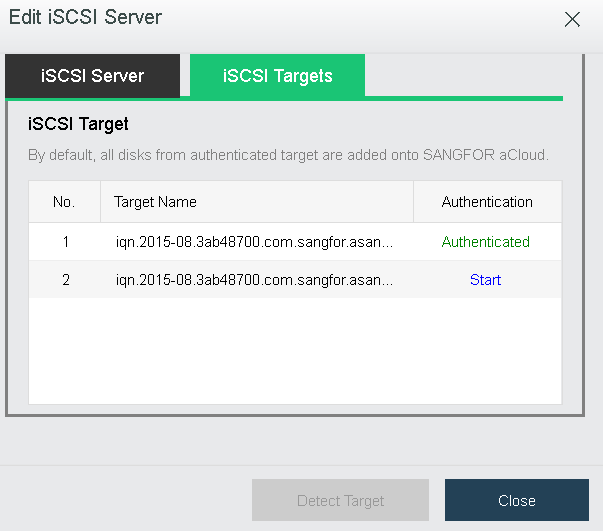
CHAP authentication method configured for iSCSI target should be the same as iSCSI server, One-way CHAP or Mutual-way CHAP.
After saving authentication information on Target Authentication page, you can view the authentication result on the following page. Authenticated indicates that authentication is successful.
Then iSCSI disks will be automatically discovered and listed on Add Datastore page so that you can add them to become a datastore.


 {{ $t('index.defaultHeader.chromeBrowserTip') }}