


{{ secondMenu.name }}






You can add the following types of datastores: iSCSI, FC, NFS or local storage by clicking New in Storage > Other Datastore.
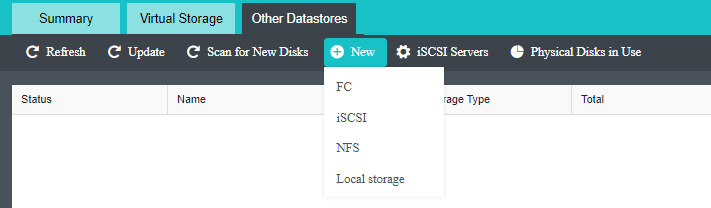
Fiber channel (FC) adopts Fiber Channel over IP (FCIP) to connect storage devices in TCP/IP network. FCIP transmits Fiber Channel data by establishing a tunnel between two peers. Generally, it builds storage area network through DWDM and dark fiber.
FC storage connected to hosts will be automatically discovered by Sangfor HCI but needs to be added to virtual storage before being used. 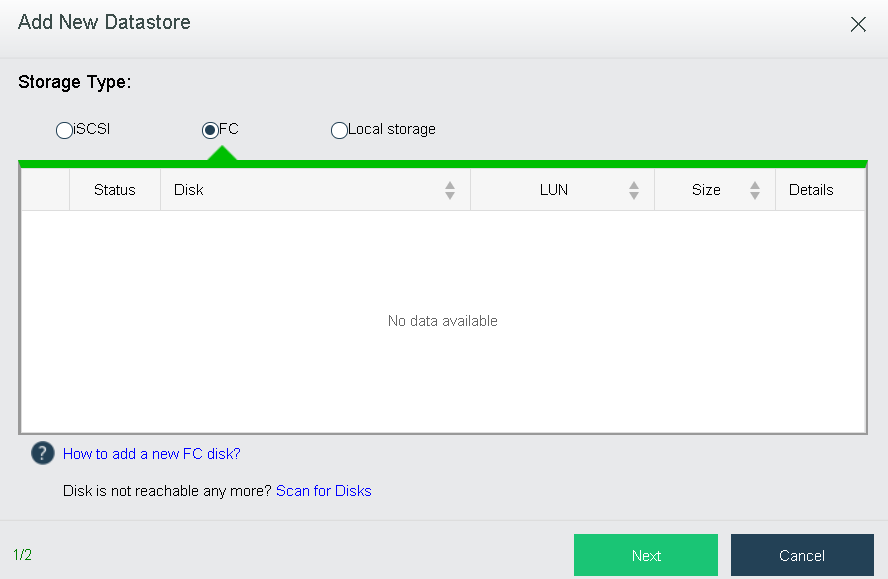
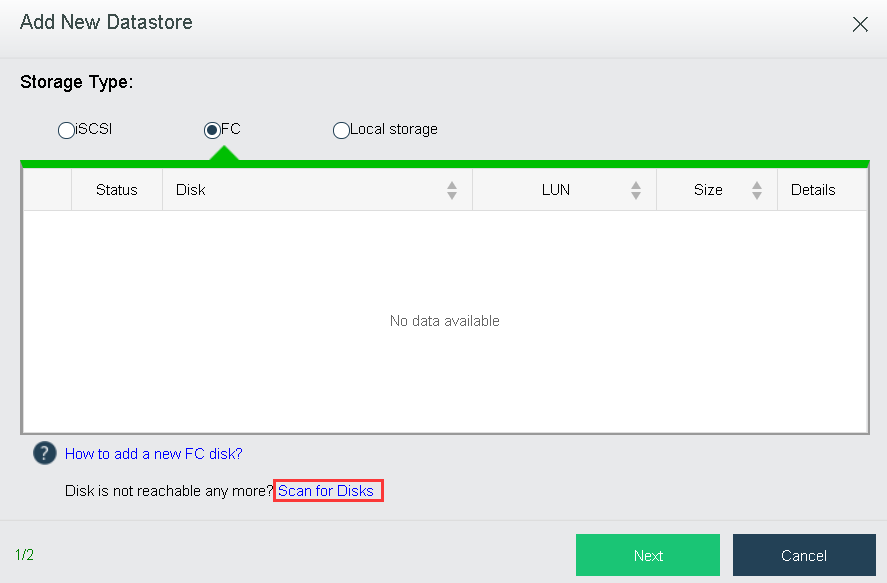
If there is any FC disk that has not been found, you can click Scan for Disks.
Datastore: Specifies a distinguishable name for the datastore. Datastore name should contain 2-16 characters consisting of digits, letters.
Connect To Node: Displays the node that the new local disk belongs to.
If any virtual machines is stored on the datastore, you can select the option Recover existing virtual machines on this datastore as well to recover existing virtual machines.
Then, click OK to save settings or click Cancel to give up the changes.

If there is virtual machine stored on the datastore, but the option Recover existing virtual machines on this datastore as well is not selected, the virtual machine will not be deleted. You should perform format operation so as to delete the virtual machine in the virtual datastore. If you’d like to recover virtual machine to HCI platform, you can add the datastore again and select the option Recover existing virtual machines on this datastore as well.
iSCSI is a P2P protocol and used to transmit storage IO data blocks over Internet Protocol (IP) network. It defines the rule and method of sending and receiving block-level storage data over TCP/IP network. More specifically, iSCSI commands and data should be encapsulated into TCP/IP packets before being forwarded.
To add iSCSI type of datastore, click New in Storage > Other Datastore, select iSCSI as Storage Type and then choose a disk. 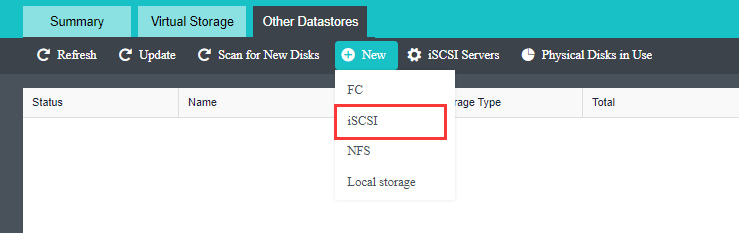
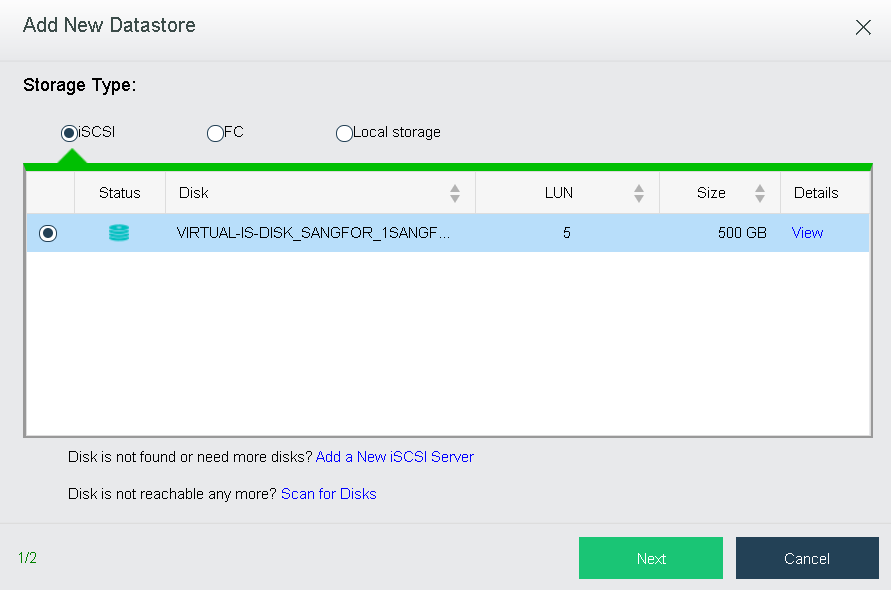
Before adding iSCSI type of datastore, you need to add iSCSI server in Storage > Other Datastore> iSCSI Server. iSCSI disks will be automatically discovered when iSCSI server settings are saved.
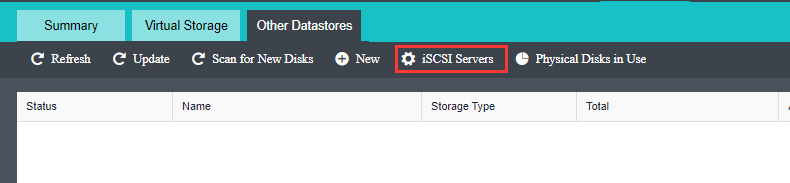
If any new iSCSI disk has been added but not listed here, you may click Scan for Disks to find new iSCSI disks. 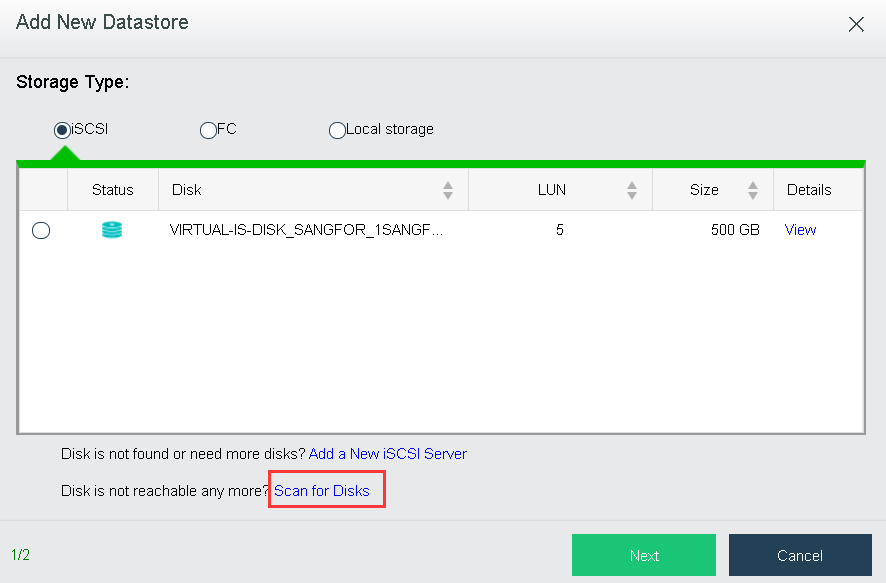
Datastore: Specifies a distinguishable name for the datastore. Datastore name should contain 2-16 characters consisting of digits, letters, underscores, dots and hyphens only, and begin and end with letter or digit.
Connect To Node: Only the selected nodes have access to the datastore being added. If any virtual machines is stored on the datastore, you can select the option Recover existing virtual machines on this datastore as well to recover existing virtual machines.
Add this datastore to VM backup repositories as well: Once this option is selected, datastore will be added to VM backup repositories.
Select nodes and then click OK to save the settings or click Cancel to give up the changes.
If there is virtual machine stored on the datastore, but the option Recover existing virtual machines on this datastore as well is not selected, the virtual machine will not be deleted. You should perform format operation so as to delete the virtual machine in the virtual datastore. If you’d like to recover virtual machine to HCI platform, you can add the datastore again and select the option Recover existing virtual machines on this datastore as well.
NFS is network file system, one type of file system supported by FreeBSD. It enables computers to share resources across TCP/IP network. NFS client can have access to files on remote NFS server, just like accessing local files. 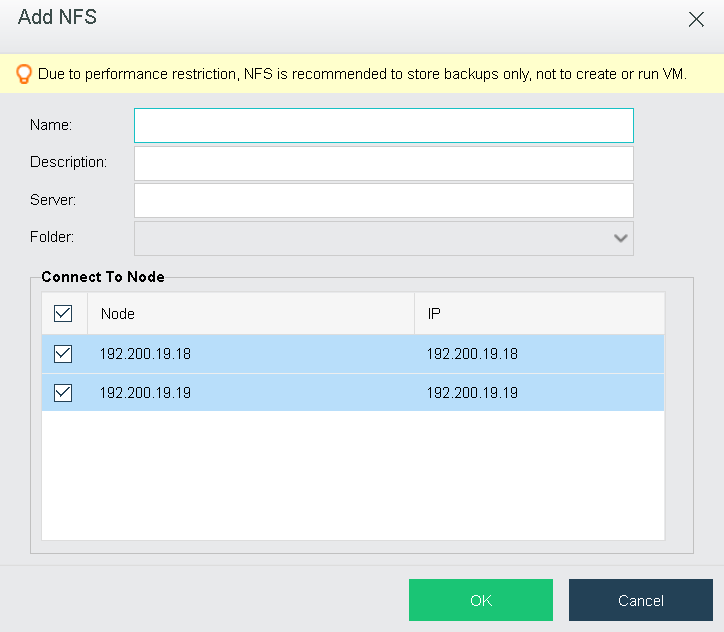
Due to low performance of NFS datastore, it can only be used to store virtual machine backups only, not to create or run virtual machine, etc.
Local storage is provided by local disks on the node installed Sangfor HCI software and can only be accessed by the host where that storage resides but not accessed by other hosts.
If there is any new disk that has been added on the node, you can add it to virtual storage by adding local storage.
Select a disk that you want to add and then click Next to enter the following page.
Datastore: Specifies a distinguishable name for the datastore. Datastore name should contain 2-16 characters consisting of digits, letters, underscores, dots and hyphens only, and begin and end with a letter or a digit.
Connect To Node: Displays the node that the new local disk belongs to.
If any virtual machines is stored on the datastore, you can select the option Recover existing virtual machines on this datastore as well to recover existing virtual machines.
Then, click OK to save settings or click Cancel to give up the changes.
If the new disk being added has not been formatted, you will be prompted to format it when adding it into local storage. Note that formatted data cannot be restored any more.


 {{ $t('index.defaultHeader.chromeBrowserTip') }}