


{{ secondMenu.name }}






To assign a shared disk to a virtual machine, first edit that virtual machine. Then, on the Edit Virtual Machine page, select Add Hardware > Disk and choose Shared disk, as shown below: 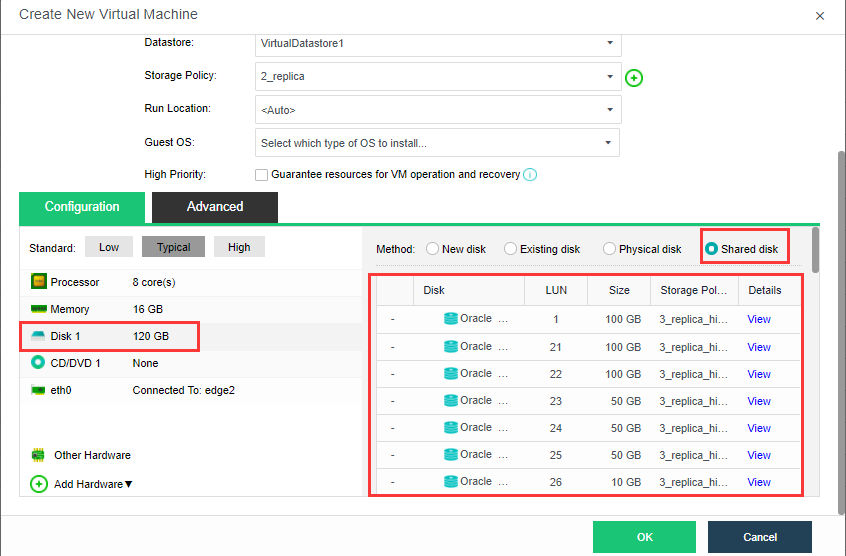


 {{ $t('index.defaultHeader.chromeBrowserTip') }}