


{{ secondMenu.name }}






In Storage > Virtual Storage > Virtual Datastore, you may click Advanced to configure more. On the Advanced page, there are Data Balancing, Data Rebuilding, Storage Area Network, VM Running Across Datastores and Intelligent Rate Restriction, as shown below: 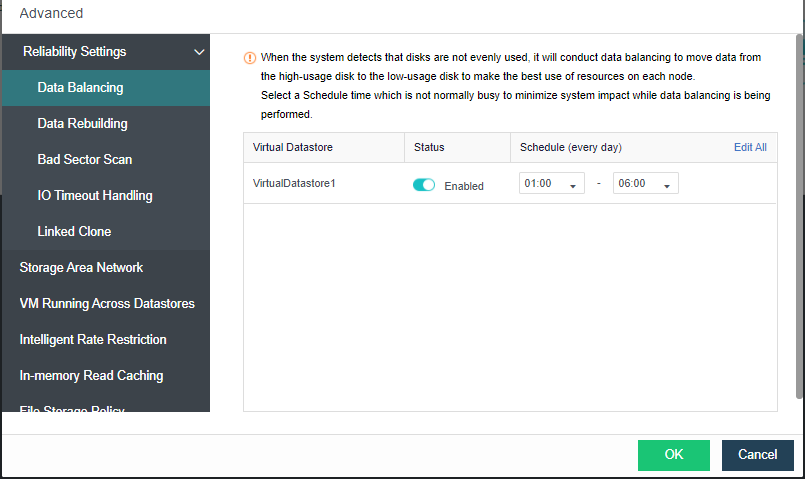
Data Balancing: You can create data balancing task for different virtual datastores. After the task is created, available storage space of each node will be restricted within a certain range. If the remaining storage space is below a certain range, the data balancing task will be executed automatically to have VM files stored on the node short of resources moved to another node. Data that have been migrated will be evenly written into each disk so as to keep disk usage balanced. 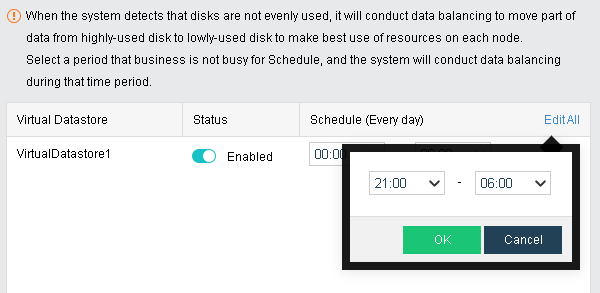

Since performance of virtual machine will be affected during data balancing,virtual machines of high priority will not chosen to perform data balancing. Virtual machines will not be migrated back immediately after migration.
Data Rebuilding: Taking data with two-copy policy as the example, when components (disk or host) in storage volume suffer physical fault, the other copy of the data of faulted component is stored on other components to ensure normal reading and writing of virtual machine, but meanwhile the redundancy of storage volume is reduced, which will lead to data loss if the component storing the other copy also breaks down. With data reconstruction, when component breaks down, the other copy of the data on faulted component will be used as the recovery source to reconstruct a new copy on the target component in fragments to recover completeness of the copy and realize system self-recovery.
you can specifie the time for confirming certain node or disk failure before data rebuilding. If the time is reached but the issue is still not fixed,data rebuilding will be executed automatically,as shown below: 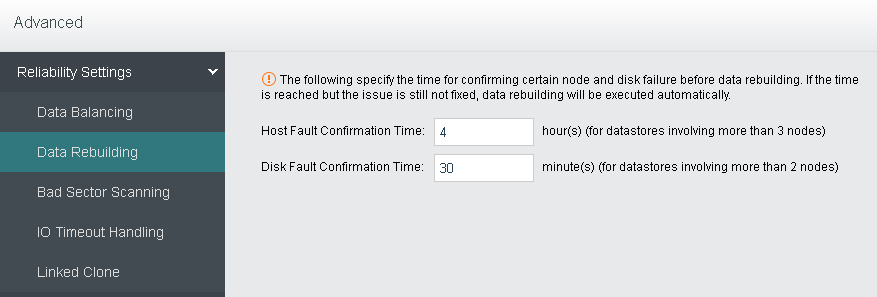
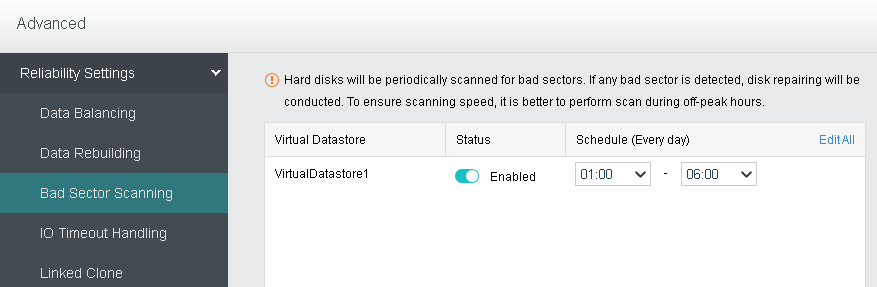
Bad Sector Scanning: Hard disk will be periodically scanned for bad sectors. If any bad sector is detected, disk repairing will be conducted. To ensure scanning speed, it is better to perform scan during off-peak hours.
IO Timeout Handling: When IO read latency on a VM is higher than the threshold specified below, the system will automatically read data from other VM replicas to ensure business continuity. 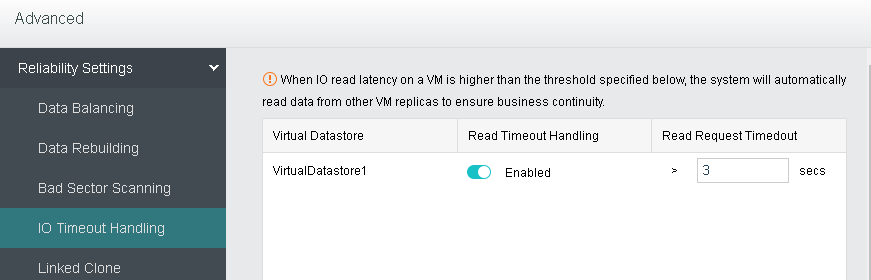
Linked Clone: As virtual machines cloned from a certain virtual machine use the same data by default and too many uses of that data will cause read/write load balancing issue. To ensure business performance and continuity, you may specify a data reuse limit below, so that a new piece of data will be automatically duplicated for subsequent reads and writes. 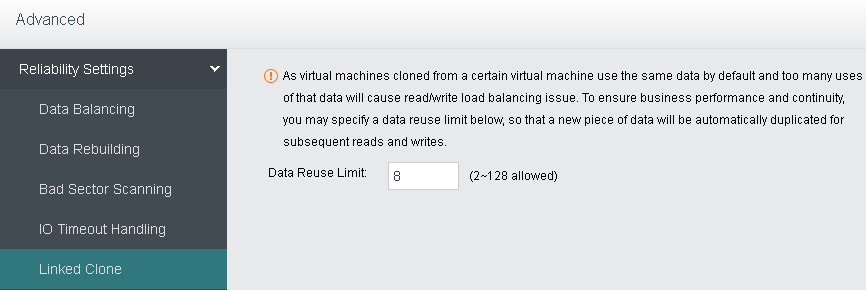
Storage Area Network: You can change deployment mode(Link aggregation disabled, Link aggregation with one switch, Link aggregation with two switches) in Settings,as shown below: 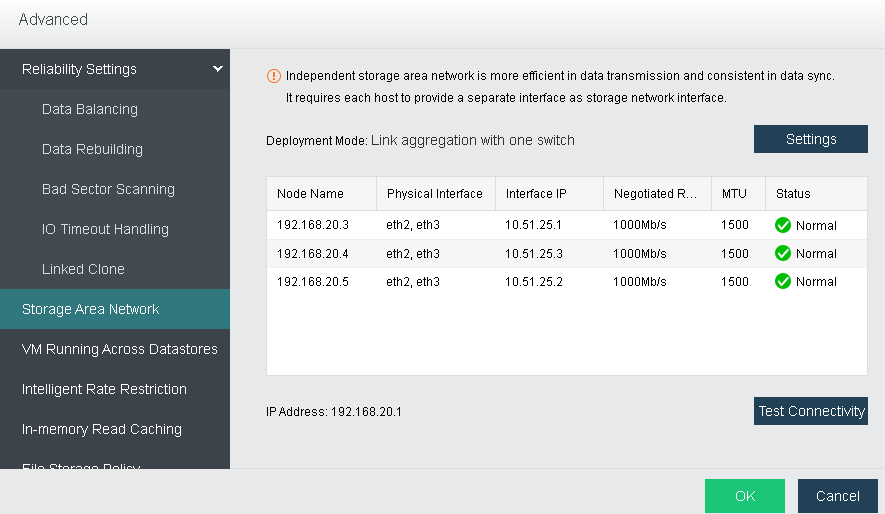
Take changing deployment mode to Link aggregation with one switch for example, select the option Link aggregation with one switch (Recommended) first, as shown below: 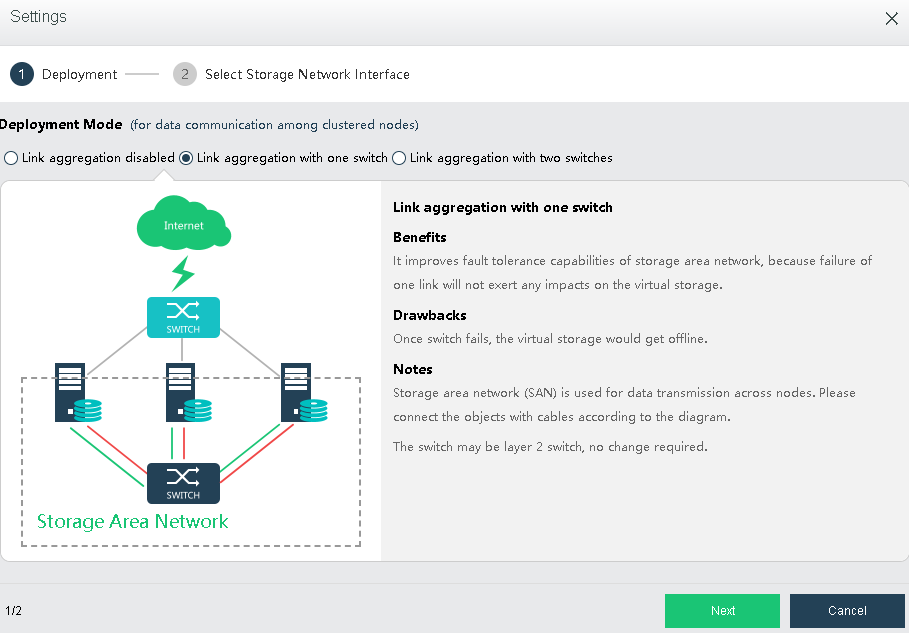
Click Next to configure storage network interface, and then click Finish. 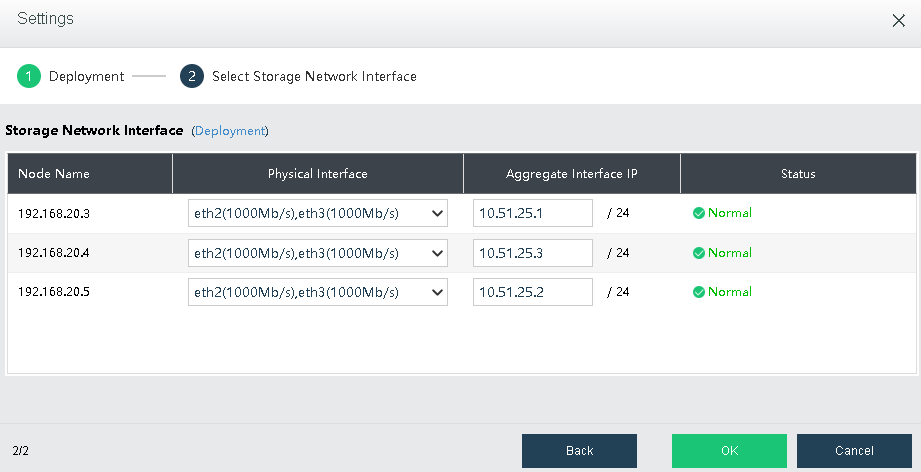

Independent storage area network is more efficient in data transmission and consistent in data sync. Furthermore, independent storage area network helps to reduce data sync risk caused by network connection error, since virtual storage contains crucial business data. The drawback is that additional interface must be provided on the node for the storage to communicate across nodes.
Test Connectivity: It is used to test whether the node is offline. First, you need to specify an IP address which should better be router IP address. 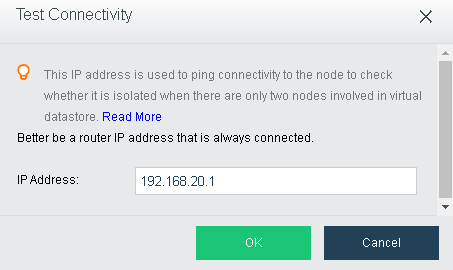
In case that the working node gets offline, virtual machines running on it may be recovered on another clustered node, which may lead to two instances for one virtual machine when the failed virtual machine recovers and interrupts the service. For that reason, we need to stop the instance on the offline node to ensure business continuity.
VM Running Across Datastores: This enables virtual machines to run across virtual datastores. It should be configured only when the number of virtual datastores is greater than or equal to 2. IP addresses in the pool should be in a 24-bit subnet that is exclusively used by the cluster. 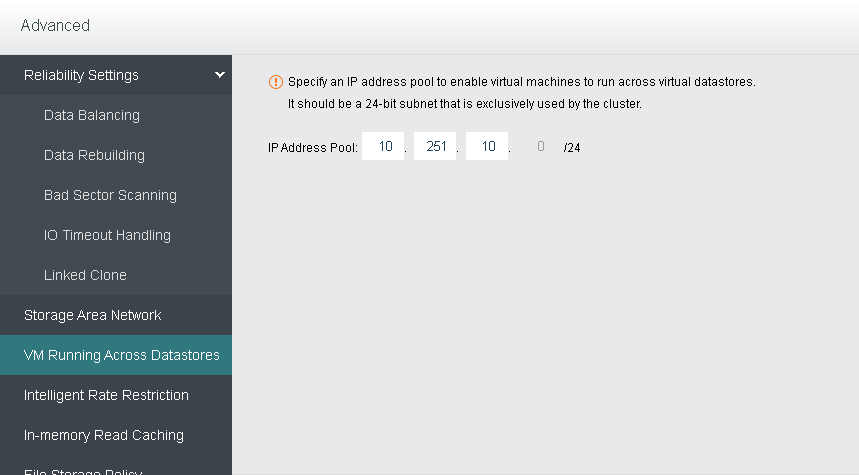
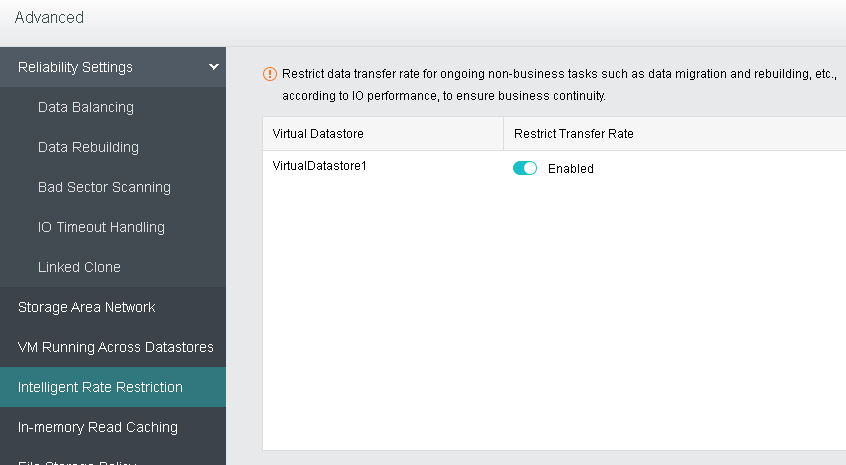
Intelligent Rate Restriction: Restrict data transfer rate for ongoing non-business tasks such as data migration and reconstruction etc,accordiing to IO performance,to ensure business continuity.
In-memory Read Caching: In-memory read caching accounts for 1/16 of host memory, which cannot be used by virtual machine. You may disable it and change to cache size. 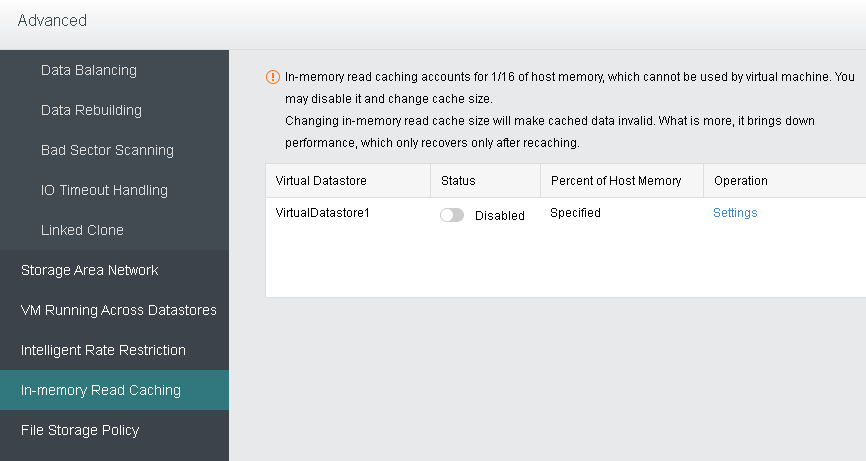
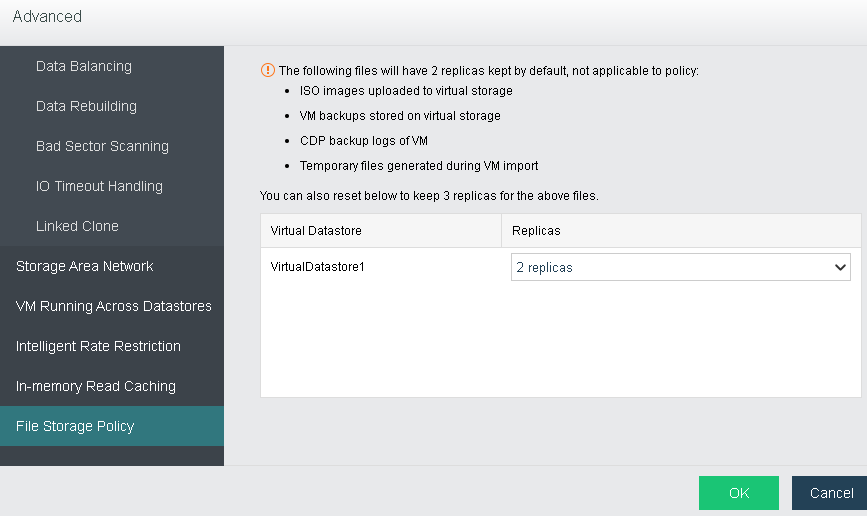
File storage Policy: To specifies number of replication which the ISO images, VM backups, CDP backup and the temporary file generated during import which stored in virtual storage.


 {{ $t('index.defaultHeader.chromeBrowserTip') }}