


{{ secondMenu.name }}






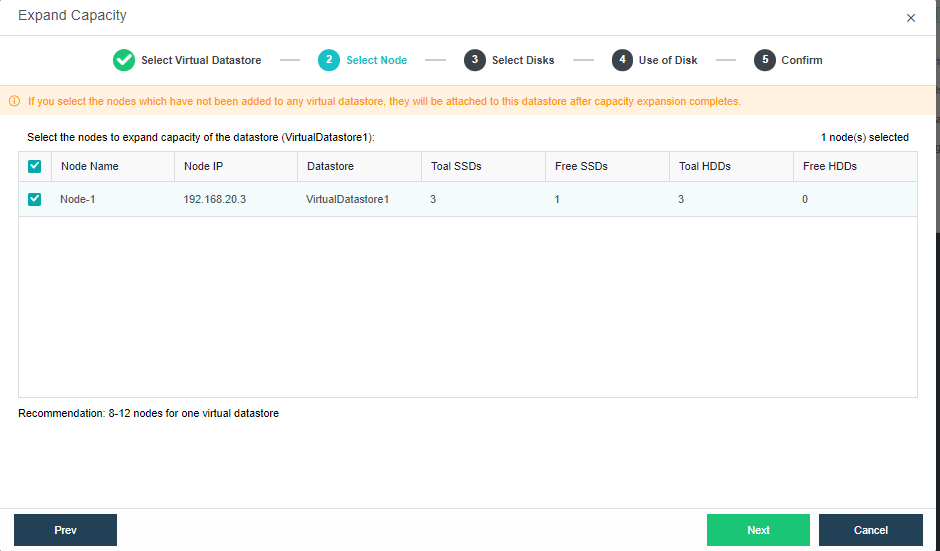
Capacity of a virtual datastore can be expanded by adding more nodes or disks to it. Before expanding capacity via node, storage network interface of the new node should be specified. Steps of capacity expansion include the followings: 1) Select virtual datastore for which you want to expand capacity 2) Select a type to expand capacity 3) Specify use of disks 4)Confirm configurations. 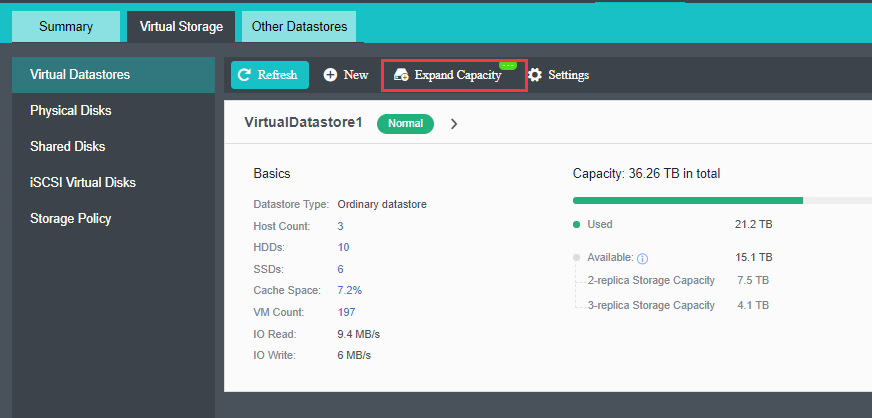

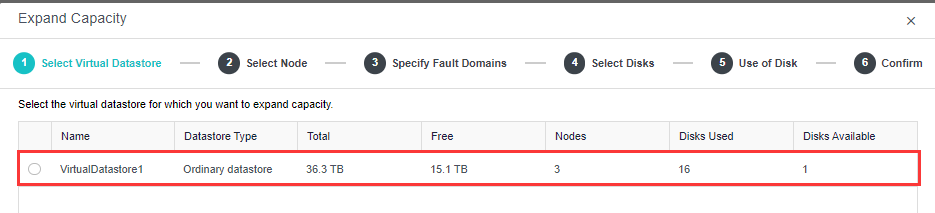
There is a list displaying information of virtual datastore: datastore name, datastore type, total capacity, free space, the number of nodes, the number of disks that have been used and the number of free disks. From the list, select the datastore for which you want to expand capacity
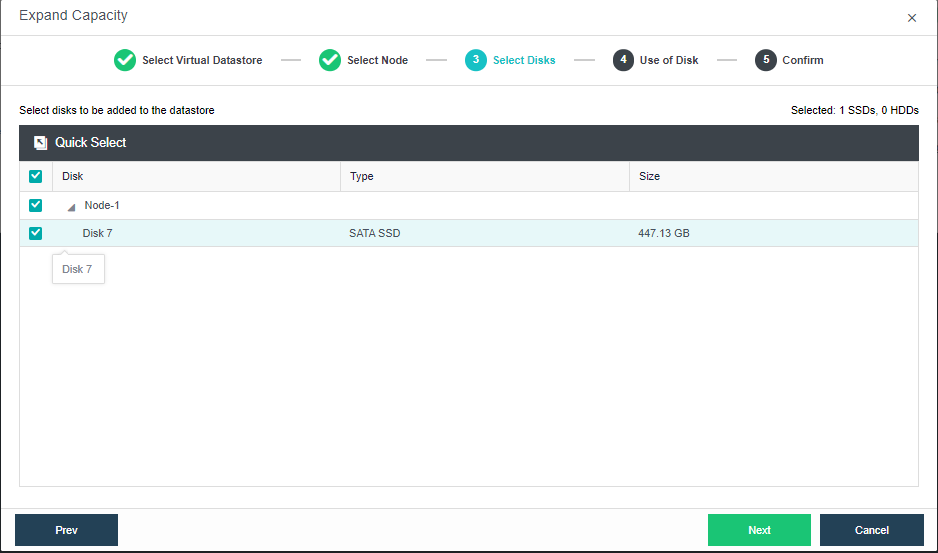
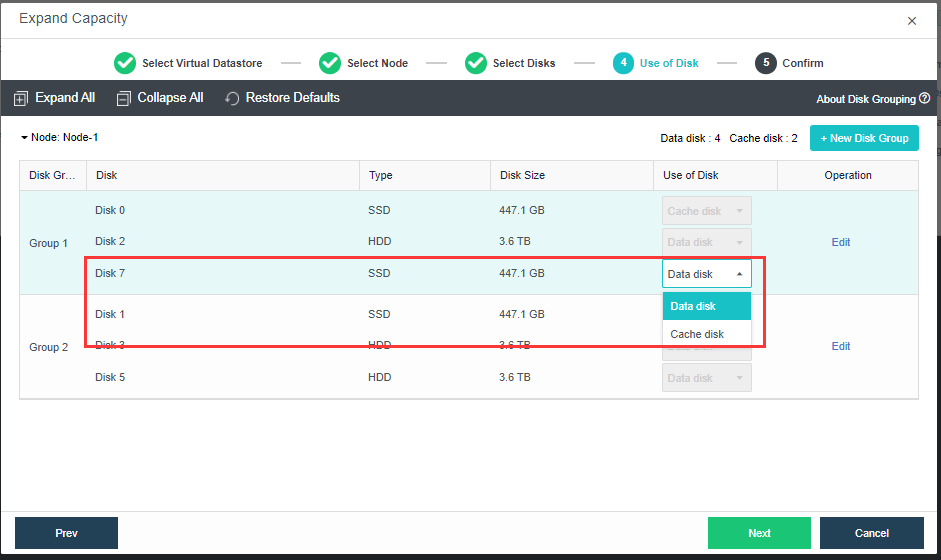
In this step, you will see the following information of available disks (system disk is not listed): disk name, disk type, disk size and use of disk. Then, you should specify use of those disks. Disks that are added to virtual storage can be used as data disk, cache disk or spare disk.
Data disk: It is used to store disk data files of virtual machine and create virtual disk. Its capacity should be greater than or equal to 200GB. The number of data disks should be multiple of the data replicas, or else some data disks cannot be added to virtual datastore.
Cache disk: It is used for caching, to improve performance of virtual storage. SSD is often used as cache disk. Its capacity should be greater than or equal to 100GB. Since version HCI5.3, SSD cannot be used as cache disk to add to virtual datastore if the SSD is not an SSD for data center, and storage performance may be affected without the cache disk.
Spare disk: It acts as backup of data disk on virtual storage, and is always ready to replace the data disk when it fails. Once the failed disk recovers, it returns to spare disk. Its capacity should be greater than or equal to 200GB. 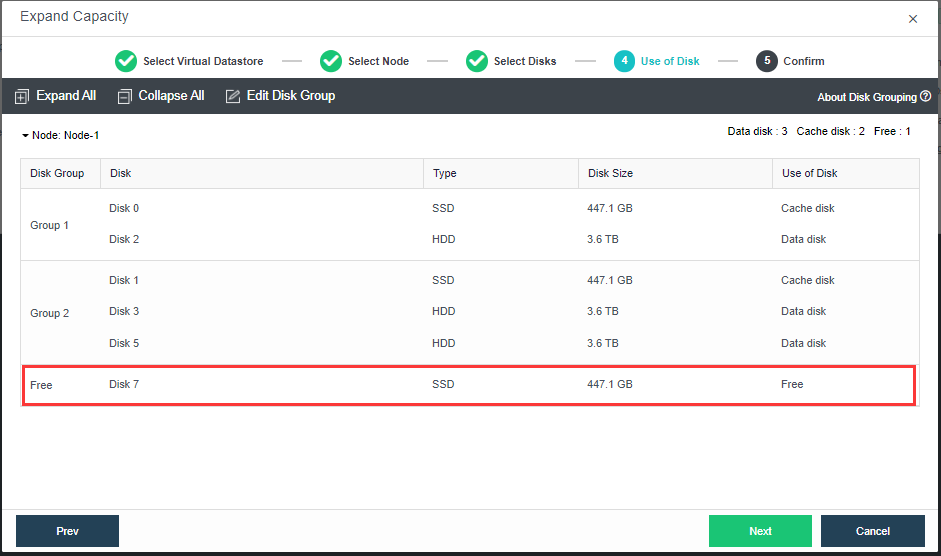
Edit Disk Group: Allow to edit the existing disk group by adding or removing disk from the disk group. When trying to expand the datastore with new disks, you may need to edit the disk group manually to add the disk normally.
If none of the above uses is selected for disk, it may not associate with virtual storage.
Edit Disk Group: Allow to edit the existing disk group by adding or removing disk from the disk group. When trying to expand the datastore with new disks, you may need to edit the disk group manually to add the disk normally.
If none of the above uses is selected for disk, it may not associate with virtual storage. 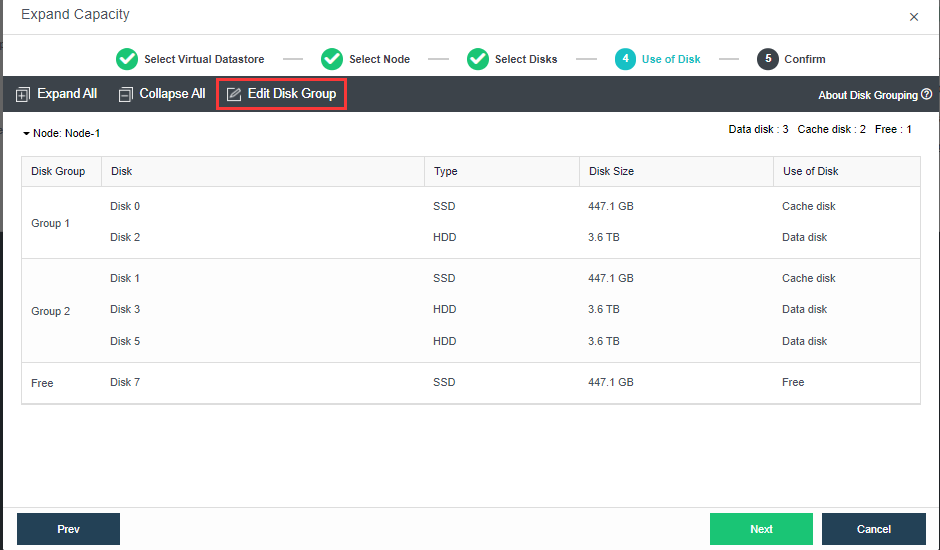
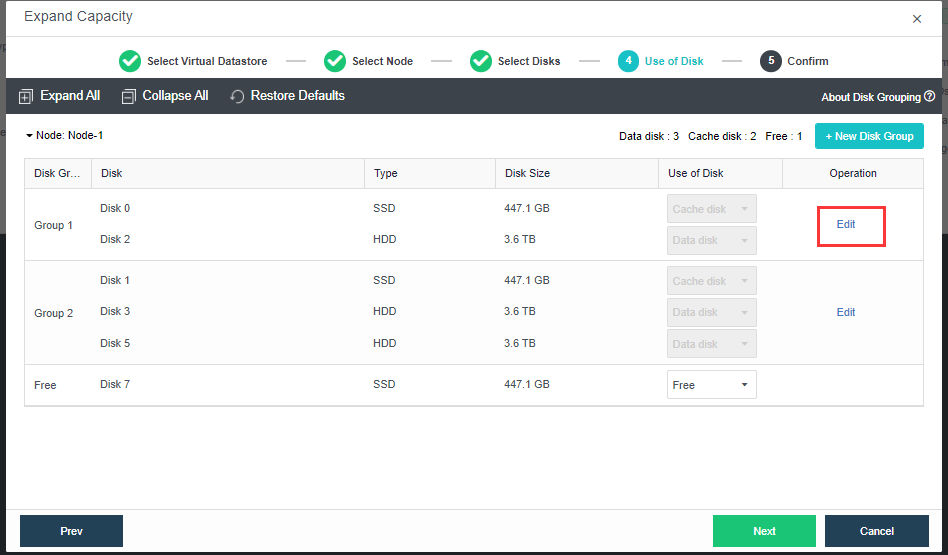
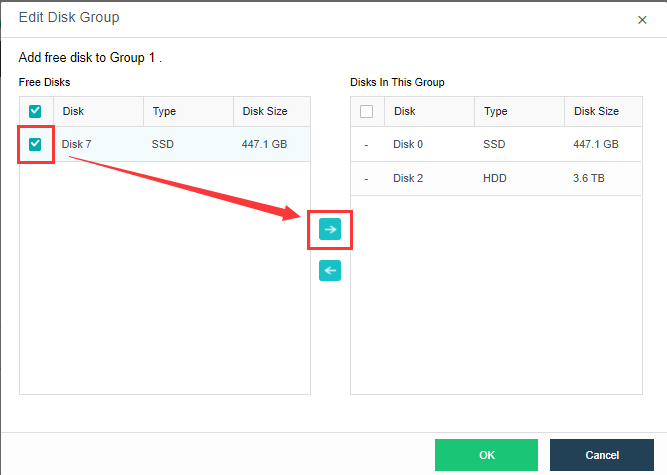
After configuring use of disk, type virtual datastore name and admin password to confirm capacity expansion operation.

Note that node or disk that has been added to virtual datastore cannot be removed, and disk will be formatted and emptied once the capacity expansion operation is confirmed. 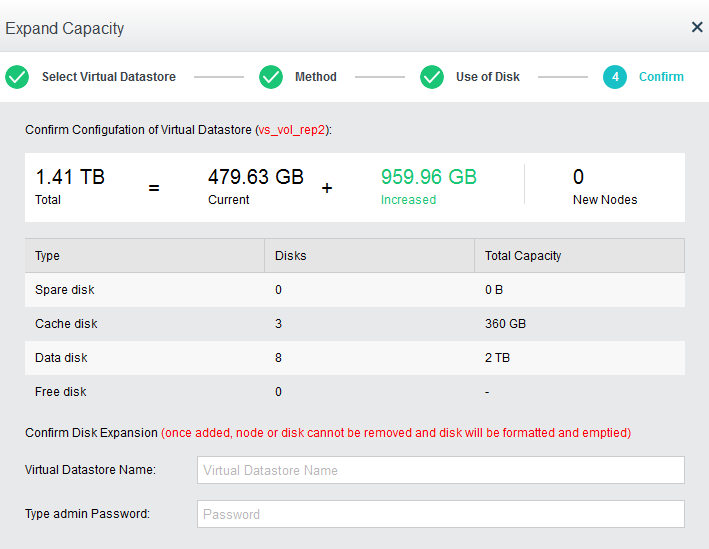


 {{ $t('index.defaultHeader.chromeBrowserTip') }}