


{{ secondMenu.name }}






To create a second virtual datastore (VS), there must be at least three nodes in the cluster. There are four steps to create a new virtual datastore: 1) Specify Datastore Type 2) Select node(s) 3) Specify use of disk 4) Confirm configurations. The following illustrates the creation process in details: 

Ordinary datastore: Ordinary datastore use automated tiering to give full play to the advantages of SSDs and HDDs to achieve excellent performance. 2 datastores can be created using 3 nodes/hosts.
Stretched datastore: Stretched datastore used to build an active-active data center. Host comprising a stretched datastore are deployed in 2 server rooms which function as primary and secondary fault domain. Multiple replicas will be written into the 2 fault domains respectively to achieve zero RPO. 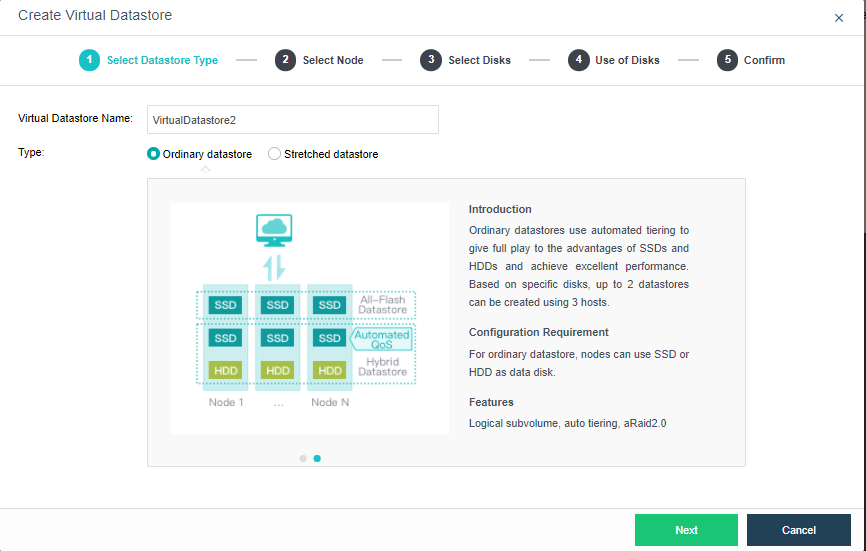
First, select the Method where it will be Use disks on new hosts or Use unused disks added to existing datastores.
Use disks on new hosts: Create virtual datastore based on nodes. Every first virtual datastore of the cluster must select this option.
Use unused disk added to existing datastores: Create new virtual datastore based on disk available on the nodes created with the option Use disks on new hosts.
Prerequisites of adding virtual datastore with Use unused disk added to existing datastores:
-Version 6.2.0 and above
-There are existing virtual datastore which created based on nodes.
-Required at least 3 nodes in the cluster.
There is a list displaying node information such as node name, node IP, total SSDs and HDDs. You should select the node(s) from that list that you want to add to virtual datastore. Note that at least three nodes are required to create a second virtual datastore. 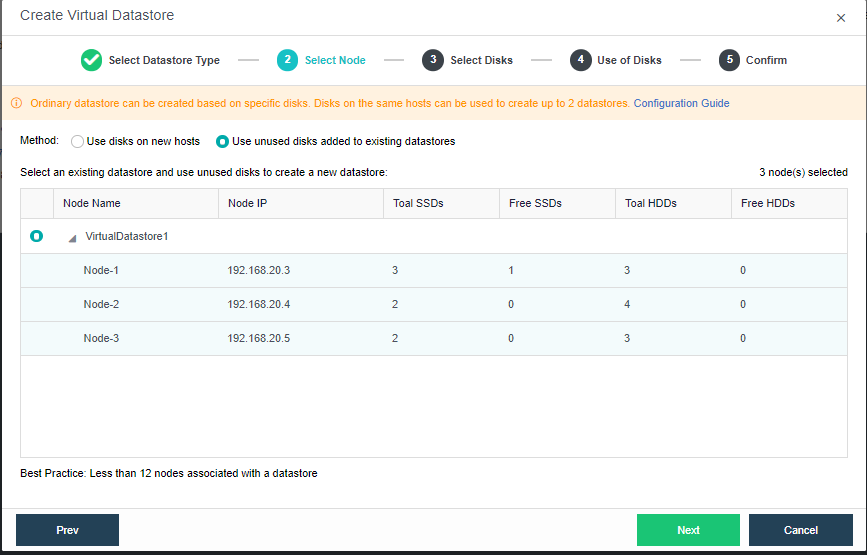
There is a list displaying all disk available in the selected nodes. Select the disks from the list that you want to add to the virtual datastore. 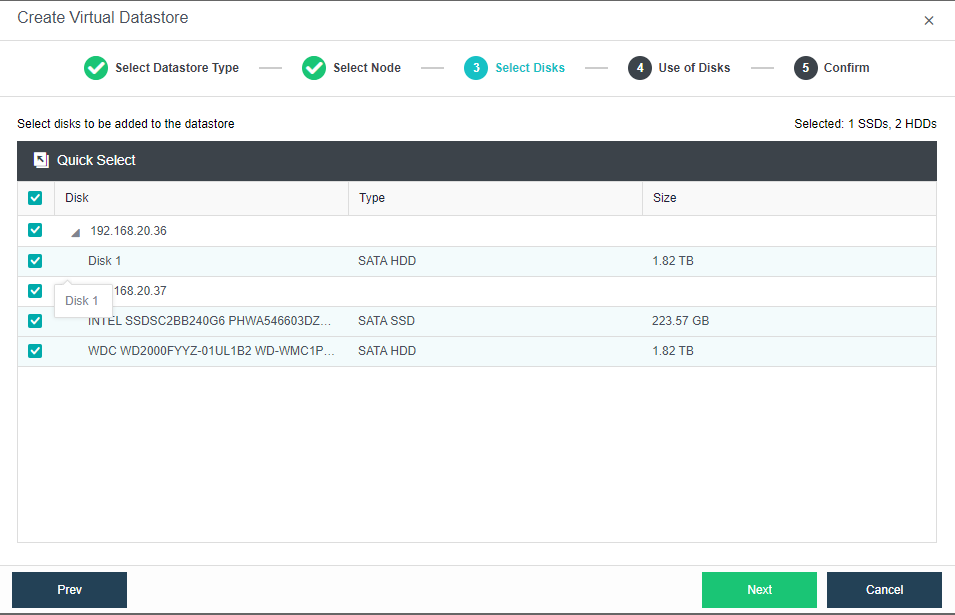
In this step, you will see the following information of discovered disks (system disk is not listed): disk name, disk type, disk size and use of disk. Then, you should specify use of those disks. Disks that are added to virtual storage can be used as data disk, cache disk or spare disk.
Data disk: It is used to store disk data files of virtual machine and create virtual disk. Its capacity should be greater than or equal to 200GB.
Cache disk: It is used for caching, to improve performance of virtual storage. SSD is often used as cache disk. Its capacity should be greater than or equal to 100GB. Since version HCI5.3, SSD cannot be used as cache disk to add to virtual datastore if it is not an SSD for data center, and storage performance may be affected without cache disk.
Spare disk: It acts as backup of data disk on virtual storage, and is always ready to replace the data disk when it fails. Once the failed disk recovers, it returns to spare disk. Its capacity should be greater than or equal to 200GB.
If none of the above uses is selected for disk, it may not associate with virtual storage.
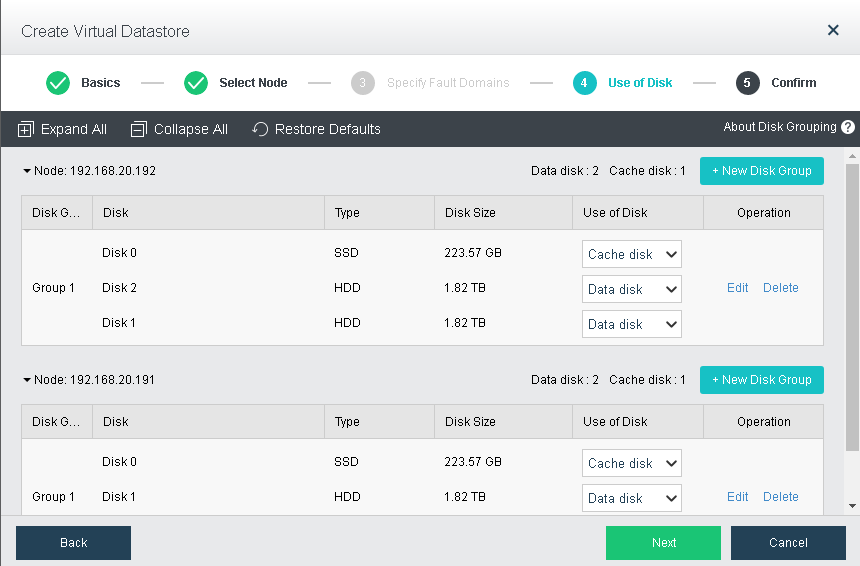
After configuring use of disk, you need to type admin password to confirm the operation of creating virtual datastore. 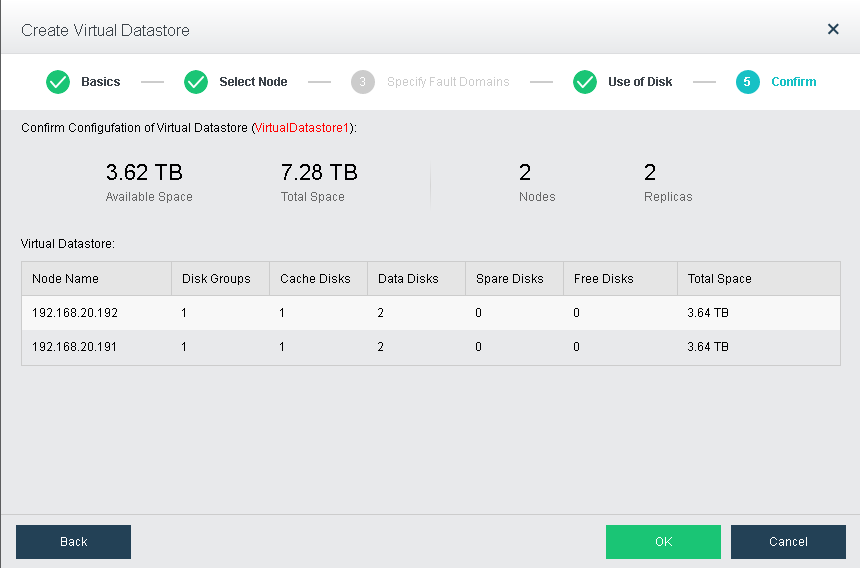


 {{ $t('index.defaultHeader.chromeBrowserTip') }}