


{{ secondMenu.name }}






After a virtual network device is created, you need to license it before using it 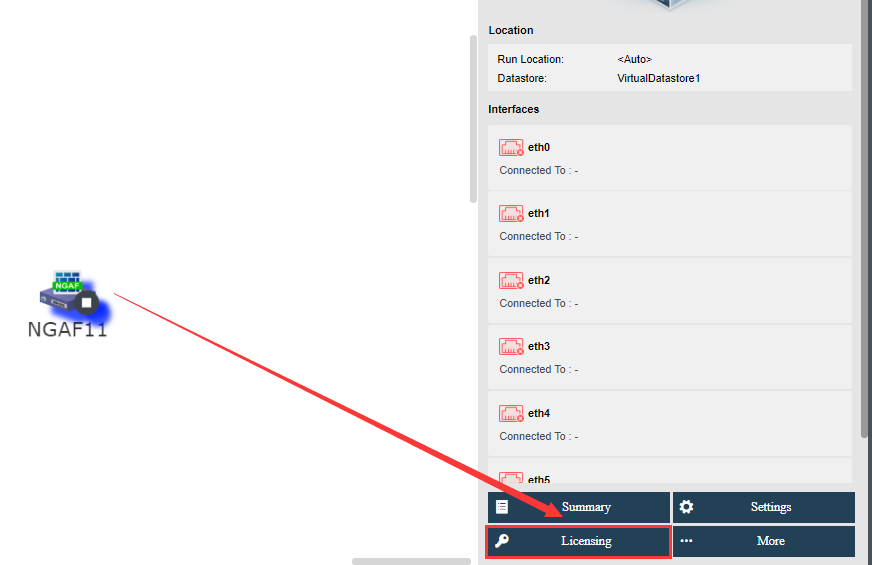
To license virtual network device, click Licensing button, as shown below: 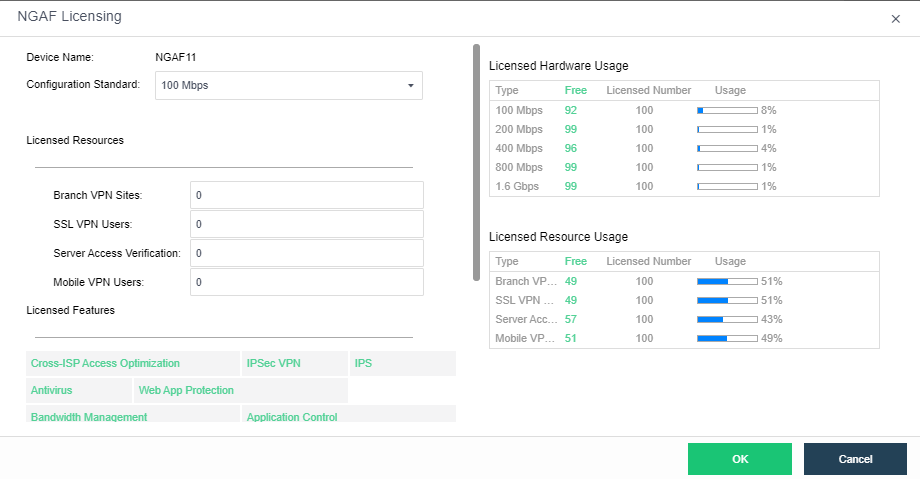
Device Name: Displays the name of the virtual network device.
Configuration Standard: Specifies bandwidth for the virtual network device.
Licensed Resources: Specifies licensed resources of the virtual network device.
Licensed Features: Displays licensed functions.
When the virtual network device is successfully licensed, it will be automatically restarted and then you will see the Web Console and More buttons on the right panel in Networking. To perform more operations against the virtual network device, click More, and select an operation, such as Shut Down, Power Off, Backup, Recover, Migrate ,Clone, and Encrypt VM. 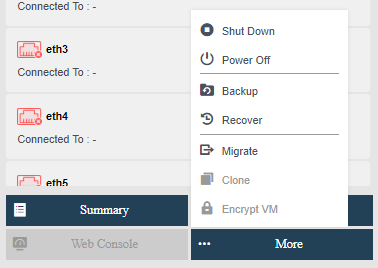
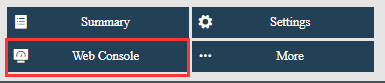
To enter Web admin console of virtual network device, click Web Console.


 {{ $t('index.defaultHeader.chromeBrowserTip') }}