


{{ secondMenu.name }}






To view detailed settings of a switch, select the switch and click Summary button to enter switch summary page. Here you can view Basics, Traffic, Status and Network. You can also view admin logs on the Admin Logs tab. 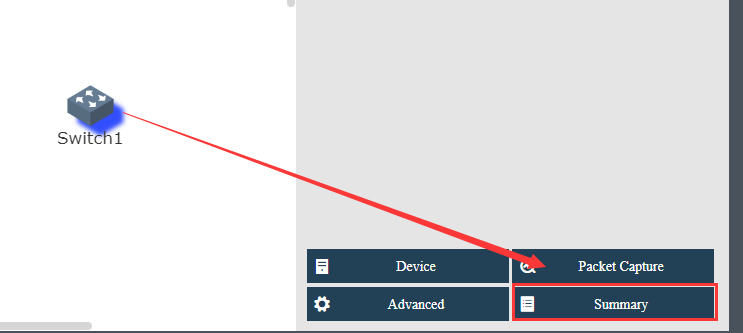
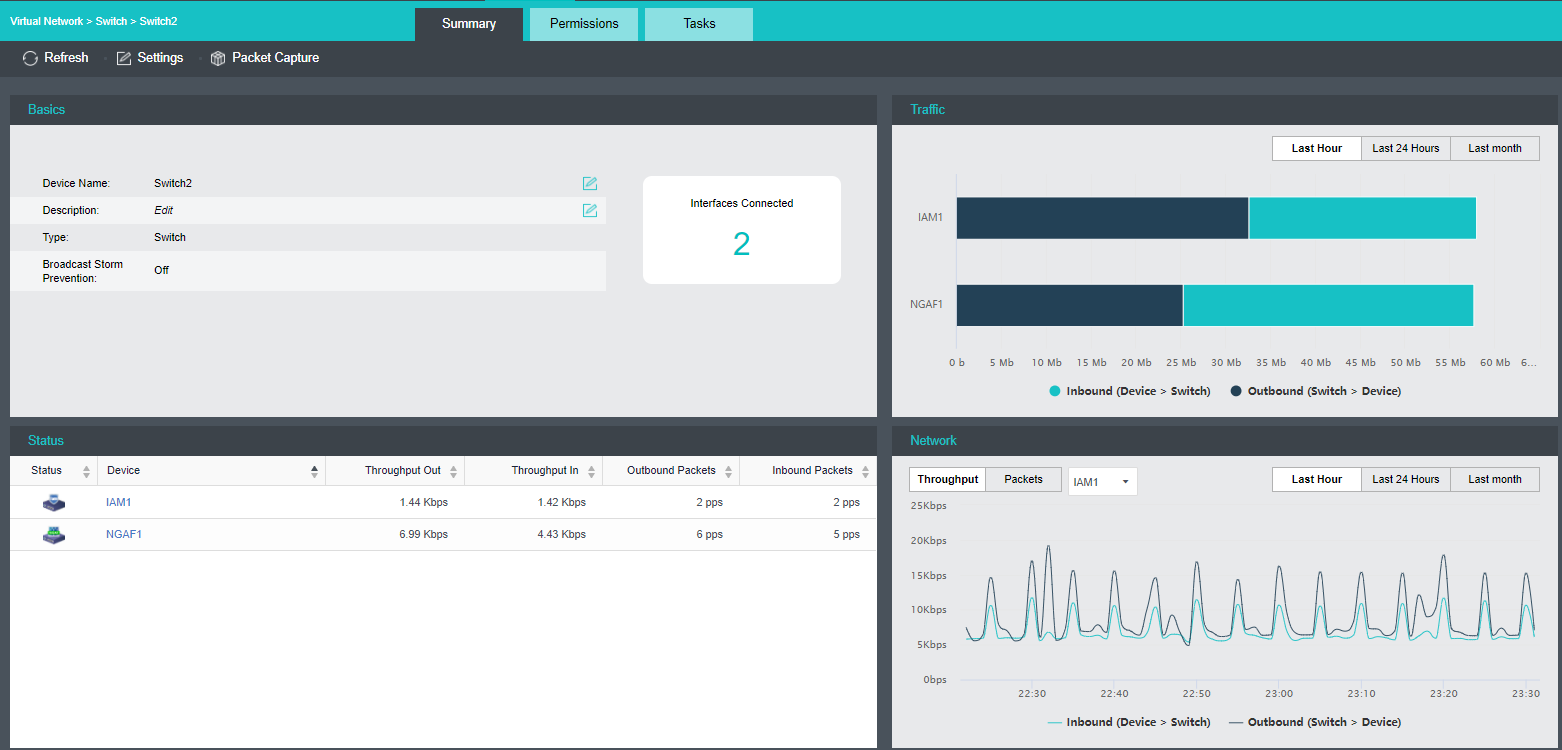
To reload the current page, click Refresh.
To configure the switch, click Settings.
To capture and analyze packets, click Packet Capture, as shown below: 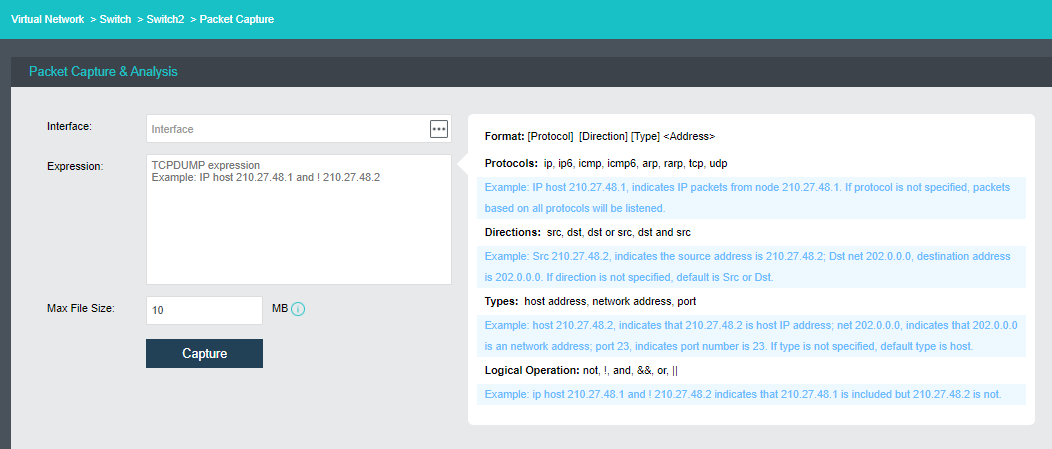
Interface: Specifies the interface. The packets passing through that interface will be captured.
Expression: Specifies expression to filter packets. On the right panel of the Packets Capture & Analysis page, it displays the expression formats.
Max File Size: Specifies the maximum size of the file. If a file size is larger than the maximum, capturing packet will stop.
Tasks: This section displays administrator logs, which record various operations on the switch, performed by administrator, such as adding connection. Each log contains the following information: Status, Action, Start Time, End Time, Username, Node, Object Type, Object and Operation. To view log details, click View in Operation column. 


 {{ $t('index.defaultHeader.chromeBrowserTip') }}