


{{ secondMenu.name }}






Select a virtual switch, you can view its configuration on the right. To configure switch, click Settings button to enter Settings page, as shown below. On the following page, you can add connection and enable broadcast storm prevention.
On the Device tab, you can add connection to virtual machines and network devices (such as router, NGAF, ADC, IAM, WOC, and SSL VPN), as shown below: 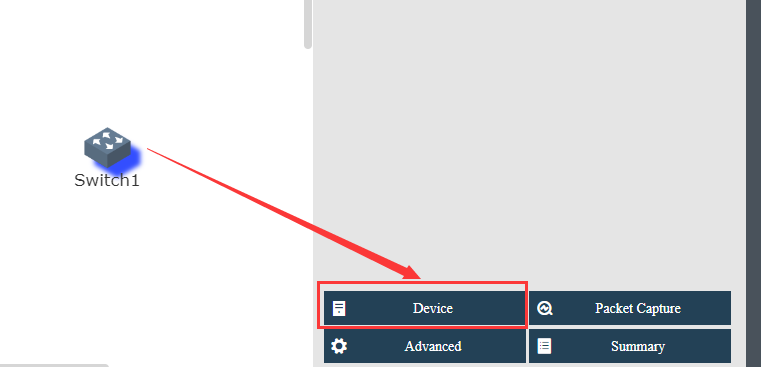
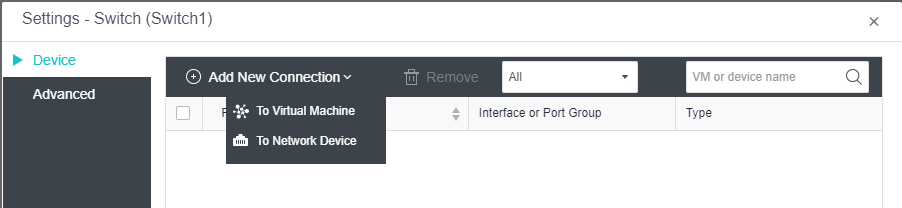
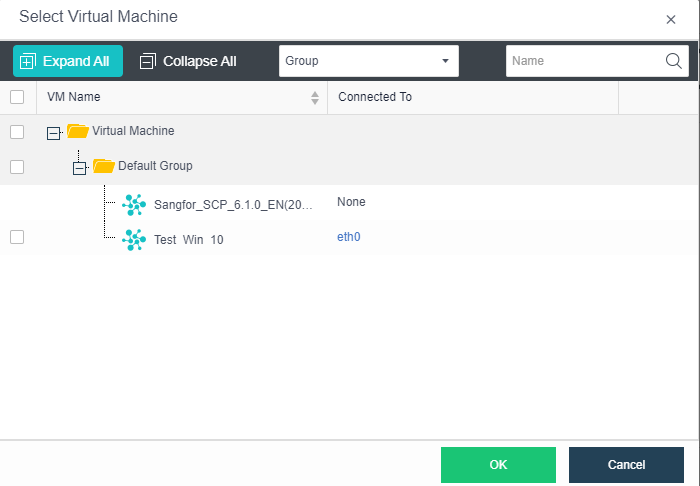
To add connection to a virtual machine, select Add Connection > To Virtual Machine, then select the VM that you want to connect to the switch. Click OK to save the settings. as shown below:
To add connection to a network device, select Add Connection > To Network Device, select the network device that you want to connect to the switch and then click OK, as shown below: 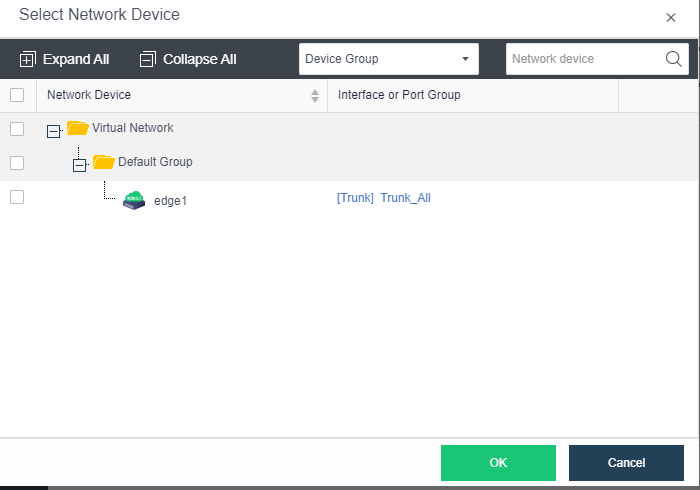
On the Advanced tab, you can enable and configure broadcast storm prevention which can help to restrain outgoing packets or block some interface if multicast or broadcast storm occurs on switch. Broadcast storm prevention is disabled by default. 
To configure broadcast storm prevention, click Settings to enter the following page and specify threshold. 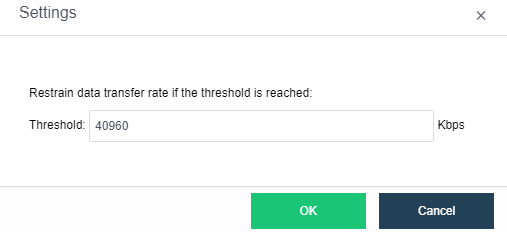


 {{ $t('index.defaultHeader.chromeBrowserTip') }}