


{{ secondMenu.name }}






Select an edge and click on Settings button on the right to enter edge settings page. On the Settings page, you can view and configure physical interface and port group. 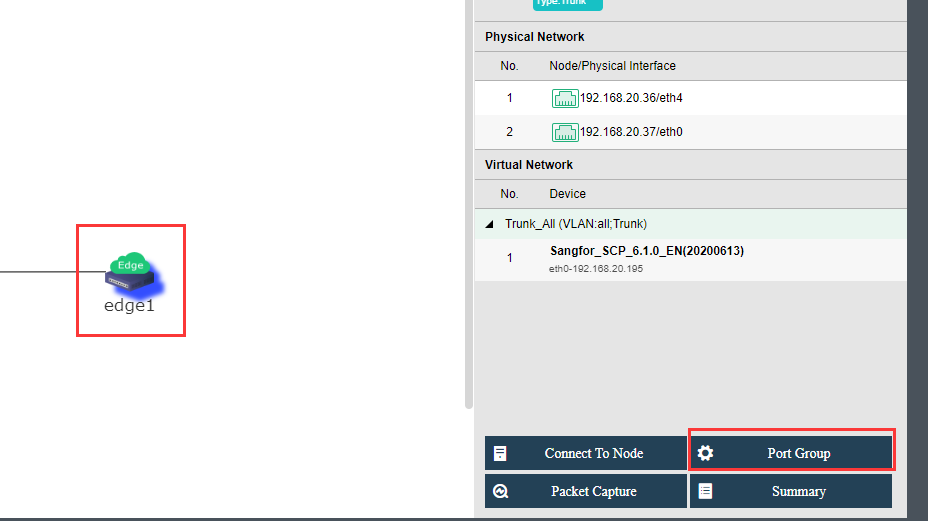
On the Physical Interface tab, as shown below, you can add a new physical interface, delete or edit an existing physical interface. Each node should be specified a physical interface to be connected to a same edge, and that interface should be connected to a same L2 switch so as to ensure that virtual network traffic can go to physical network through any node. As shown below: 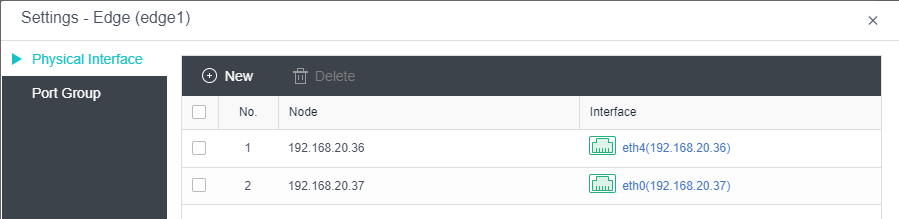
On the Port Group tab, you can add a new port group, delete or edit an existing port group. 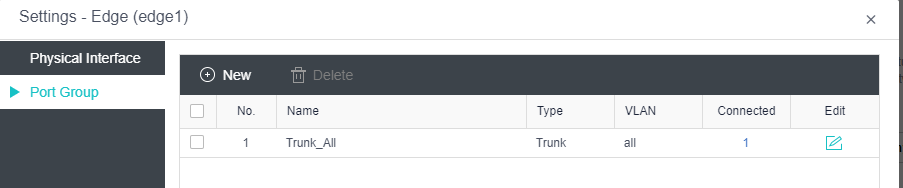
To add a new port group, click Add to enter the following page and configure related fields 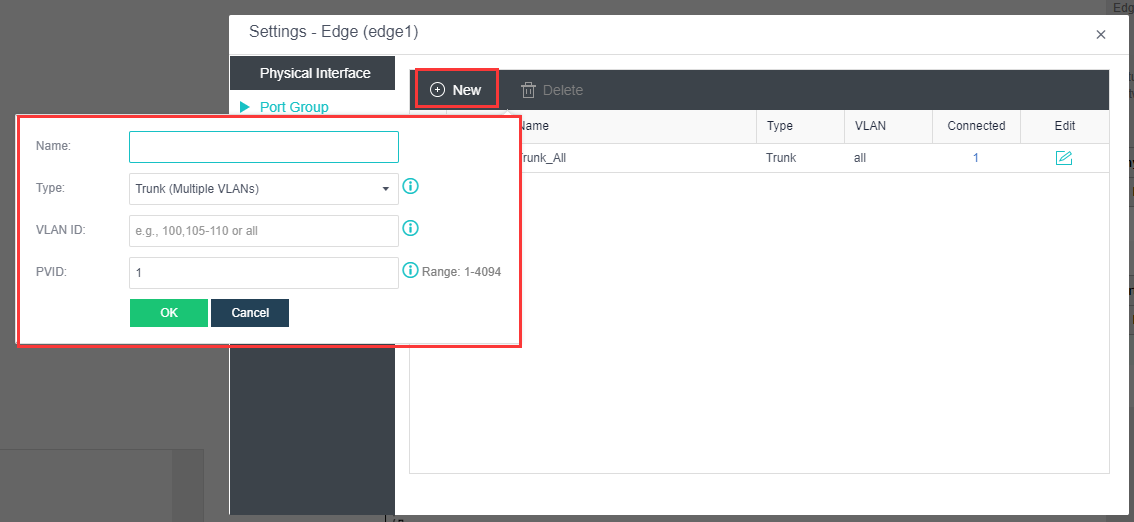
Name: Specifies a name for the port group.
Type: Specifies the type of VLAN interface, Trunk or Access. Trunk port is used for VLAN trunking or VLAN aggregation. It allows packets that do not carry VLAN information, or carry VLAN information but VLAN ID is within specific VLAN range; if VLAN ID is not in VLAN range, packets will be rejected. The packets without VLAN information are allowed to go through this port.
Access port is used for untagged VLAN. If it receives packets without carrying VLAN information, the packets will be tagged with specific VLAN IDs, which will be removed when the packets go out of that Access port. The packets with VLAN information are not allowed to go through this port.
VLAN ID: It is required when the type is Trunk.
PVID: It is the default VLAN ID that will be tagged on the packets going through the switch but not carrying VLAN ID.
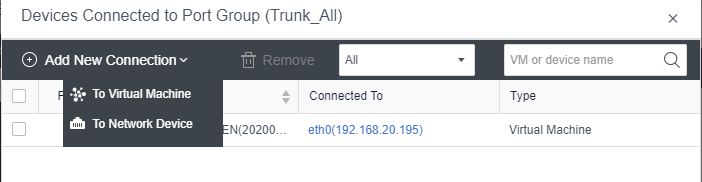
On the Port Group tab, you may click on the number in Connected column to enter the following page on which you can add connection to virtual machine, network device (including router, NGAF and ADC), 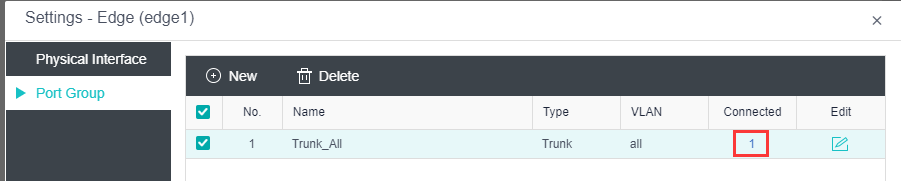


 {{ $t('index.defaultHeader.chromeBrowserTip') }}