Sangfor HCI and aSV provide a unified infrastructure combining compute, storage, networking, and built-in security to simplify deployment, operations, and services.
Enabling virtual machine disk encryption can improve the security of virtual machine disks.
Precaution
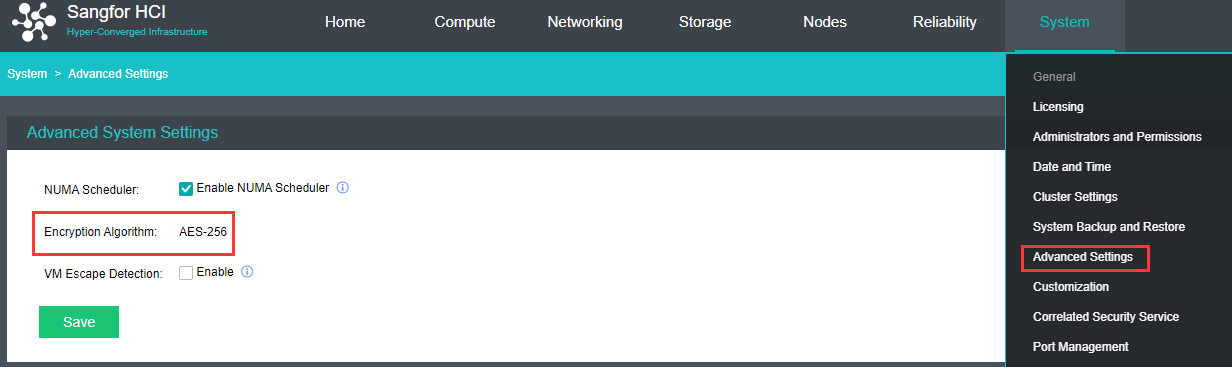
virtual machine disk encryption, support AES 256 symmetric encryption algorithm.
One encryption option for one virtual machine, after turning on the whole virtual machine is encrypted virtual machine.
one virtual machine one secret key, after encryption, all the disks have the same key.
You can't cancel the encryption after you enable it
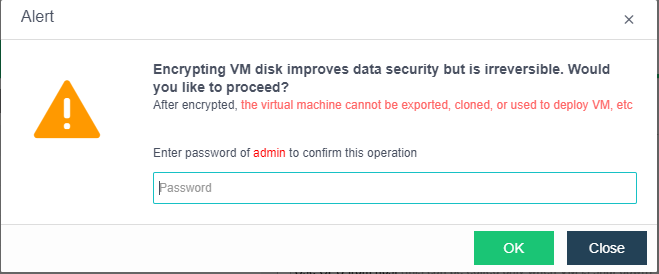
Virtual machine disk encryption is not reversible, which mean that it cannot be unencrypted.
The disk encrypted virtual machine cannot be exported, cloned, or deployed as a template.
The platform encryption function adopts pure soft encryption, so there is no need forcustomers to purchase additional hardware such as encryption cards and encryption machines.
All the functions of key management are implemented in the platform by simulating KMS.
The encryption of virtual machine is carried out at the time of creation or in the shutdown state, and the encryption of virtual machine with existing business needs to be applied in the time window without business access.
After virtual machine encryption, encryption and decryption operations are required for disk data reading and writing, and there is a certain performance consumption, so the virtual machine encryption function should be turned on carefully.
Prerequisites No
Operation steps
Navigate to System > Advanced Settingsand check the virtual machine encryption algorithm.
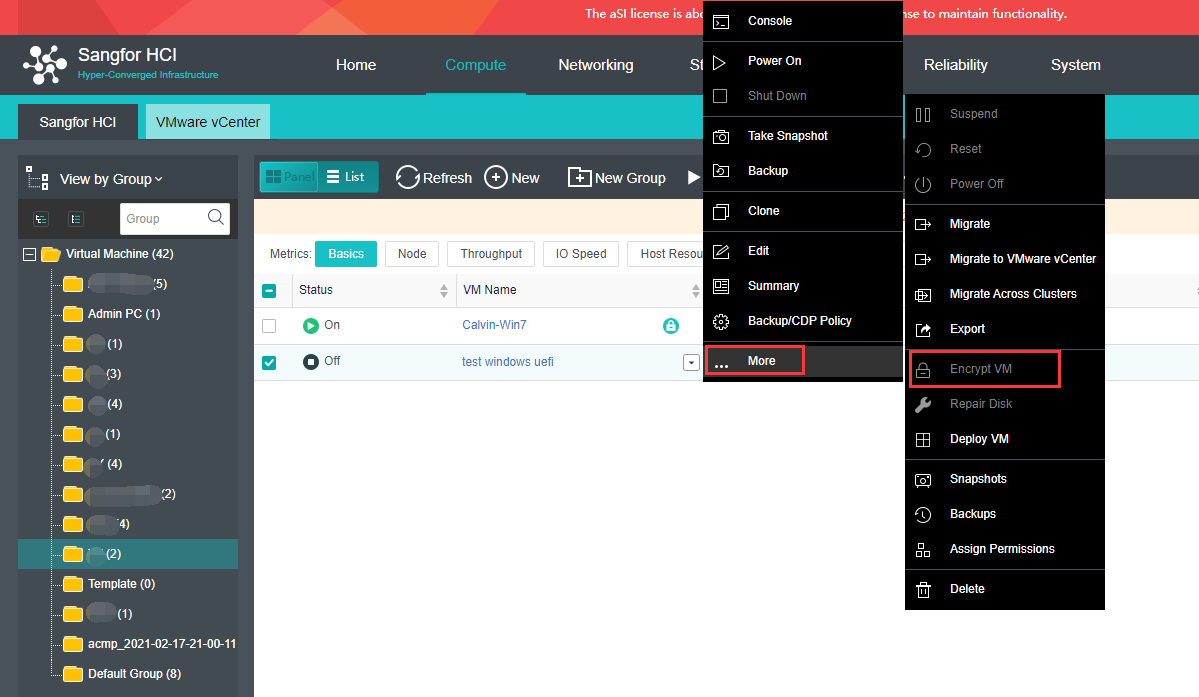
Navigate to Compute, make sure the VM need to be encrypted is powered off.
Select the VM need to encrypt and click More > Encrypt VM.
When the encryption is complete, the Virtual Machine page will show a mark that the virtual machine has been encrypted.