


{{ secondMenu.name }}






There are 2 types of snapshot starting from version 6.0.1.
Description: Storage based snapshot with ROW mechanism. This is the default
snapshot method for cluster starting from version 6.0.1 for 3 nodes and above
environment.
The maximum number of storage based snapshot can be take is 128.
Up to 128 snapshot can be taken for storage based snapshot.
Features:
Requirement: To support storage based snapshot, the following requirement must be fulfill.
b. Virtual disk based snapshot
Description: Qemu based snapshot with COW mechanism. This snapshot will be use for 2 nodes cluster or VM that running on external storage.
On the Snapshot page, you can view the snapshots you have taken and create new snapshot. To create a snapshot, click Take Snapshot. 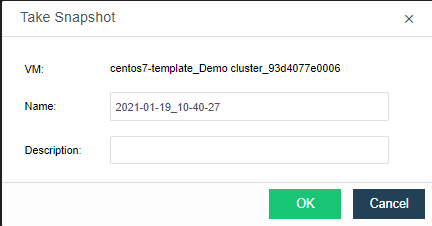
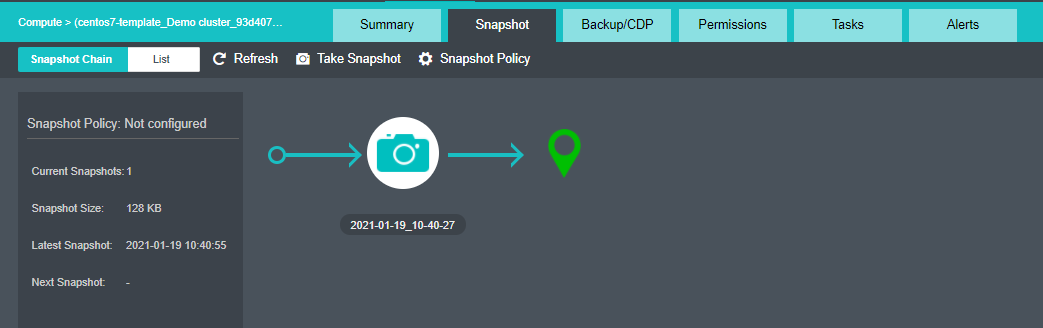
On the above page, specify Name and Description. Then, click OK.
After a snapshot is created, you may click on the snapshot name and then a dialog pops up, as shown below: 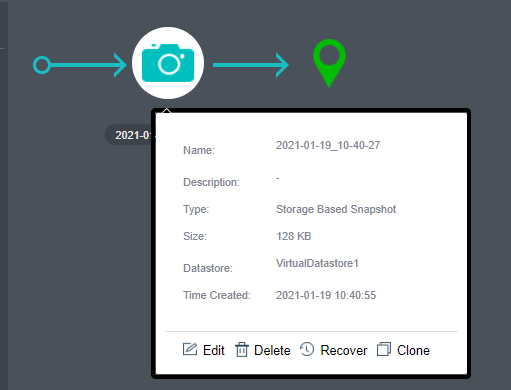
To modify the snapshot name and description, you may click Edit.
To delete the snapshot, you may click Delete. Snapshots cannot be recovered once deleted. It requires admin password to confirm the operation.
To clone a virtual machine from the snapshot, you may click Clone.
To recover virtual machine from snapshot, you may click Recover. The virtual machine is running, but will be powered off before being recovered. Please power it on manually after recovery.
Take a snapshot prior to recovery: Once it is enabled, though the changes made since the previous snapshot will get lost, this snapshot is inevitable in case of recovery failure. 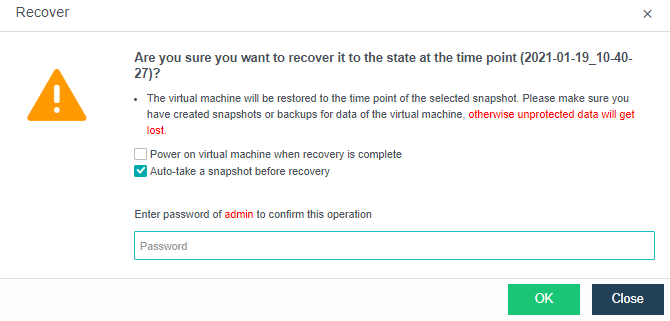
To make snapshot before recovery, you may tick the option Auto-take a snapshot before recovery.
Consistency group snapshot
Consistency group snapshot is the feature which allow user to add multiple VM into a consistency group and take snapshot at the same time.
A single consistency group has restricted the number of vm disk which the maximum number of disk is 64. Consistency group snapshot will only process for the virtual disk that running on virtual storage.
Navigate to consistency group snapshot setting under Reliability > Snapshots > Consistency Group 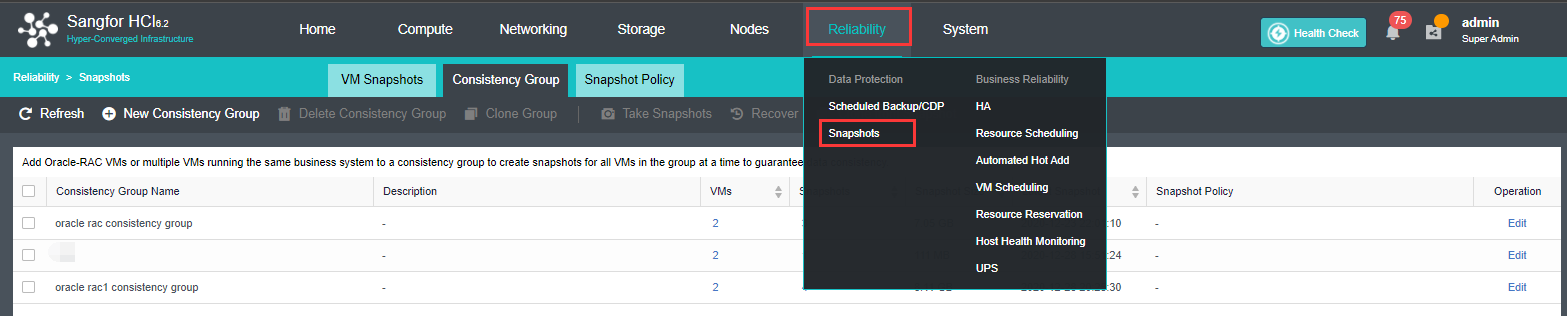

In the Consistency Group tab, you can perform the following: 
New Consistency Group: Create a new consistency group with selected VM 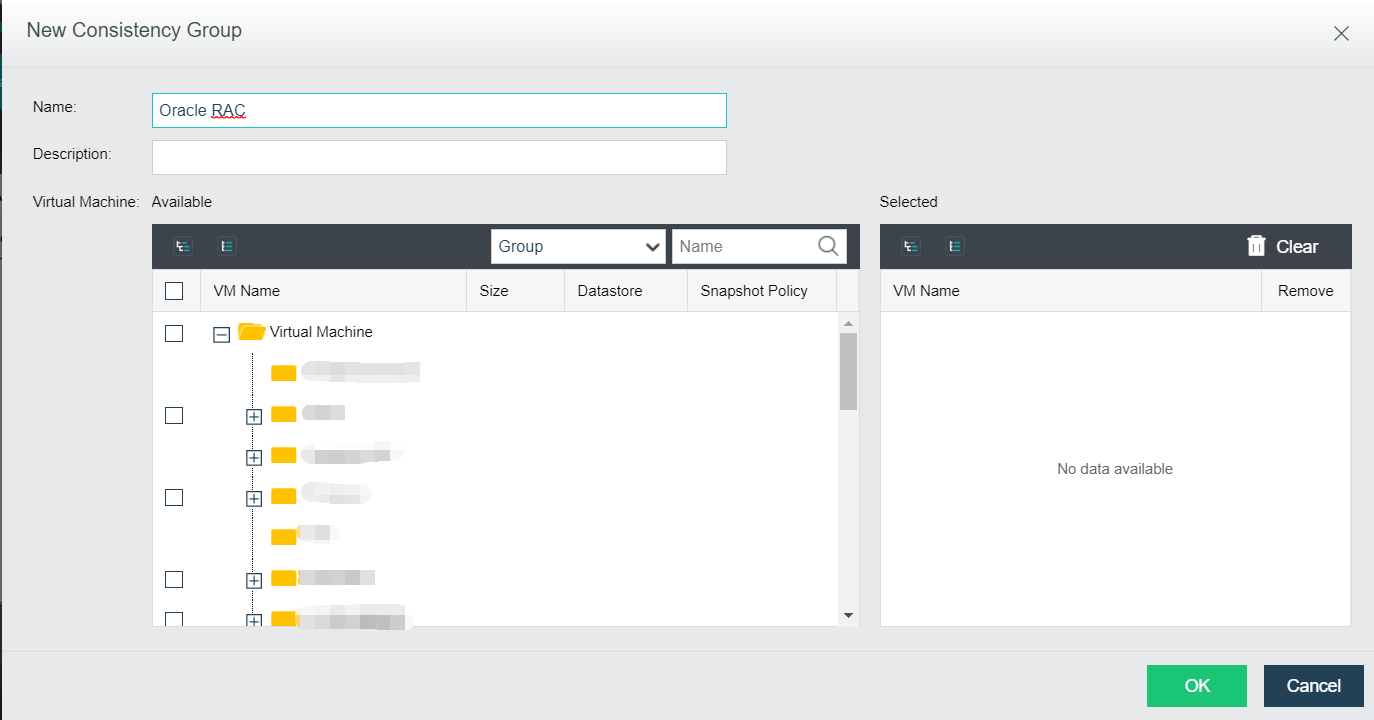
Delete Consistency Group: Delete the selected consistency group. Required to enter admin password to proceed.
Clone Group: Clone the VM inside the consistency group and create new consistency group with the cloned VM.
Take Snapshots: Take snapshot for the selected consistency group.
Recover: Recover snapshot for the selected consistency group.
Clone From Snapshot: Clone VM from the selected snapshot.
Schedule Snapshot policy
Schedule snapshot policy allow user to take a snapshot and cleaning up the snapshot periodically for security purposes as well as saving the storage space.
User can configure schedule snapshot policy to take snapshot for the VM periodically under Reliability > Snapshots > Snapshot Policy 
In snapshot policy tab, you can perform the following action.
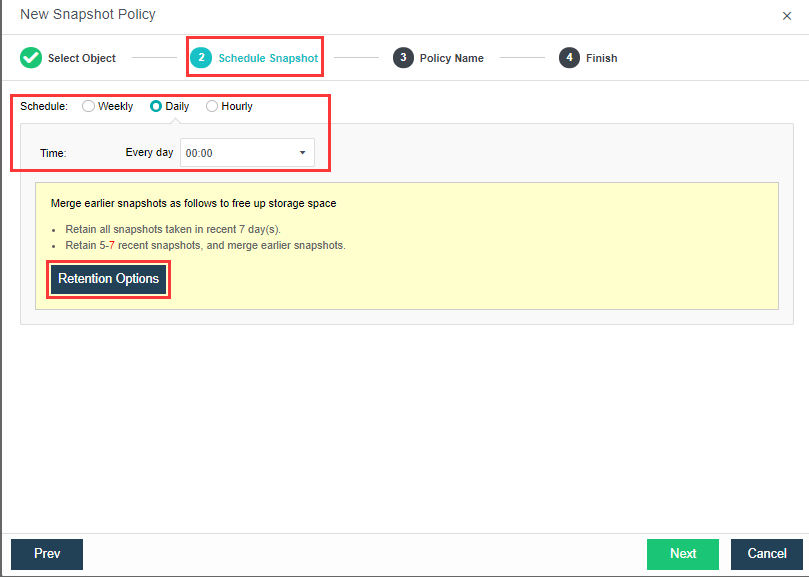
New Snapshot Policy: Create new snapshot policy by selecting VM/Consistency Group, Schedule, Retention Options and specify the policy name. 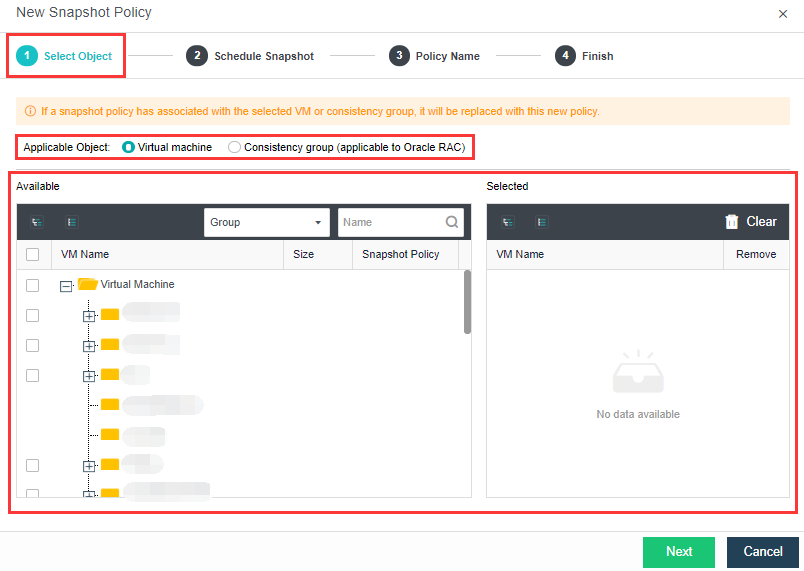
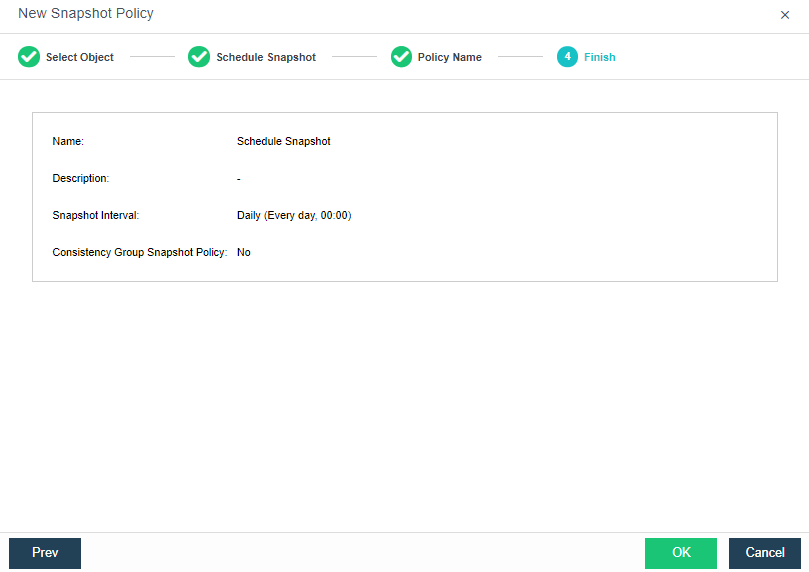
Delete: Delete the selected snapshot policy.
Enable: Enable the selected snapshot policy.
Disable: Disable the selected snapshot policy.
Take Snapshot: Take snapshot for the VM in the snapshot policy.
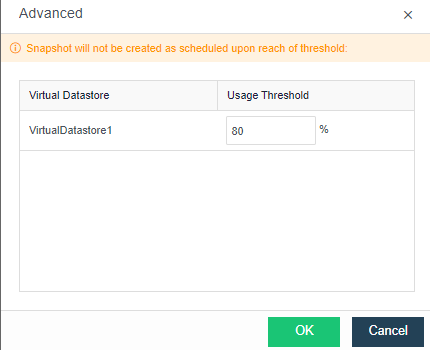
Advanced: Configure the Threshold for the storage which will stop the schedule snapshot. 


 {{ $t('index.defaultHeader.chromeBrowserTip') }}