


{{ secondMenu.name }}






A virtual machine can be converted into template so that it can be used as a template to create multiple virtual machines. Before converting virtual machine to template, make sure that VM is powered off; if it is powered on, click Power Off or Shut Down and then select More > Convert to template on the Summary page, as shown below:
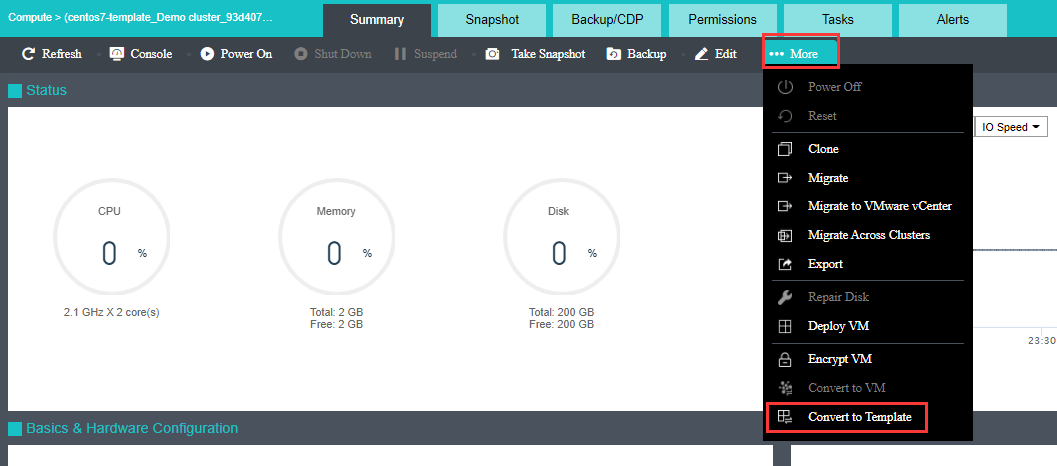
Status: Displays the following information about virtual machine: CPU Usage, Memory Usage, Disk Usage, Throughput, CPU, Memory, IO Speed, IOPS.
CPU Usage: Displays CPU usage of virtual machine. On the right side, you may view CPU usage in the last hour or last 24 hours. 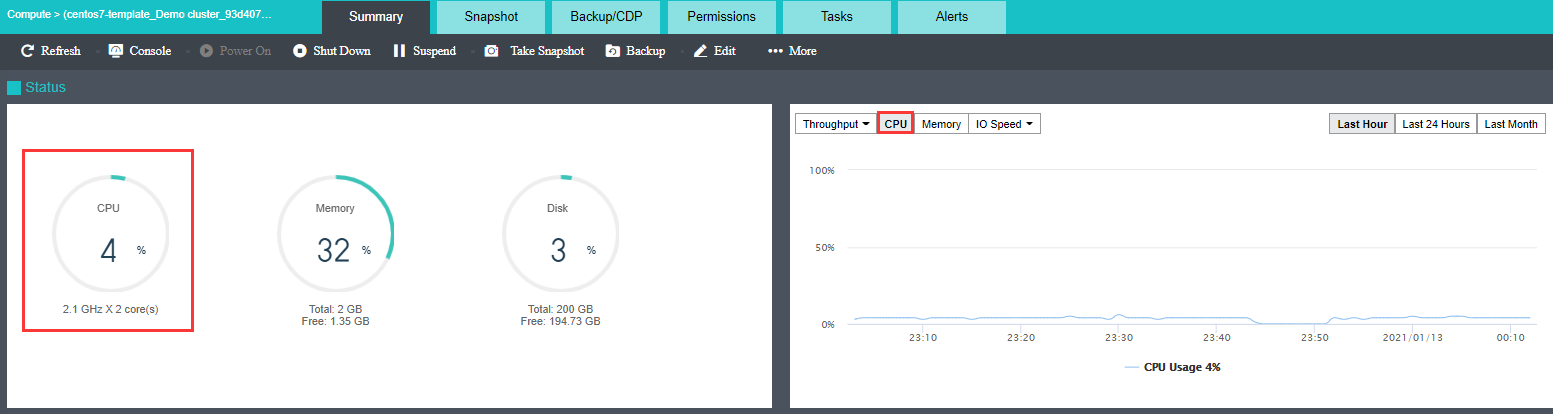
Memory Usage: Displays the total and free memory size respectively, as well as memory usage. On the right side, you may view memory usage in the last hour or last 24 hours. 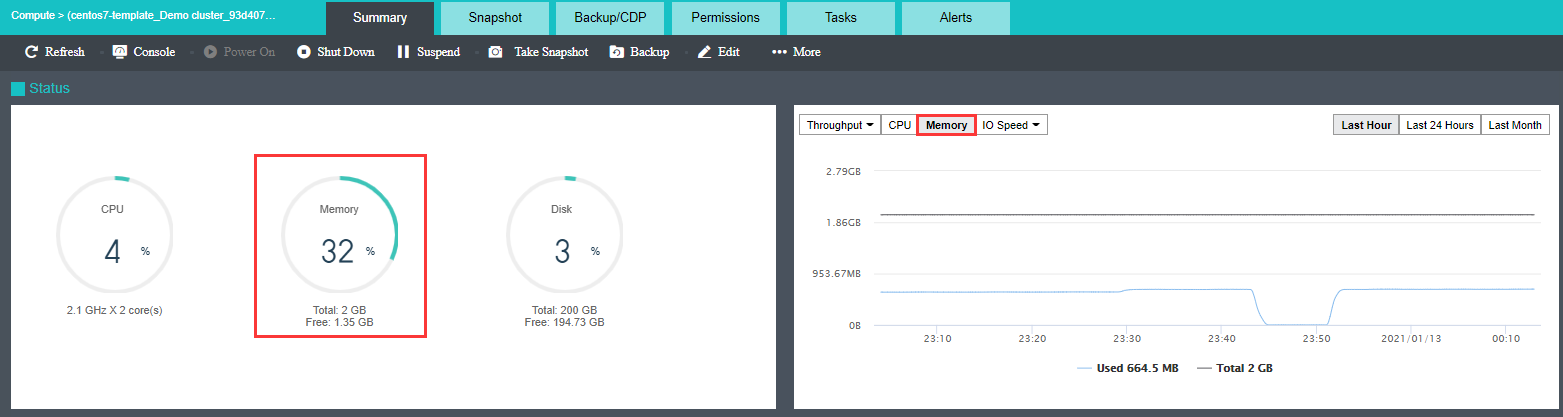
Disk Usage: Displays the total and free disk size respectively, as well as disk usage. On the right side, you may view disk IO speed and IOPS. 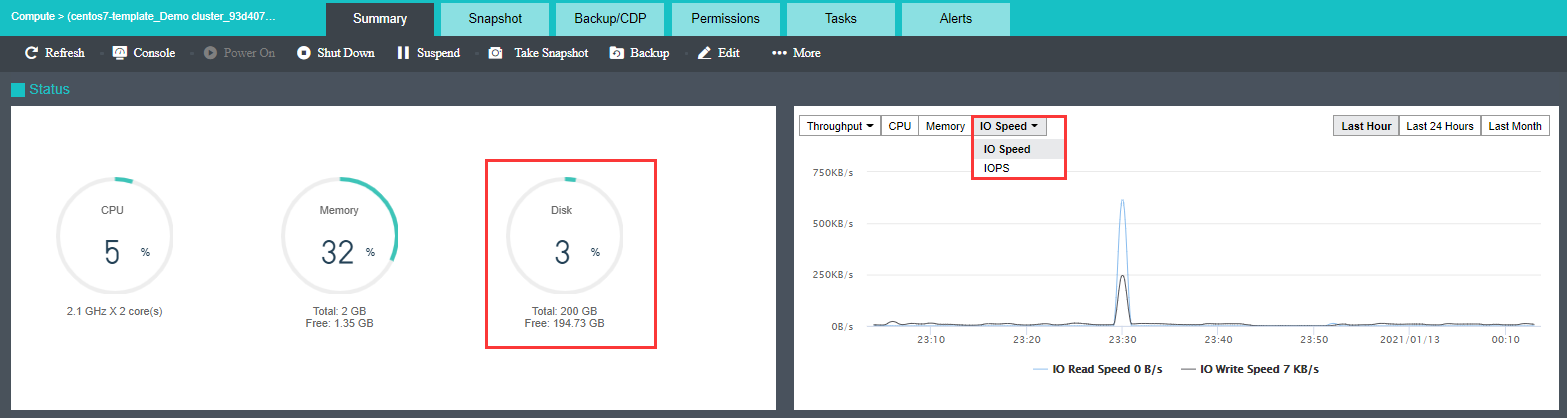
Throughput: Displays overall throughput. 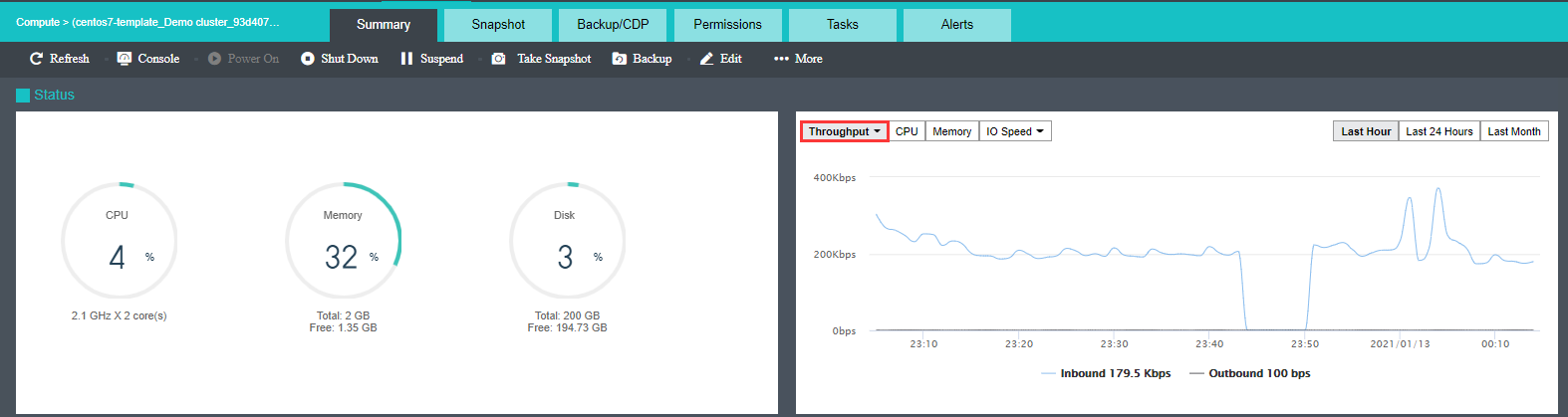
Throughput(pps): Displays inbound and outbound packets per second 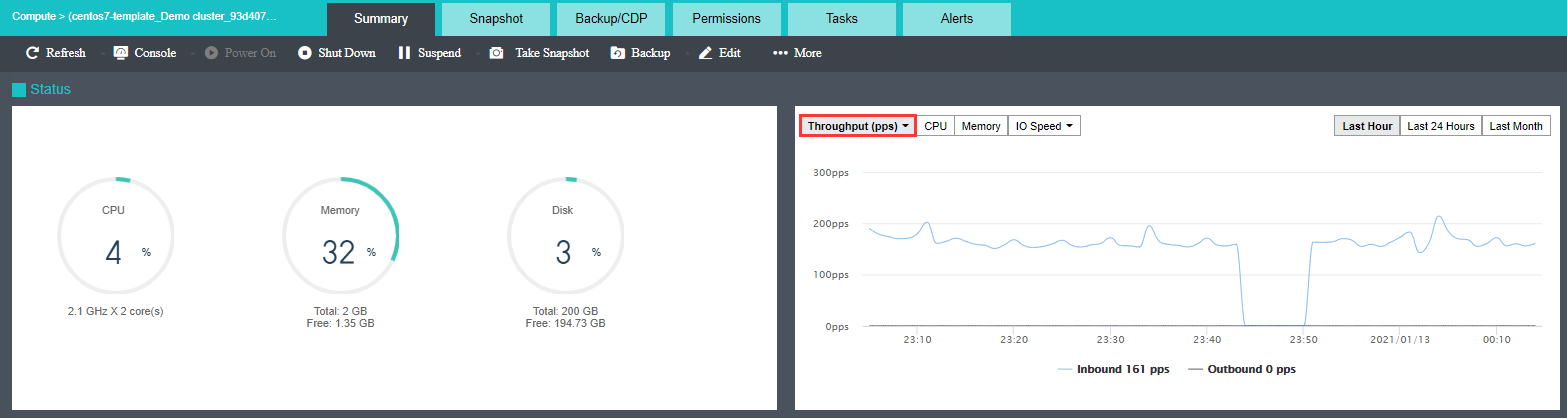
The Basics & Hardware Configuration section displays basic information and hardware configuration of virtual machine. Basic information includes VM Name, Description, Group, Datastore, Storage Policy, Run Location, Current Node, Scheduling policy, Guest OS,DUID, IAID(Hexadecimal), vmTools, High Priority, Power on at host startup, memory reclaiming, Boot Order, Downtime, Deployed from Template and Disk Encryption. 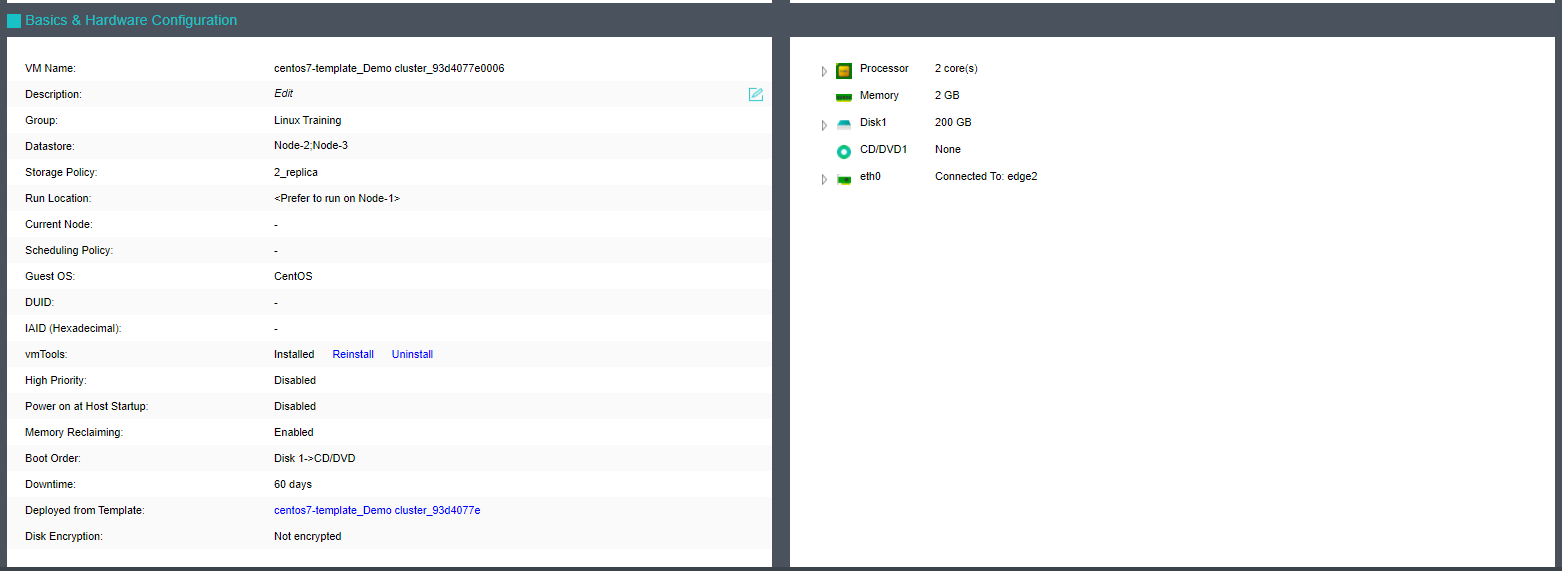


 {{ $t('index.defaultHeader.chromeBrowserTip') }}