


{{ secondMenu.name }}






The following types of VM files can be imported into Sangfor HCI platform: OVA files exported from VMware virtualization platform, VMA files exported from other Sangfor HCI platforms.
To import a virtual machine file, click New in Compute, select Import Virtual Machine on the Create New Virtual Machine page to enter the following page. 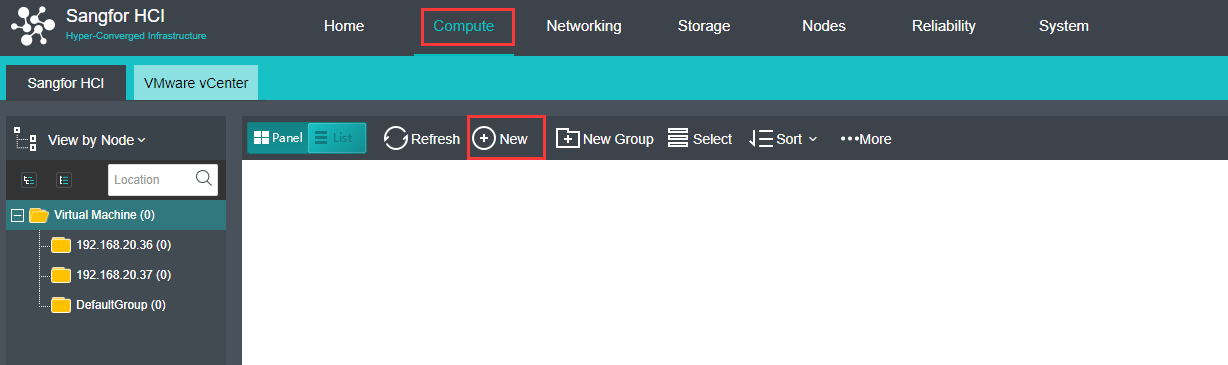
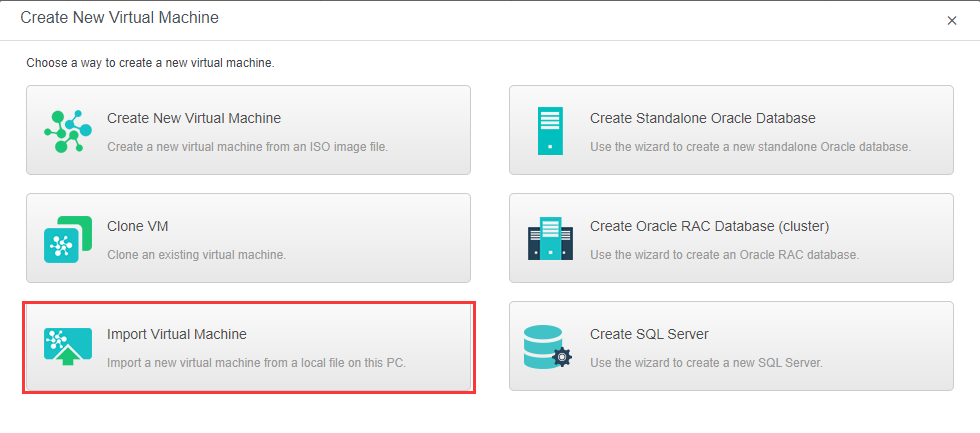
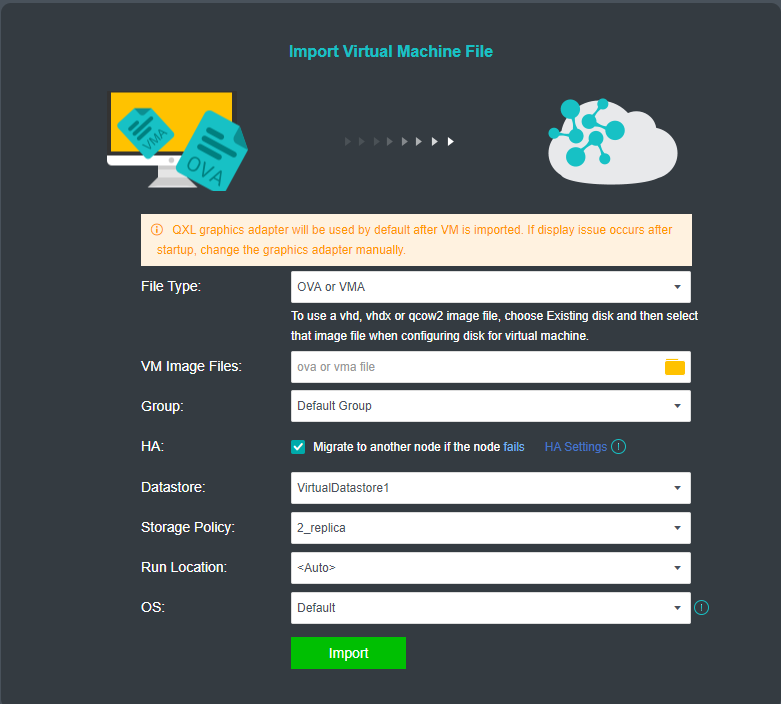
On the above page, select an OVA or VMA file from local disk, specify Group, HA, Datastore, Run on Node and OS, then click Import. 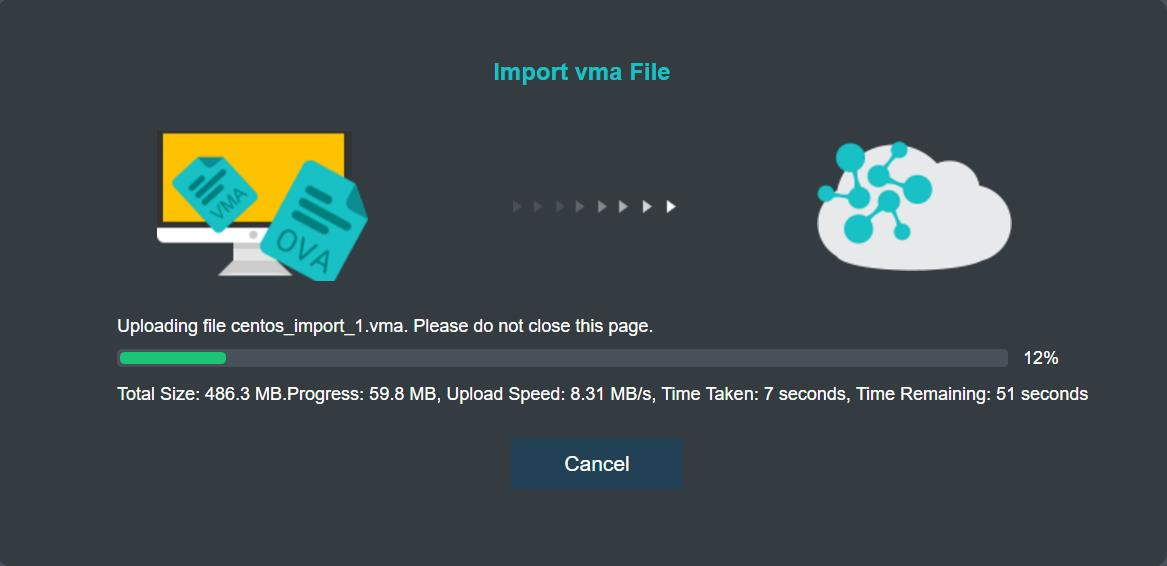

-If an ova file of a Windows based virtual machine is imported, USB mouse driver needs to be updated and you will be prompted to install that driver.
-If an ova file of a Linux based virtual machine is imported, you need to configure IP address for NIC.
-After the ova file is imported, the virtual machine will be automatically created. The Import Virtual Machine File page can be closed while the virtual machine is being created.


 {{ $t('index.defaultHeader.chromeBrowserTip') }}