


{{ secondMenu.name }}






Cloning virtual machine means duplicating a virtual machine, which applies to virtual machines that can be used as sources for new virtual machines. The cloned resources will not affect source virtual machines.
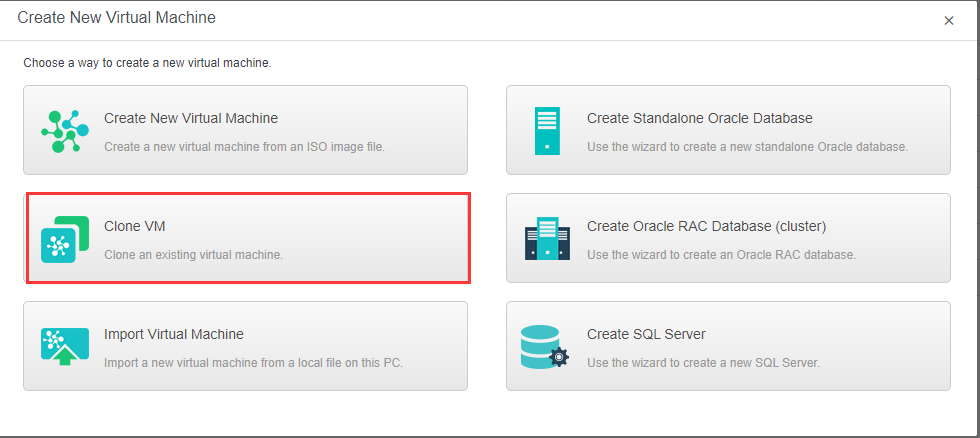
To clone a virtual machine, click New in Compute and select Clone VM on the Create New Virtual Machine page to enter the following page. On that page, select a virtual machine that you want to clone. 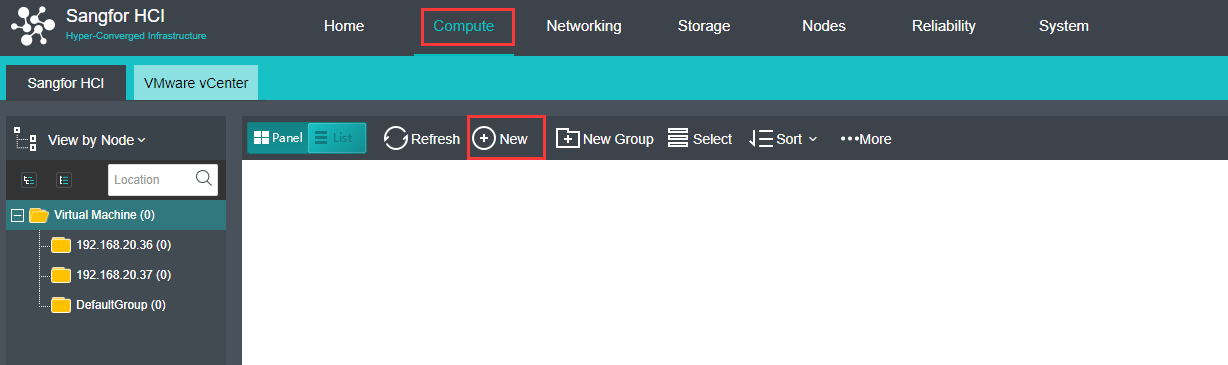
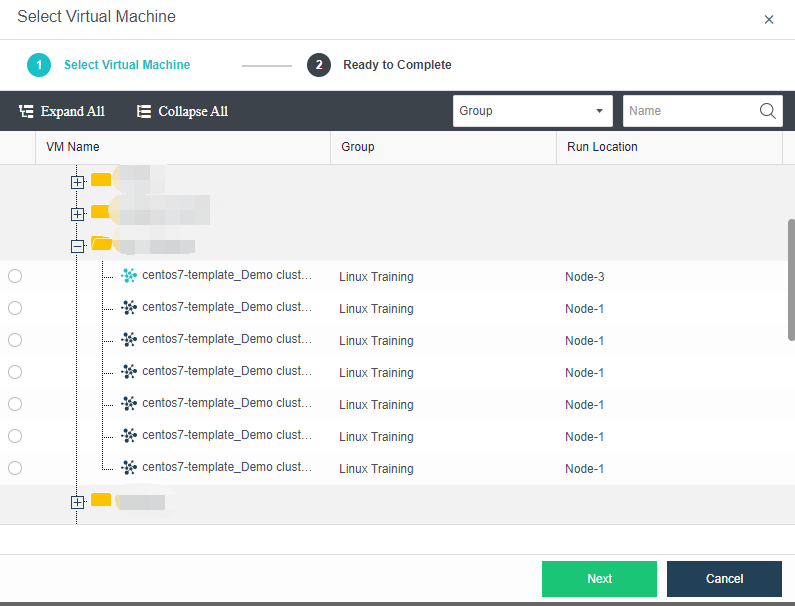

-A powered-off virtual machine cannot be cloned.
-A virtual machine being migrated or being cloned cannot be cloned.
-Backup task will be canceled if the clone operation is performed against a virtual machine which is being backed up.
-Guest operating system settings of a cloned virtual machine remain the same as that of the source virtual machine, exclusive of MAC address. Thus, IP address of one of the two virtual machines should be modified, otherwise, it may result in IP address conflict.
Cloning a virtual machine creates a duplicate of a virtual machine, including VM
configurations and disk files, On the following page, you can customize parameters of a clone.
To clone a virtual machine, you need to specify the following parameters for the clone: Name, VM number, Description, Clone Type, Group, HA, datastore, Storage Policy, Run on Node, Hostname, Network Connection, and NIC. To have the cloned virtual machine powered on upon creation, select the option Power on virtual machine at creation.
There are three types of cloning available starting from version 6.0.1:
a. Instant Full Clone 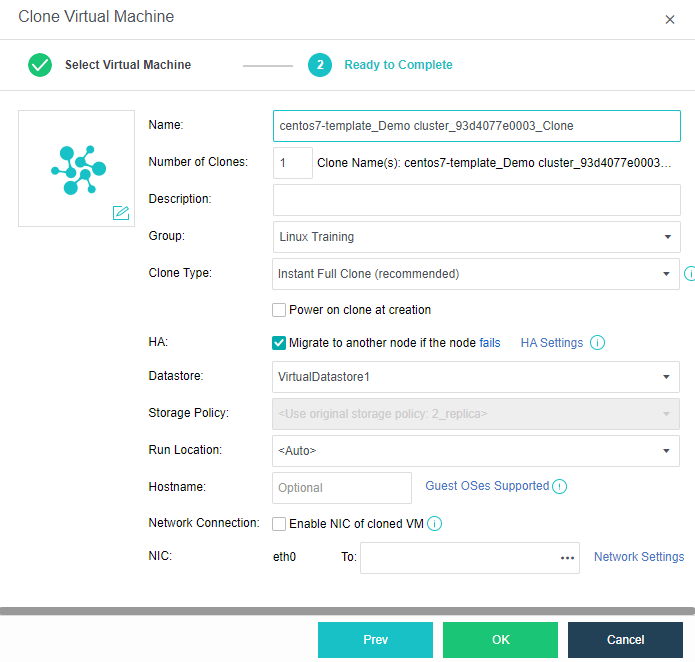
Description: Instantly clone the selected virtual machine as a new independent virtual machine. Instant full clone is the default clone option for 3 nodes and above which recommended to be use.
Features:
Requirement: Required 3 nodes and above to support. The datastore of both source virtual machine and cloned virtual machine must be in virtual storage.
b. Linked Clone
Description: Clone the virtual machine by linking the disk file to the original virtual machine. This method is recommended to be use during development and testing phase while the performance is not the essential point.
Features:
Requirement: Required 3 nodes and above to support. The datastore of both sourcevirtual machine and cloned virtual machine must be in virtual storage.
c. Full Clone
Description: Perform full clone of the selected virtual machine and
independent virtual machine.
Features:
The following factors will affect efficiency of clone task: amount of the source virtual machine data and performance of the server where Sangfor HCI software is installed.


 {{ $t('index.defaultHeader.chromeBrowserTip') }}