Sangfor HCI and aSV provide a unified infrastructure combining compute, storage, networking, and built-in security to simplify deployment, operations, and services.
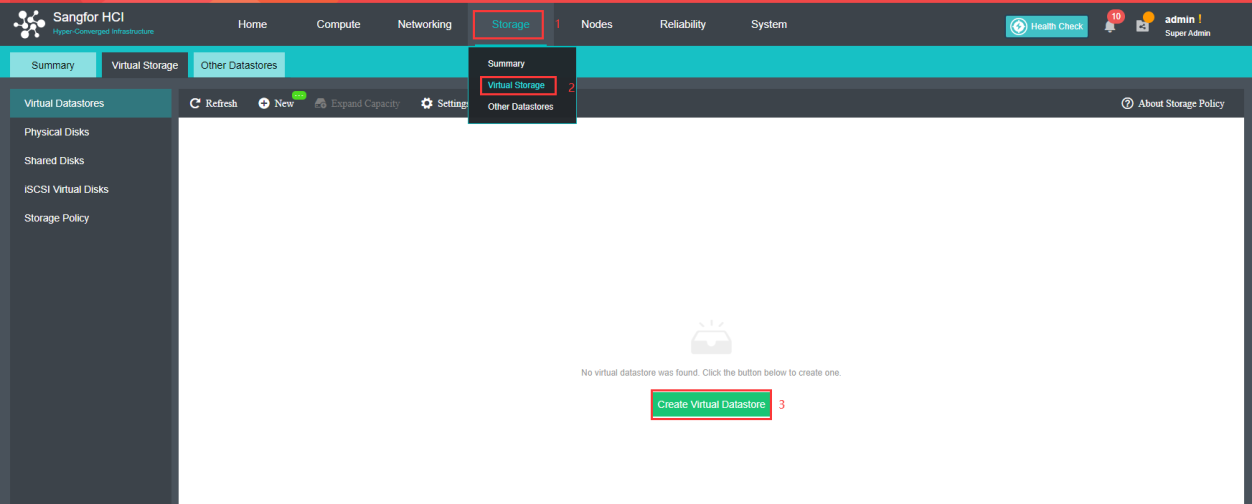
Navigate to Storage > Virtual Storage, select New or Create Virtual Datastore.
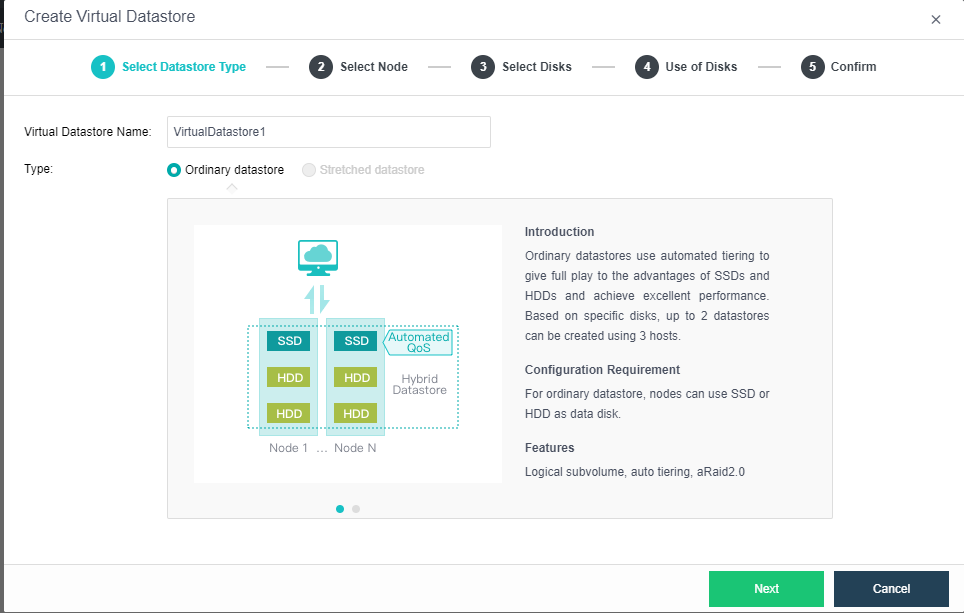
Select datastore type, in this case Ordinary datastore will be created
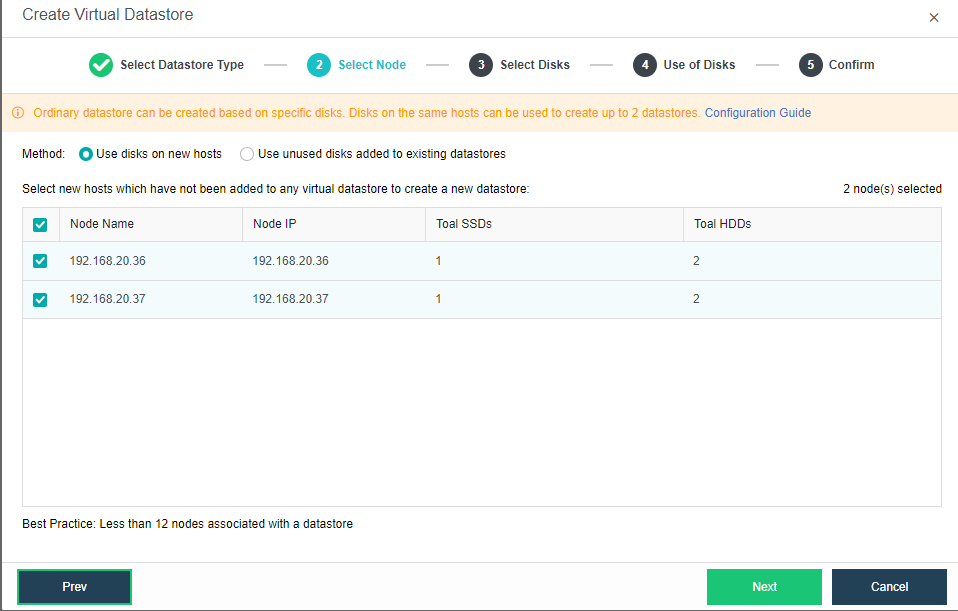
Select corresponding method and nodes to create virtual datastore, as currently creating very first virtual datastore, Use disks on new hosts will be use.
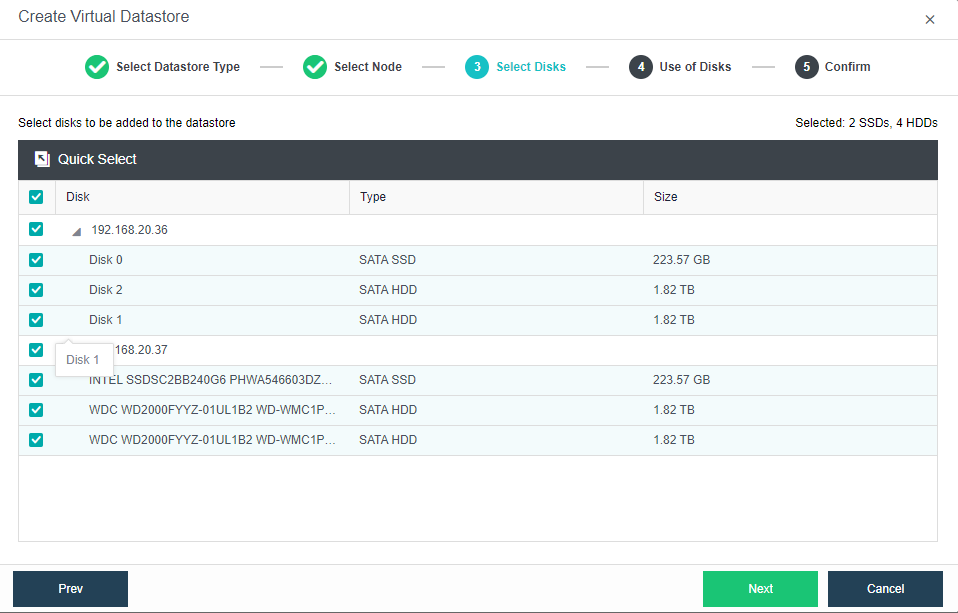
Select the disks will be used to create virtual datastore. For hybrid datastore, at least 1 SSD is required as cache disk
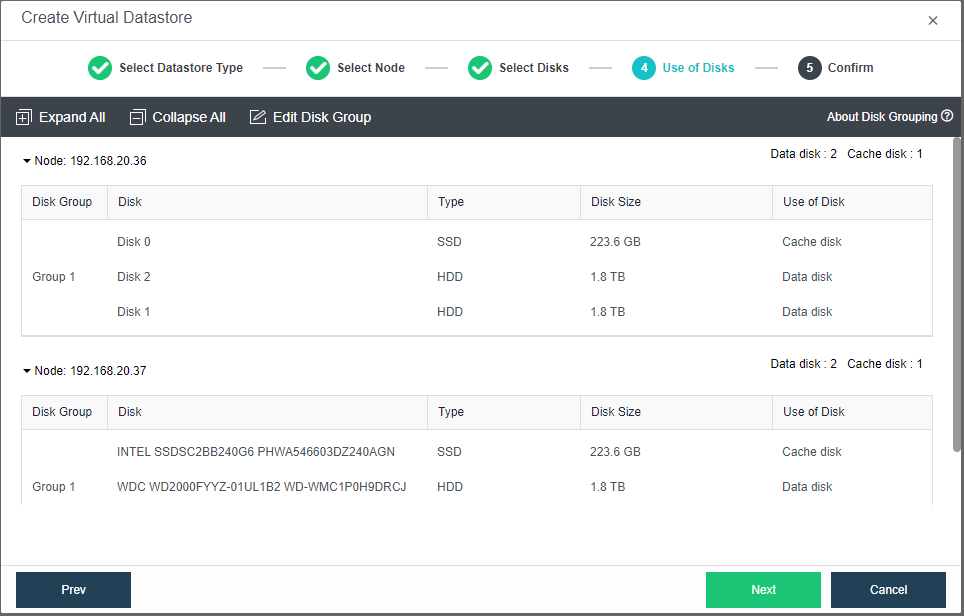
Specify the use of disks. By default, HCI will assign the disk automatically.
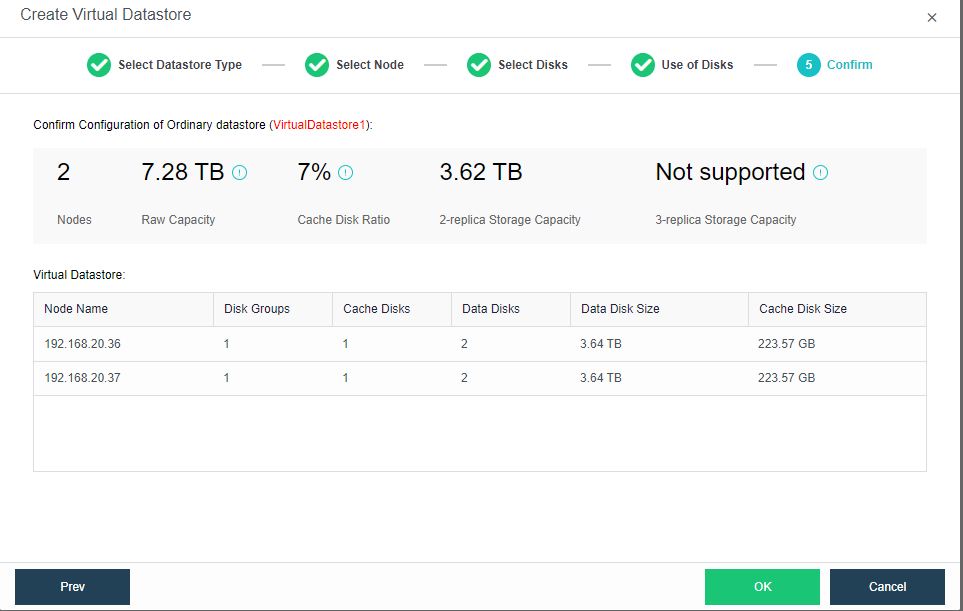
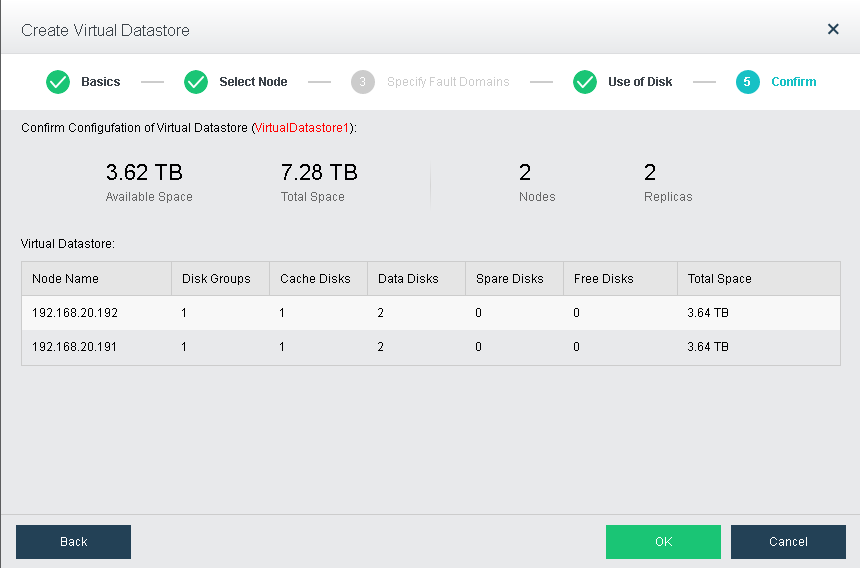
Confirm on the details and proceed with the virtual datastore creation.
The following page displays virtual storage configurations, including available disk space, number of data copies, and total number of disks. After confirming configurations, click OK and input administrator account password admin, and then click Finish to begin initialization of virtual storage.










 {{ $t('index.defaultHeader.chromeBrowserTip') }}