


{{ secondMenu.name }}






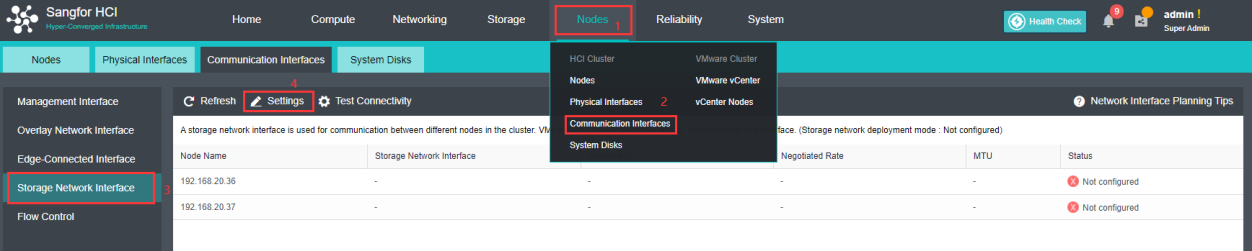
Go to Storage and click Settings on the dialog that pops up to configure storage deployment mode.
By default, eth0 is used as management interface and communication interface to synchronize configurations on Sangfor HCI platform. Storage network interface is used to synchronize file data on virtual storage. It is better to use separate interfaces as management interface and storage network interface.
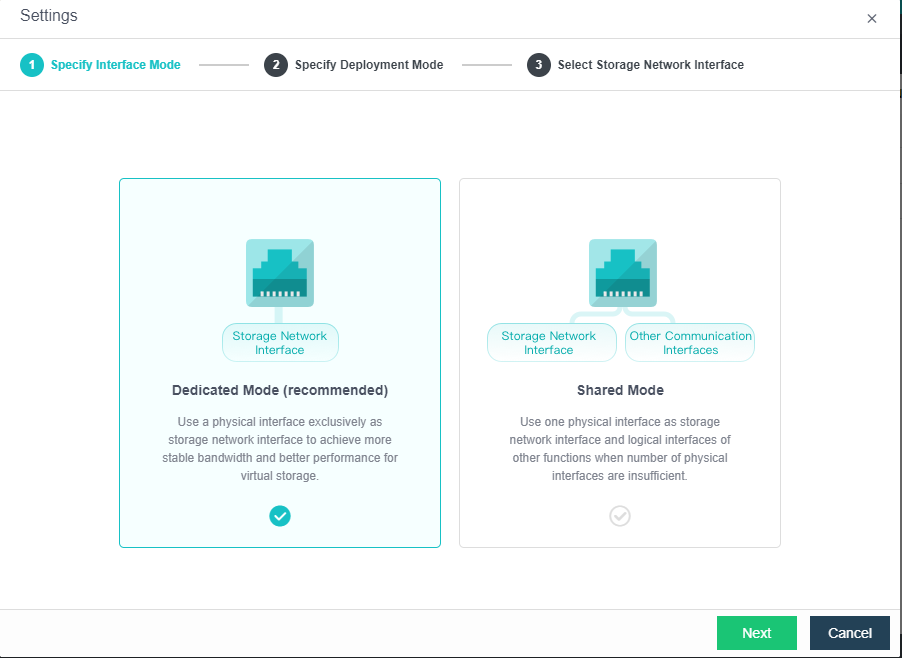
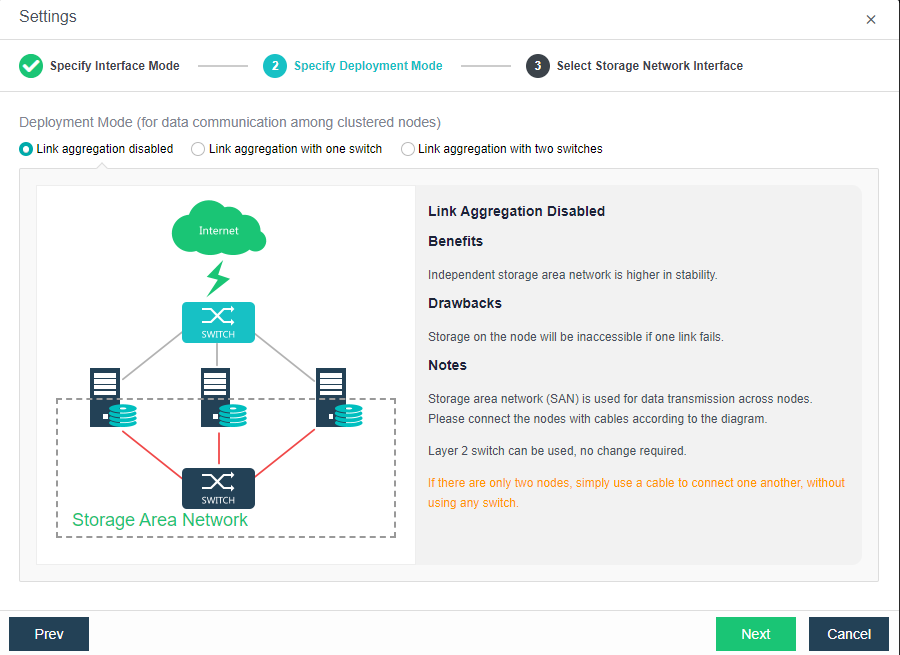
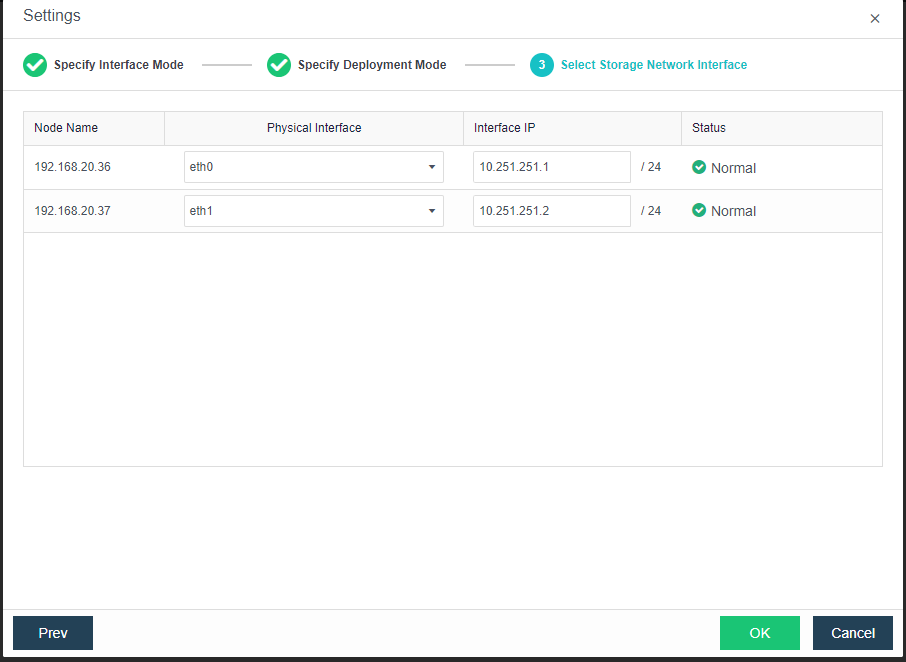
Each node communicates with another one using two physical interfaces which are connected to a same layer 2 switch. Storage network interfaces will be aggregated automatically without the need to configure link aggregation on switch. After the deployment mode is selected, you need to deploy the network according to the digram illustrating deployment architecture of storage area network, and then select storage network interface for each node and configure IP address for that interface.
Storage area network is built after storage network interface is configured. 


 {{ $t('index.defaultHeader.chromeBrowserTip') }}