


{{ secondMenu.name }}






By integrating UPS to HCI, VM is protected when the power grid is down. It protects the VM from immediately shutting down and allow the VM to shut down properly when a certain condition is met.
HCI integrates with UPS through SNMP (simple network management protocol) protocol. UPS vendor provides the OID (object identifier) library and through SNMP protocol, HCI is able to receive the battery usage of the UPS and take actions when the battery usage is below certain threshold.
Configure the UPS setting under Reliability > UPS 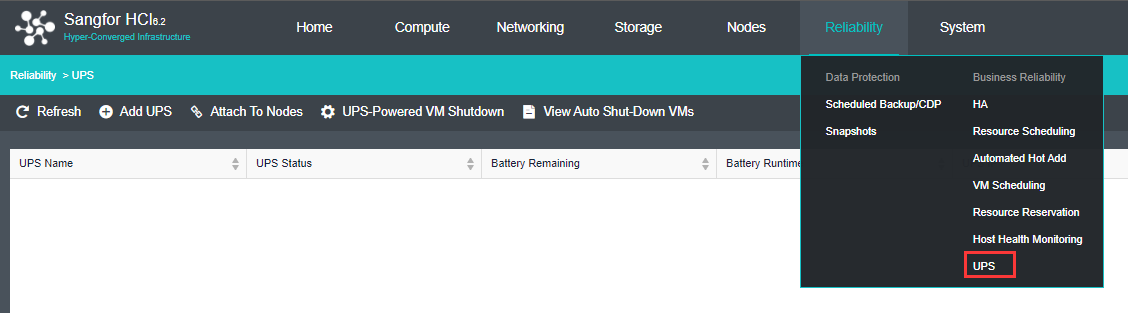

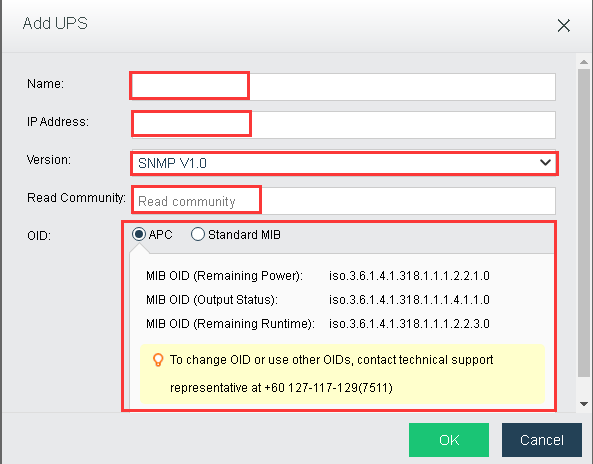
Add UPS: Add new UPS to the HCI.
Attach To Nodes: Select the corresponding nodes to attach with the UPS.
Attach UPS: Select the UPS to be attach to the selected nodes.
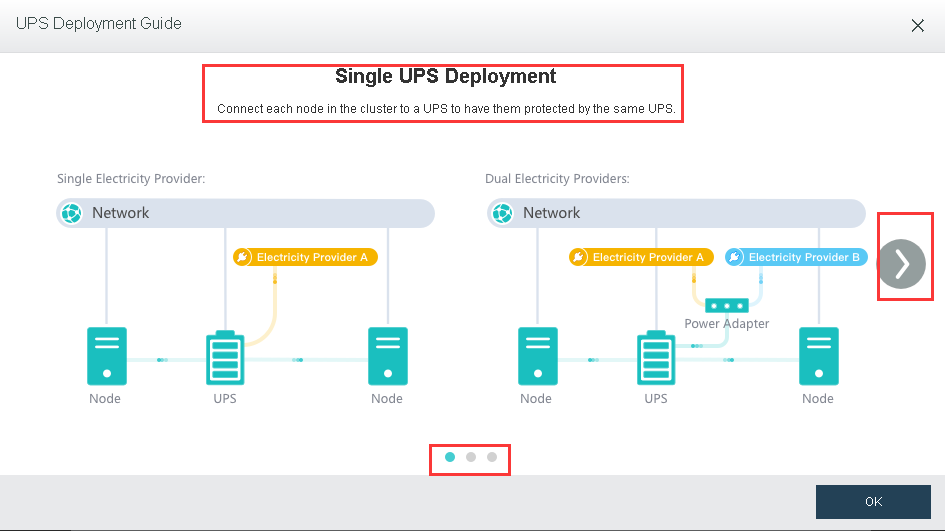
UPS Deployment Guide: View the UPS deployment guide for different scenario with single UPS, 2 UPS and multiples UPS. 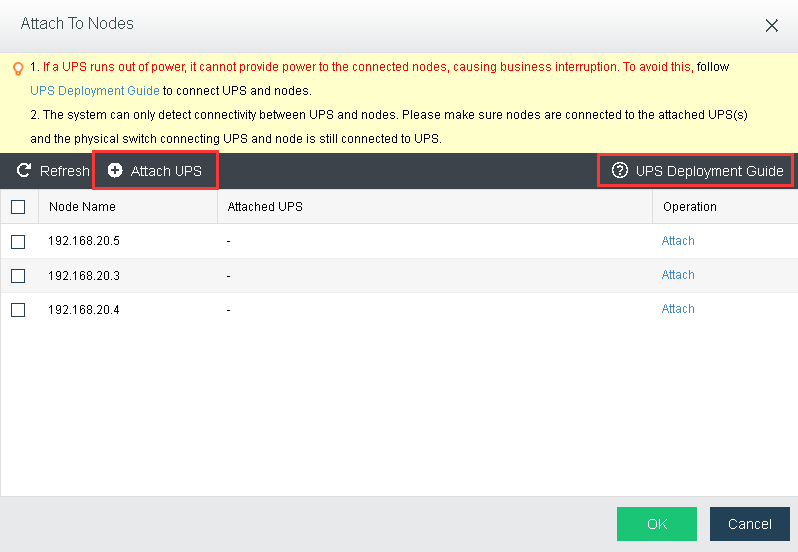
View Auto Shut-down VMs: The VM shutdown by the UPS-Powered VM Shutdown module can be view and select to power on.
UPS-Powered VM Shutdown: Same configuration with the Status in UPSPowered VM Shutdown.
Power On: Power on the selected powered off VM. 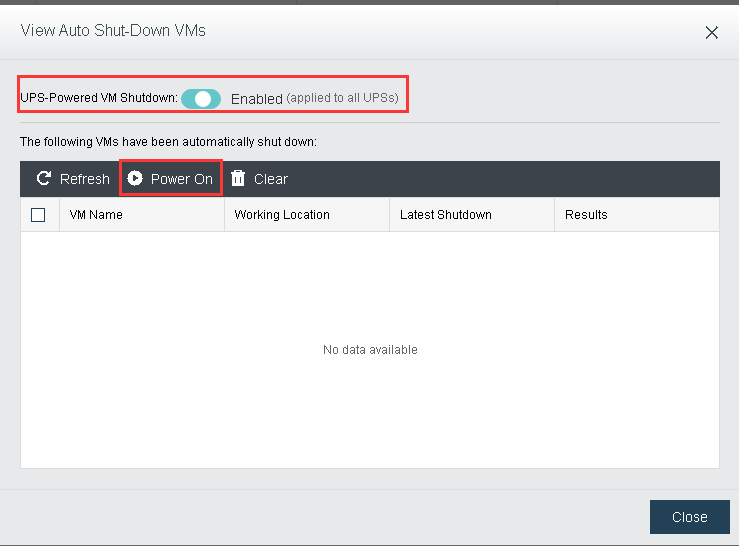


 {{ $t('index.defaultHeader.chromeBrowserTip') }}