


{{ secondMenu.name }}






On the Advanced Settings tab, you can enable NUMA scheduler which can speed up memory access and improve VM performance. It takes effect after VM restart.
Besides, memory overcommitment ratio can also be configure or adjust under Advanced Settings tab.
NUMA Scheduler
Once NUMA scheduler is enabled, it will be applied to all the virtual machines on the nodes in the cluster and it takes effect after VM reboot.Once disabled, it will be applied to all the virtual machines on the nodes in the cluster immediately. To enable NUMA scheduler for a virtual machine,do as follows:
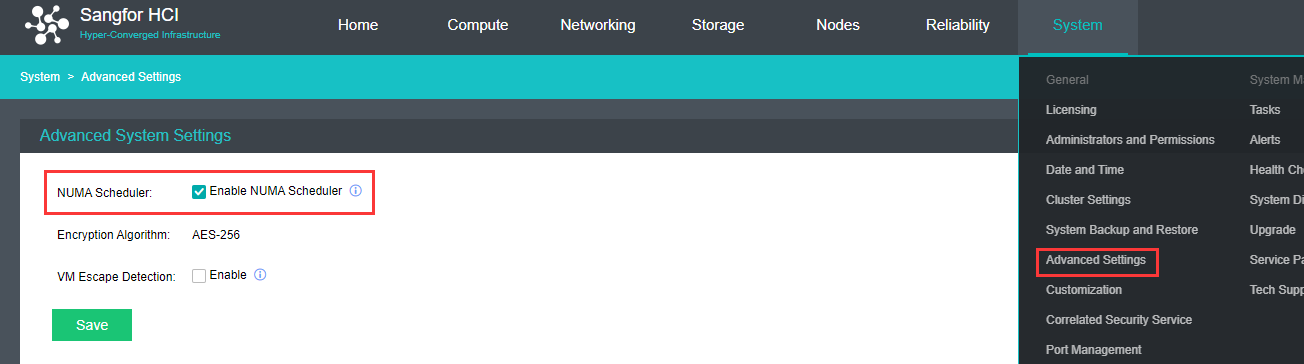
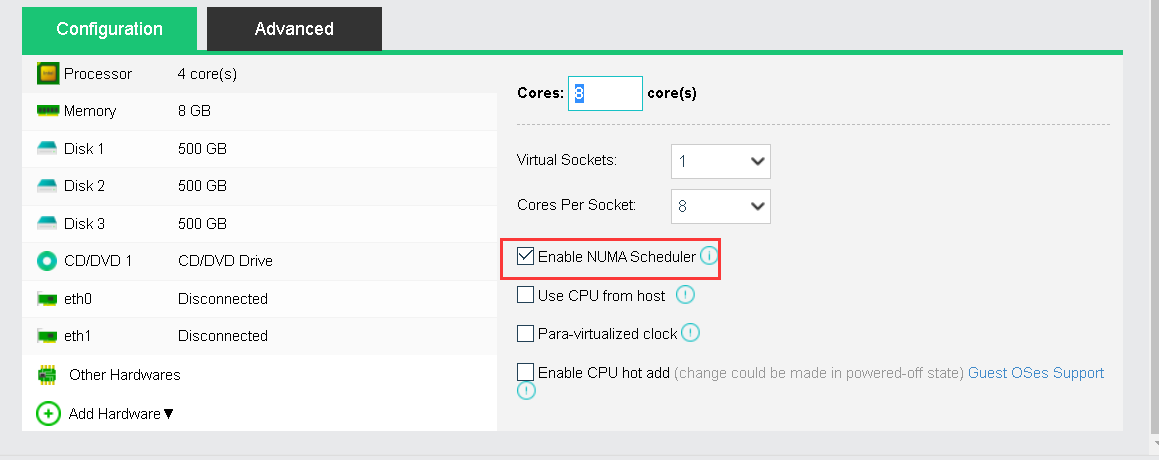

Once Enable NUMA scheduler is selected in System > Advanced Settings, you may also enable or disable NUMA scheduler on a specific virtual machine. Enabling NUMA scheduler takes effect after VM reboot while disabling NUMA scheduler takes effect immediately.
To project NUMA topology into a virtual machine, make sure that virtual machine has more than 8 cores and vmTools has been installed.
Memory overcommitment
Memory overcommitment is a concept in computing that covers the assignment of more memory to virtual computing devices (or processes) than the physical machine they are hosted, or running on, actually has.
You may configure the memory overcommitment ratio under System > Advanced Settings. 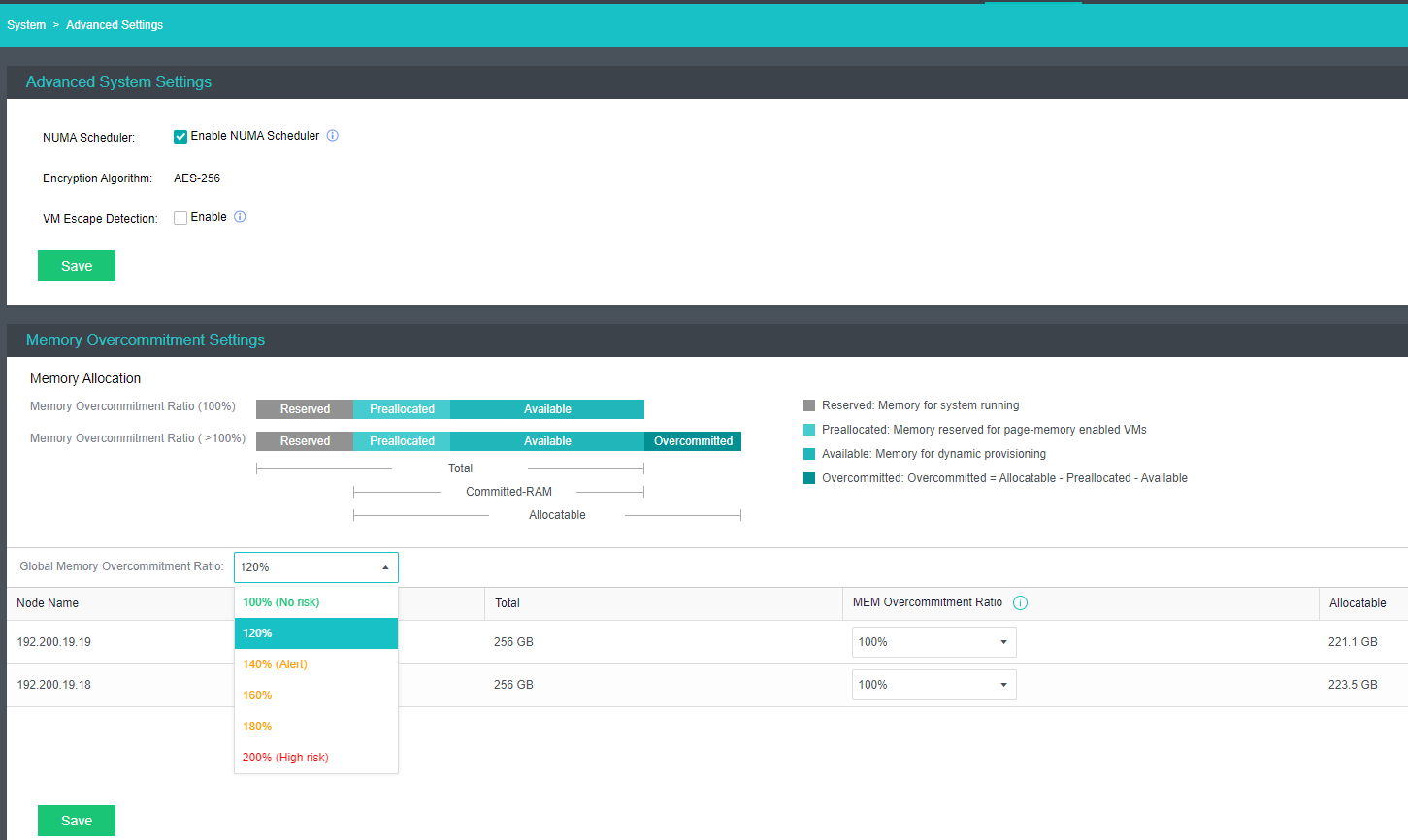
Memory allocation: User can view the explanation of the memory allocation for better understanding.
Global Memory Overcommitment Ratio: Configure the memory overcommitment ratio for all nodes inside the cluster.
MEM Overcommitment Ratio: Change the memory overcommitment ratio for different nodes.


 {{ $t('index.defaultHeader.chromeBrowserTip') }}