


{{ secondMenu.name }}






Function Description
In the VM scheduling page, you can add a new VM scheduling policy or select a policy to edit or delete. Through the scheduling policy, you can achieve precise control over the running location of VMs to meet the demand of dual-live.
Precaution
After a VM scheduling is added to a running VM, the VM must be restarted to take effect.
Prerequisites
None
Operation steps
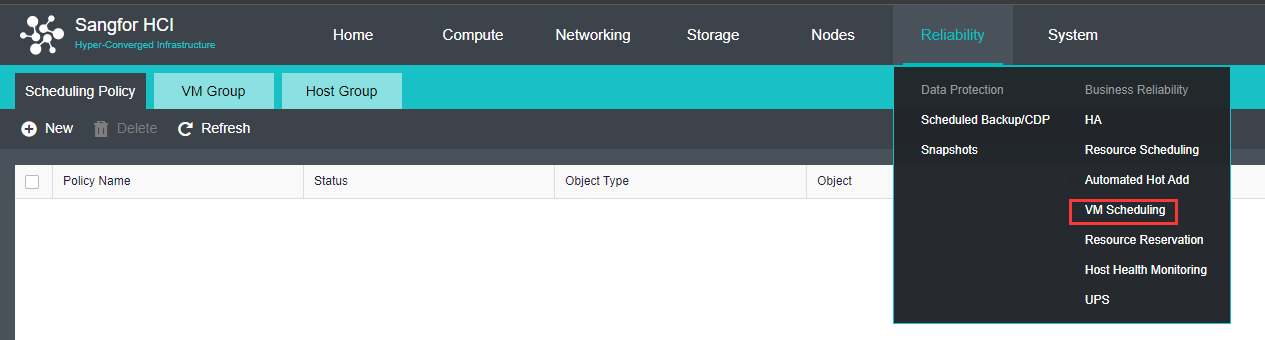
a. VM-VM Affinity : Scheduling based on selected VM to be running on same
nodes..
b. VM-VM Anti Affinity : Scheduling based on selected VM to be running on
different nodes.
c. VM Group Anti Affinity : Scheduling based on VM group to be running on
different nodes while the VM in same VM group will be running on same node.
d. VM-Host Affinity : Scheduling based on VM group to be run on nodes in a Host Group. 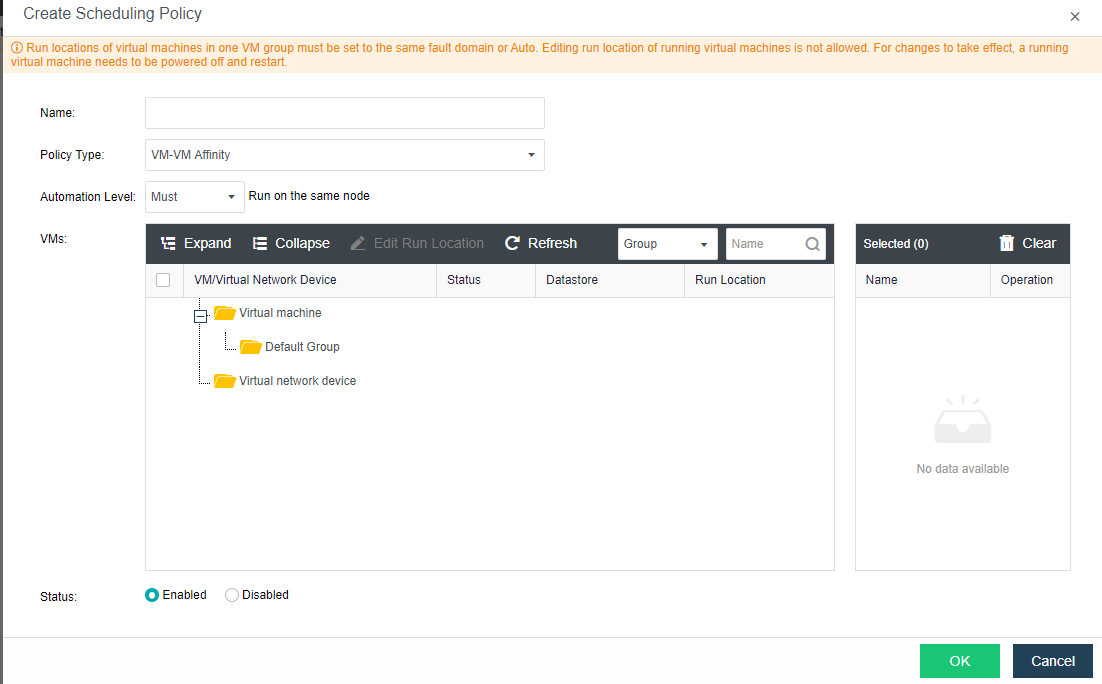


 {{ $t('index.defaultHeader.chromeBrowserTip') }}