Sangfor HCI and aSV provide a unified infrastructure combining compute, storage, networking, and built-in security to simplify deployment, operations, and services.
The HCI Data Erasure function enables users to choose to completely erase existing data during resource recovery. The user can choose to completely erase the existing data during resource recovery by customizing the number of overwrites according to the regulatory requirements or business needs.
Precaution
When using the data erasure function, it will occupy CPU and IO resources, and the erase process takes some time, so it is recommended to do it when the business is idle.
Data will not be recovered after erasing.
The actual rate will be dynamically adjusted according to the storage IO performance and busy level.
Prerequisites
The virtual machine has been deleted and placed to the recycle bin.
Operation steps
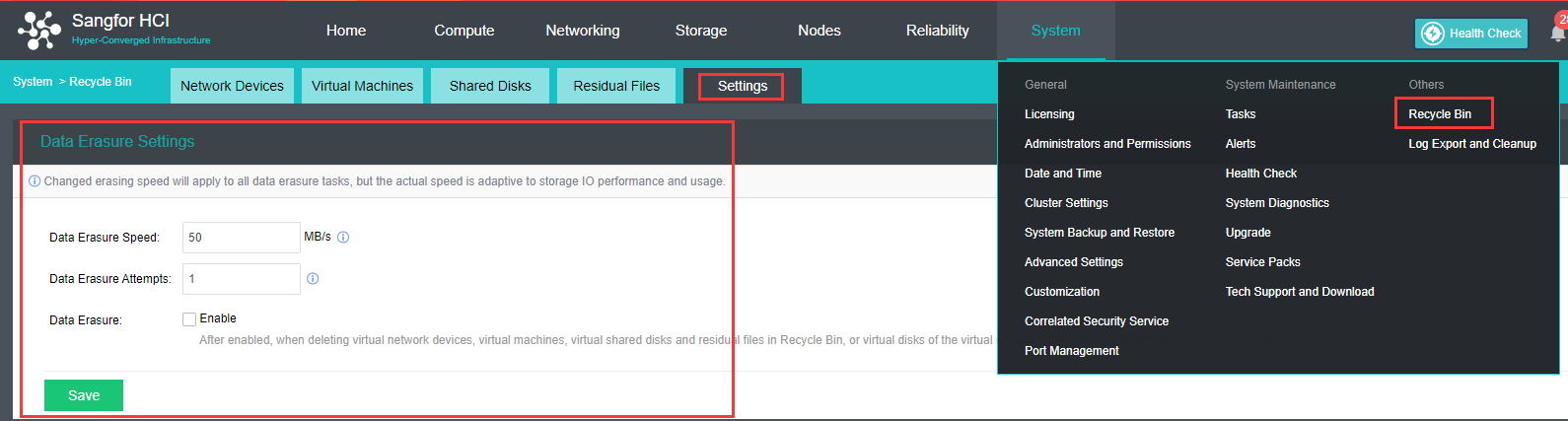
Navigate to System > Recycle Bin and click the Settingstab to configure the data erasure speed and attempt.
When Data Erasureis checked by default, the data will be erased when deleting virtual network devices, virtual machines, virtual shared disks, residual files in the Recycle Bin, as well as when deleting virtual disks of virtual machines to ensure data security.
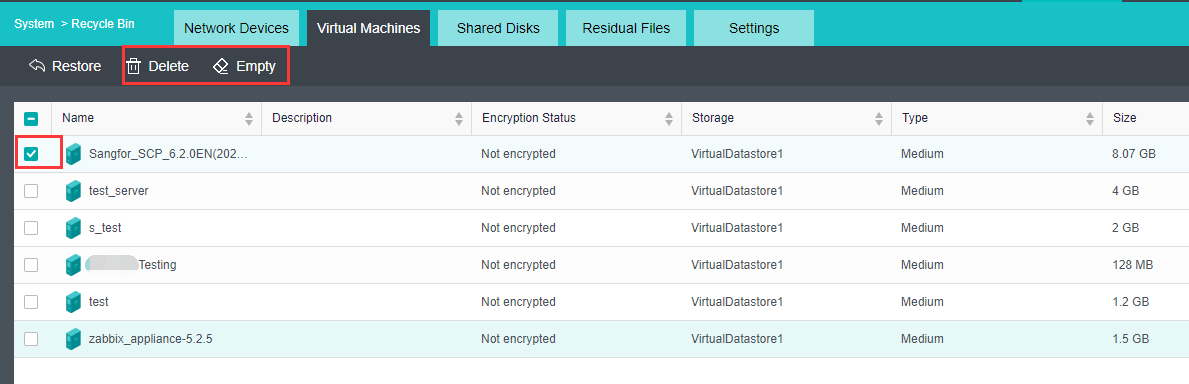
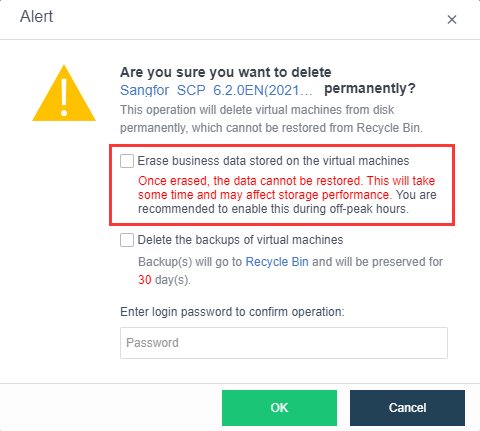
Click the Virtual Machines tab. Select the virtual machine, click Delete or Empty to prompt for the "Erase business data of the virtual machine at the same time" option. Check this option and enter the HCI administrator password to completely wipe the business data of the virtual machine.