


{{ secondMenu.name }}






It includes Basic Components, aSEC(Security) and Advanced License. Basic Components includes aSV(Compute Virtualization), aNET(Network Virtualization), aSAN(Storage Virtualization), SCP(Sangfor Cloud Platform). aSEC(Security) includes vNGAF, vADC, vIAM, vSSL VPN, vWOC, etc. Advanced License includes CDP(Continuous), aHM(Heterogeneous Virtualization Mgmt), Security Integration (aSI), . aSC (Stretched Cluster) and aGPU (Graphics Card Management).
There are two editions, Trial Edition, and Enterprise Edition.
As for Upgrade To Enterprise Edition, a USB key is required to be plugged into one clustered node.
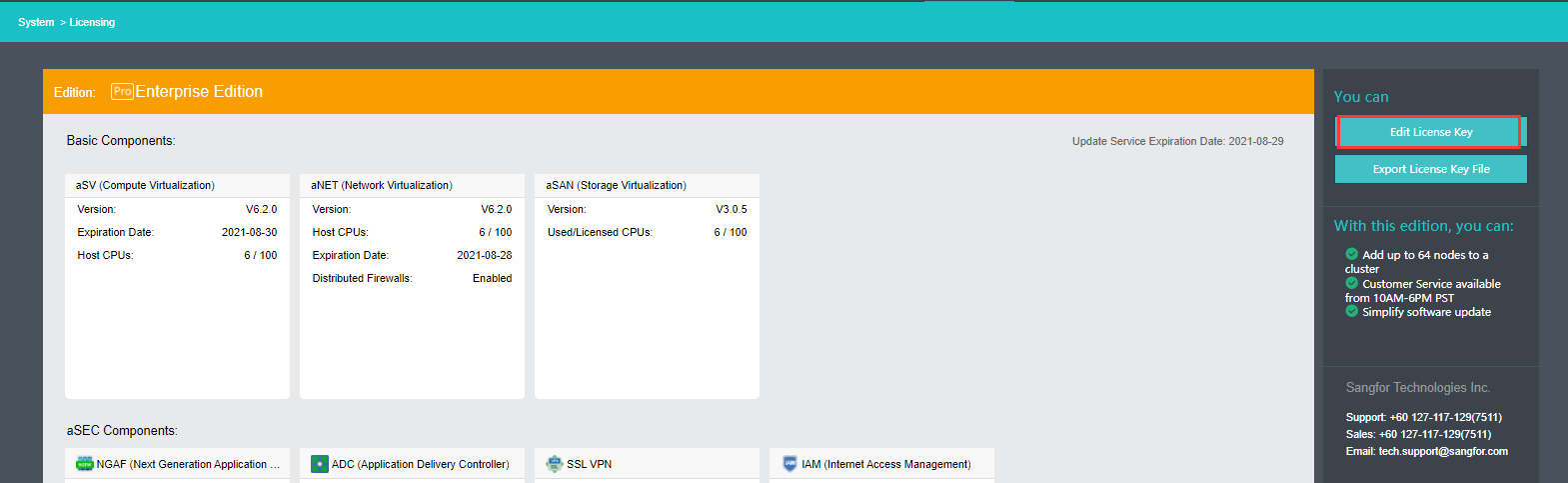
The Enterprise Edition is shown as follows: 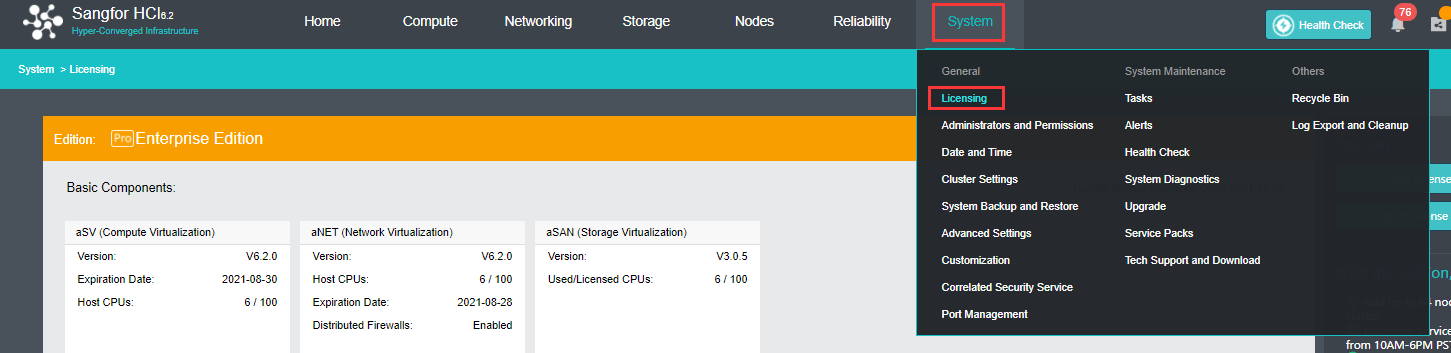
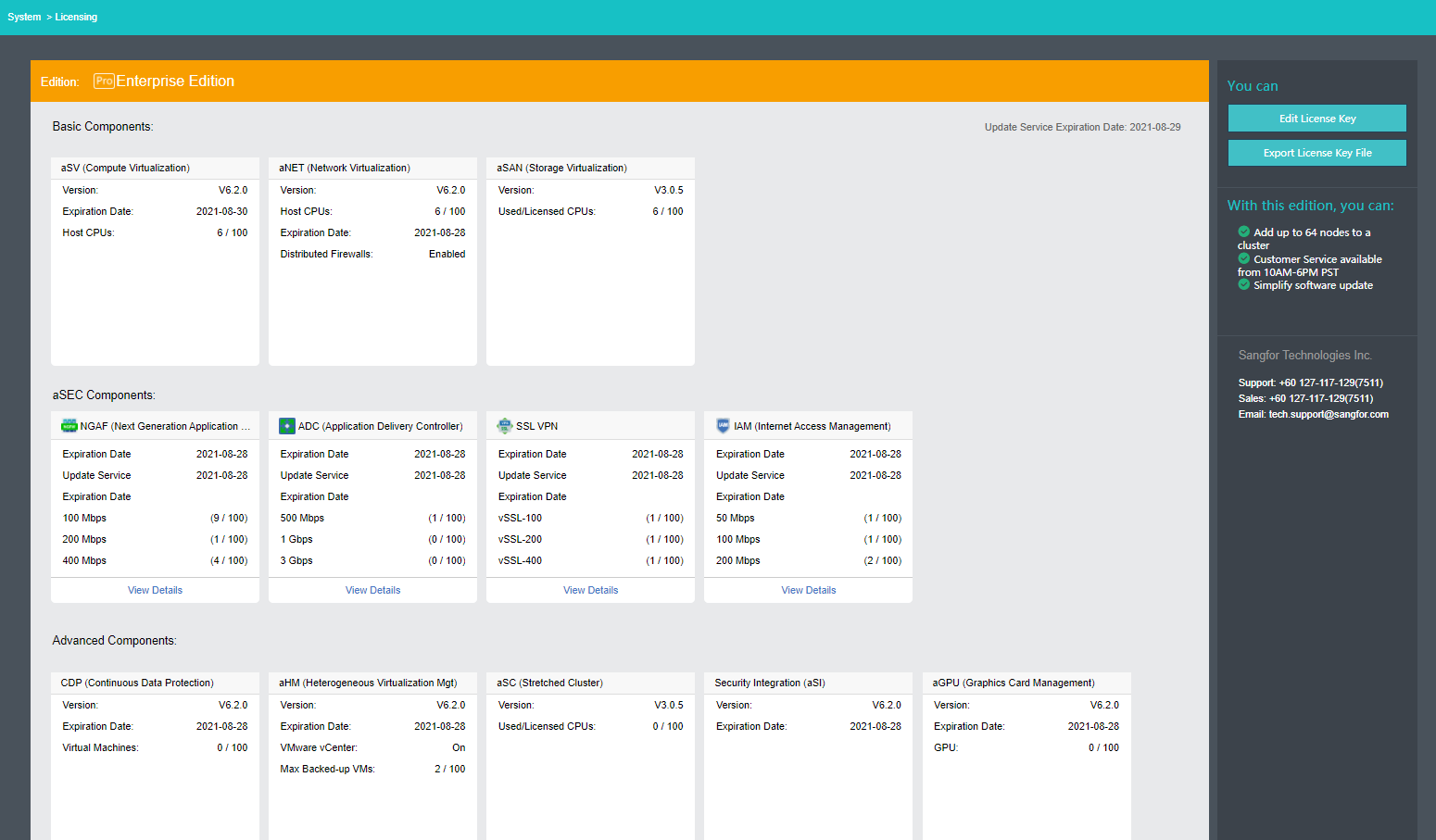
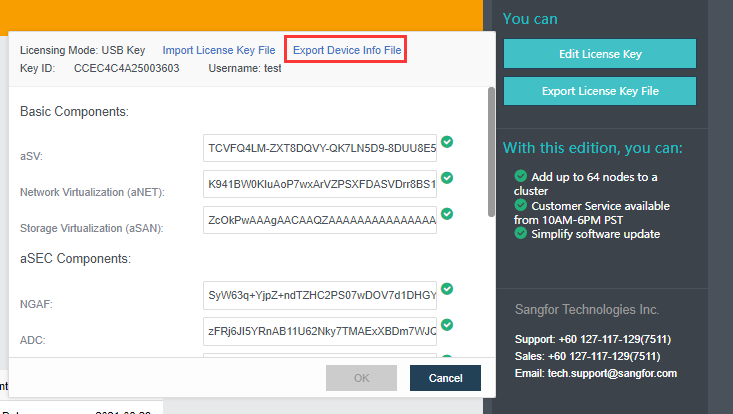
Edit License Key: To edit license key, click Edit License Key.
Import License Key File: To import a license key file, click Import License Key File. 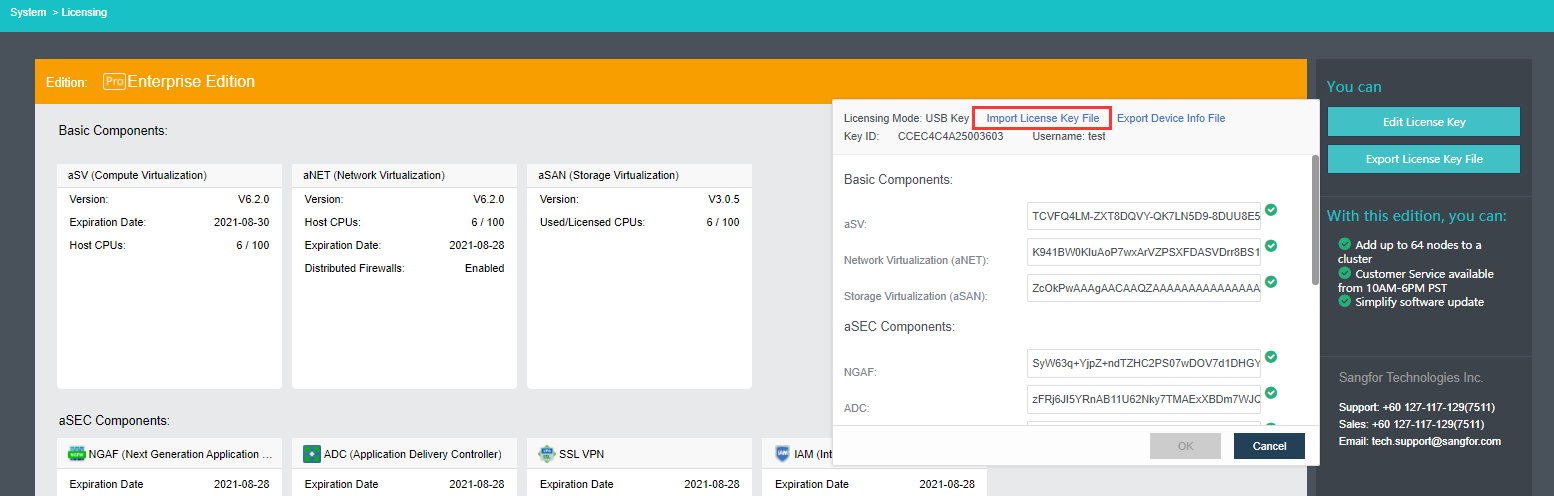
Export License Key File: To export license key file, click Export License Key File, as shown below: 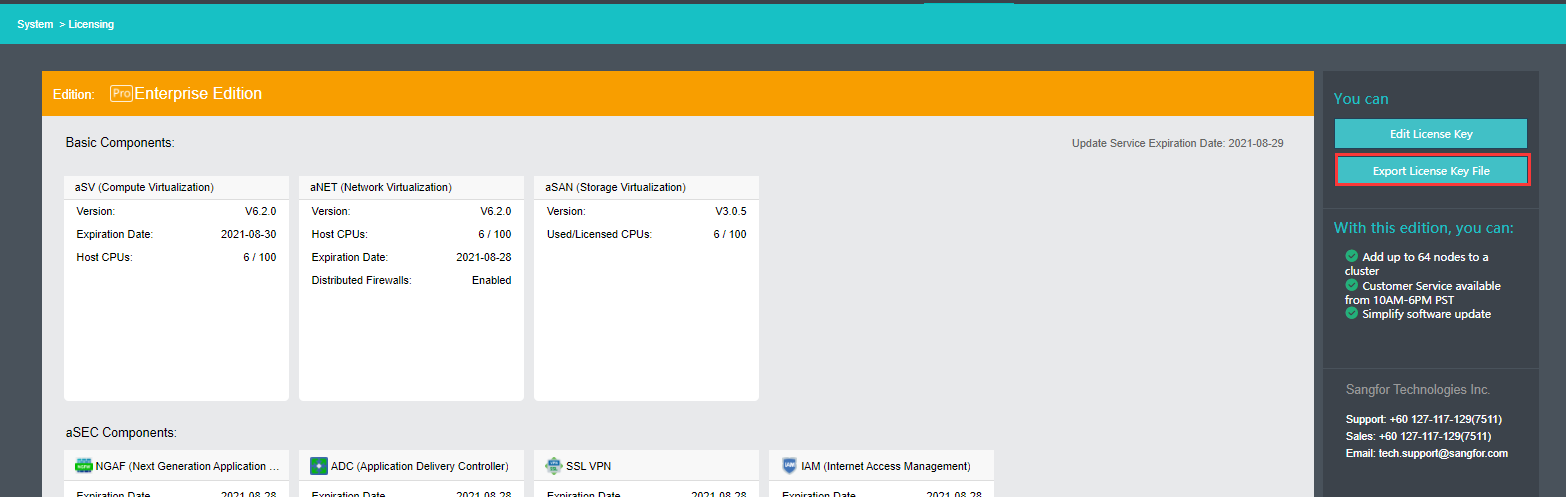
Details: It displays detailed configurations, such as Max Network Devices, Resource Distribution, Licensed Features, etc. 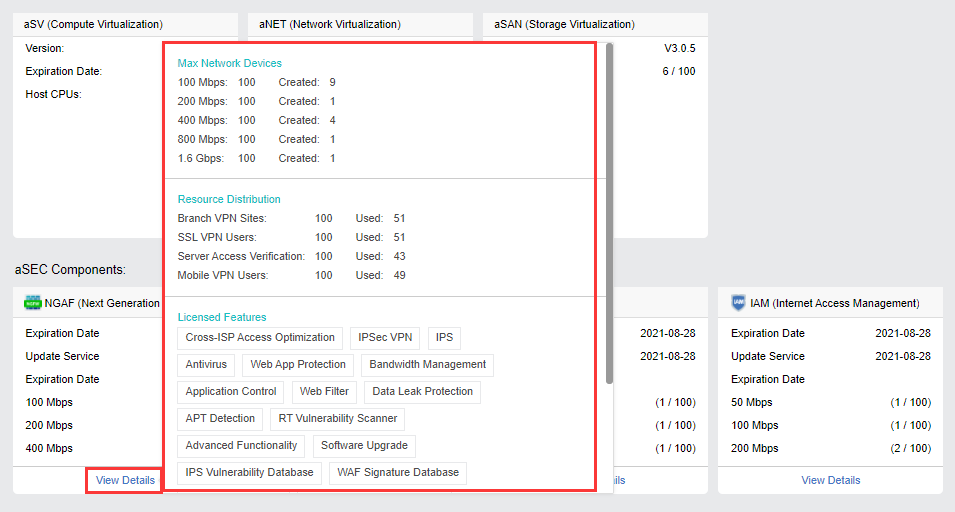
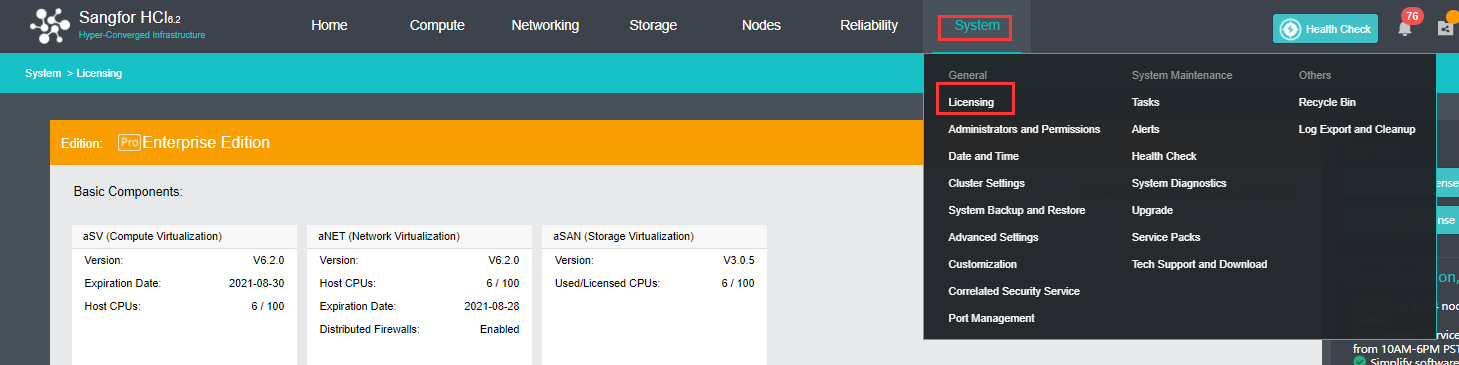
Virtual key function has been added to HCI since version 6.1.0. It allows HCI to be authorized without the physical USB key which might be damaged during the delivery progress


 {{ $t('index.defaultHeader.chromeBrowserTip') }}