


{{ secondMenu.name }}






A gray node icon indicates that the node is offline. A red node icon indicates the node gives alarm, while red storage icon indicates the storage is offline. Blue node icon and storage icon indicate that the node and storage operate properly. 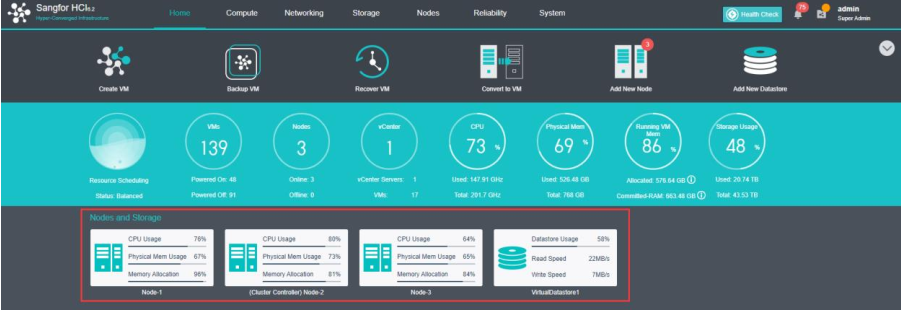
To view node details, click on the node name to enter its Summary page (For details, refer to the 2.5.3.1 Node Summary section).
To view running tasks and logs, move the cursor above the following icon at the lower rightcorner. 
To view detailed information, click on it and the following page pops up, which lists the latest admin logs. 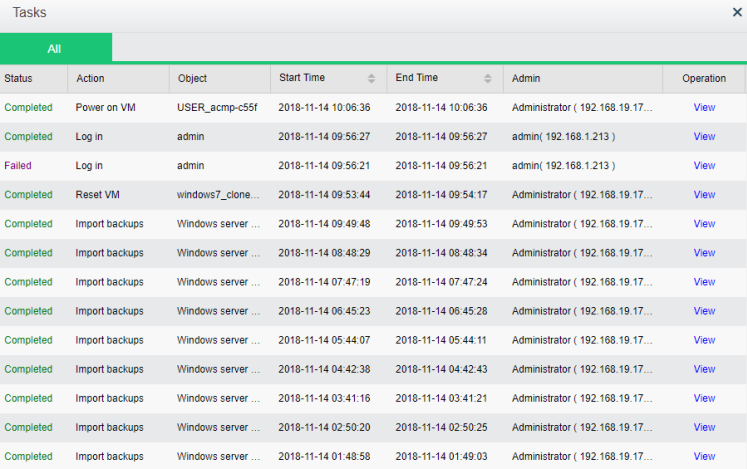
If you have any questions about HCI, you can click on the LiveChat option at the lower right corner to do online consultation. 
After clicking the online consultation option, you will be redirected to the following page to ask for your personal information. 
Fill in the personal information and click Start the Chat. The page will jump to the online consultation page, then you can directly ask your question. 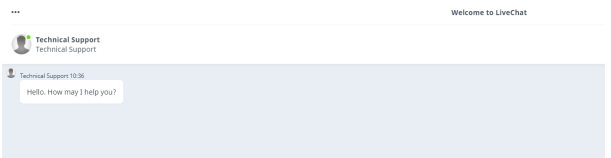


 {{ $t('index.defaultHeader.chromeBrowserTip') }}