


{{ secondMenu.name }}






There are six modules on the navigation bar, as shown below: 
Home: You can view information about nodes, virtual machines, storage, CPU usage, memory usage and storage usage.
Compute: You can configure and manage virtual machines.
Networking: You can configure virtual network.
Storage: You can view storage status and configure virtual storage.
Nodes: You can configure and manage cluster, nodes and storage.
Reliability: You can configure scheduled backup, snapshot, HA, resources
scheduling,VM scheduling, UPS.
System: It includes General, System Maintenance and Others.
Health Check: It checks cluster environment to find and locate issues, and offers solutions for discovered issues.
To view alarm events, click the following icon (the number on the icon indicates the number of the current alarm events) to view the latest 5 alarm events, as shown below: 
The number beside the exclamation mark indicates the number of alarms. To view details of the alarms for SANGFOR HCI and VMware vCenter (if any is added), click on the exclamation mark. 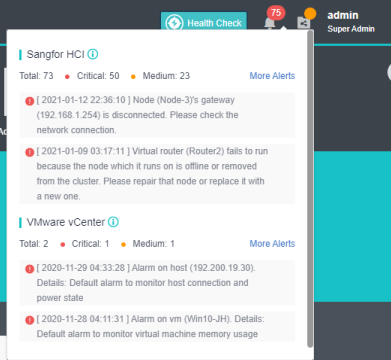
To change admin password, click on the admin Super Admin located on the top right corner of web UI. 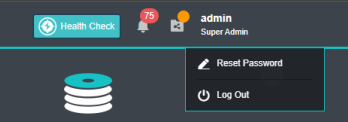
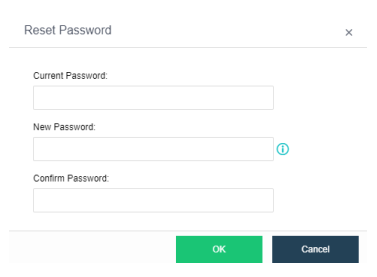

Password should contain 8-64 characters which must consist of any two of the following: upper-case characters, lower-case characters, digits and the special characters: ~`@#%&<>”’,;_-^$.*+?=!:|{}()[]/\


 {{ $t('index.defaultHeader.chromeBrowserTip') }}