


{{ secondMenu.name }}






Sangfor aServer has been pre-installed Sangfor HCI operating system and configured with a management interface (eth0, default IP address: 10.250.0.7/24). To access Web admin console of Sangfor HCI platform on a PC, first configure the PC with an IP address on a same network segment with that management interface and connect it to the eth0 interface on the aServer. Then open your browser and enter https://10.250.0.7/ into address bar to log in to Sangfor HCI platform console.
Default username and password are admin. Administrator will be prompted to change default password upon first login. If the default password has not been changed for one month, administrator will be forced to change it.
Upon first login, administrator will be prompted to modify default IP address of management interface, as shown below. If there are multiple aServers deployed in network, default IP address of management interface on each aServer needs to be modified, and addresses of management interfaces must be on a same network segment. 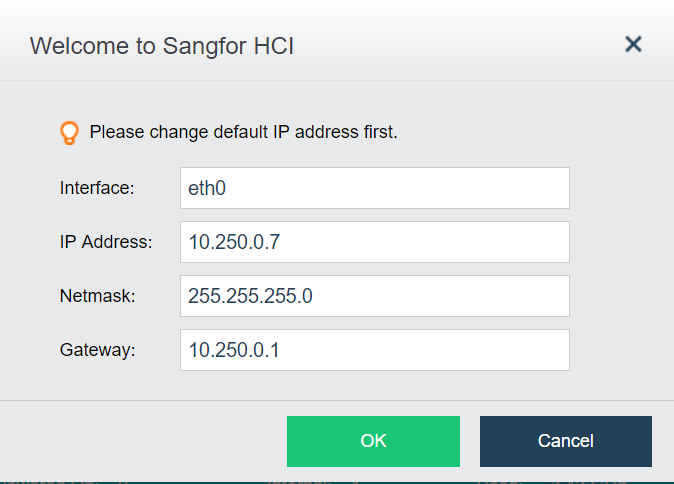


 {{ $t('index.defaultHeader.chromeBrowserTip') }}