


{{ secondMenu.name }}






Required software : UltraISO

UltraISO should be the latest version. Write format of the USB drive should be USB-HDD or USB-HDD+, choose Verify to check whether the image file is written correctly, USB drive capacity should be greater than the size of ISO file.
Insert a USB drive into PC, and then follow the steps below:
Step 1.Launch UltraISO.
Step 2.Select File > Open and load ISO file of Sangfor HCI software from local disk. 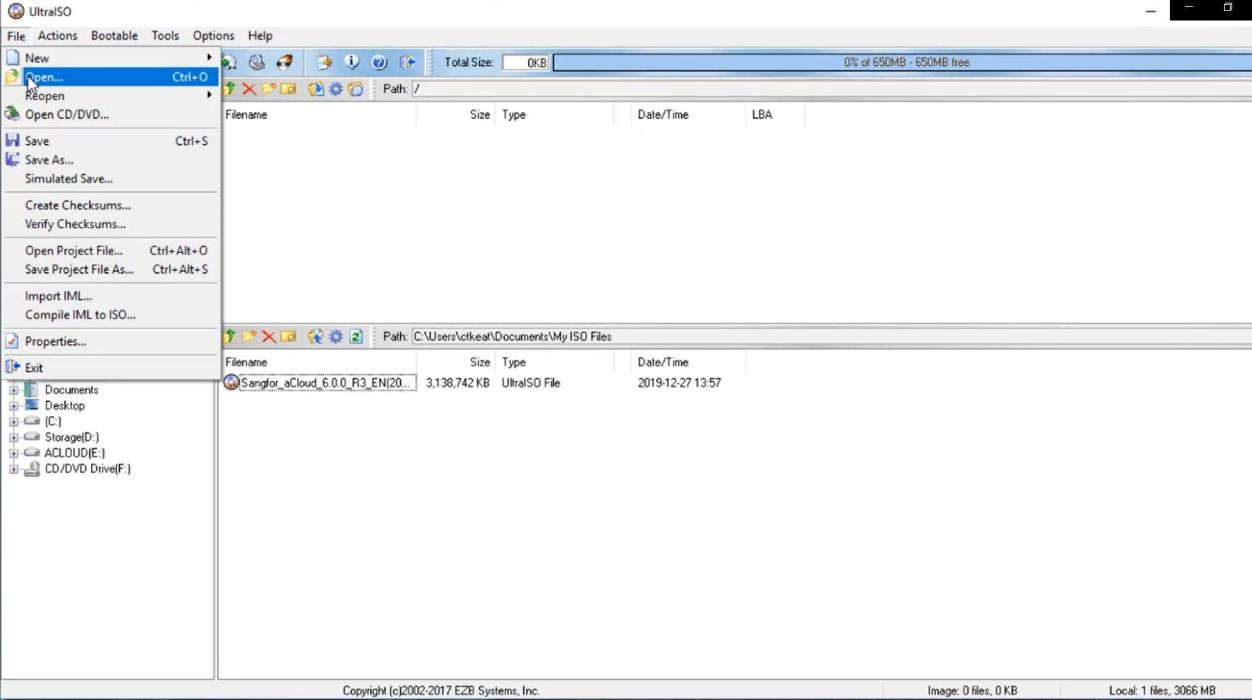
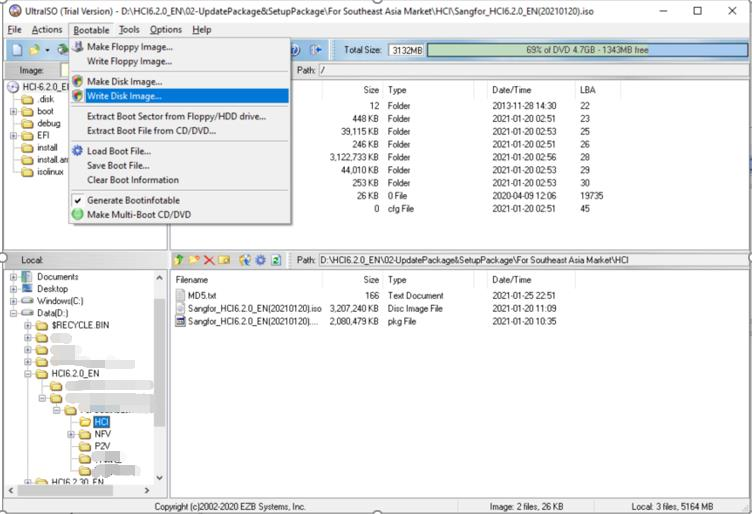
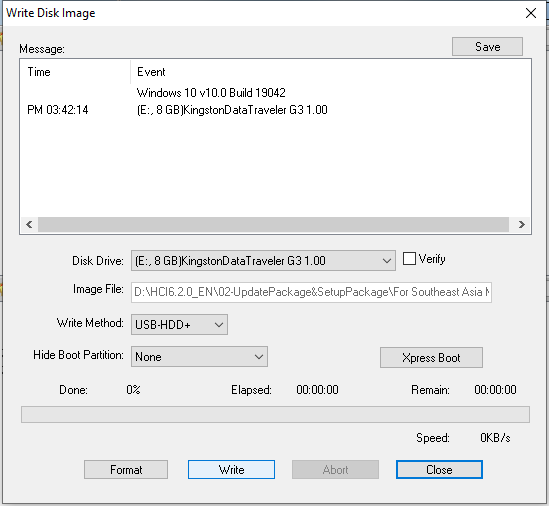
Step 3.Select Bootable > Write Disk Image and choose the USB drive into which you want to write the image file. Then, click on Write button and keep others settings unchanged. You can remove the USB drive after the image file is written to the USB drive. 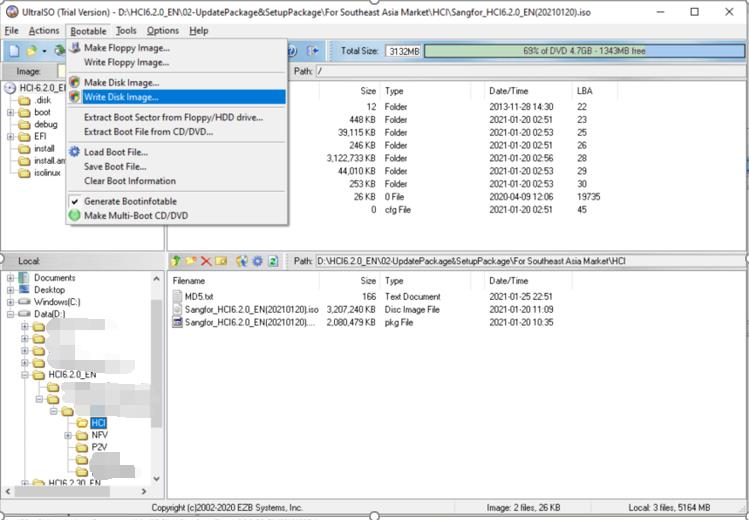
Step 4.Enable Virtualization Technology in BIOS, as shown below (BIOS settings vary from computer to computer). 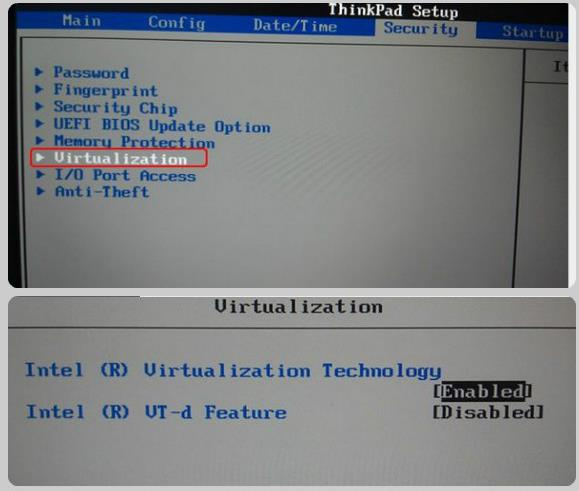


 {{ $t('index.defaultHeader.chromeBrowserTip') }}