


{{ secondMenu.name }}






Administrators are assigned with different permissions to manage virtual machines, virtual network, storage, etc. Meanwhile, administrators can also manage resources available to sub administrators.
The following describes how to assign permissions:
Go to System > Administrators and Permissions > Administrators, click Add New Account to add an administrator account first, as shown below: 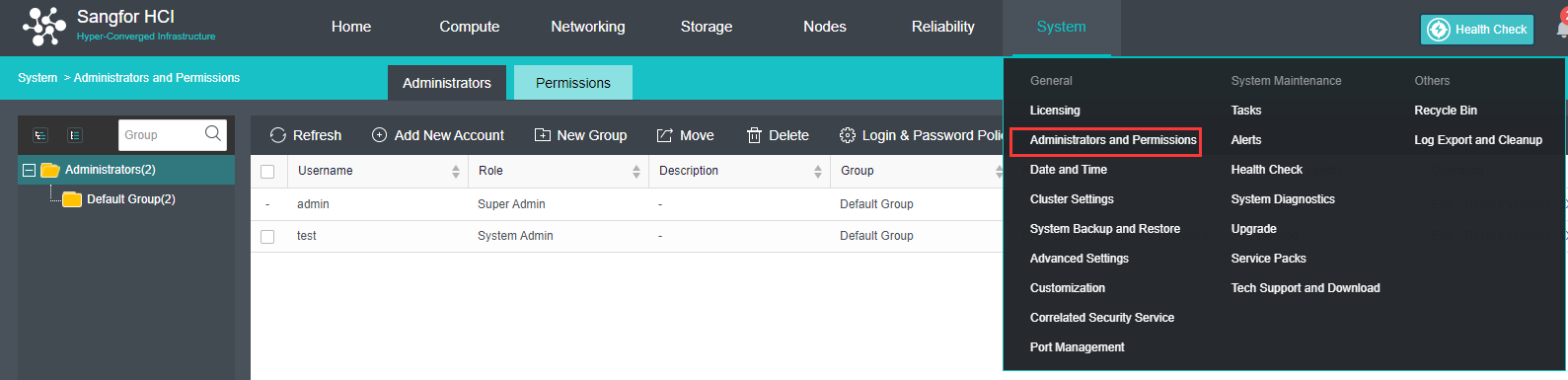
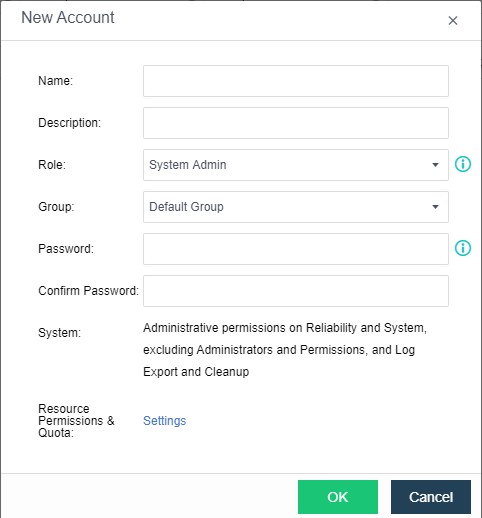
Click Settings to enter the following page as shown below. On the Permissions page, you may view resources available in the default group of virtual machines, virtual network, and resources available in virtual storage, then choose desired resource(s) under Available and assign the corresponding permission on under Selected. 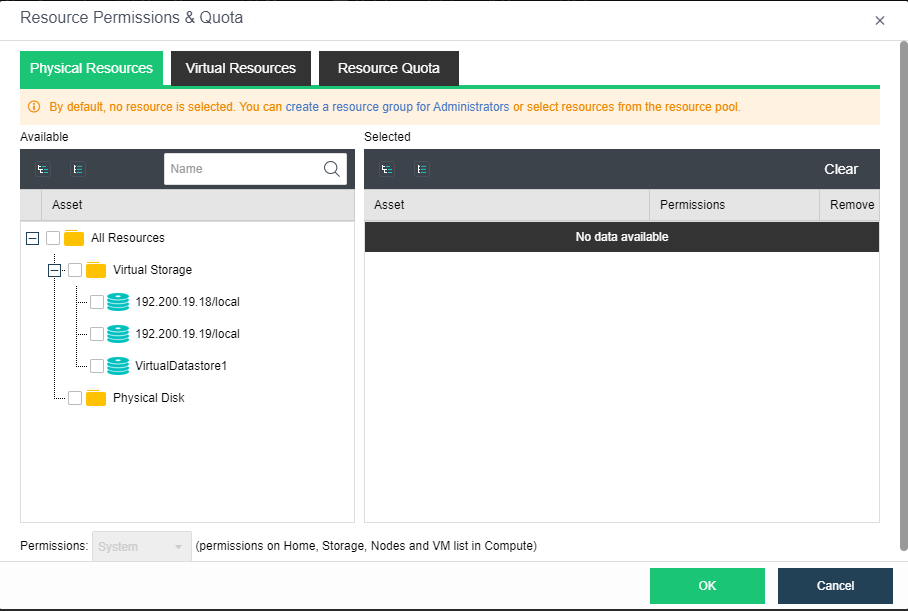
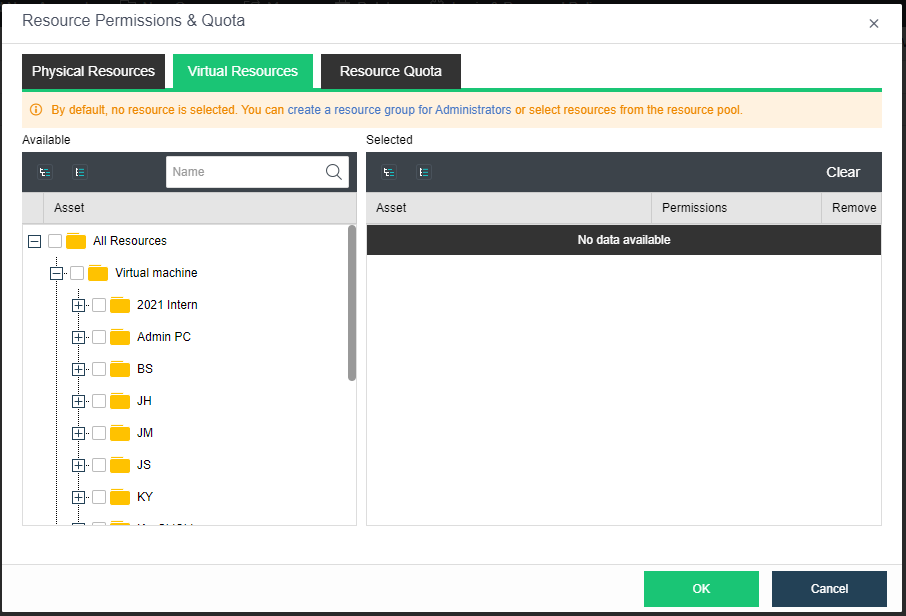
Click Resource Quota to enter the following page, you may assign a maximum of 10 cores for powered-on VMs, allocate a maximum of 20GB memory for powered-on VMs, and specify 200GB as the maximum disk size for all the VMs 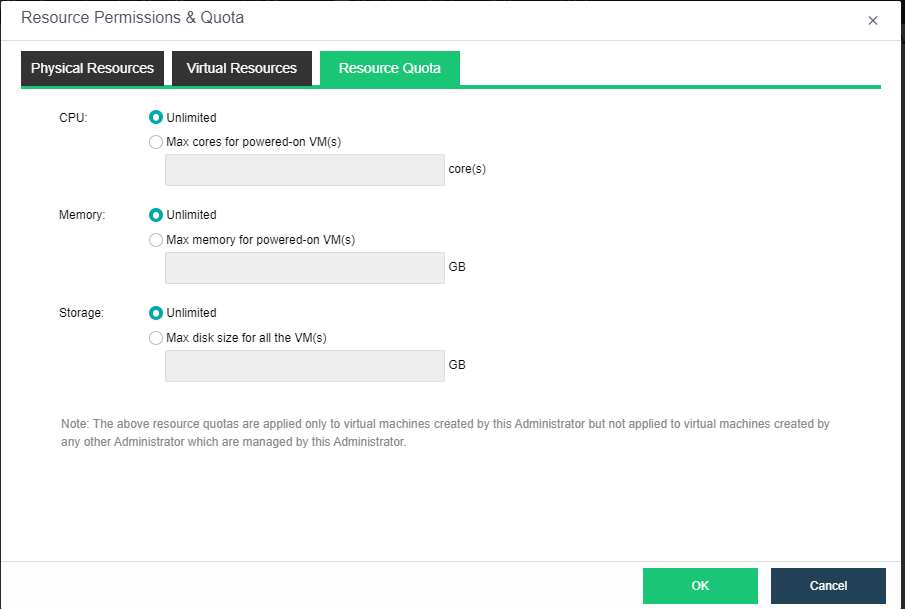
Accounts can be assigned with different permissions on virtual machines and virtual network. 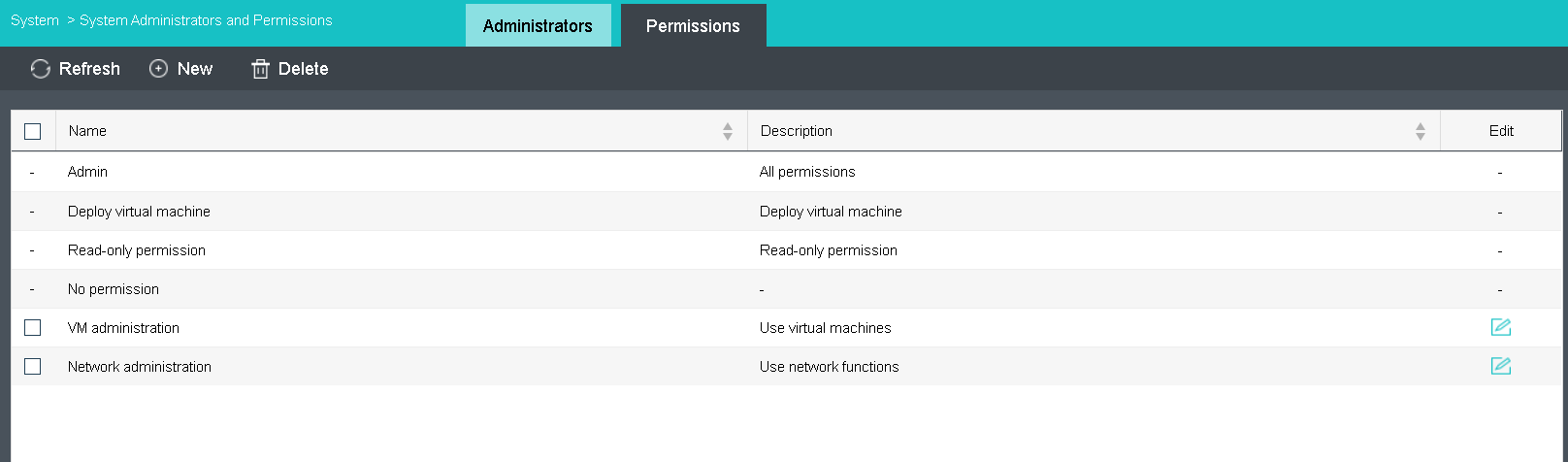




 {{ $t('index.defaultHeader.chromeBrowserTip') }}