{{ $t('productDocDetail.guideClickSwitch') }}
{{ $t('productDocDetail.know') }}
{{ $t('productDocDetail.dontRemind') }}
{{sendMatomoQuery("Sangfor Cloud Platform (SCP)","Custom Attributes")}}

Custom Attributes

{{ $t('productDocDetail.updateTime') }}: 2026-01-08

Function Description

In scenarios where too many business VMs and departments exist, you can use custom attributes to categorize and tag assets for unified O&M. You can create custom attributes by HCI resource (including VM, physical host, storage, and network component) and associate them with resources.

Precautions

Custom attributes cannot be associated with VM images.

Prerequisites

N/A

Steps[15]
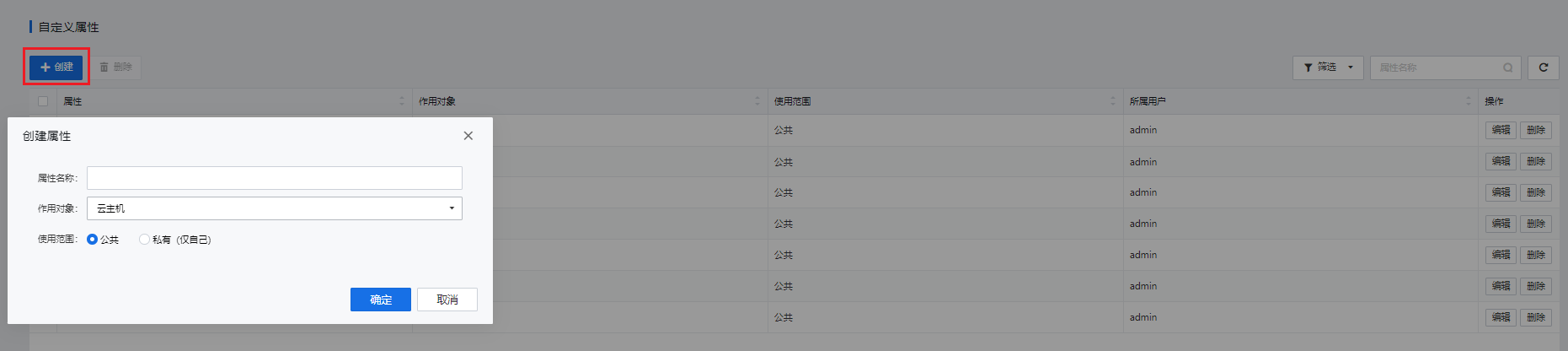
  1. Go to Management > Custom Attributes, click New, specify the attribute name and applicable object (which can be VMs, Nodes, Storage, Virtual Network Devices, or All), and select an option for the attribute type (which can be Public or Private).

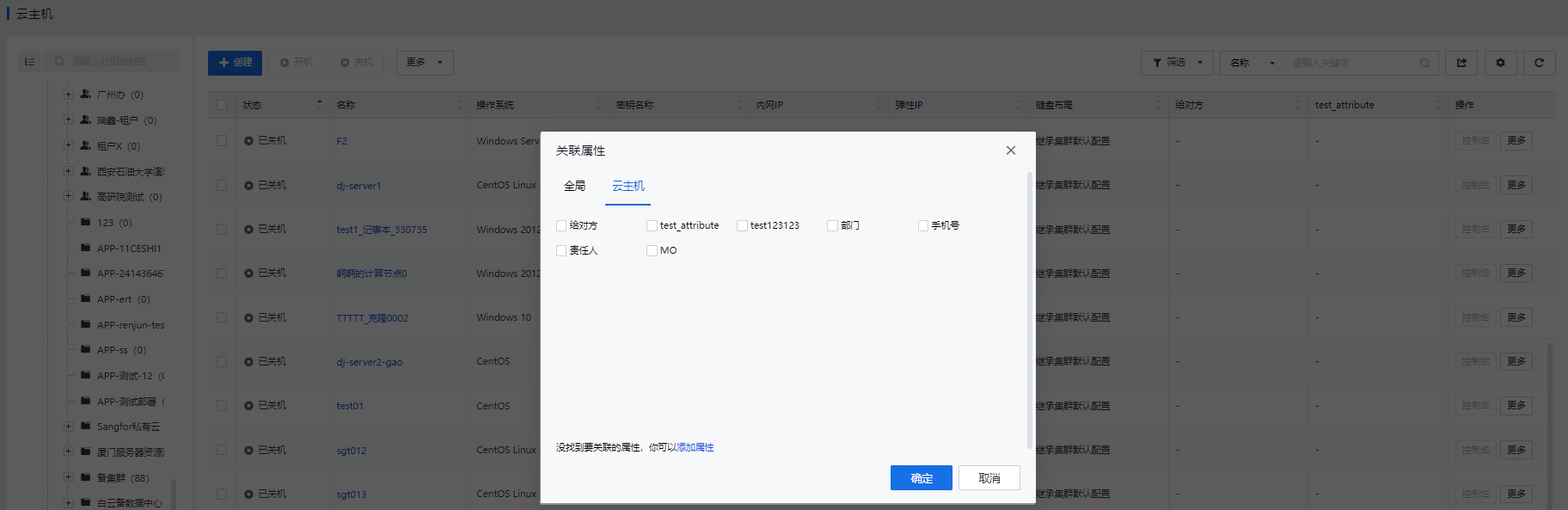
  1. For example, if you create a custom attribute for a VM, select the target VM from the VM list, go to More > Edit Attribute, and select the defined attribute for association with the resource.