


{{ secondMenu.name }}






Function Description:
This function provides a visualized and simplified operation and maintenance method and one-click access to reliable resources and services. Through this interface, managers can obtain the overall operating status of the platform and can quickly locate specific problems.
Precautions:
None.
Prerequisite
None.
Steps:
Step 1.Log in to the SCP platform and select Reliability > Holistic View to enter the Holistic View interface.
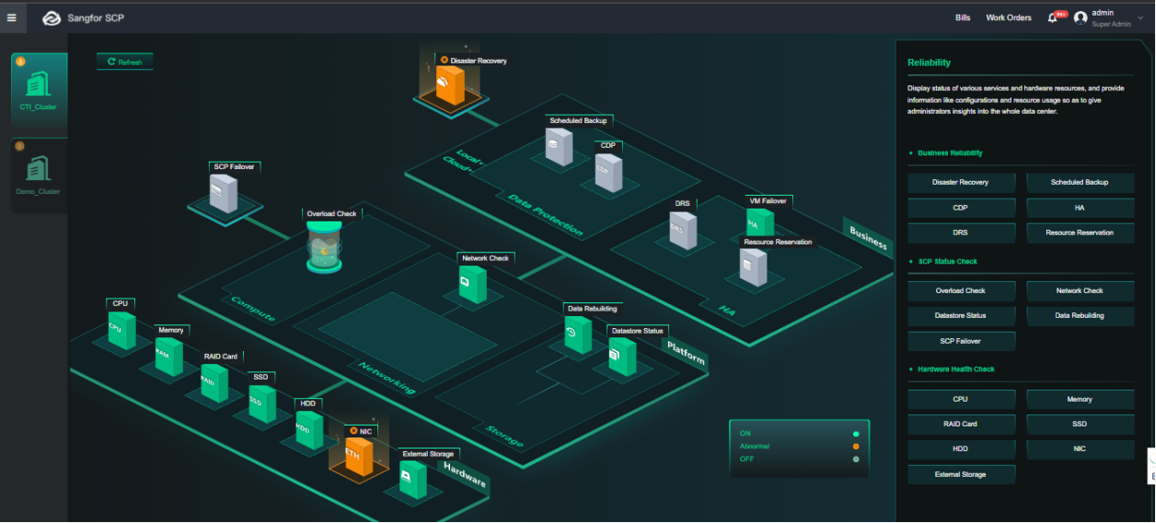
Step 2.You can see different sites on the left panel, click any service you want to view in the main interface, and you can view the corresponding detailed status.

Gray indicates that the function is unavailable or the service is not configured, yellow indicates that an abnormal service is detected, and green indicates that the service is normal.
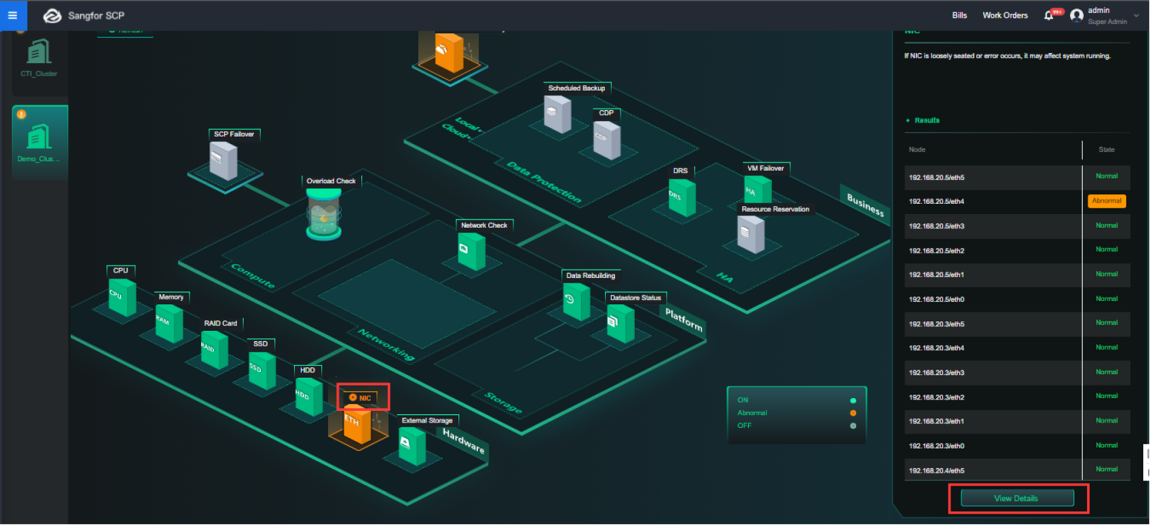
Step 3.Click the exception icon and View Details to enter the Hardware Health Check page.
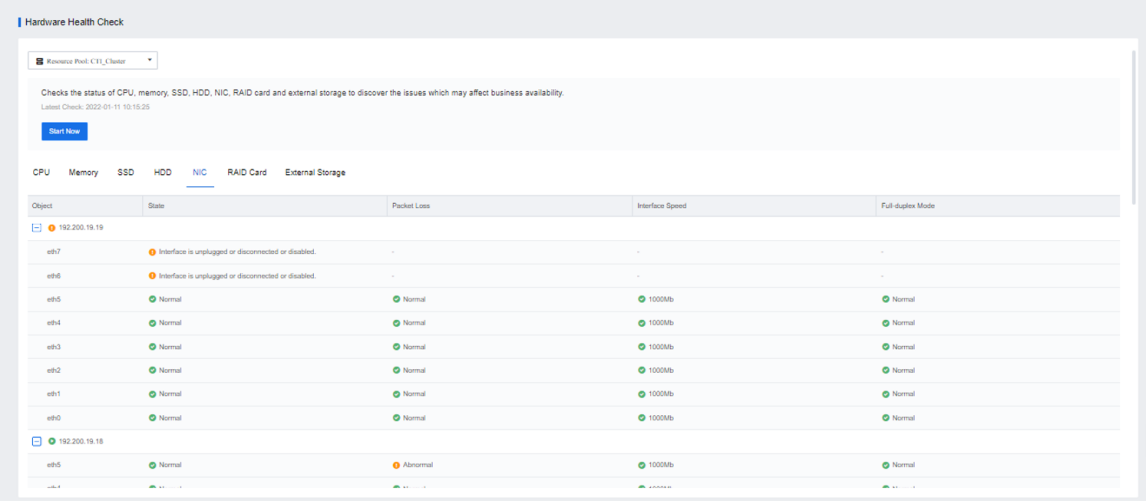
Start Now: To detect and eliminate false positives.
Entity Description: You can view the judgment rule of each inspection item.
Suggestion: Provide suggestions for the current issues.


 {{ $t('index.defaultHeader.chromeBrowserTip') }}