


{{ secondMenu.name }}






Prerequisite
Complete the deployment of aSEC platform.
Precautions
Steps:
Step 1.Log in to the SCP platform, select Compute > Image > Advanced Service Image, and click the Upload button (the image file can be downloaded from the Sangfor community). 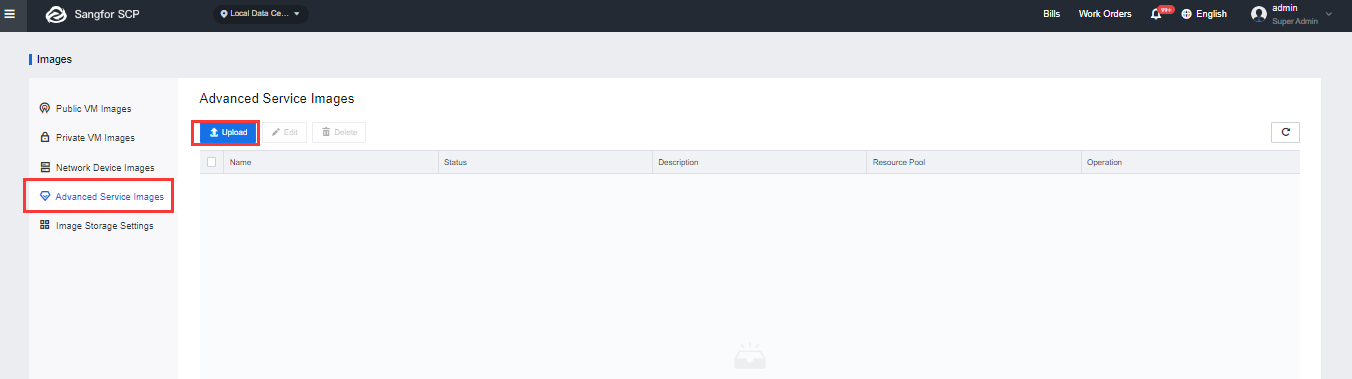
Step 2.Select the local advanced service image file (vma format) to be uploaded, select the service type and the resource pool, and click the Upload button. 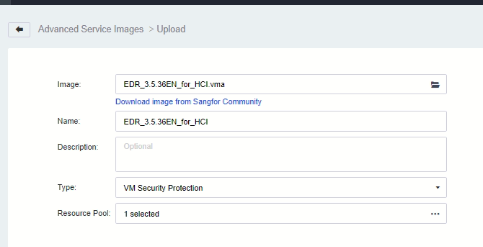
Type: cloud service security protection
Resource pool: The resource pool is run by the virtual machine of the Cloud Security Center.
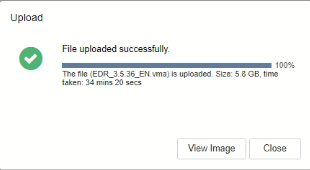
Step 3.After the upload is complete, click the View Image button to return to the Advanced Service Image page, or click the Close button.
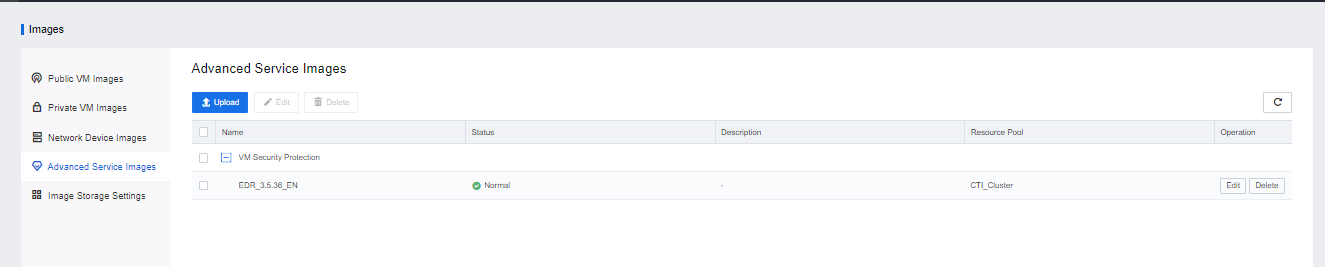
Step 4.After completing the aSEC installation, enter the aSecurity Center page and click Go Now on the pop-up message box to enable the cloud host security protection. 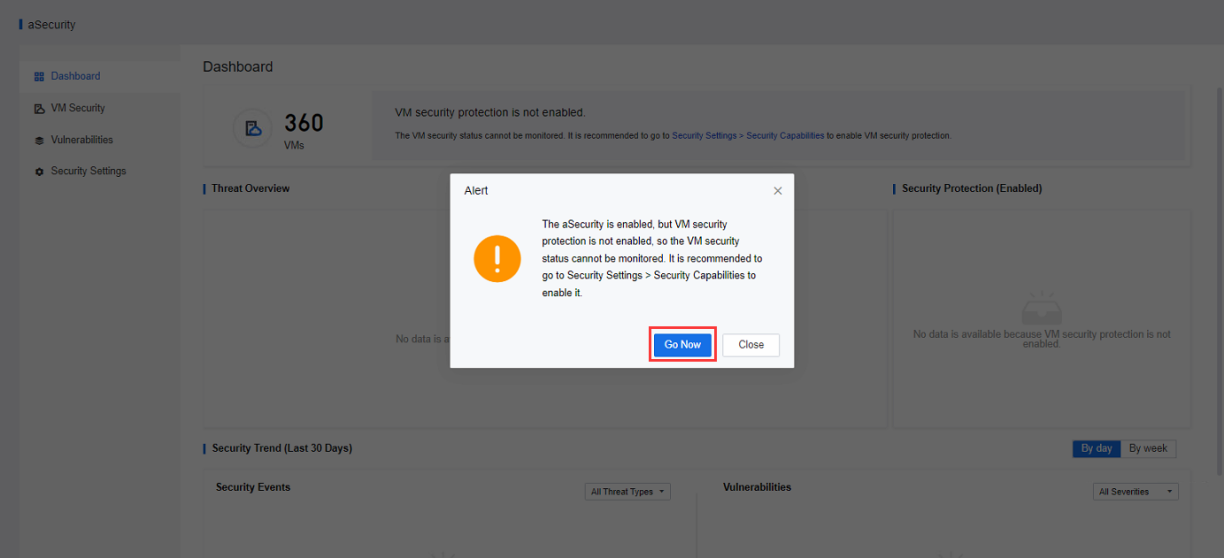
Step 5.Go to the Security Settings > Security Capabilities page, and click the Enable button of VM Security Protection. 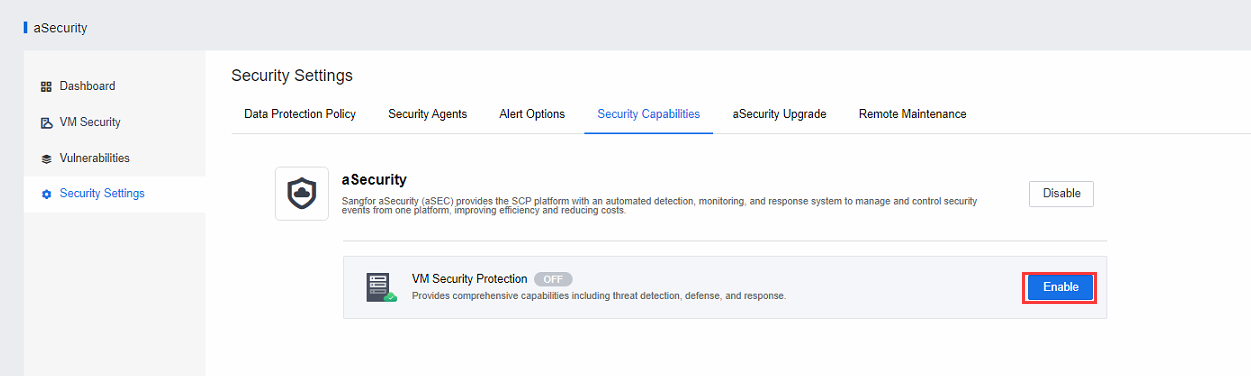
Step 6.Configure and deploy the EDR_MGR management platform. 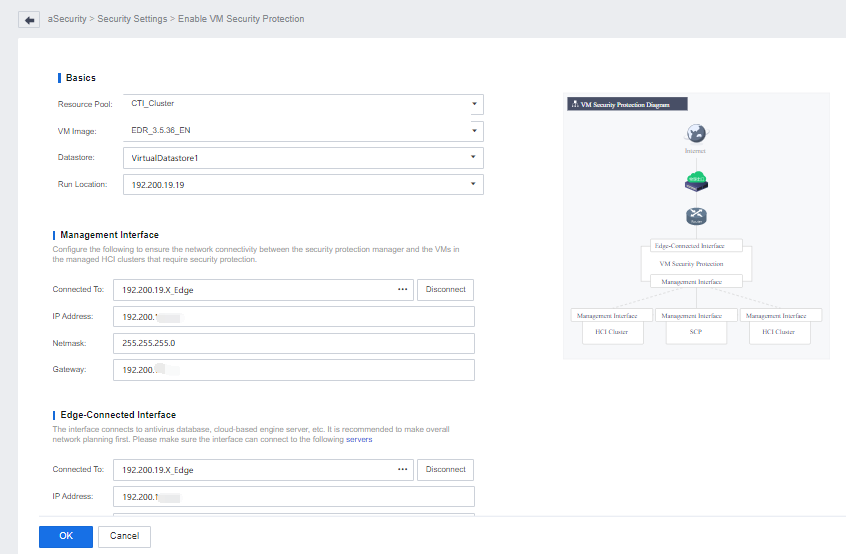
• Basics
Resource Pool: cluster running on the virtual machine of the priority cloud security center.
VM Image: The virtual machine security protection image imported from the advanced service image.
Datastore: Prefer virtual storage volume.
Run location: keep the default.
• Management interface configuration: connect to a physical edge (the physical edge must be able to access the HCI and SCP management interfaces, and it is recommended to plan the same network segment as the SCP management network).
• Edge-Connected Interface configuration (optional): It is connected to the physical edge of the service network, which is used to connect to the security servers such as virus databases and cloud search service, and it must be ensured that the interface can be connected to the following servers:
Virus database: http://download.sangfor.com.cn/download/product/edr
Vulnerability patch:
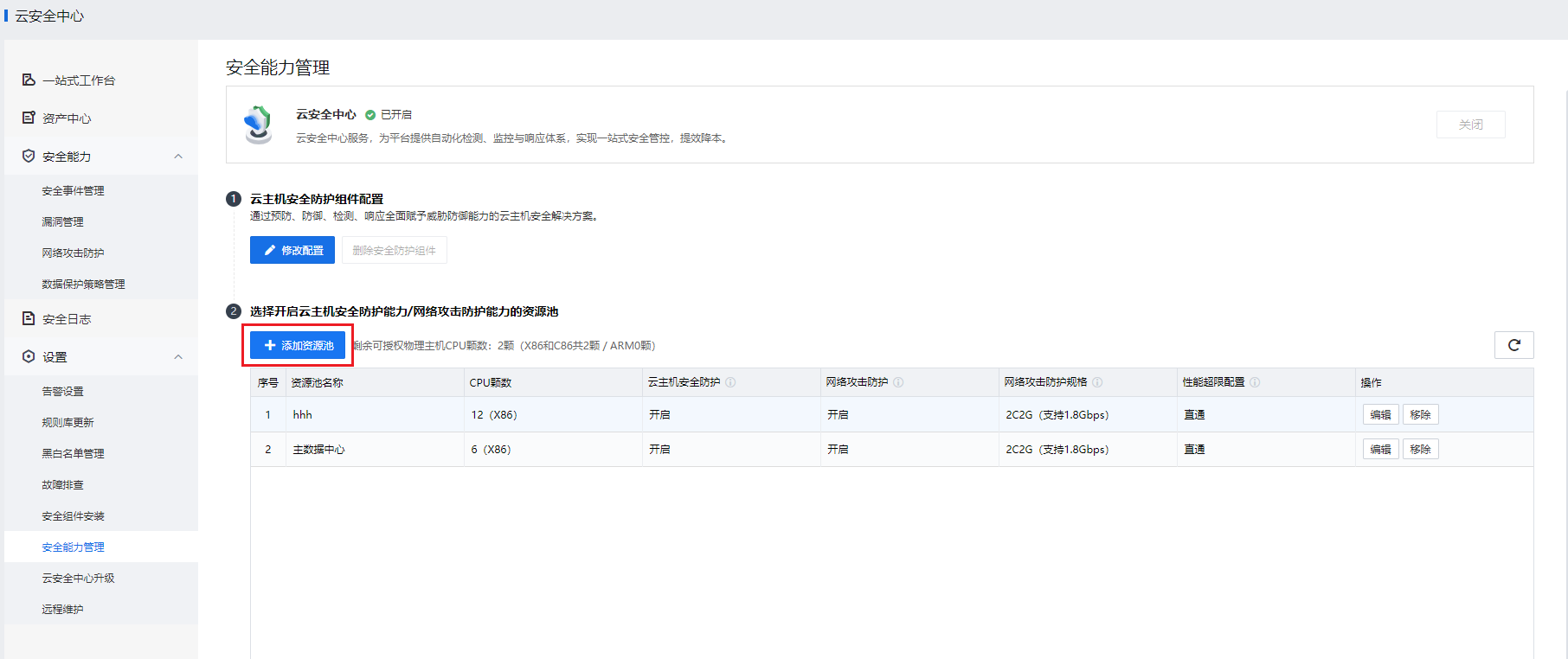
Step 7.After successful deployment, go back to the Security Capabilities page and click Add Resource Pool to enable VM security protection and cyber attack protection for a resource pool.
• Cyber attack protection specifications: Select the specifications as needed. If the specifications do not match the remaining resources of the physical host, that is, resources are insufficient, enablement may fail.
| Container Instance Specifications |
Maximum Traffic Throughput |
vAF Reference Value |
Remarks |
| 1 vCPU core, 1 GB memory |
800 Mbps |
50 Mbps |
1 CPU core, 2 GB memory for vAF |
| 2 vCPU cores, 2 GB memory |
1.8 Gbps |
200 Mbps |
2 CPU cores, 4 GB memory for vAF |
| 4 vCPU cores, 4 GB memory |
3.3 Gbps |
400 Mbps |
4 CPU cores, 8 GB memory for vAF |
| 8 vCPU cores, 8 GB memory |
5.2 Gbps |
1.6 Gbps |
8 CPU cores, 16 GB memory for vAF |
• Processing for performance overload:
Passthrough: The platform automatically enables the policy passthrough mode if it is detected that the traffic limit is exceeded. This helps avoid business interruption.
Packet loss: The platform directly drops excessive packets if it is detected that the traffic limit is exceeded, which may cause business interruption.
 [5]
[5]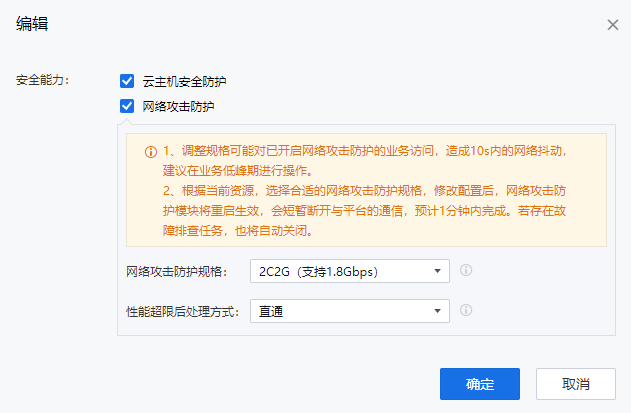


 {{ $t('index.defaultHeader.chromeBrowserTip') }}