


{{ secondMenu.name }}






Function Description:
Use the authorization and license keys to authorize the SCP cloud management platform.
Precautions:
None.
Prerequisites:
Steps:
Step 1.Log in to SCP, click System > Licensing to enter SCP's licensing management page.
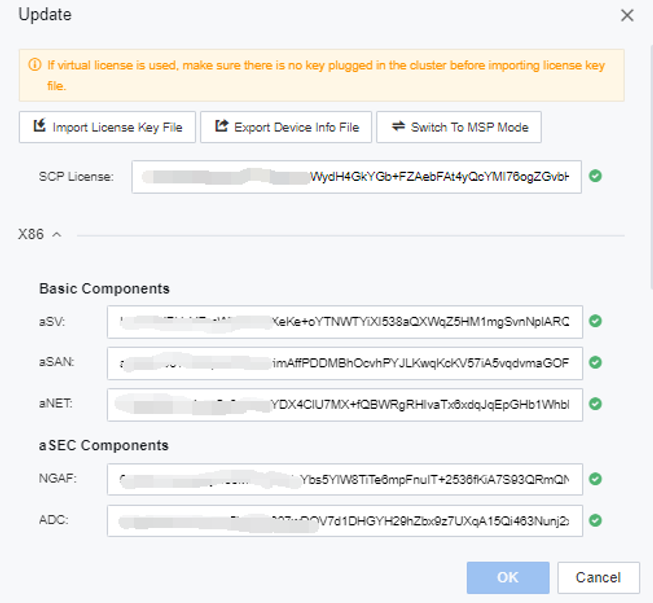
Step 2.Click Update and select the prepared License file (.lic file). After the import is successful, you can view the corresponding license key information.


 {{ $t('index.defaultHeader.chromeBrowserTip') }}