


{{ secondMenu.name }}






Product Description:
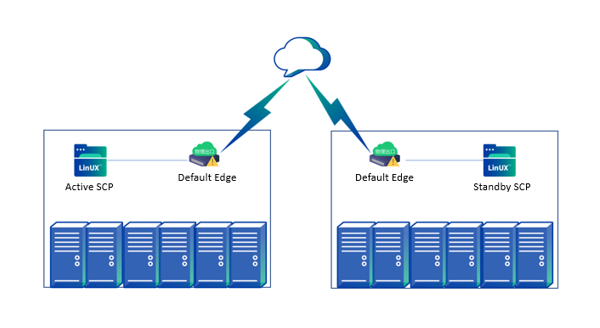
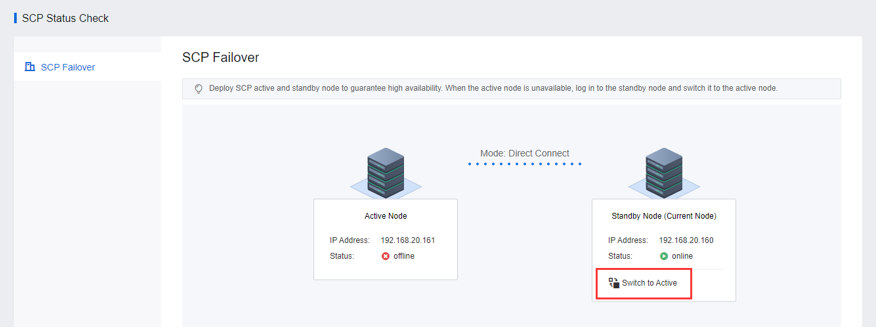
Sangfor SCP supports the deployment of active and standby, which improves reliability and can be used in the aDR (Cross-Site Disaster Recovery) scenarios. The main SCP is deployed in the node room cluster, and the standby SCP is deployed in the disaster recovery computer room cluster. When the node room fails and the primary SCP node is unavailable, the standby SCP node can be manually switched to the primary node to ensure the high availability of the management platform. The standby node can only be manually switched when the primary node is unavailable. In other cases, it cannot be switched at will.
Precautions:
Prerequisites:
Sangfor HCI platform and SCP have been correctly deployed.
Steps:
Step 1.Deploy the standby SCP according to Chapter 2.3.1 Single Host Installation.
Step 2.Log in to the active SCP and navigate to Resources > SCP Status Check > SCP Failover.
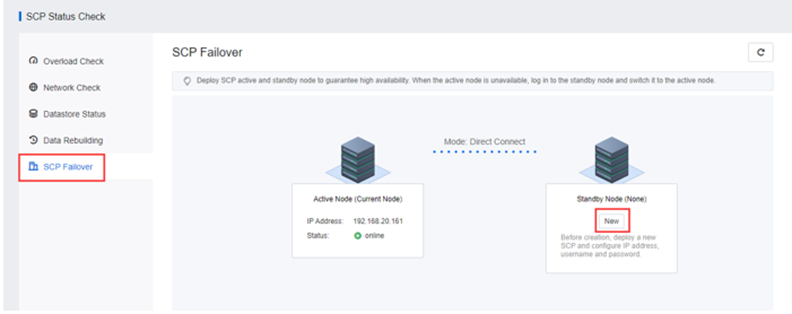
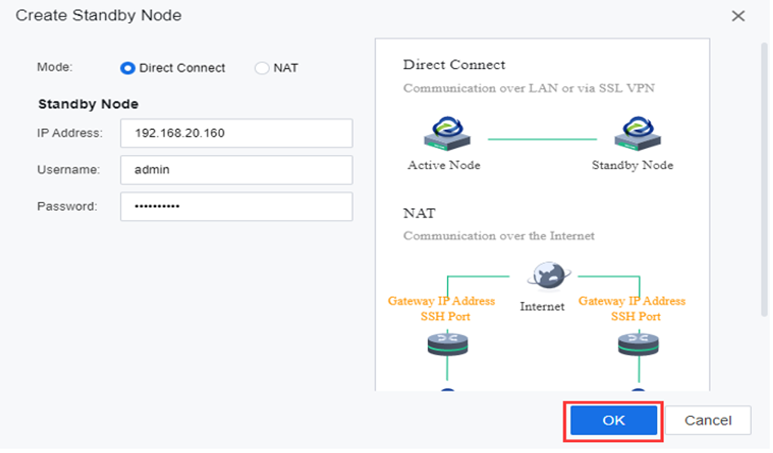
Step 3.Click the New button, enter the IP address and Password of the SCP standby machine, and click OK.
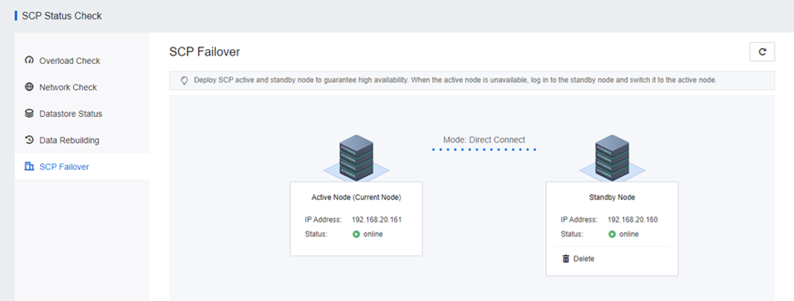
Step 4.After the successful addition, you can see the active and standby SCP status.
Step 5.When the primary SCP is offline, you can log in to the standby SCP to switch the standby to the primary.


 {{ $t('index.defaultHeader.chromeBrowserTip') }}