


{{ secondMenu.name }}






Function Description:
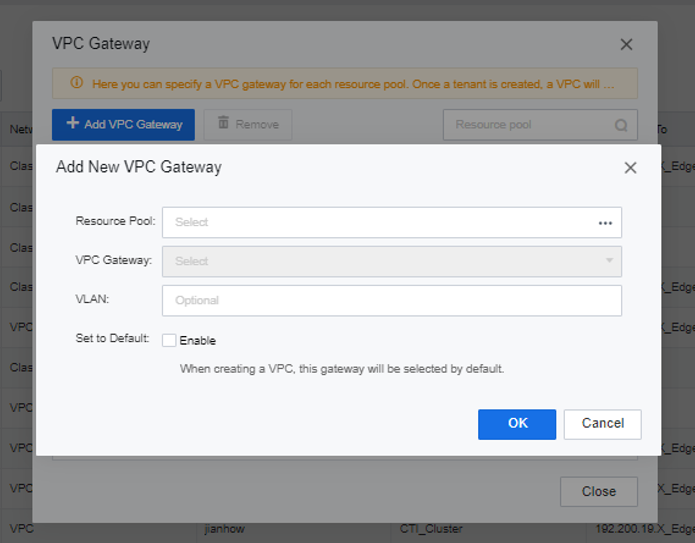
The VPC is to assign a fixed VPC subnet to each resource pool. After the setting is successful, a VPC is generated when the tenant is created, and the interface will be connected by default. Please specify a fixed VPC outgoing interface for each resource pool if you need to create a tenant.
Prerequisite
Precautions:
After setting the VPC, please delete all tenants in the resource pool first if you need to modify it.
Steps:
Step 1.Select Networking > Network Deployment and click VPC Gateway.
Step 2.Click Add VPC Gateway to select the VPC outgoing interface corresponding to each resource pool, enter the password of the admin administrator for confirmation, and complete the creation of the VPC Gateway.


 {{ $t('index.defaultHeader.chromeBrowserTip') }}