


{{ secondMenu.name }}






Upgrade through Sangfor Updater is used for upgrade scenarios that require high stability, the device cannot access the public network, or the cloud server has not placed the upgrade package.
This upgrade method has the best stability and is recommended in the upgrade scenarios where the upgrade package has not been placed on the cloud server.
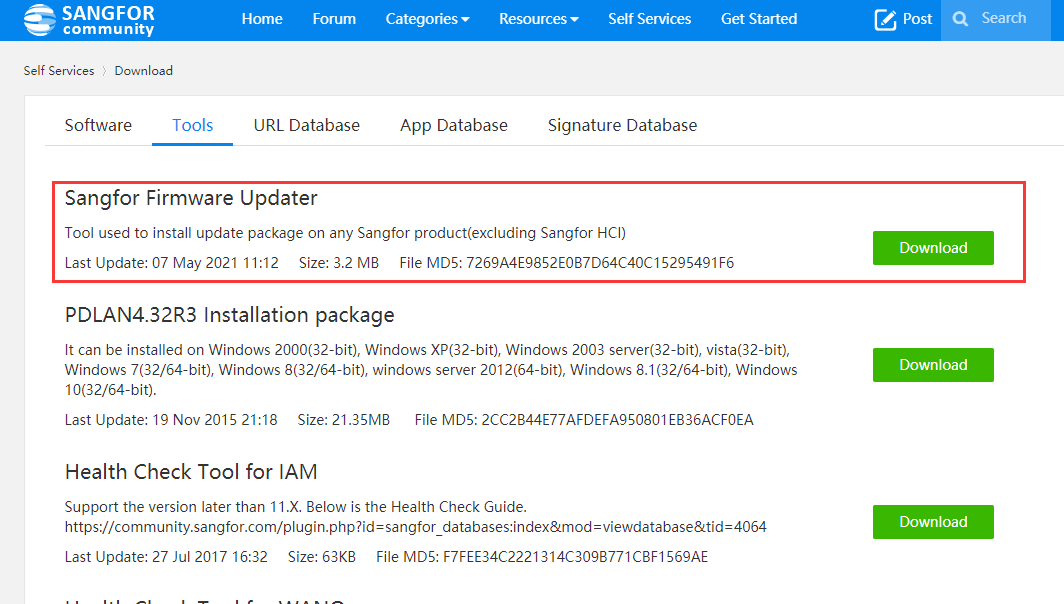
Step 1.Go to the Sangfor community download the Sangfor updater. Self Services > Download > Tools.
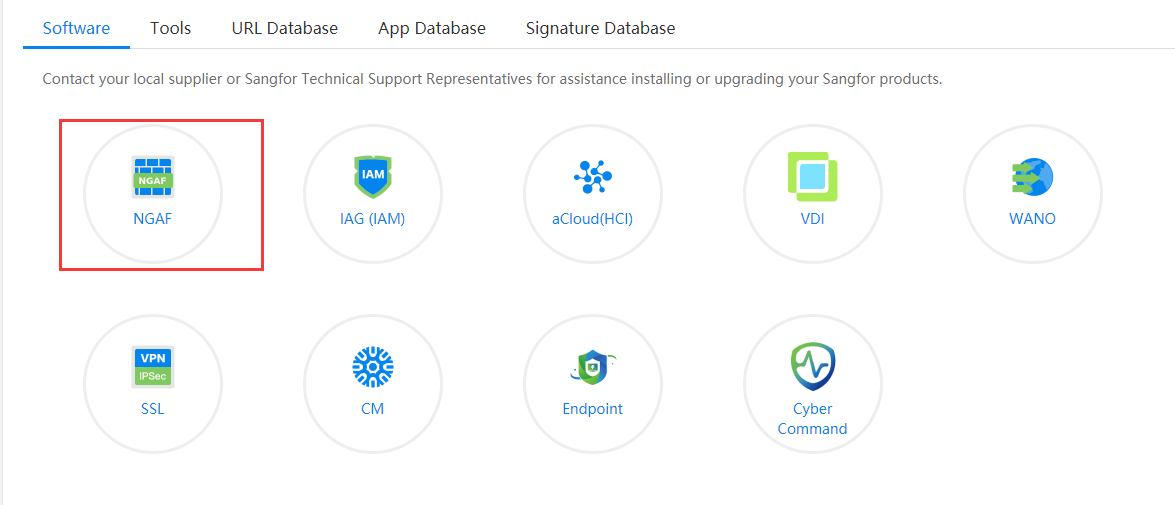
Step 2.Download the pre-check package and upgrade package in the Sangfor community. Self Services > Download > Software > NGAF.
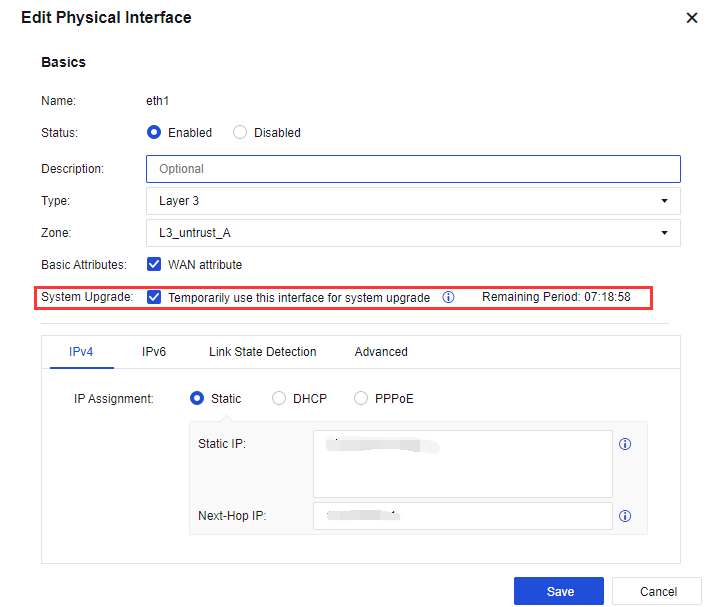
Step 3.Access to the NGAF management platform to enable the update option on the interface. Go to Networks > Interfaces. Select the interface used for the upgrade and select the System upgrade option.
Step 4.Unzip the Sangfor updater and run the updater. Enter the interface IP in Step 3 and enter the NGAF admin account password.
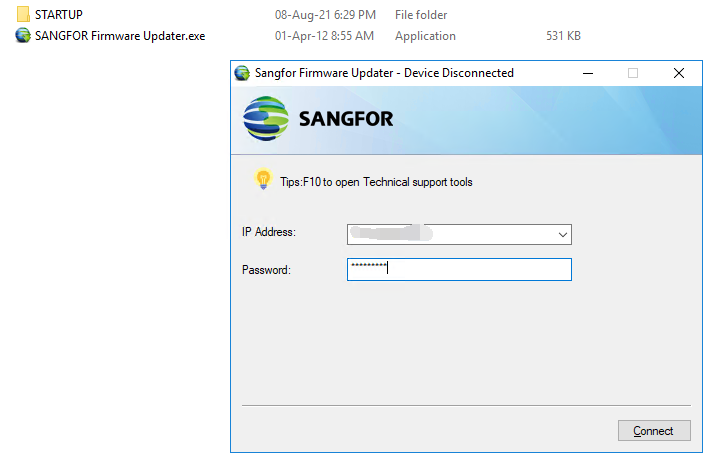
Step 5.Click Connect to connect to the NGAF device.
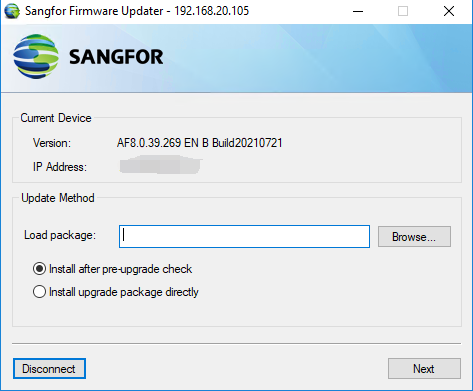
Step 6.Browse the pre-check package that stores on the local pc and select Install upgrade package directly. Then click Next.
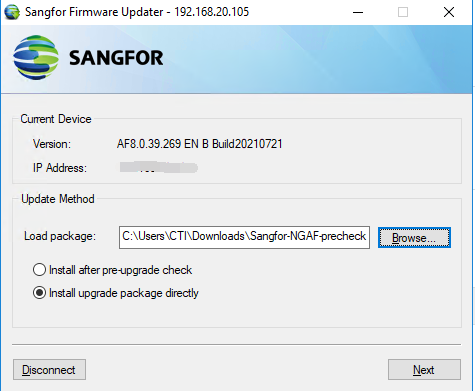
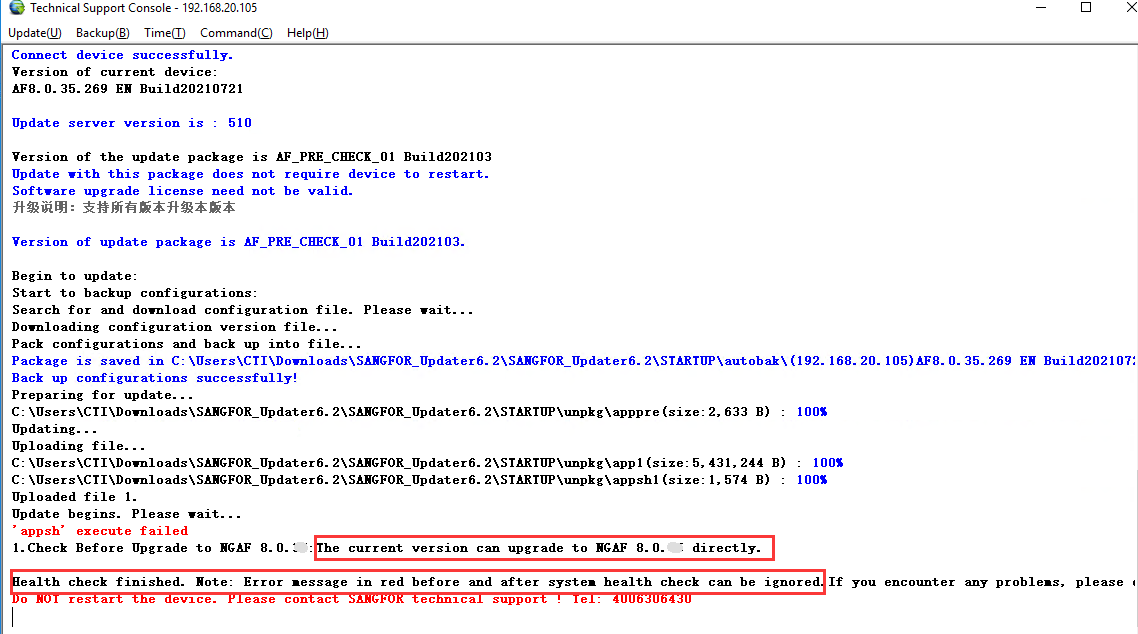
Step 7.After pre-check shows that the device supports upgrading to the latest version, you can proceed to firmware upgrade. The procedure is the same as Step 6. The only difference is to browse the upgrade package on your local PC.

1. Before using the Sangfor Updater to upgrade the software on your device, make sure that your PC can synchronize the Internet time through the public network.
2. Any error or warning prompt out during the upgrade, please contact our Sangfor Technical support team to assist.


 {{ $t('index.defaultHeader.chromeBrowserTip') }}