


{{ secondMenu.name }}






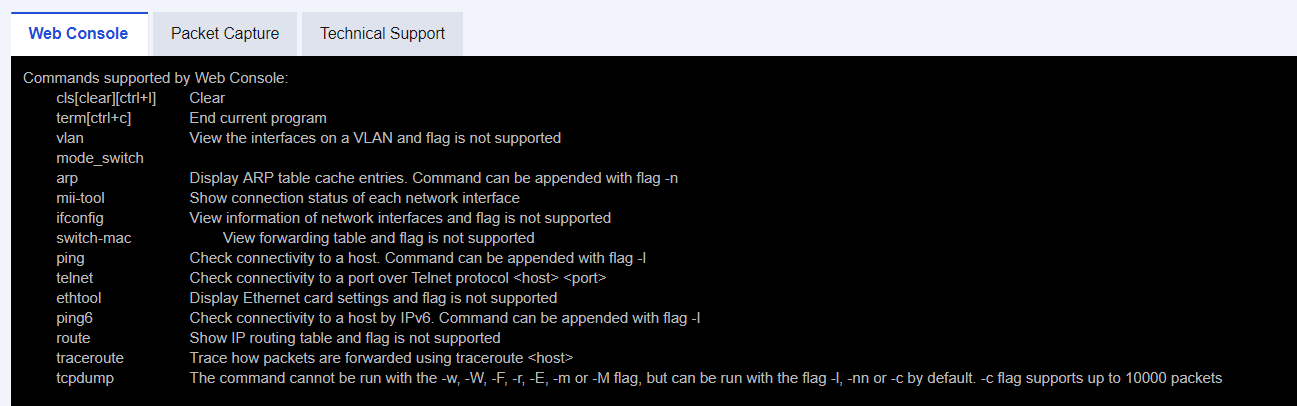
The SANGFOR NGAF Command Console provides a simple command-line interface (CLI) of the console for checking simple information about the device. The commands include:
vlan (View the interface on the virtual local area network (VLAN))
arp (View the ARP table of the device)
mii-tool (View the connection of the networking interface of the device)
ifconfig (View the information about the networking interface of the device)
switch-mac (View the forwarding table of the MAC)
ping (Test the connectivity for the IP address of the active device)
telnet (Test the connectivity for a port)
ethtool (View the information about the NIC of the device)
route (Display the routing table of the device)
traceroute (Track the path for forwarding packets)
tcpdump (Capture packets)
Choose System > Troubleshooting > Analysis Tool, and enter the command on the displayed page. The ping, telnet, and traceroute commands are used in the same method as that on the PC.


 {{ $t('index.defaultHeader.chromeBrowserTip') }}