


{{ secondMenu.name }}






To search local vulnerability rules of NGAF and view whether the protection is enabled for this vulnerability.
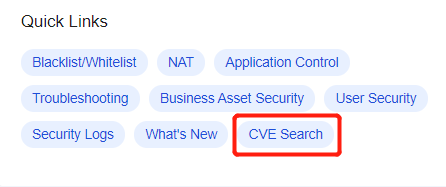
Step 1.Choose Home > Quick Links and click CVE Search on the Quick Links page, as shown in the following figure.
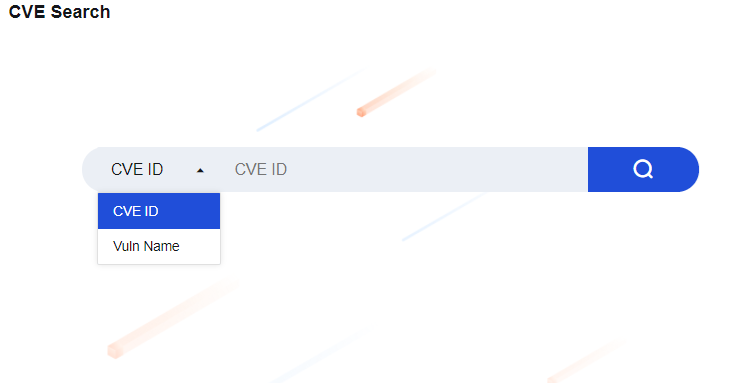
Step 2.Go to the Quick Links page and select Vuln Name or CVE ID from the drop-down list to view the vulnerability, as shown in the following figure.
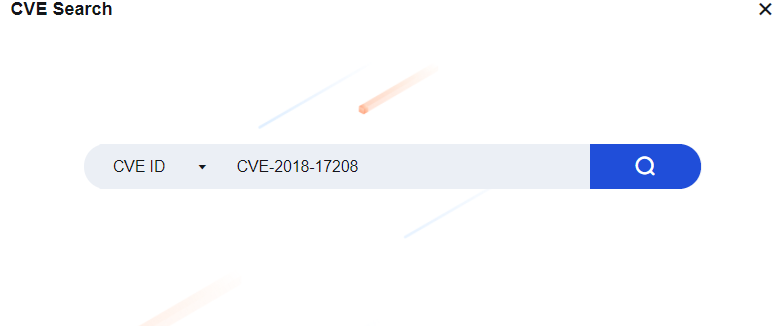
Step 3.Enter information to be queried in the search box, such as CVE-2018-17208. Click the search icon, as shown in the following figure.
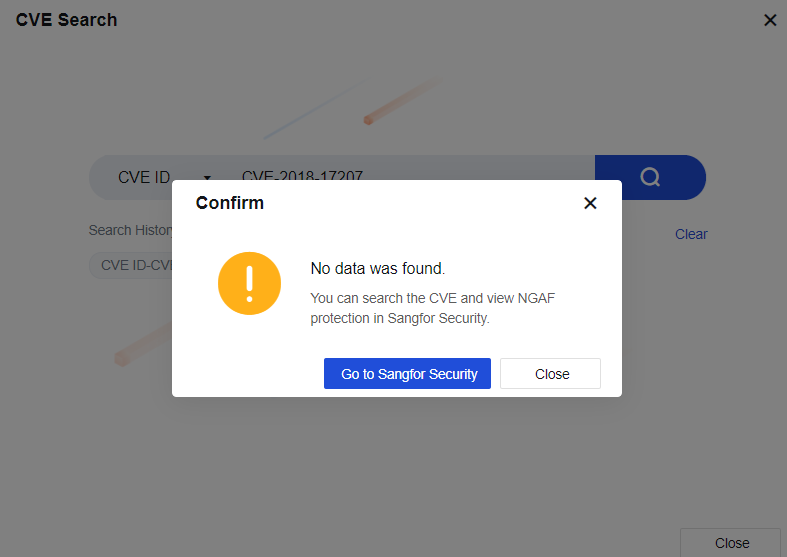
Step 4.If the local rule database does not contain CVE-2018-17208, the Confirm message appears. You can click Go to Sangfor Security to go to the Sangfor Security page for queries, See the figure below.
Step 5.If the local rule database contains CVE-2018-17208, the search result page appears, as shown in the following figure.
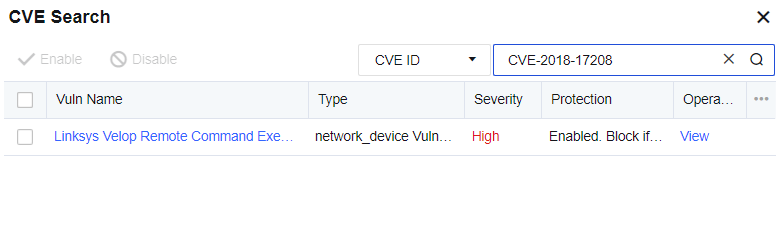
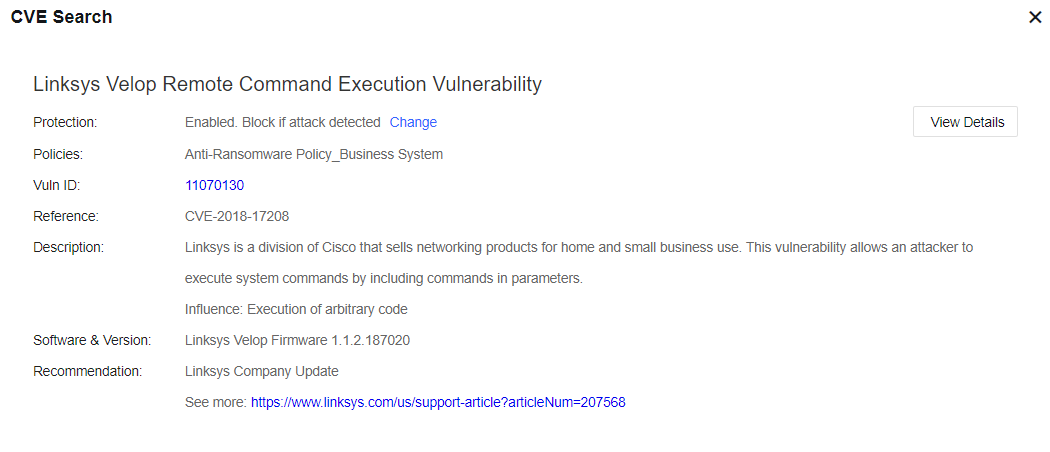
Step 6.Click View Details to go to the vulnerability details page, and view the specific protection situations. Click View Details in Sangfor Security to go to the vulnerability rule page.
When selecting a CVE ID to search a vulnerability, you can search it only if a full CVE ID is entered, such as CVE-2018-17208, but you are allowed to use fuzzy search. When selecting Vuln Name to search a vulnerability, you can enter a keyword for fuzzy search.


 {{ $t('index.defaultHeader.chromeBrowserTip') }}