


{{ secondMenu.name }}






To connect an NGAF device in Shenzhen to the Central Manager device for management, follow the configuration guidance
Configuration Guidance
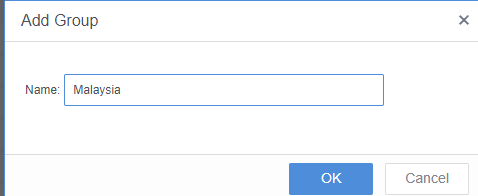
Step 1.Log in to the Central Manager console, go to the Branches page, specify the region name, and click Save.
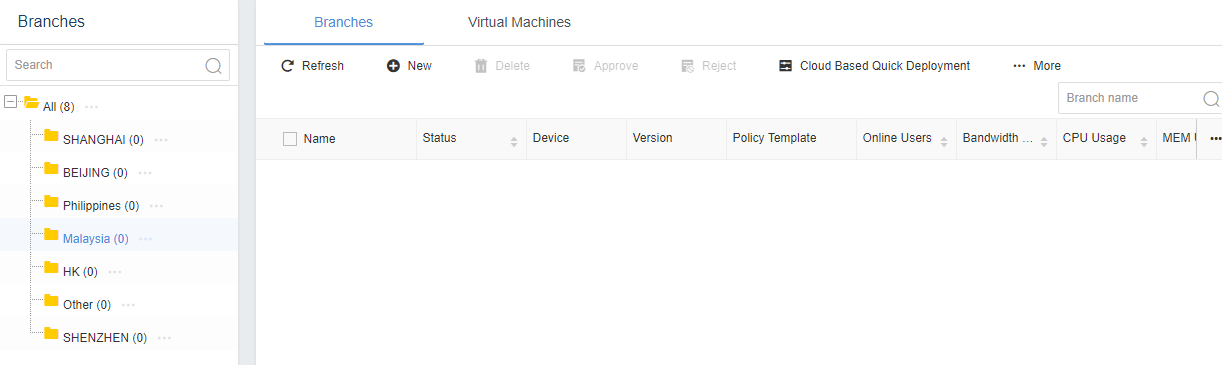
Step 2.Select the region that you just created, and click New.
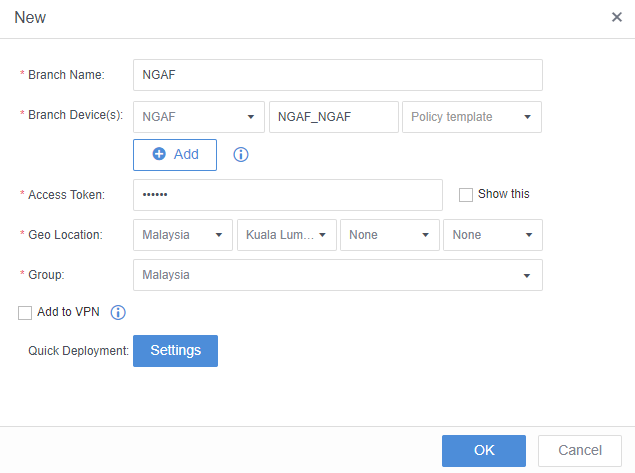
Step 3.Set the Branch Name, Branch Device, Access Token, Geo Location, and Group parameters, and then click OK.
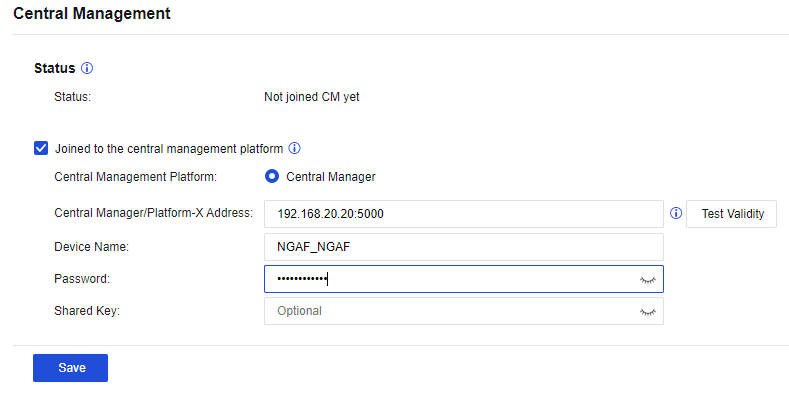
Step 4.Log in to the NGAF device, choose System > Central Management, and select Joined to the central management platform. Enter the IP address suffixed with :5000 (IP address of the Central Manager device) in the Central Manager/Platform-X Address field, enter the name of the branch device in the Device Name field, enter the password for connecting to Central Manager in the Password field, and then click Save.
Step 5.The status The device has connected to Central Management Platform indicates that the NGAF device has connected to Central Manager successfully.


 {{ $t('index.defaultHeader.chromeBrowserTip') }}