


{{ secondMenu.name }}






To specify the system time of a Sangfor device. You can change the time directly on the page or synchronize it with the Time Server.
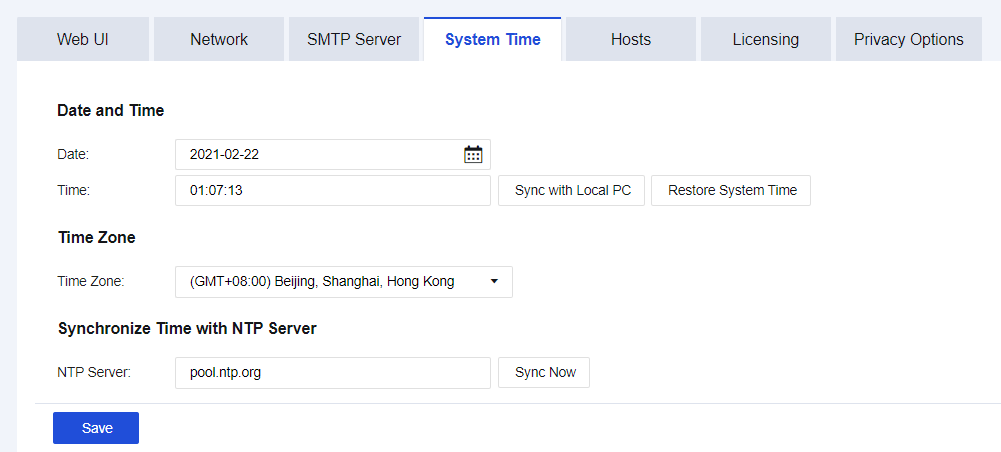
Date and Time: Specify the current time of the system. You may also manually set the system time in the field. Click Sync with Local PC to make the device's system time consistent with the PC time on the login console. Click Restore System Time to refresh the device's system time in real-time.
The device's system time can be set to synchronize with the time server. In the Time Zone section, select the time zone of the device. In the Synchronize Time with NTP Server section, set the address of the time server of the WAN. The device will automatically synchronize with the time of the time server.


 {{ $t('index.defaultHeader.chromeBrowserTip') }}