


{{ secondMenu.name }}






On the Recurring Schedule tab, you can specify a particular time from Monday to Sunday, during which the device will execute the schedule circularly.
On the Navigation Menu page, choose Objects > Schedule and click the Recurring Schedule tab.

On the Recurring Schedule tab, click Add. The Add Recurring Schedule dialog box appears.
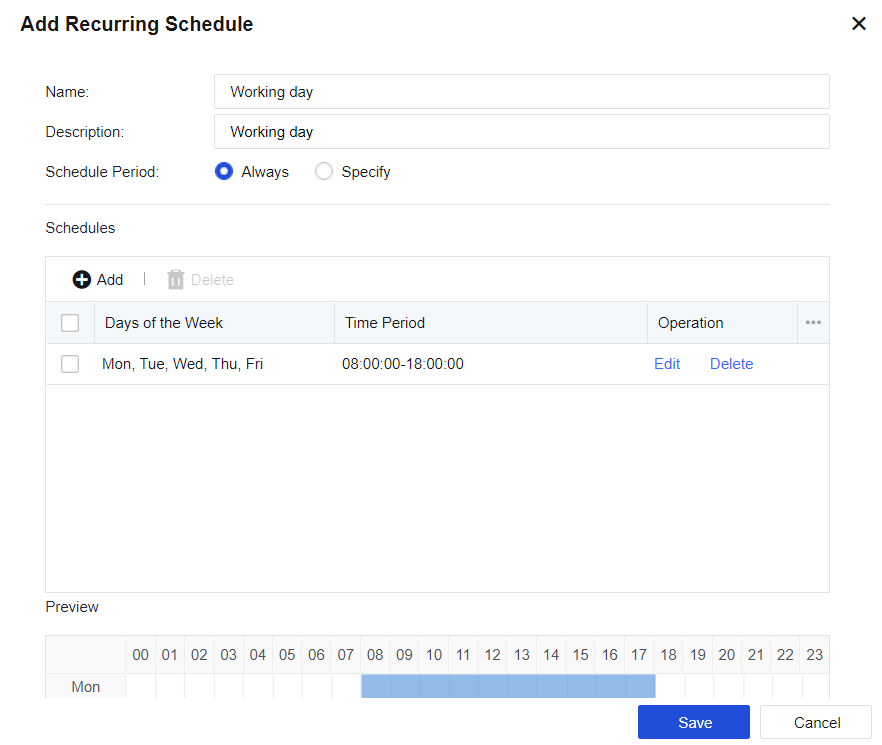
Name: Specify the name of the schedule group.
Description: Specify the description of the schedule group.
Schedule Period: Specify the time range within which the schedule takes effect.
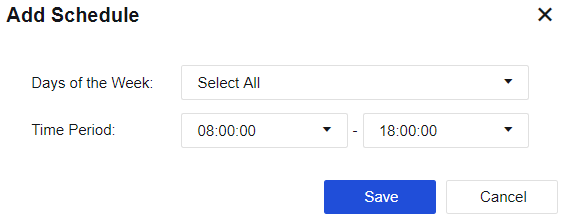
Click Add to set the specific time and time range.


 {{ $t('index.defaultHeader.chromeBrowserTip') }}