


{{ secondMenu.name }}






To correct faulty IP locations and query IP locations, thus reducing impacts caused by the faulty IP locations, and more accurately displaying attack sources and other information.
When you detect that an IP address of the LAN does not belong to the region you specify as the administrator, you can change the region to a correct region where the IP address resides or create a custom IP location.
Click Add to create a custom IP address location, as shown in the following figure.
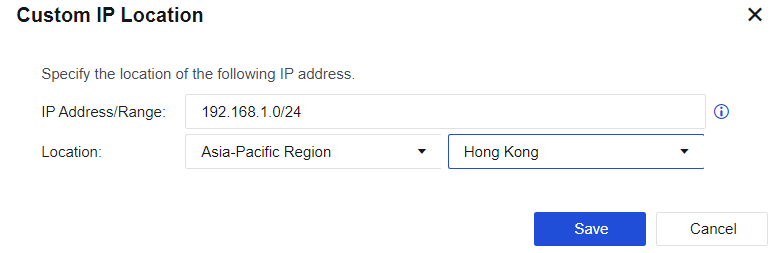
When abnormal traffic is detected in the LAN, the administrator can locate the location of the IP through the attribution query and then make corresponding policies.
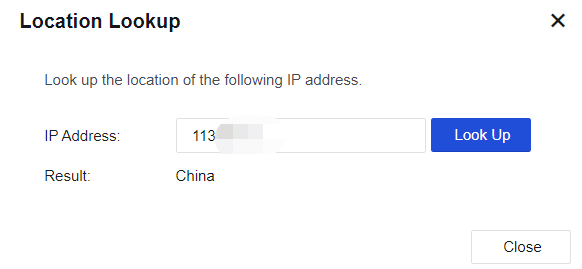
Click Location Lookup to find the corresponding IP address, as shown in the following figure.
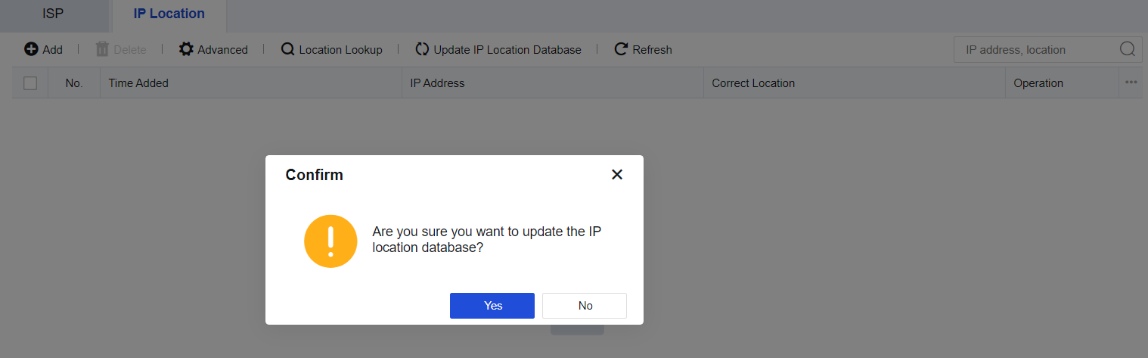
Under the circumstance that the device can access the Internet, the IP address database will be updated in real-time. It can also be manually updated to obtain the latest IP address database. If the IP address database is already the latest one, there will be a prompt for not updating during the manual update. Click Yes, as shown in the following figure.


 {{ $t('index.defaultHeader.chromeBrowserTip') }}