


{{ secondMenu.name }}






URL category databases include the built-in URL database and custom URL database. The built-in URL database is updated regularly by the device. Such updates require an S/N license, and the device must be able to access the Internet. The custom URL database can be added, deleted, and modified.
On the Navigation Menu page, choose Objects > Content Identification Database > URL category. The URL Category Database page appears on the right. Click URL category. On the page that appears, you can view the version of the built-in URL category database and the expiry date of the built-in URL update. See the figure below.
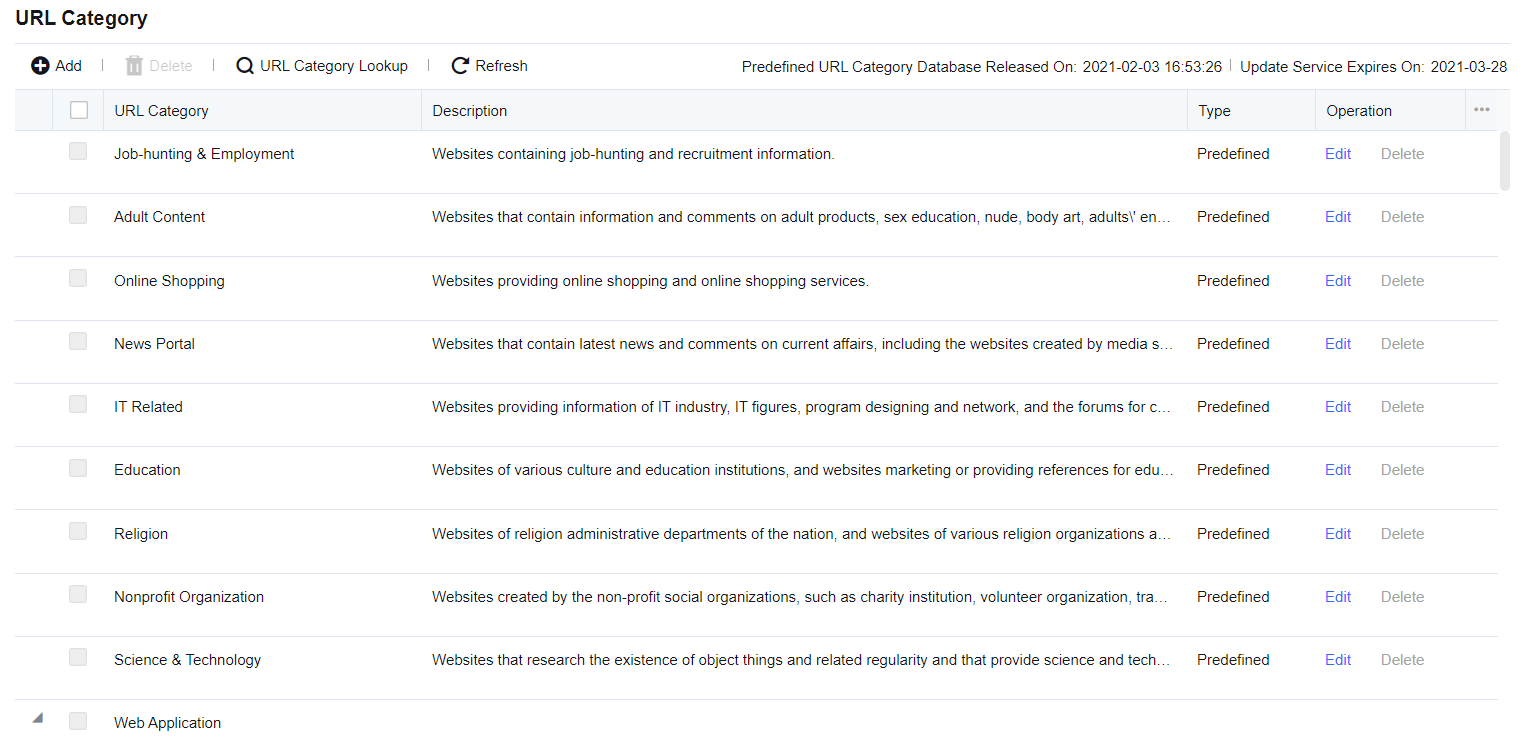
To set custom URLs. On the URL Category page, click Add and then Add URL Category dialog box appears.
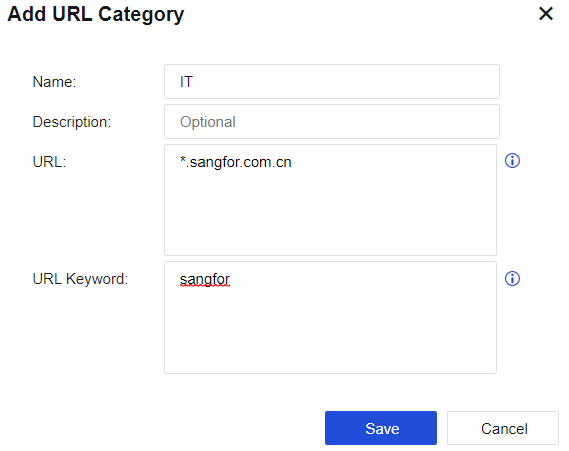
Name: Define a name easy to understand.
Description: Define a description easy to understand.
URL: Add the URL that needs to be set. A URL group can contain multiple URLs, and URLs support wildcard matching.
URL Keyword: Automatically matches the URL group based on the keywords in the URL. If the domain name being accessed contains the set keywords, it is identified as the URL group. The matching priority of domain name keywords is lower than the built-in URL database and custom URL database.

1. An asterisk (*) is used as the wildcard. For example, if you want to set a URL to indicate Sina subpages, including Sina News (news.sina.com.cn), Sina Sports (sports.sina.com.cn), and Sina Entertainment (ent.sina.com.cn), enter "*.sina.com" in URL. Note: The asterisk (*) only indicates the matching of L1 domain names and can only be placed in the front of the URL (not in the middle). Otherwise, the URL will not take effect.
2. The URL category database does not support IPv6.
Web filter does not process URLs in the IPv6 environment, and access to IPv6 websites is not logged.
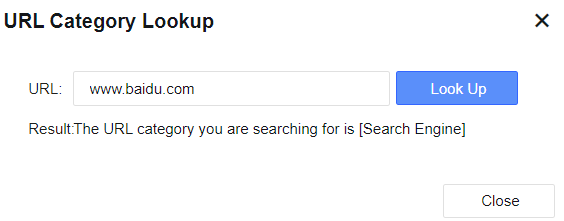
On the Navigation Menu page, choose Objects > Content Identification Database > URL Category. The URL Category Database page appears on the right. Click URL Category Lookup. The URL Category Lookup dialog box appears. Enter the domain name that you want to query and click Look Up. The result shows the URL category you are searching for. The system does not support fuzzy queries for URL category lookup. See the figure below.
To modify a custom URL category or a built-in URL category. When editing the custom URL category, you can edit the description, URL, URL keyword, and other parameters of this URL category.
When editing the built-in URL category, you are not allowed to edit the name and description of the URL category, nor the existing URLs in the built-in database. You can only add a URL for the URL parameter and a keyword for the URL Keyword parameter as a supplement to the built-in URL database.
To delete custom URL categories. The built-in URL categories of the device cannot be deleted. On the URL Category page, select the custom URL database and click Delete to delete the corresponding URL categories.


 {{ $t('index.defaultHeader.chromeBrowserTip') }}