


{{ secondMenu.name }}






The security rule database is built in the NGAF device and can be updated in the effective period of upgrade license. It includes Web App Protection Signature Database, vulnerability attack signature database, data leakage prevention, and identification database, botnet and virus protection database, and real-time vulnerability analysis and identification database. You can select different types of identification databases for different settings.
Web App Protection Signature Database covers attack packet features of the application layer, including SQL injection, XSS attack, website Trojan, website scanning, WebShell, cross-site request forgery, OS command injection, file inclusion attack, directory traversal attack, information disclosure attack, and whole-site Web system vulnerability. When passing through the device, these attack packets can be intercepted based on user settings to protect the server. The interface is shown below.
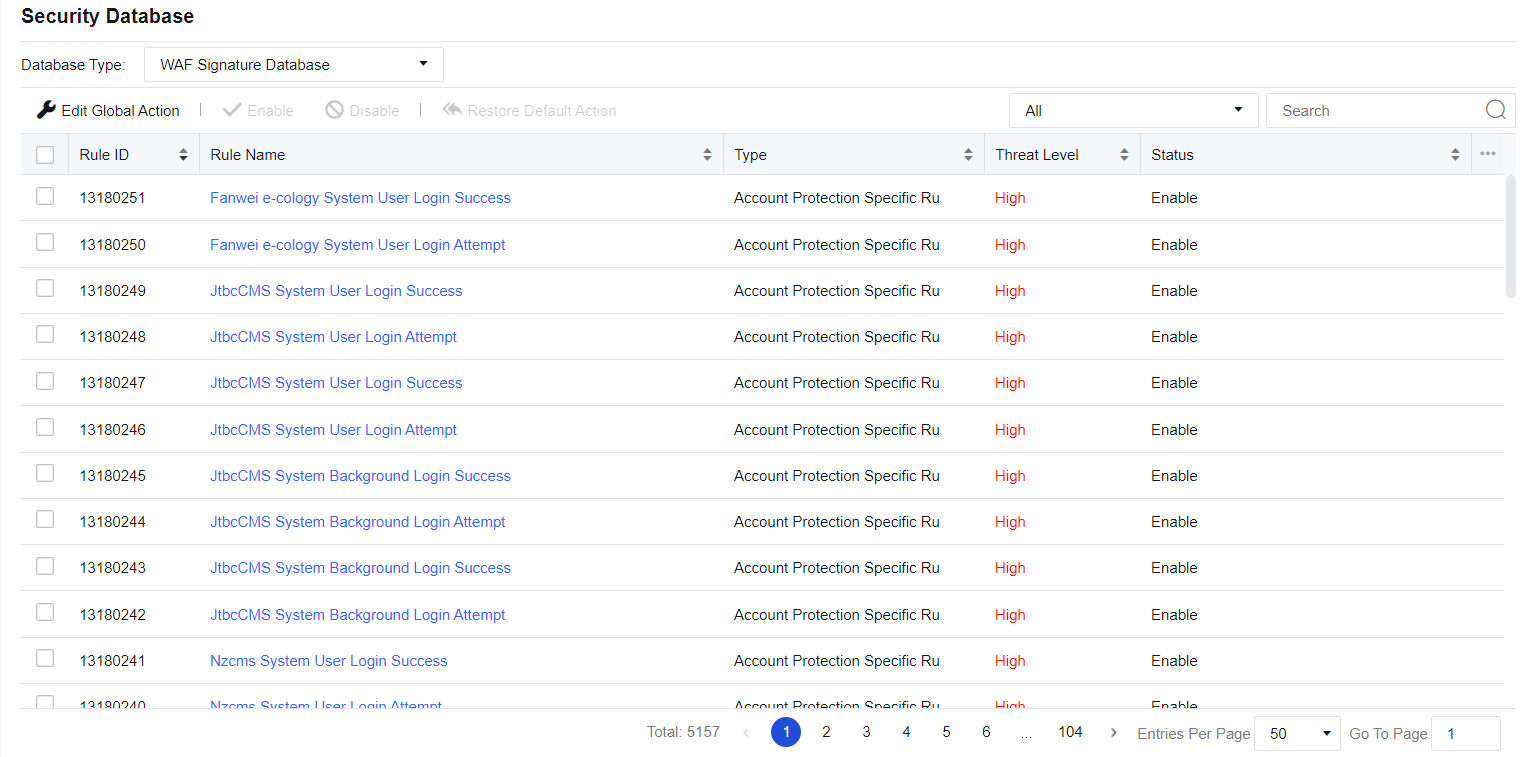
Click Modify Rule Database Action to modify Web application protection rules in a unified manner. If Default (initial system state) is selected, the system's rule state is retained. If Enable detection with strict rules and block is selected, the actions for all protection rules will be set to "Enable, block after detection". Rules with the medium hazard level will be passed under the default status of the system, while rules of any hazard level will be intercepted after strict detection is enabled. See the figure below.
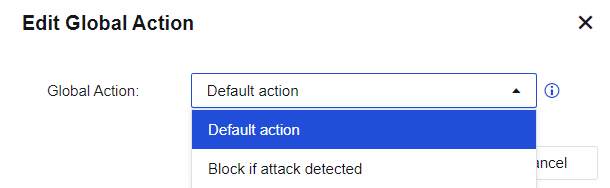
Protection Type shows the rule database of the current protection type. Click the drop-down box to view the corresponding rule ID according to the protection type. Protection Name shows the corresponding name of the protection rule, as shown in the following figure.
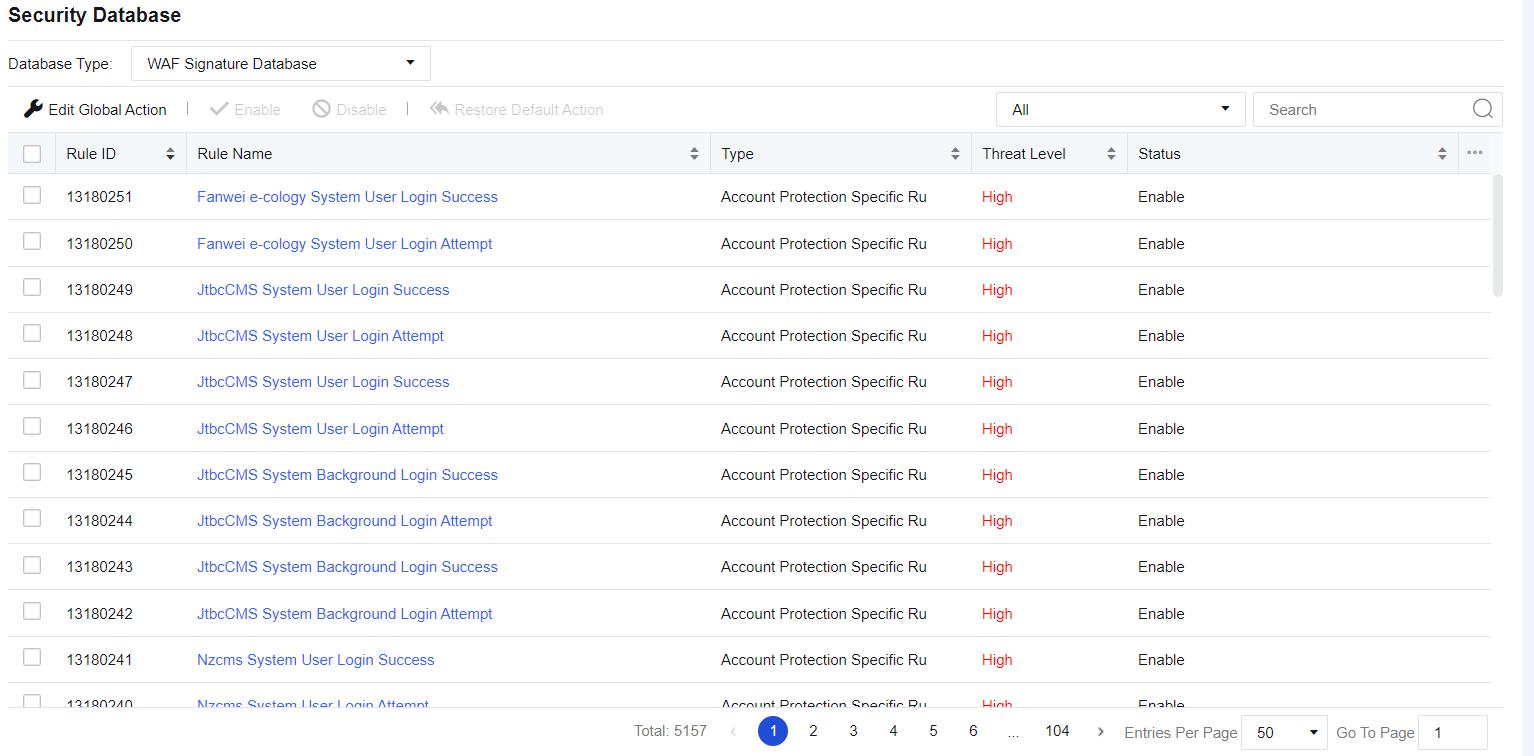
Rule Name: Shows the name of the protection rule.
Type: Displays the protection type mapping to the current protection rule, such as SQL injection.
Threat Level: Describes the severity of the current vulnerability. It generally includes three levels: high, medium, and low. The higher the level, the higher the severity.
Status: Describes the actions taken by the device when detecting an attack. States include Enable, block after detection, Enable, pass after detection, Enable, correlate with cloud analysis engine, and Disable. This status can be customized. Click a rule name to go to the editing page, as shown in the figure below.
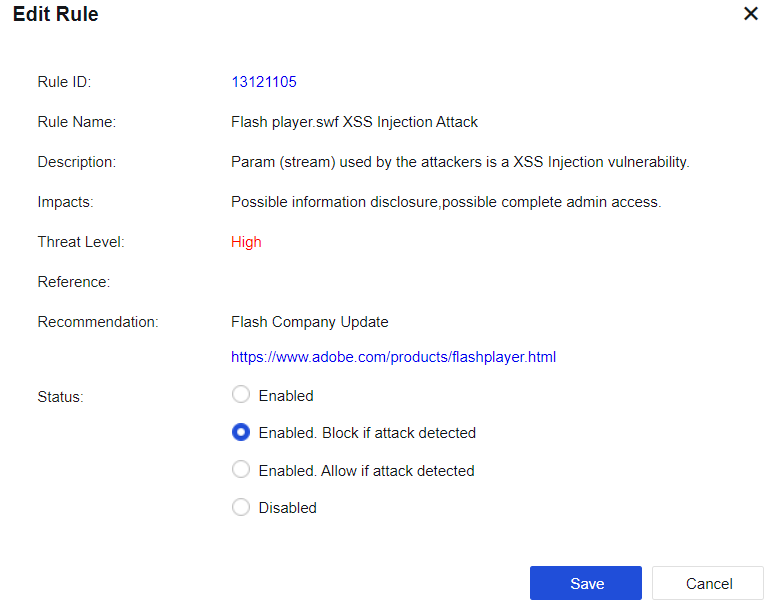
Enable, block after detection: Indicates that the current rule is enabled; when an attack is detected, the corresponding packet is blocked.
Enable, pass after detection: Indicates that the current rule is enabled; when an attack is detected, the packet is logged but not blocked.
Disabled: Indicates that the current rule is disabled. When the rule is disabled, the device does not detect the rule.
Vulnerability Attack Signature Database covers the features of attack packets that exploit system and application vulnerabilities. When passing through the device, these attack packets can be intercepted based on user settings to protect the server, as shown in the figure below.
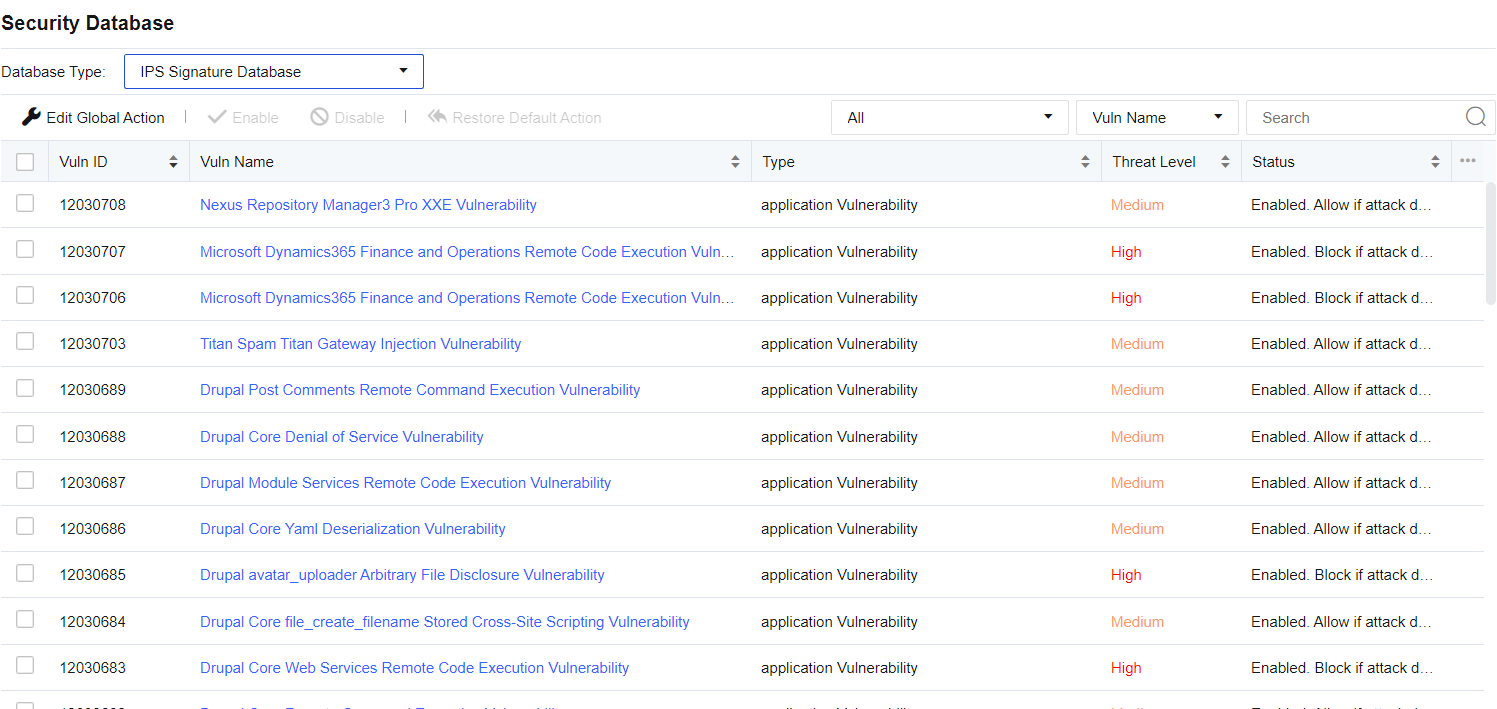
Modify rule database: Used for unified modification of vulnerability attack signature identification rules If Default (initial system state) is selected, the system's rule state is retained. If Enable detection with strict rules and block is selected, the actions for all identification rules will be set to "Enable, block after detection". Rules with the medium hazard level will be passed under the default status of the system, while rules of any hazard level will be intercepted after strict detection is enabled.
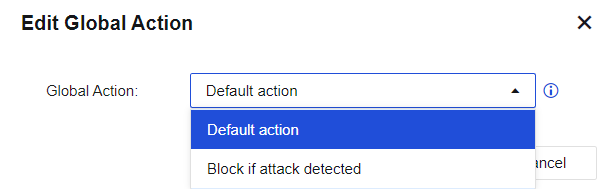
Restore Rules to Default: Restores all modified rules to the default state.
The device provides the search function for vulnerability rules against vulnerability attacks. You can search by setting the Vulnerability category and Query category and entering keywords (such as the vulnerability name and ID).
Vulnerability ID: This shows the ID of the current vulnerability. It allows you to check the vulnerability ID in the data center when a vulnerability attack rule blocks the server. By querying the vulnerability ID here, you can pass this rule.
Vulnerability Name: This shows the vulnerability name.
Type: Shows the current vulnerability type, such as backdoor.
Threat Level: describes the severity of the current vulnerability. It includes three levels: high, medium, and low. The higher the level, the higher the severity.
Status: Describes the action taken by the device when detecting an attack against the vulnerability. States include Enable, block after detection, Enable, pass after detection, and Disable. This action can be customized. Click a vulnerability name to go to the editing page, as shown below.
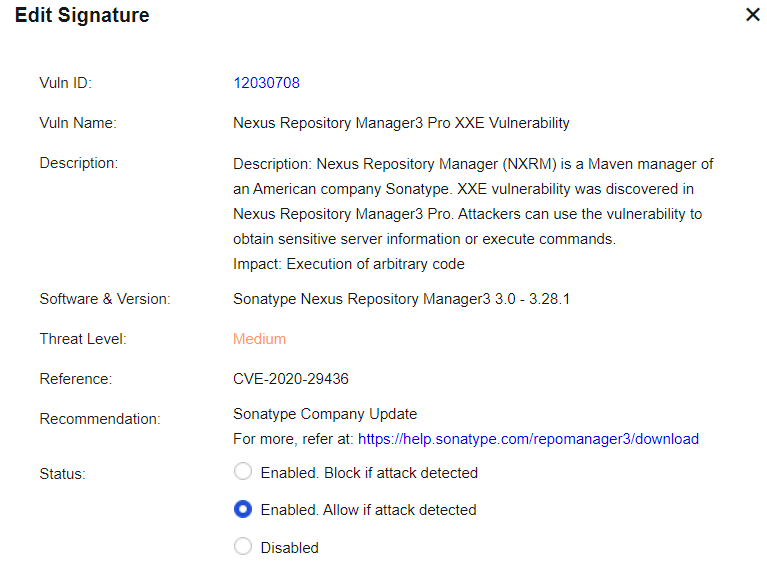
Enable, block after detection: Indicates that the current rule is enabled, and when an attack against the vulnerability is detected, the corresponding packet is blocked.
Enable, pass after detection: Indicates that the current rule is enabled; when an attack against the vulnerability is detected, the packet is logged but not blocked.
Disable: Indicates that the current rule is disabled. When the rule is disabled, the device does not detect the vulnerability.

The pass and block attributes of the vulnerability signature database have been configured before delivery. When you need to modify a rule, edit the rule.
Data Leakage Prevention and Identification Database covers the regular expressions of sensitive information, such as ID card, mobile number, and bank card number, and allows custom sensitive information. After the data leakage prevention function is enabled, the device will intercept the sensitive information through the device, thus preventing users' sensitive information from disclosure. These built-in rules cannot be edited or deleted but can be upgraded online. The interface is shown below.

Click White List Settings to set the IP addresses and URLs not protected by the DLP function.

Click Add. The Exclude IP dialog box is displayed, as shown below.
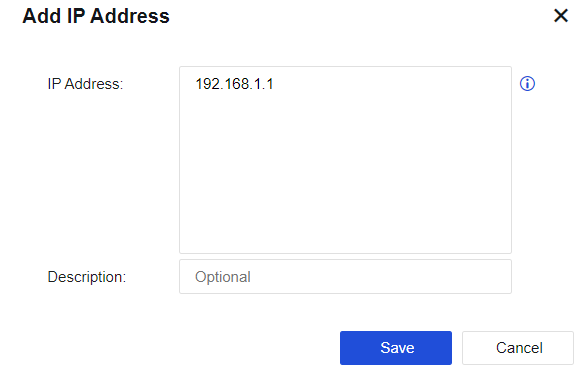
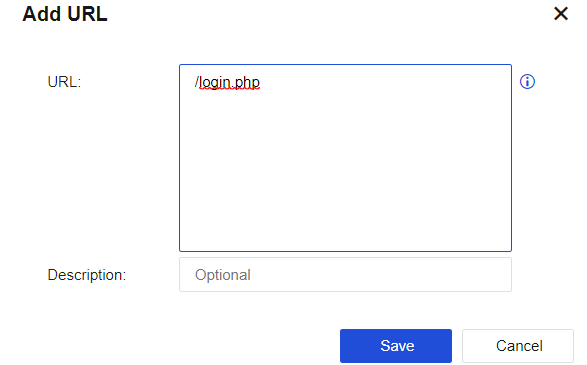
Select "Exclude URL" and click Add. The Exclude URL dialog box is displayed, as shown below.
Botnet and Virus Protection Database contains 18 rule protection types, including Trojan, mining, worm, illegality & immorality, infectious viruses, backdoor software, malicious URL, advertising software, malware, network security, spyware, hacking tool, malicious script, Trojan remote control, ransomware, Rootkit, rogue software, and botnet.
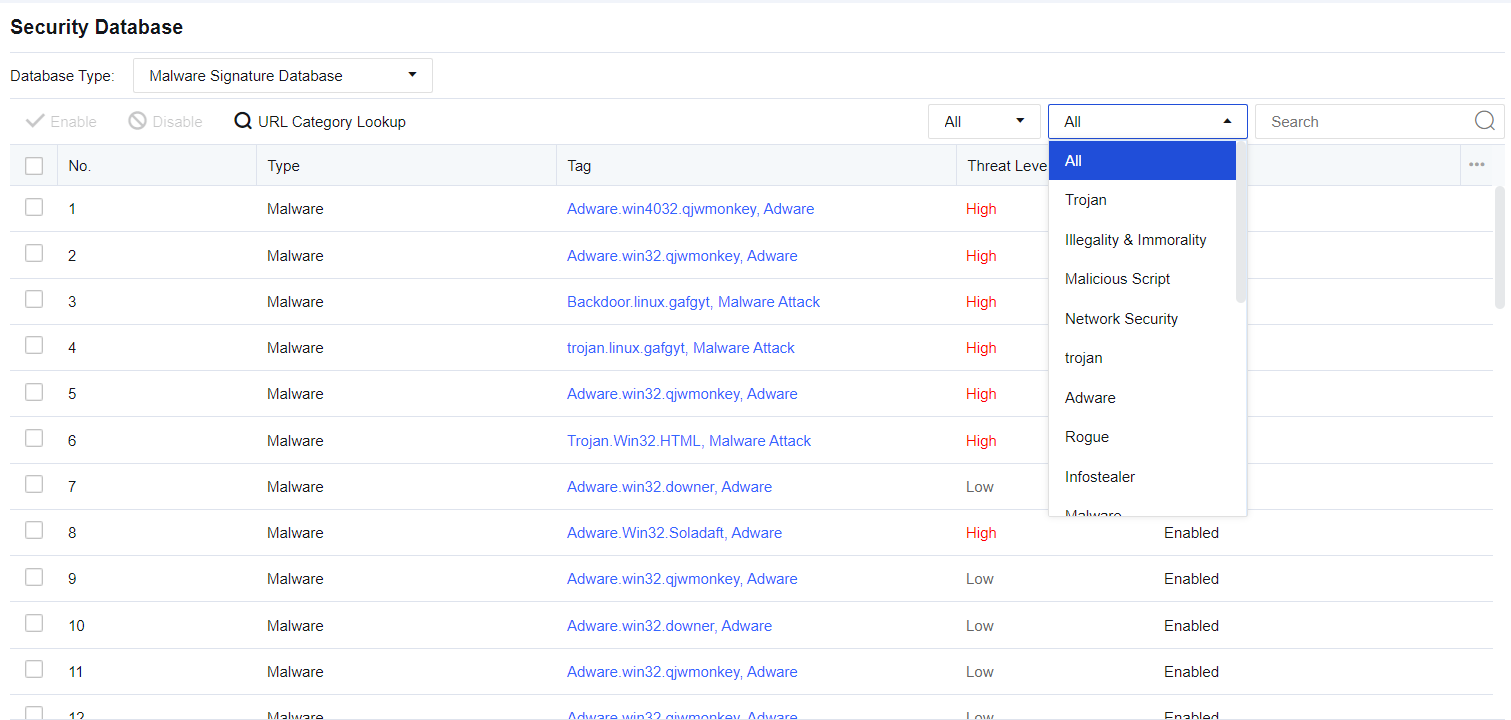
Rule Status: View all rules under the enabled and disabled status.
Type: Contains 18 rule protection types, including Trojan, mining, worm, illegality & immorality, infectious viruses, backdoor software, malicious URL, advertising software, malware, network security, spyware, hacking tool, malicious script, Trojan remote control, ransomware, Rootkit, rogue software, and botnet.
Enable: Enable the selected rule databases.
Disable: Disable the selected rule databases.
Real-Time Vulnerability Analysis and Identification Database covers some vulnerability rules for discovering security vulnerabilities on the user's network and presenting users with a report stating the harm and solution of the vulnerabilities. Vulnerability rules include the Web server vulnerability, Database server vulnerability, FTP server vulnerability, Mail server vulnerability, and SSH server vulnerability. It performs real-time vulnerability analysis on the specified data, as shown in the following figure.
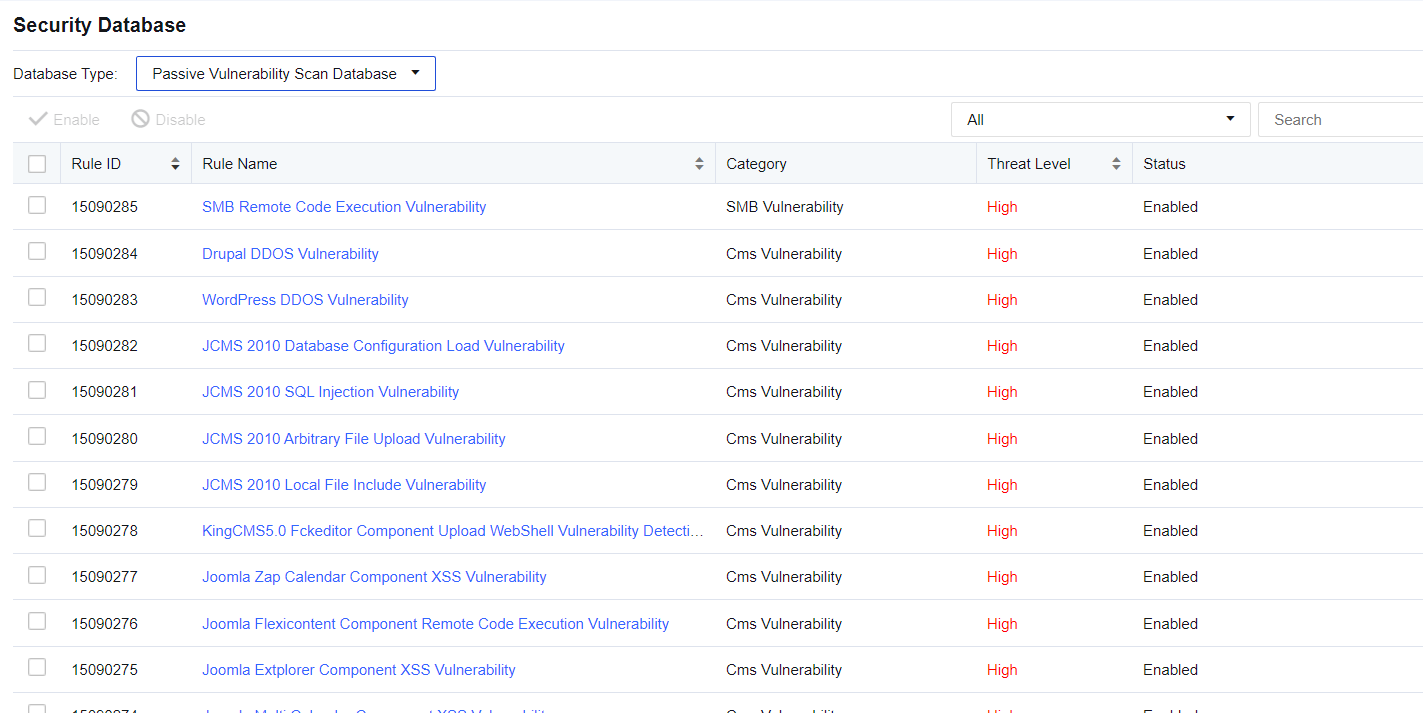
You can enter the rule name or rule ID in the upper right corner to search for a rule.
In Filter, click the drop-down box to show the vulnerability types covered by the device. You can select the type filtering rules as needed.
Click a rule. You can view rule details.
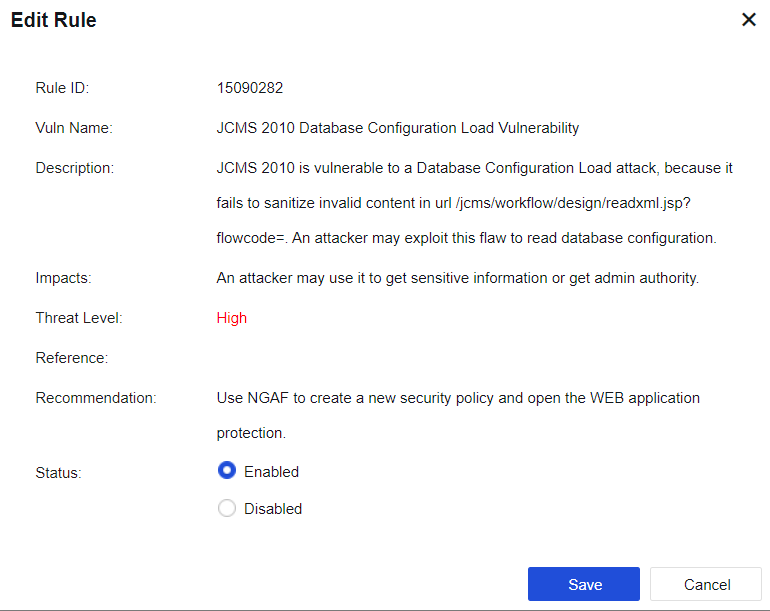
Vulnerability Name: This shows the name of the vulnerability.
Vulnerability Description: This shows a detailed explanation of the vulnerability.
Attack Effect: This shows the consequence that the vulnerability may lead to.
Severity: Describes the severity of the current vulnerability. It generally includes three levels: high, medium, and low. The higher the level, the higher the severity.
Solution: Shows the method available for avoiding the vulnerability.
Status: Includes Enabled and Disabled. When the vulnerability is disabled, the device does not detect this vulnerability.


 {{ $t('index.defaultHeader.chromeBrowserTip') }}