


{{ secondMenu.name }}






Web App Firewall is a set of protection policies to protect LAN Web servers from Web application attacks, including system command injections, SQL injections, and XSS attacks. It also allows configuration against data leakage of Web servers. See the figure below.

Default Template: Enable regular WEB protection (by default) and disable vulnerability anti-scanning.
Default Template II (vulnerability anti-scanning enabled for non-proxy access): Enable regular Web protection (by default) and vulnerability anti-scanning.
Click Add to create a web app protection template, as shown in the figure below.
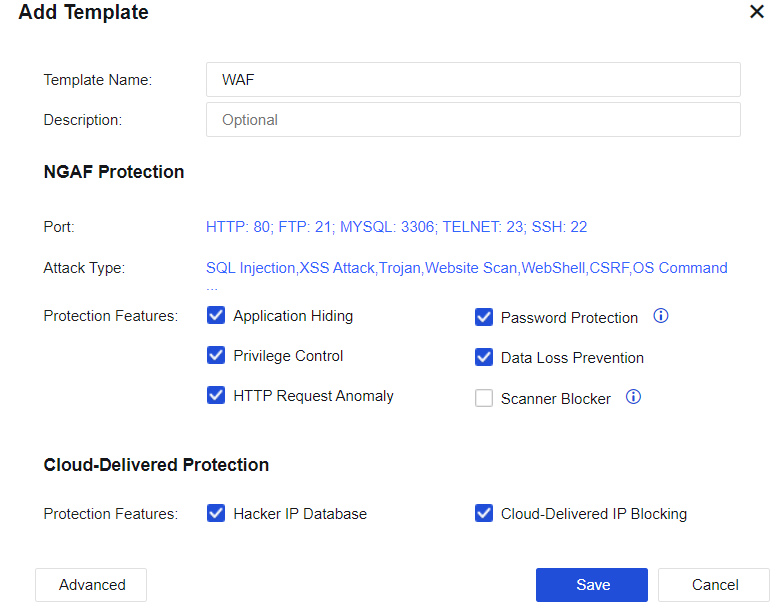
Template Name: Define the name of the template.
Description: Define the description of the template.
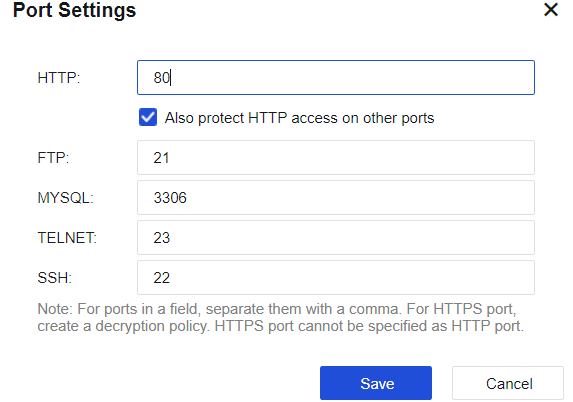
Port: Specify the port of the protected server. This value is generally set to the server port. After setting, when the user accesses the server port, the system performs attack detection. For the HTTP port, you can also select Also protect HTTP access on other ports for auto-learning. See the figure below.
Protection type: Set up protection against server attacks. Click Attack Type: SQL injection, XSS attack, Web Trojan and etc. In the Select Attack Type window that is displayed, select attack types. The device will prevent attacks to this service type.
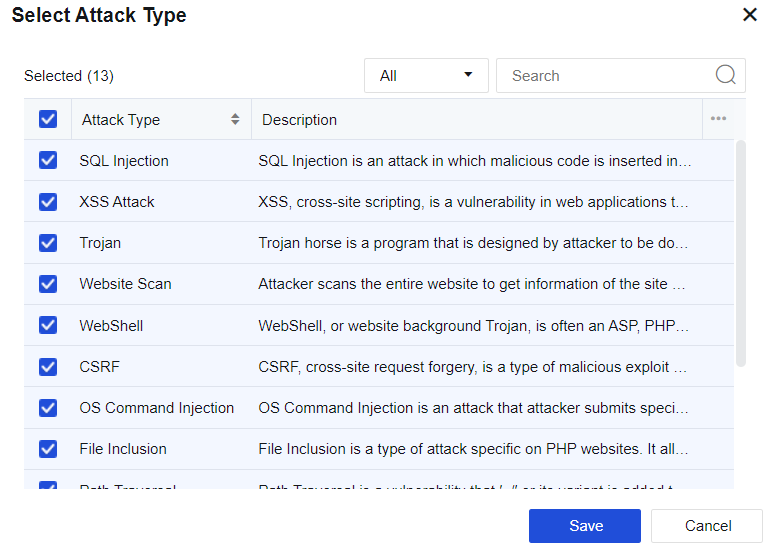
| Protection Type |
Note |
| SQL injection |
By exploiting security vulnerabilities in design, attackers paste the SQL code to input boxes on web pages to obtain network resources or change data. |
| XSS attack |
Short for cross-site scripting (XSS), XSS is a computer security vulnerability frequently seen in Web apps. It allows attackers to implant code into pages provided to other users. In HTML code and client script, attackers can exploit XSS vulnerabilities to bypass access control and intercept data like accounts. |
| Web page Trojan |
Web page Trojan is an HTML web page wittily designed by hackers. When a user visits such a web page, the script embedded in it exploits the browser vulnerability and downloads and runs the Trojan placed by the hacker on the browser. |
| Website scanning |
The structure and vulnerabilities of a website are scanned. |
| WebShell |
Also called website backdoor Trojan, WebShell is a script tool for web intrusion and appears as an ASP, PHP, or JSP program page. After hacking a website, attackers usually place Trojans in the server's Web directory and mix it with normal web pages. Via WebShell, hackers can control the victim's website for a long time. |
| Cross-site request forgery |
Attackers exploit trusted websites by disguising requests from trusted users. |
| System command injection |
By exploiting server OS vulnerabilities, attackers transmit OS commands to the server via Web access to obtain network resources or change data. |
| File inclusion attack |
It is a malicious attack against PHP websites. When PHP variables are not strictly filtered and unknown whether the parameter is from a local or remote host, a file on the remote host may be specified as a parameter and submitted to the variable pointing. If the submitted file contains a malicious code or even a Trojan, the code or Trojan in the file will be successfully executed with the Web permission. |
| Directory traversal attack |
Attackers access restricted directories outside the Web server's root directory by adding "../" or variants to any directory of the Web server or special directories through a browser. |
| Data leakage attack |
This vulnerability is caused by incorrect Web server configuration or its security vulnerability. As a result, system files or configuration files are exposed to the Internet and sensitive information of the Web server is prone to leakage, including username, password, source code, server information, and configuration information. |
| Whole-site Web system vulnerability |
It provides safe, reliable, and high-quality protection for specific vulnerabilities in well-known whole-site Web systems. |
| WebShell backdoor communication |
Having known a web system vulnerability, attackers may use it to implant a WebShell page into the Web system, and access the database through the WebShell page. In doing so, they can execute system commands to control the Web system for a long time. |
| Custom WAF rules |
The user can customize the protection rules for server protection in Custom Rules. |
Table 20:Description of Web App Protection Types
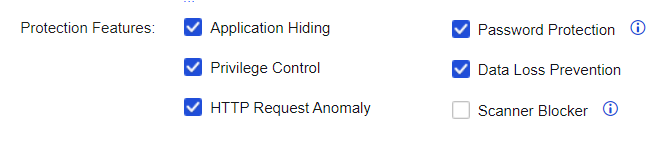
Protection features: The main functions are Application Hiding, Password Protection, Privilege Control, Data Loss Prevention, HTTP Request Anomaly, and Scanner Blocker. To enable advanced protection features, click Advanced for settings.
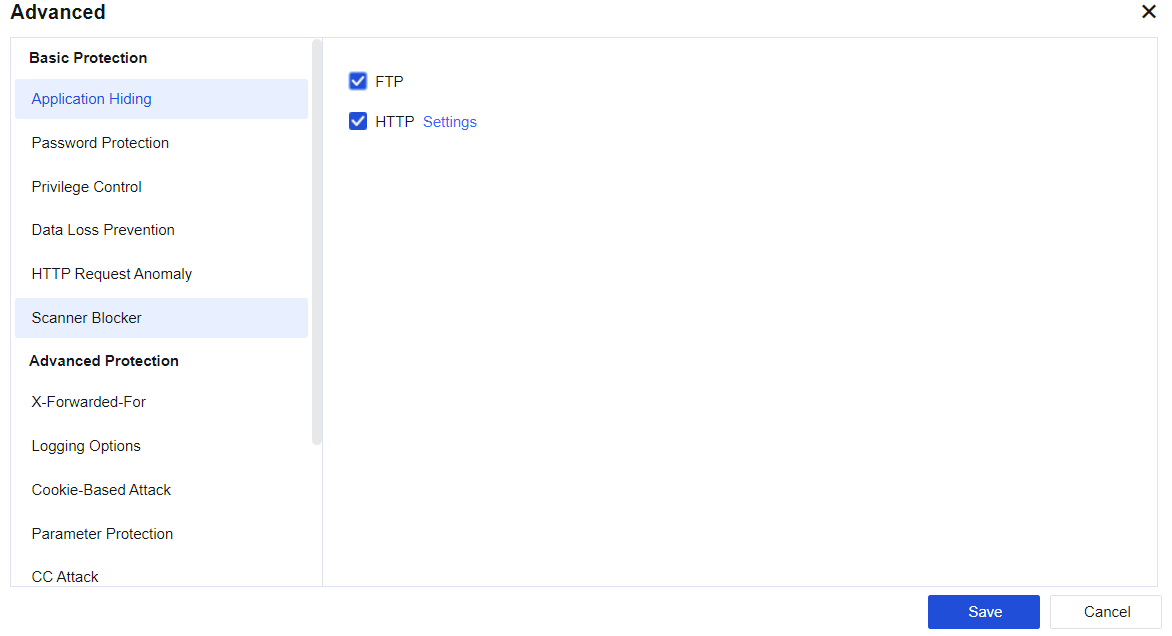
FTP: When the client logs in to the FTP server, the server returns the version information of the FTP server to the client. Attackers can launch attacks by exploiting the vulnerabilities of corresponding versions. This function prevents attacks by hiding the version information returned by the FTP server. Select FTP and this function is enabled.
HTTP: When a client visits a Website, the server will return many fields of the client in the HTTP header, such as Server, Via, etc. The version of the proxy server may be revealed by Via and may be exploited to launch attacks. Such attacks can be prevented by hiding these fields. Select HTTP and click Settings. The following page will be displayed.
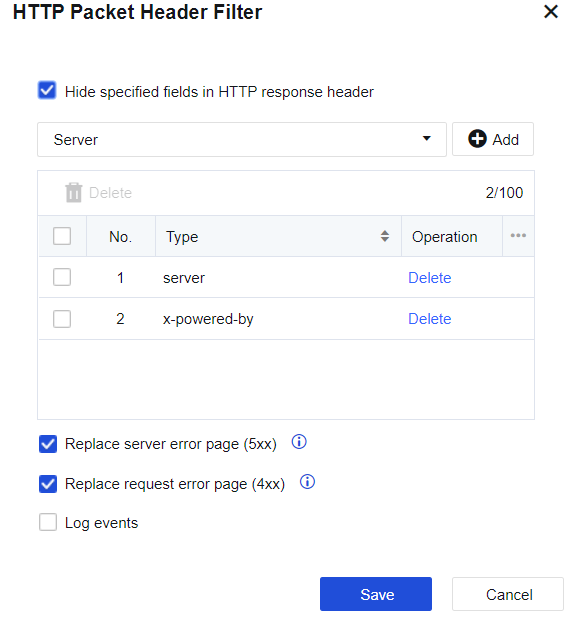
Enable HTTP Packet Header Filter and customize the content of the HTTP header. You can use HTTPWATCH or other packet capturing tools to capture some fields returned by the server to the client and enter them here. Select Replace server error page (5xx).
Error pages, like a page where the server returns error code 500 (server information included), will be replaced by the firewall with an error page that does not contain server information.
Web password protection: This function applies to HTTP protocols. It mainly filters some oversimple usernames and passwords. Check HTTP weak password detection and click Settings to pop up a page as follows.
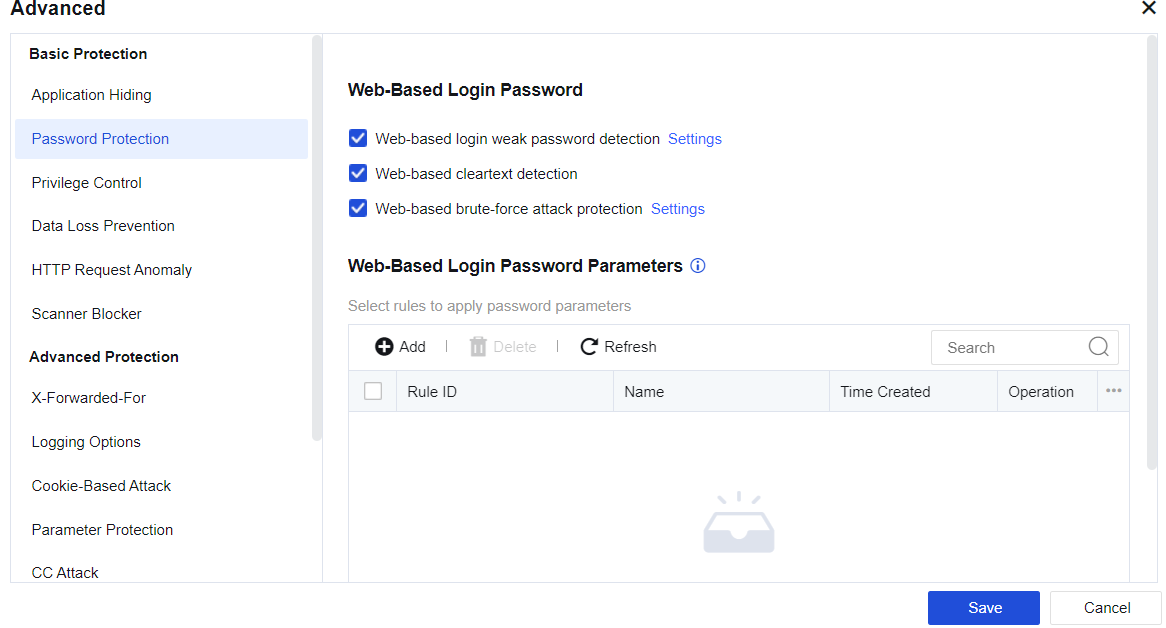
Select the weak password rule, or fill in the weak password list. Click Save to validate the settings. When such weak passwords are detected, the firewall will generate a log to remind the administrator.
Web-based login weak password detection: Enable it to protect the weak passwords in Web login. Click Settings to increase the complexity and add a custom password library, as shown below.
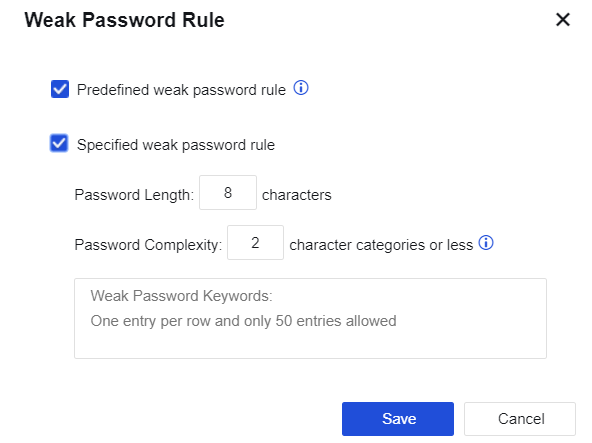
Web-based login plaintext transmission detection: Enable it to detect plaintext transmission during Web login.
Web-based Brute-Force Attack Protection: It protects against Web password blasts. Click Settings to enter the setting page, as shown below.
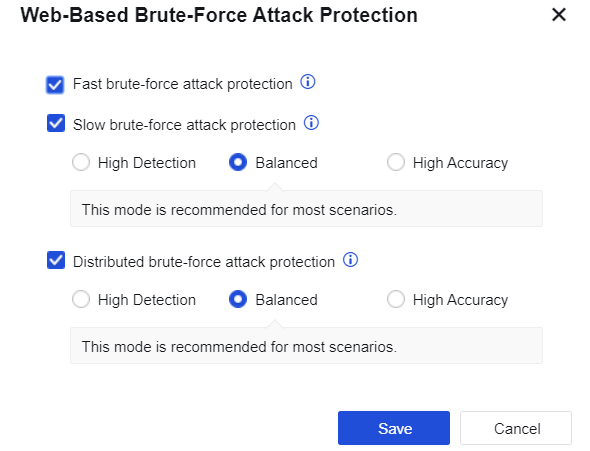
Fast brute-force attack protection: It utilizes the built-in WAF password attack protection rule to detect password blast behaviors in real-time.
Slow brute-force attack protection: The IP addresses of attacking sources with a low brute frequency that is hard to detect previously can now be detected by algorithmic analysis of offline logs within the specified time.
High Detection: Last for 15 minutes with 2 logins per minute; low threshold setting, easy to trigger brute-force attack, applicable to scenarios with the high-security requirement.
Balanced: Last for 21 minutes with 4 logins per minute; moderate threshold setting, applicable to brute-force attack detection in most scenarios, recommended setting.
High Accuracy: Last for 45 minutes with 8 logins per minute; high threshold setting, hard to trigger brute-force attack, applicable to scenarios with high business continuity requirements.
Distributed brute-force attack protection: When multiple devices attack a server, the IP address of the brute-force attack source that is hard to detect previously can now be detected by algorithmic analysis of offline logs within the specified time.
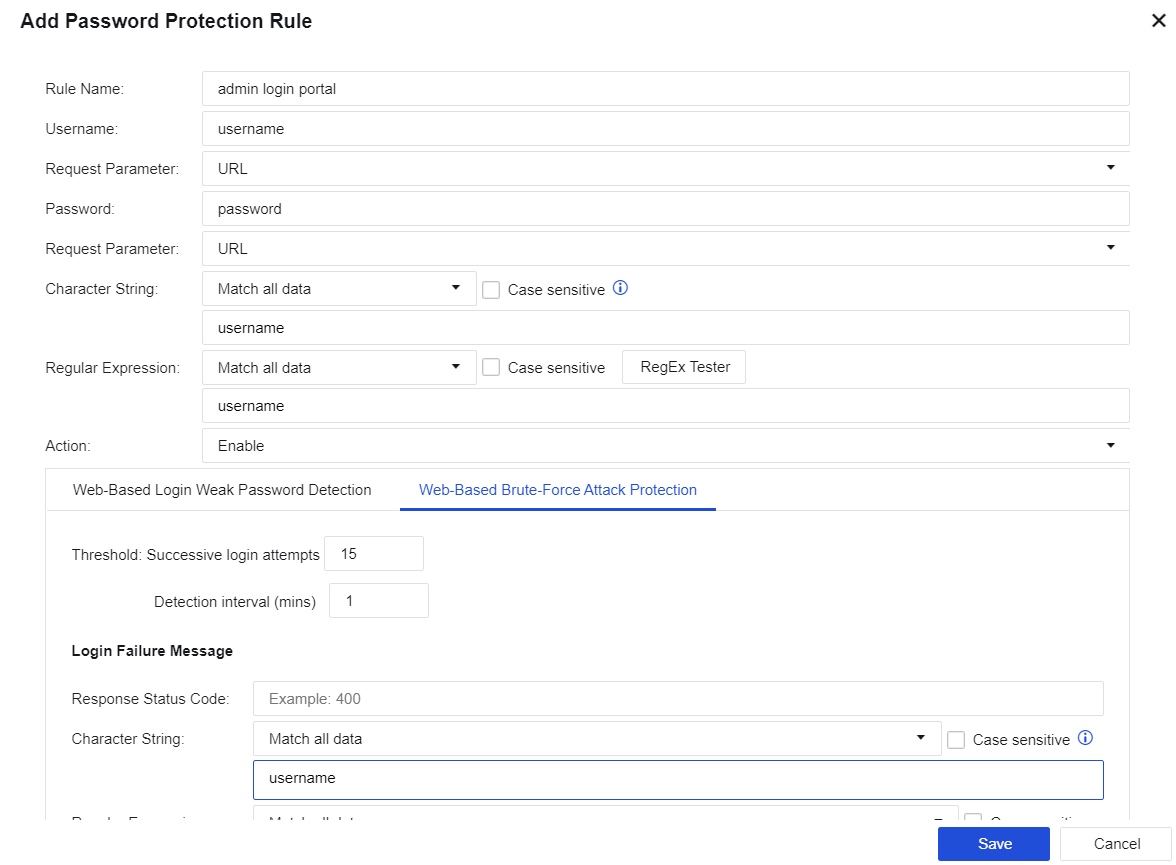
Add Password Protection Rule: The custom password protection rule added on this page will be automatically synchronized to the Objects/Security Protection Signature Database. Click Add to create a custom Web password protection rule, as shown below.
File Typed Filter: Filters the types of files uploaded to the server from clients. Select File upload filter and click Settings, and then a page will pop up as follows.
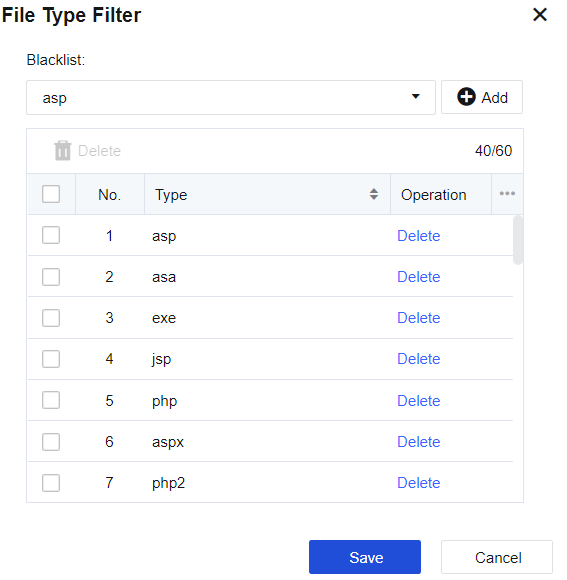
Click the dropdown box to select the built-in file types of the device. Click + to add them to the list. To add a custom file type, enter it in the box and click + to add it to the list.
URL protection: Controls the permission switch. For example, if access to an URL is denied, no attacks will happen and therefore this URL is not subject to web app protection. If access to an URL is allowed, this URL is on the whitelist and is not subject to web app protection. Check URL protection and click Settings to pop up the following page.
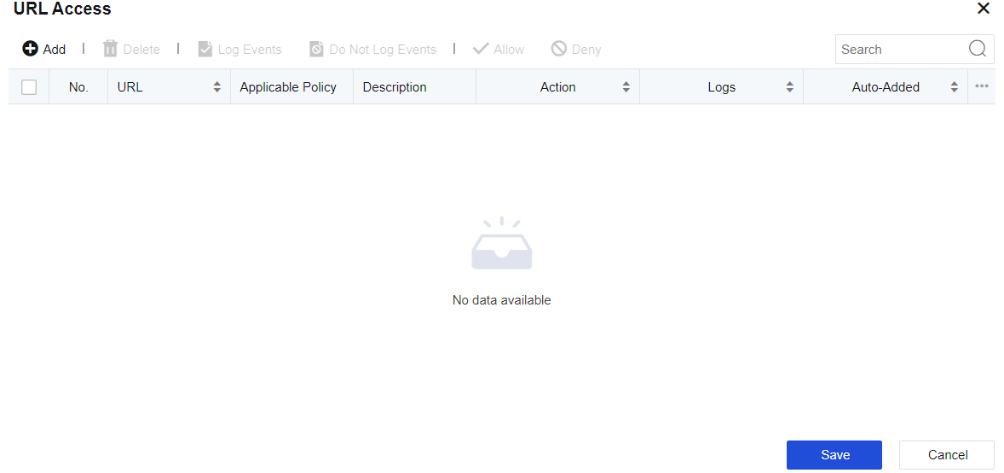
Click Add to add URL filter as shown below.
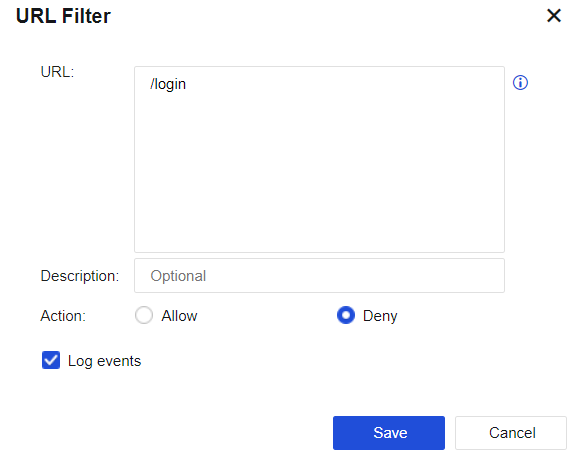
The parameter value is specified in the same way as for the anti-blasting rule: The URL suffix is required. For example, if a URL is http://www.***.com/login.html, enter "/login.html" and allow or refuse access to the URL as required.
Sensitive data protection: Faced with increasingly serious server data leakage (for example, CSDN and Tianya experienced data drag), you can deploy the NGAF device and enable its data leakage prevention function to protect sensitive information.
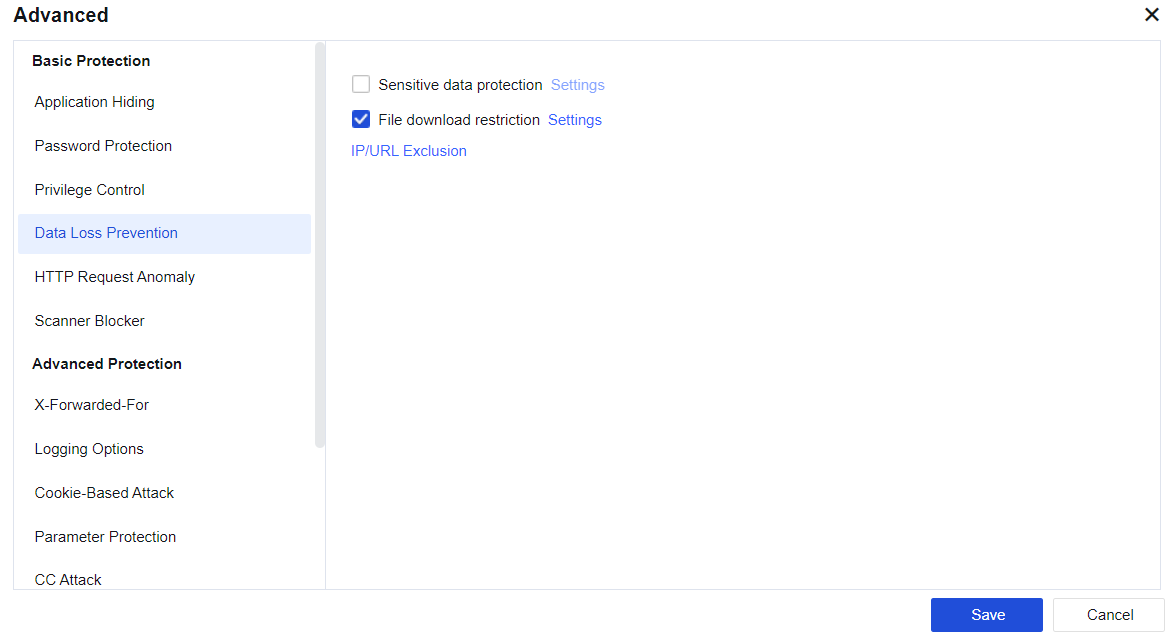
Select Sensitive data protection and click Settings. In the Protected Sensitive Data window displayed, specify sensitive data and its statistical method of hit counts, as shown below.
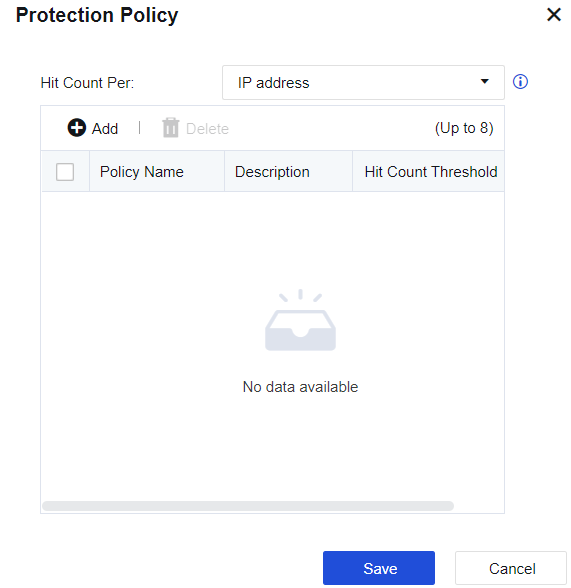
Hit Count Per: calculated by IP address or connection. If an IP address is selected, the hit count per single IP address within 5 minutes will be collected when defined sensitive data passes through the device. If Connection is selected, the hit count per single connection will be collected when defined sensitive data passes through the device. If Connection is selected, Enable correlation to block the source IP address will be selected by default.
Click Add to set the sensitive data combination policy. Select the sensitive data and set the combination policy. The setting page is as follows:
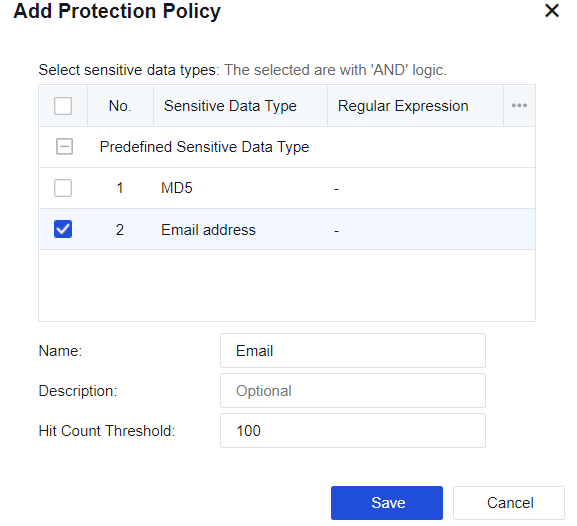
You can add multiple sensitive data combination policies on the Add Protection Policy page. Each policy is called a mode, and each mode can contain more than one piece of sensitive data. If one mode contains multiple pieces of sensitive data, all of them must be matched to name a hit, and leakage occurs if the number of hits is greater than or equal to the minimum hits. These modes are in an OR relationship, and it will be considered a hit as long as one mode of them is matched.
File Download Filter: Some sensitive data is stored as Word or Excel files and may be leaked during downloading from the server. The NGAF device can prevent this kind of leakage by filtering file downloads.
Select File Type Filter and click Settings. In the File Type Filter window displayed, select the suffixes of files to be filtered, as shown below.
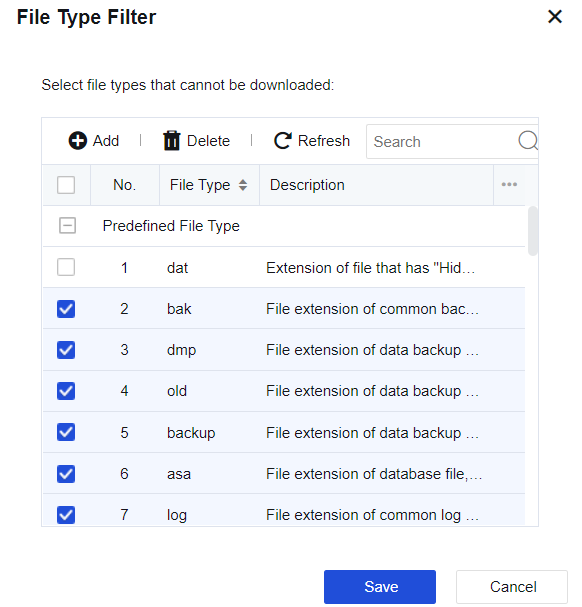
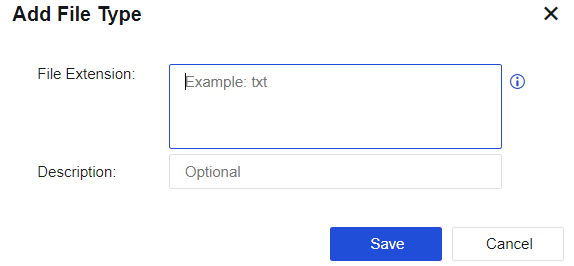
The device prepares suffixes of common files such as website data backup files and logs files. To customize the file types, click Add to add the suffixes of files to be filtered. The interface is as follows:
SMS Alarm: Select SMS alarm. Behaviors causing data leakage will be alarmed by SMS.
Protection Object Exclusion: Click Protection Object Exclusion in the data leakage protection configuration to redirect to the whitelist setting page. Exclude some IP addresses or URLs from data leakage prevention.

Method filter: Allowed HTTP is configured. After this function is enabled, HTTP requests will be disabled. Specifically, the selected HTTP method will be considered abnormal and blocked, as shown below.
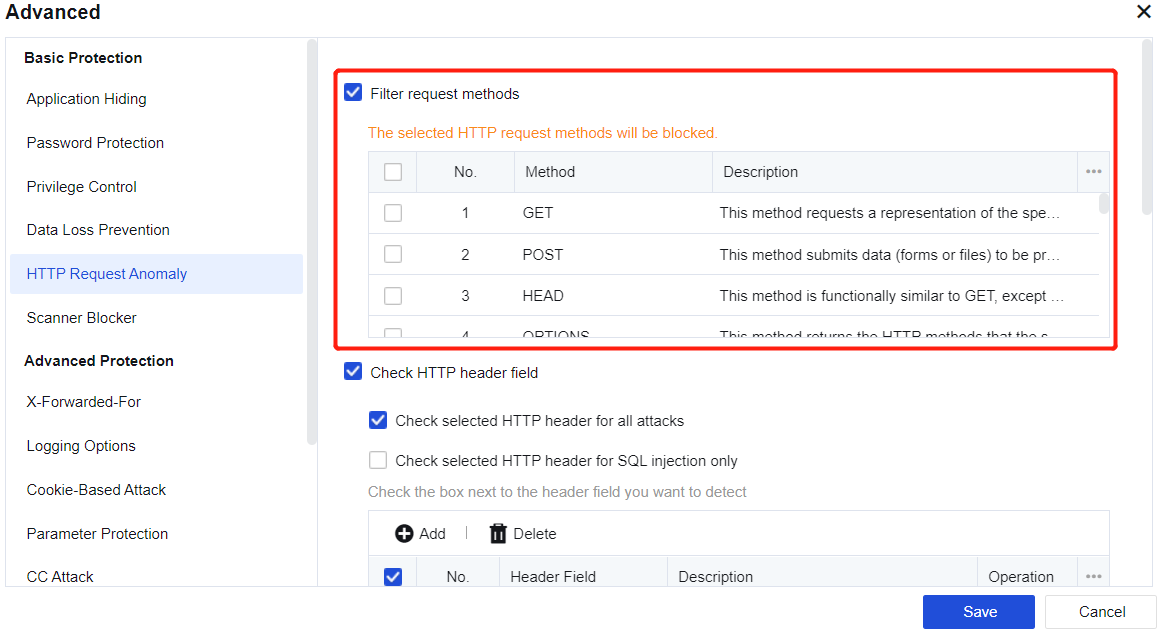
Check HTTP header field: The Referer, User-Agent, and Host fields in the HTTP header can be checked for SQL injection and other attacks. Note: To use this function, enable web protection "SQL Injection" in the Web app protection policy, as shown below.
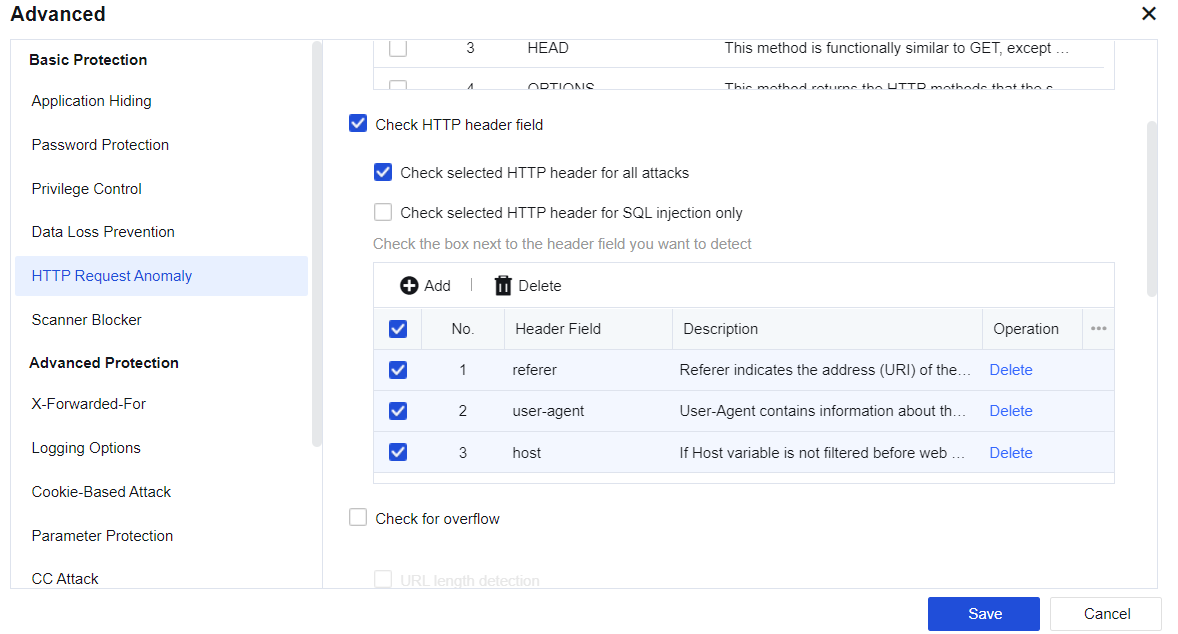
If the "Host" field is selected, the system detects an SQL injection attack, and the attack type marked by the data center is still SQL injection, the "Host" field in the header of the HTTP packet will be intercepted.
Check for overflow: Overlong HTTP fields are prevented to avoid overflow, as shown below.
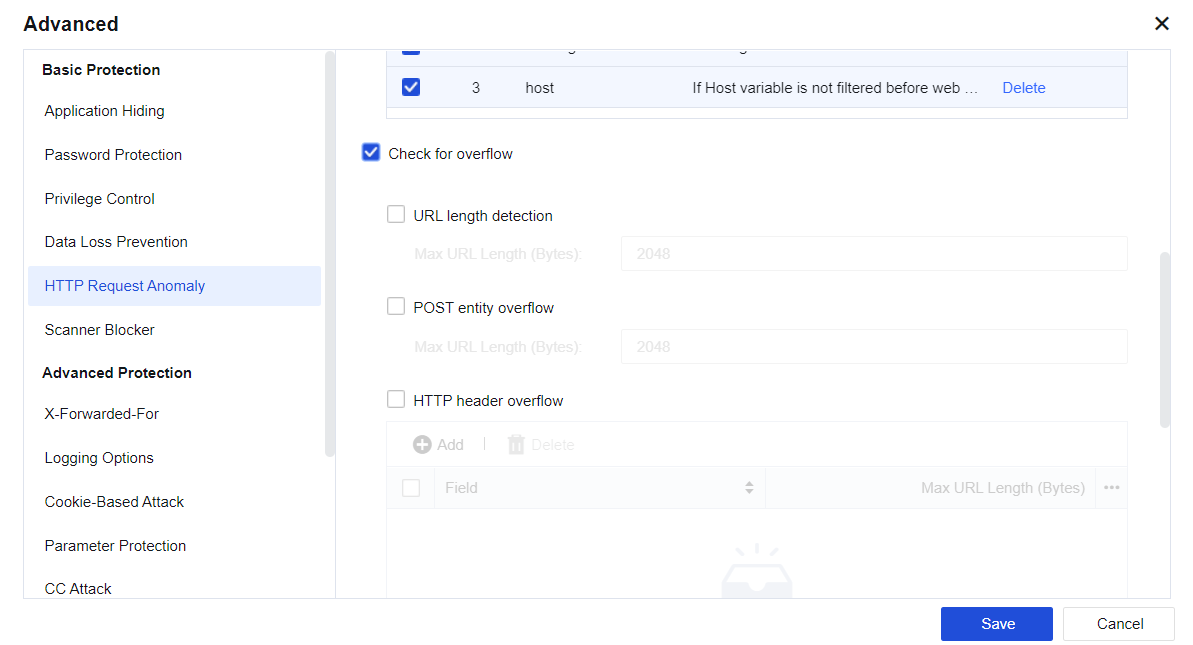
URL length detection: Select URL length detection and set the maximum length to prevent buffer overflow.
POST entity overflow: Select POST entity overflow and set the maximum length of the entity part of Post data to prevent overflow of the data received by the server.
HTTP header overflow: Select HTTP header overflow and click Add to set the maximum length of the specified field in the HTTP header to detect excessive length.
Lock byte range: Select Lock byte range and set the number of allowed ranges to prevent the number of range fields from exceeding the allowed value.
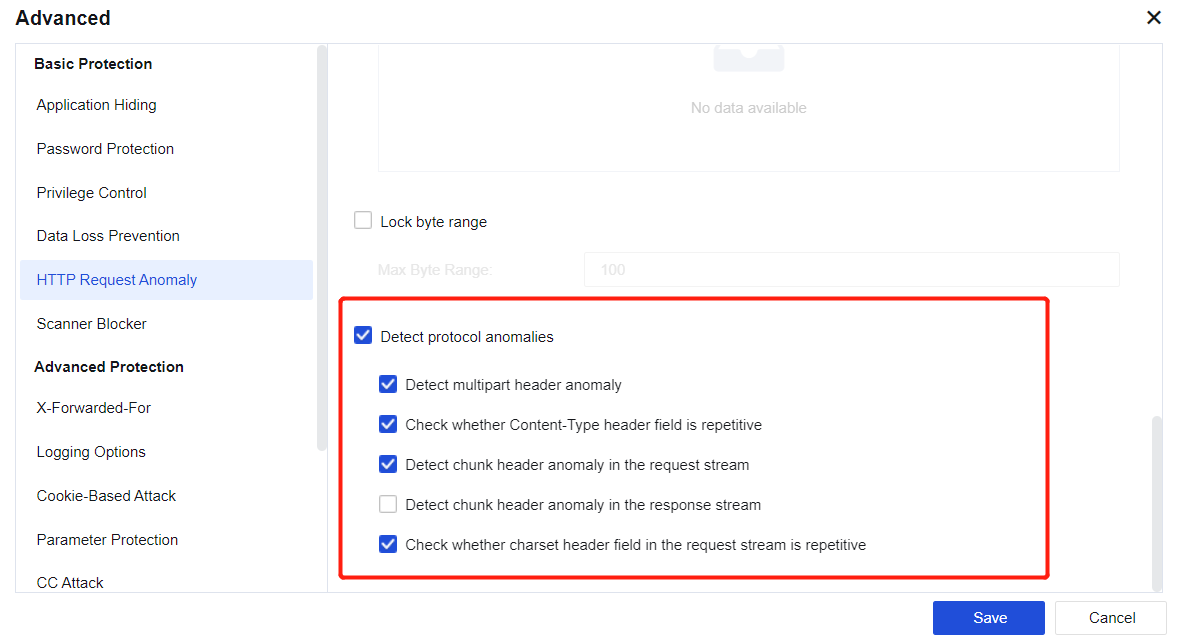
Protocol Anomaly: Protects ASP and ASPX pages from multi-parameter attacks caused by incorrect server processing when multiple parameters are requested. Meanwhile, the following items are enabled: Detect multipart header anomaly, Check whether Content-Type header field is repetitive, Detect chunk header anomaly in the request stream, Check whether charset header field in the request stream is repetitive, and Detect content-length anomaly.
To set behavior detection for Website scan. See the following figure.
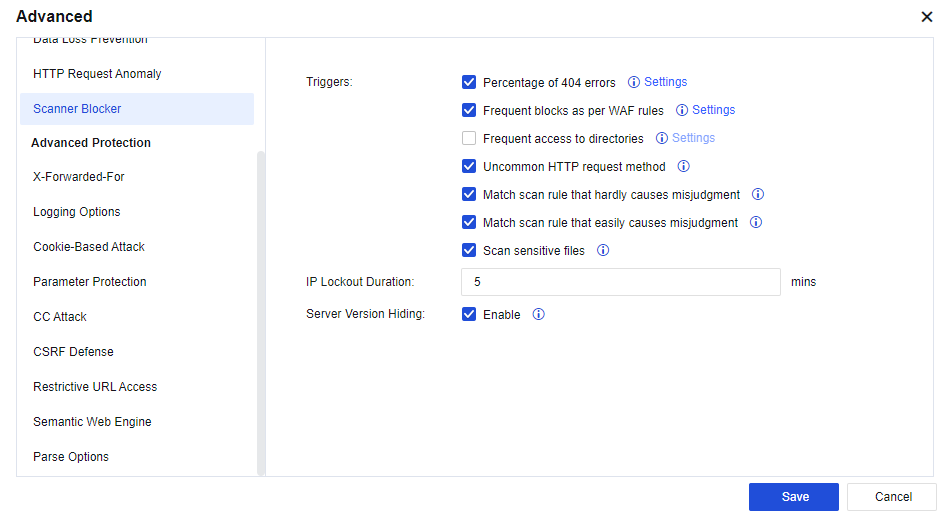
Scan behavior characteristics: Specify behaviors to be matched with visit data, based on which a scanning behavior is determined. Follow-up processing is also provided. The following describes behavior characteristics provided currently: #cant click setting
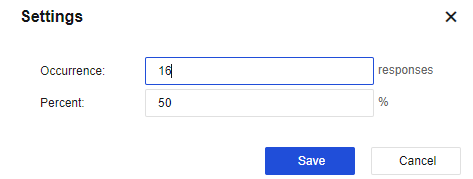
Percentage of 404 errors: It is calculated once every N responds. If the value exceeds the preset value, it is considered that a scanner scans the website. You can click Settings following Percentage of 404 errors to configure the specific frequency and percentage, as shown in the following figure.
Frequent blocks as per WAF rules: Determines whether it is a scanner by judging the times that the Web App Protection rule intercepts a source IP in unit time. You can click Settings following Frequent blocks as per WAF rules to configure the specific frequency, as shown in the following figure.
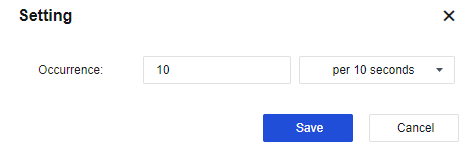
Frequent access to directories: Determines whether it is a scanner by judging the times that a source IP accesses the directory per second. You can click Settings following Frequent blocks as per WAF rules to configure the specific frequency, as shown in the following figure.
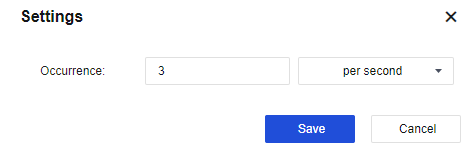
Uncommon HTTP request method: The behavior that triggers the HTTP method filter rules will be taken as one of the behavioral characteristics of the scanner. You need to enable the method filter.
Match scan rule that hardly causes misjudgment: Match an IP address with strong scan rule and determine whether it is a scanner.
Match scan rule that easily causes misjudgment: Match an IP address with strong scan rule and determine whether it is a scanner.
Scan sensitive files: Normally, a scanner will try to access sensitive files on various sites, such as configuration, password, database file, etc. By checking these sensitive files, it can be determined whether an IP address directs to a scanner.
IP lockout duration: When a source IP address is identified as a scanner, it will be blocked for a specified time indicated by this parameter. Data streamed from this source IP address will be blocked during the lockout period when it passes through the AF device.
Server version hiding: When this function is enabled, the system will intelligently identify and hide the server's version information.

1. The scanner blocker function is not recommended in the following two scenarios:
2. User's IP address is to undergo source network address translation (NAT);
3. Proxy servers are used to access business
When traffic passes through CDN or proxy. The corresponding X-Forwarded-For fields will be inserted into the HTTP header to record the real source IP address for the server. Select Enable, as shown below.
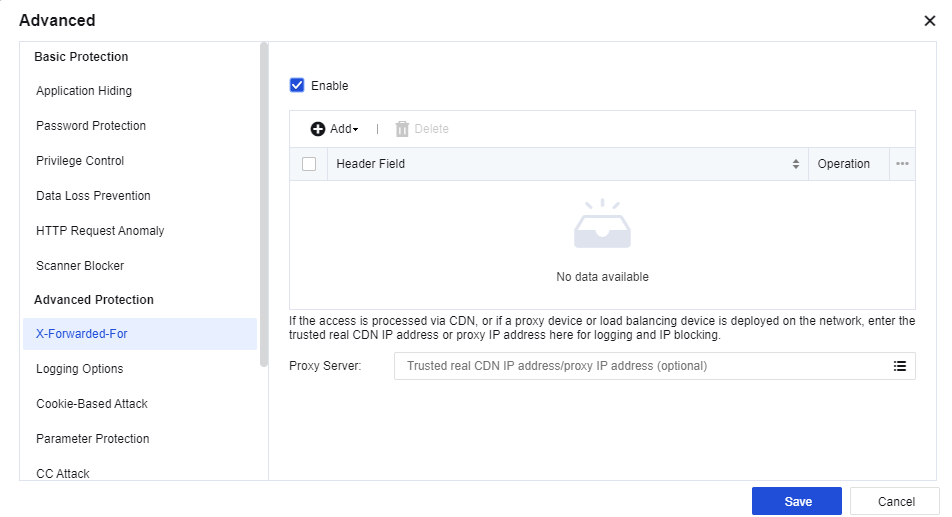
Header Field: Specify the HTTP header to which the X-Forwarded-For field inserts. Three fields can be identified: X-Forwarded-For, Cdn-Src-Ip, Clientip, and Other. You can also custom the configuration.
X-Forwarded-For: If the access is via CDN, or if a proxy device or loading balancing device is deployed on the network, enter the trusted real CDN IP or proxy IP address for logging and IP blocking.
To record the logging types as shown below.
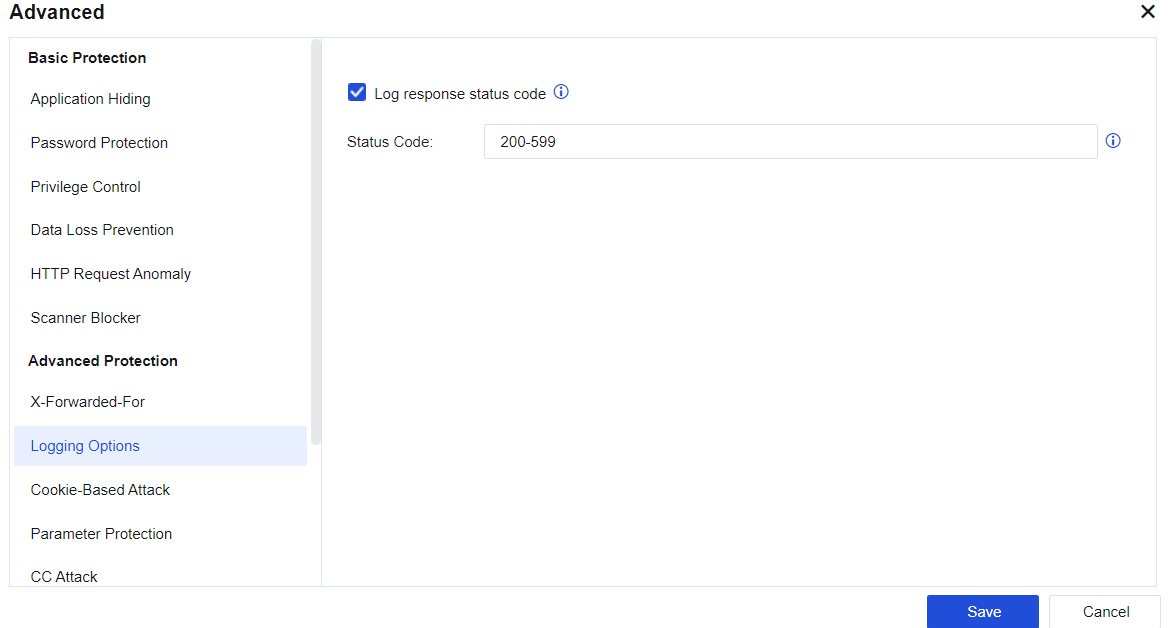
Status Code: Range from 200 to 599. The conditions to log response status code are as follows:
1. Attack is from the request side.
2. The detected attack action is allowed.
This function is still valid if upper options are disabled, Log response status code is selected, and the policy that references the current template enables logging.
A cookie is a small text file stored on the client machine by the website when a client browses a website. Normally, it records the user ID, password, webpages browsed, dwell time, and other information at the client. When the same client re-accesses the website, the website can get relevant data by reading cookies and respond accordingly. When the client accesses the server, some important data will be kept in the cookie, which others may use, resulting in data leakage.
A cookie is used for the attack in two ways: stealing cookies and tampering with the cookie. The first way is to forge a legal identity to cheat the server, while the second way is to use the logic flaw in the server's implementation.
COOKIE attack protection detects whether the cookie has been stolen or tampered with based on the attribute of cookie and client data. This function can be used to protect all cookies or some cookie attributes.
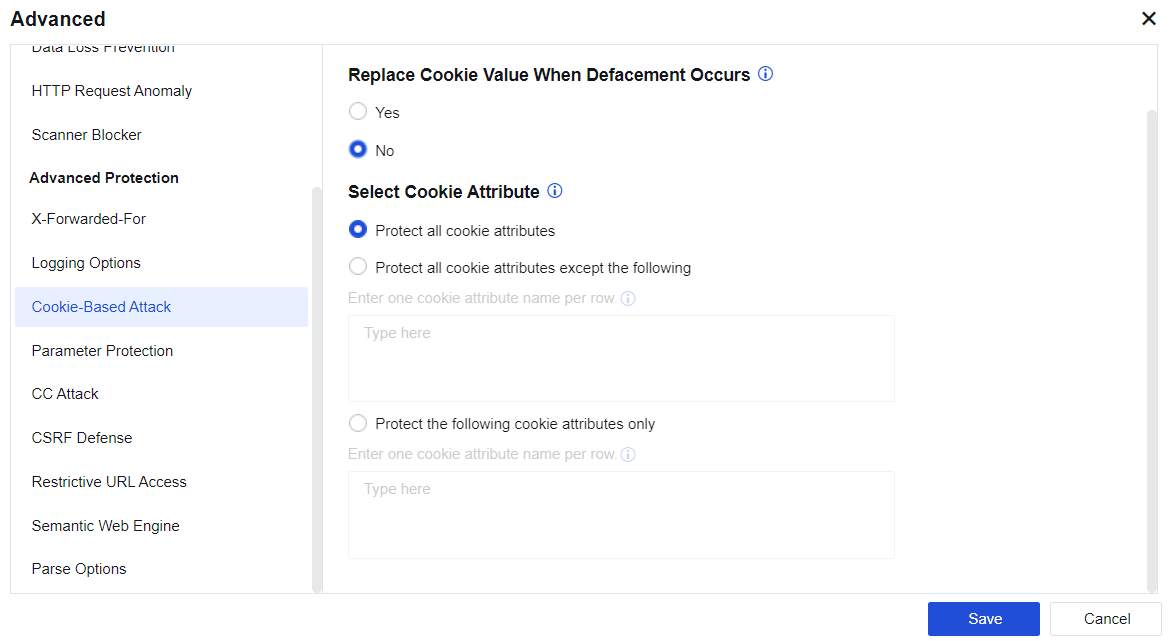
Whether cookie has been stolen or tampered with can be determined by the cookie attribute values and client communication. The configuration is shown in the figure below.
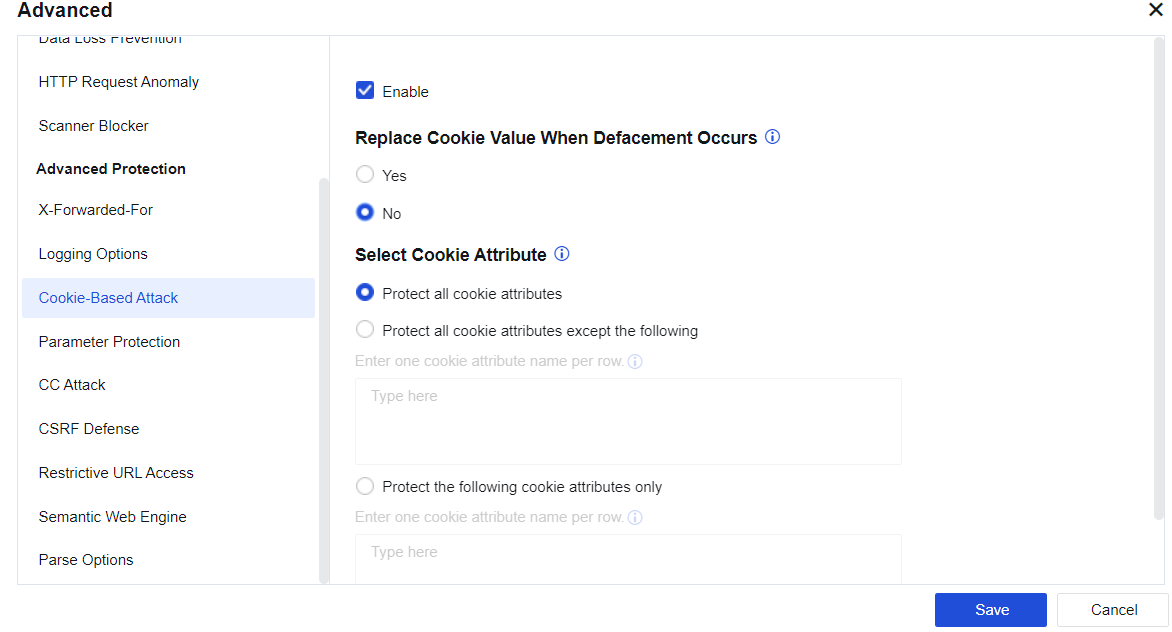
If Yes is selected for Replace Cookie Value When Defacement Occurs, the cookie will be replaced with *. In Select Cookie Attribute, select Protect all cookie attributes, Protect all cookie attributes except the following, or Protect the following cookie attributes only.
Proactive URL Protection: Traditional SQL injection is based on features but it cannot solve the problems of 0day and unknown attacks. You can add proactive protection models to the device to enhance the security protection of the NGAF device.
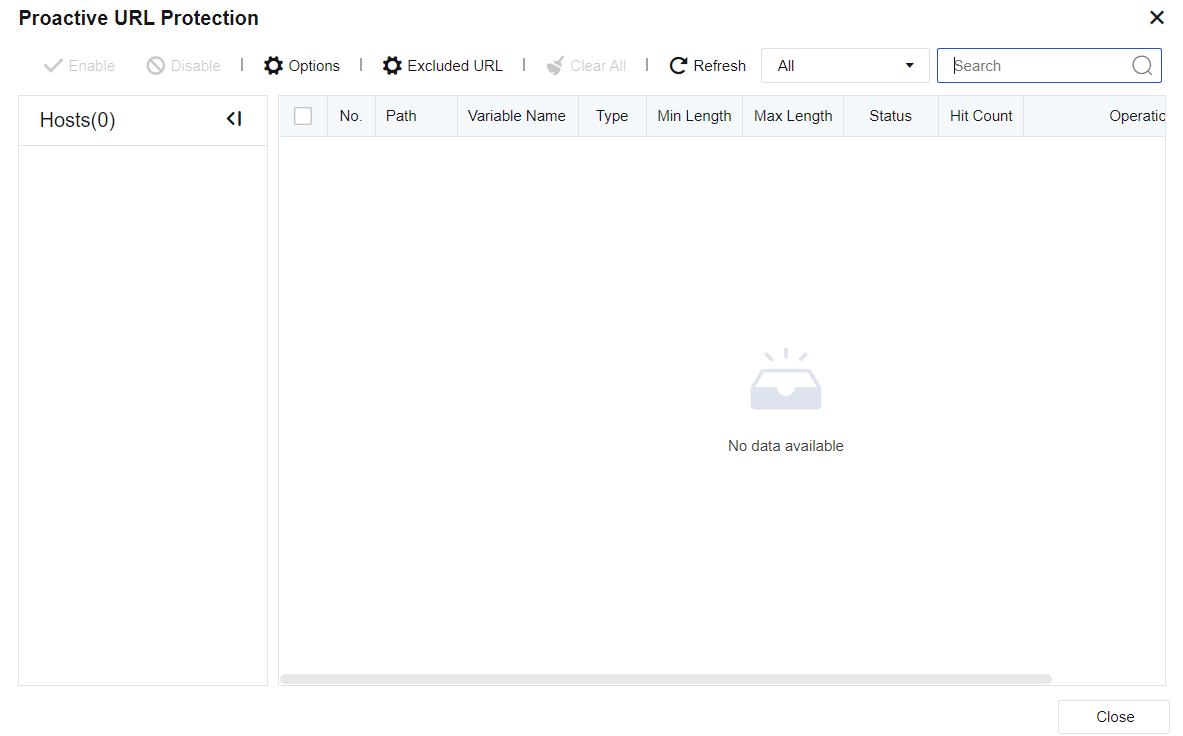
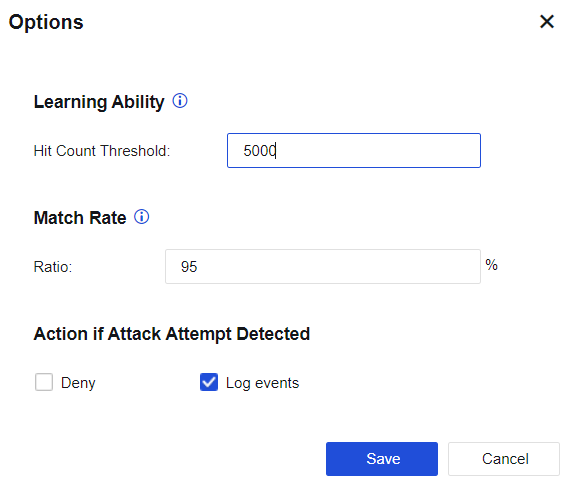
Select Enable for Proactive URL Protection to start auto-learning by the device. The learning threshold is automatic parameter binding after learning completion.
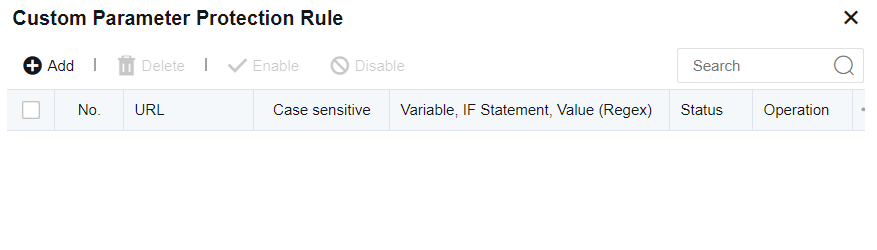
Custom Parameter Protection Rule: It is similar to the proactive protection function, except that parameters are customized. Regular expression matching is used. Specifically, when conditions of regular expressions are met, the matched action of reject will be triggered.
It is to prevent CC attacks against websites. The configuration is as follows:
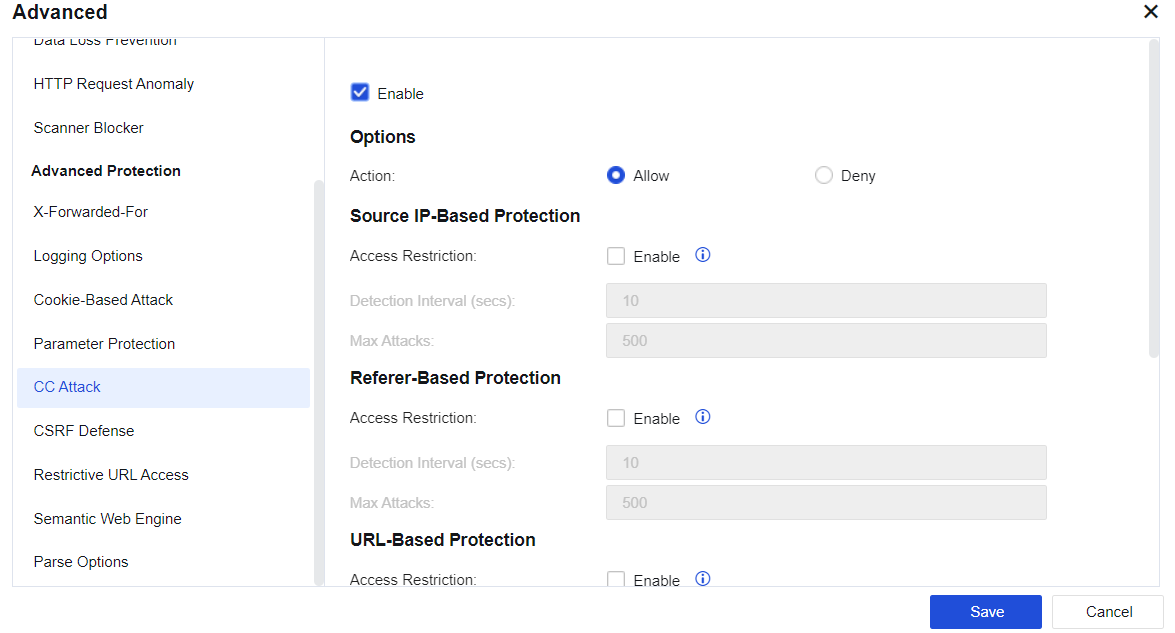
Source IP-based Protection: After Enable is selected, if the access count of a source IP address exceeds the threshold, subsequent access from this IP address will be denied.
Referer-Based Protection: After Enable is selected, if the accumulative access count of the same URL in the Referer exceeds the threshold, access to any source IP address with the same Referer URL will be denied.
URL-Based Protection: After Enable is selected, if the access count of a source IP address to the destination URL exceeds the threshold, subsequent access to this IP address will be denied.
Configuration of CC Protection Rule: Customize the CC protection rule.
Cross-Site Request Forgery, or "one-click attack" or "session riding", is commonly abbreviated as CSRF or XSRF. It is an attack that compels end-users to perform unintentional operations on Web applications they have logged in to. By configuring CSRF protection, you can effectively prevent such attacks. The configuration interface is as follows. #
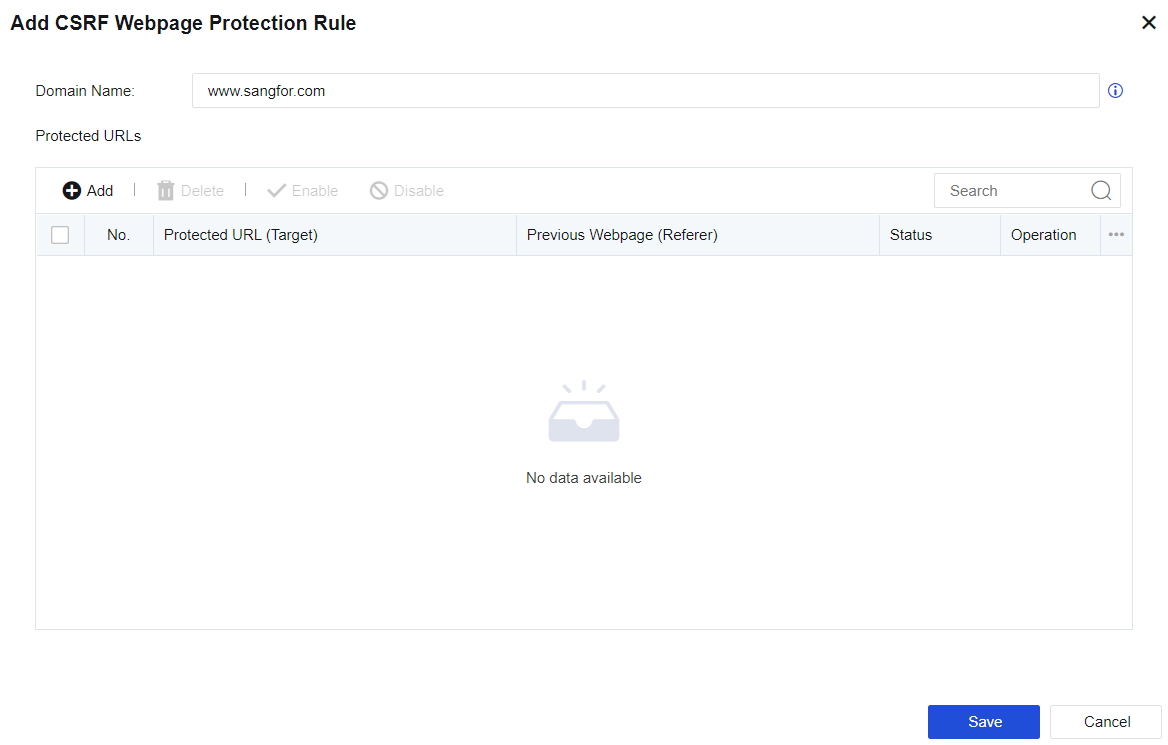
After configuring the domain name to be protected and adding the pages to be protected and the source pages allowed access, Target pages are accessible only to allowed Referrer, thus preventing CSRF attacks.
It is to protect users' key resources from being forcibly browsed by illegal clients. The configuration is as follows:
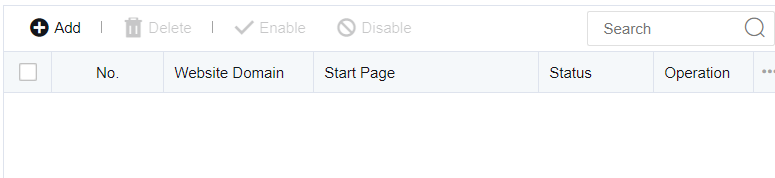
Access to the home page of a domain (www.sangfor.com.cn) is only allowed from www.sangfor.com/bbs/index.html. Other access methods are disallowed.
Semantic Web engine allows algorithm detection against command injection, PHP code injection, JAVA code injection, XEE attack, WebShell upload, SQL injection, XSS attack, and backdoor scanning. Without rule detection, the detection rate is increased. See the figure below.
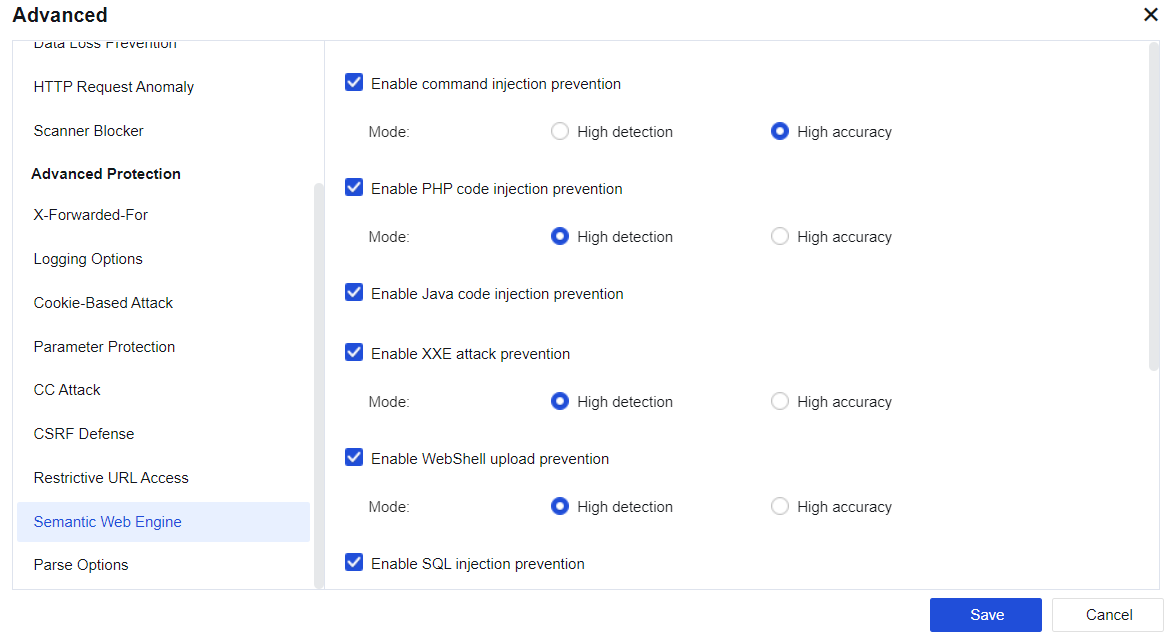
| Engine type |
Note |
| Command injection prevention |
Detect command injection attacks more effectively. If you are strict with security but accept particular false positives, High detection is recommended. If you prioritize business stability, High accuracy is recommended. |
| PHP code injection prevention |
Detect PHP code injection attacks to unknown vulnerabilities more effectively with little dependence on rules. If you prioritize business stability, High accuracy is recommended. |
| JAVA code injection prevention |
Detects JAVA expressions more effectively to reduce false negatives. |
| XXE attack prevention |
By performing grammar analysis and detection, the XXE security detection engine reduces false negatives and false positives to increase the block rate and security detection ability of the NGAF device. |
| WebShell upload prevention |
Reduce false negatives caused by buffer truncation. If you are strict with security but accept certain false positives, High detection is recommended. If you prioritize business stability, High accuracy is recommended. |
| SQL injection prevention |
The SQL injection prevention engine is to improves the defense of the AF device by enhancing its anti-bypass ability and reducing the false-positive rate. This function is enabled by default with High accuracy selected and non-injection detection disabled, which applies to the scenarios with intensive SQL businesses. In light load scenarios, select High detection and enable non-injection detection. |
| XSS attack prevention |
The XSS attack prevention engine improves detection against XSS attacks and decreases the false positive rate. This function is enabled by default with High accuracy selected, which applies to the scenarios where a lot of front-end pages are edited in the background. In scenarios with high-security requirements, High detection is recommended. |
| Backdoor scan prevention |
The backdoor scanning prevention engine improves detection against backdoor scanning attacks. This function is enabled by default with High accuracy selected. In scenarios with high-security requirements, High detection is recommended. |
Table 21:Description of Semantic Web Engine
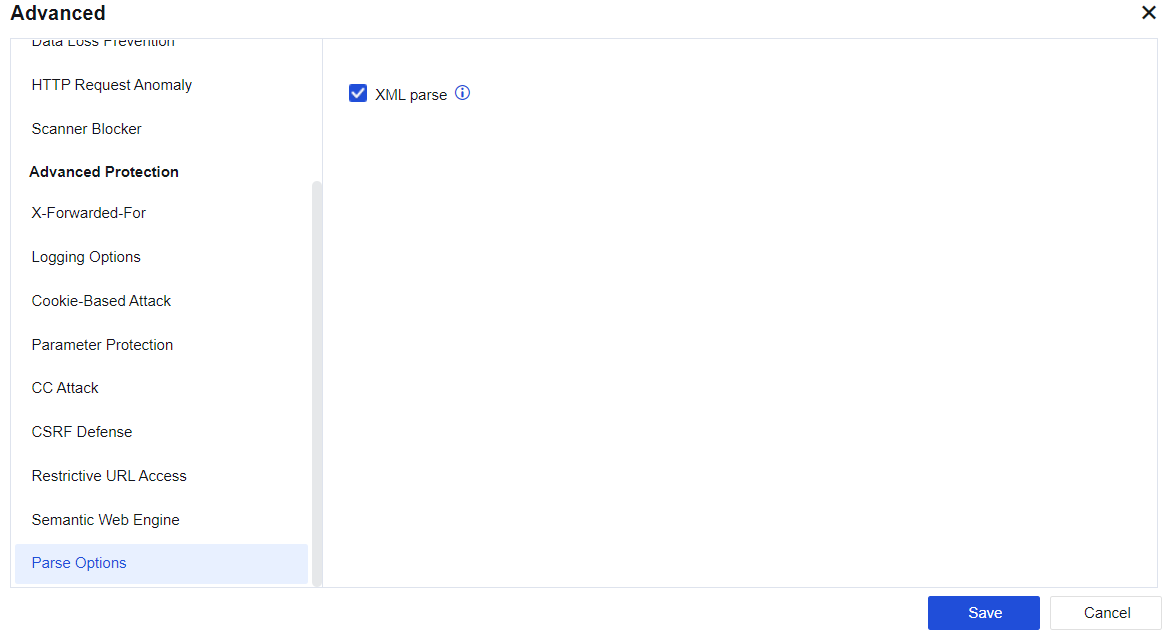
XML parse engine-powered detection improves detection against XML attacks. The body part of the HTTP message is detected to identify the attack that bypasses authentication with WebShell transmitted through XML protocol. See the figure below.
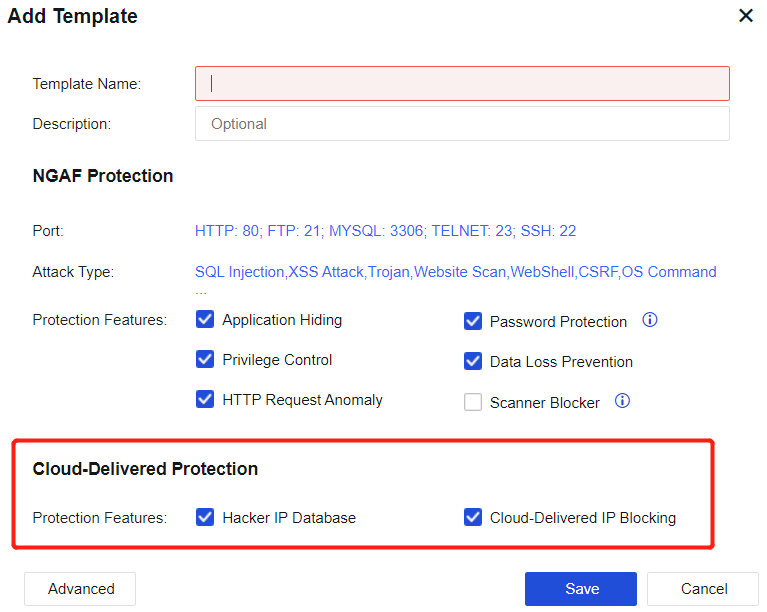
Cloud-delivered Protection: Includes Hacker IP Database and Cloud-Delivered IP Blocking. It is mainly used to correlate Neural-X, capture and block IP database temporarily to technically block attack behaviors fast and effectively and increase the security ability of the AF device. Cloud-Delivered IP Blocking: When the NGAF device is connected to Neural-X, Neural-X will analyze the data of the NGAF device and then issue the data to be blocked temporarily. Such data will be displayed in the list of Policies/Blacklist and Whitelist/Temporary Blacklist.
Select Hacker IP Database to enable this function, as shown below.
To enable Hacker IP Database, the NGAF device must be Internet-accessible. The hacker IP address issued can be viewed in the cloud hacker IP addresses.


 {{ $t('index.defaultHeader.chromeBrowserTip') }}