


{{ secondMenu.name }}






The link shows the current virtual lines. It is used to establish a correspondence between the device's physical network interfaces and the target lines to be called on the Bandwidth Channel tab, specifying the interface (target line) for outgoing data that can match the traffic control channel. Click Add, and set the following parameters in the Add Link dialog box that appears.
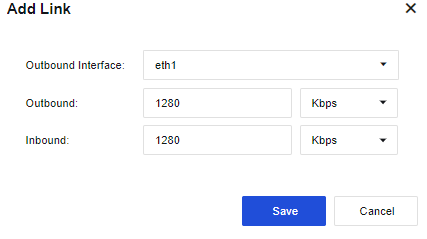
Outbound Interface: Specify the interface for outbound data that can match the virtual line. You can only select a WAN interface.
Outbound: Set the outbound bandwidth of the physical line according to the actual bandwidth of the interface. Otherwise, the bandwidth management result may be unsatisfactory.
Inbound: Set the inbound bandwidth of the physical line according to the actual bandwidth of the interface. Otherwise, the bandwidth management result may be unsatisfactory.
If there are multiple WAN interfaces requiring bandwidth management, you need to define multiple virtual lines. Click Add to continue to add other virtual lines.

After defining the virtual line(s), set the corresponding virtual line rules to call the virtual line(s). Otherwise, the settings of the bandwidth channel will be invalid.
Link Policy are necessary for bandwidth channels to be effective. Different link policies can be matched based on different protocols, LAN and WAN ranges, and outbound interfaces.
Go to Policies > Bandwidth Management > Link Settings > Link Policy, and click Add. Then, the Add Link Policy dialog box appears, as shown in the following figure.
Protocol Setting: Specify the protocol for packets. The protocol types include TCP, UDP, and ICMP. If there are other types, select others, and enter the protocol number range in the Protocol Number field.
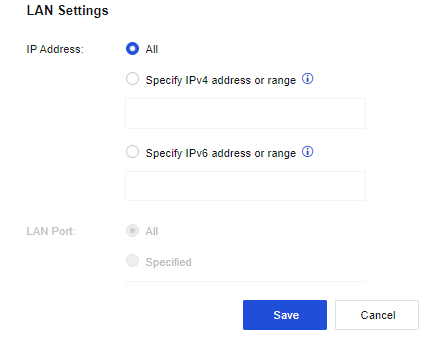
LAN Settings: Set the rules for source IP address and source port of packets, including IP address and LAN port. The IP address includes IPV4 and IPV6. Enter the specific IP address or IP range.
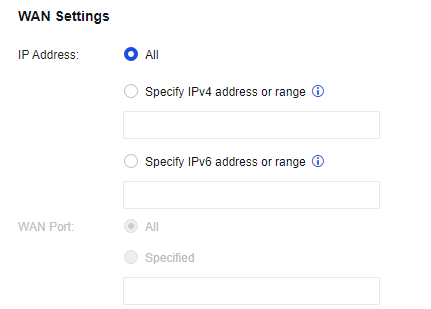
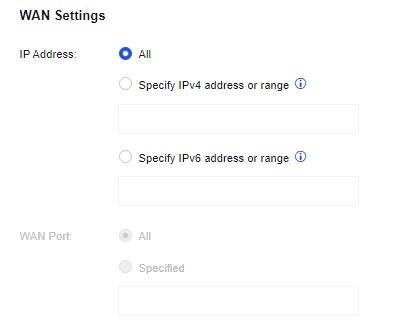
WAN Settings: Set the rules for the destination IP address and destination port of packets, including IP address and LAN port. The IP address includes IPV4 and IPV6. Enter the specific IP address or IP range. All ports or specified ports or ranges can be selected.
Destination Line: Set the virtual line to which the packets matching this virtual line rule will match, i.e., the interface from which the packets will be forwarded.
The bandwidth channel for a virtual line will be valid only when the virtual line becomes the destination line of a virtual line rule.


 {{ $t('index.defaultHeader.chromeBrowserTip') }}