


{{ secondMenu.name }}






Decrypting data to the internet applies to the decryption of emails and HTTPS data when LAN users access the internet through the device. See the figure below.
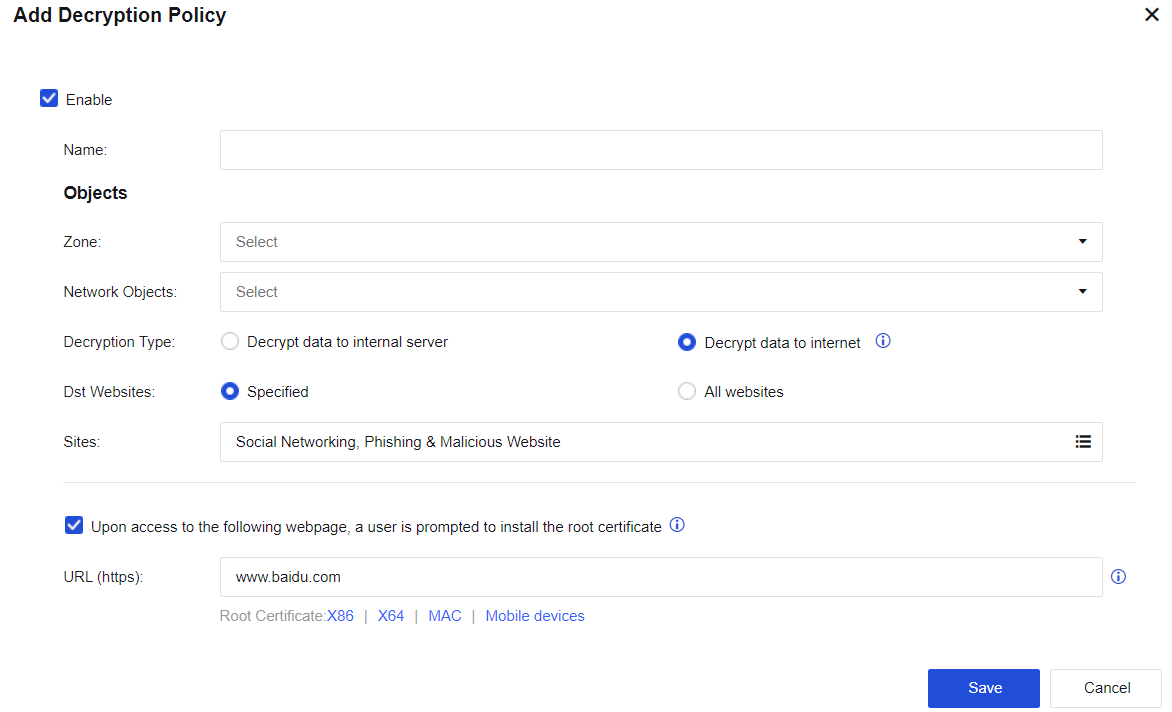
Name: Enter a policy name easy to identify.
Zone: Select the source zone for accessing the internet.
Network object: Enter the network objects that will access the server.
Decryption Type: Select Decrypt data to internet.
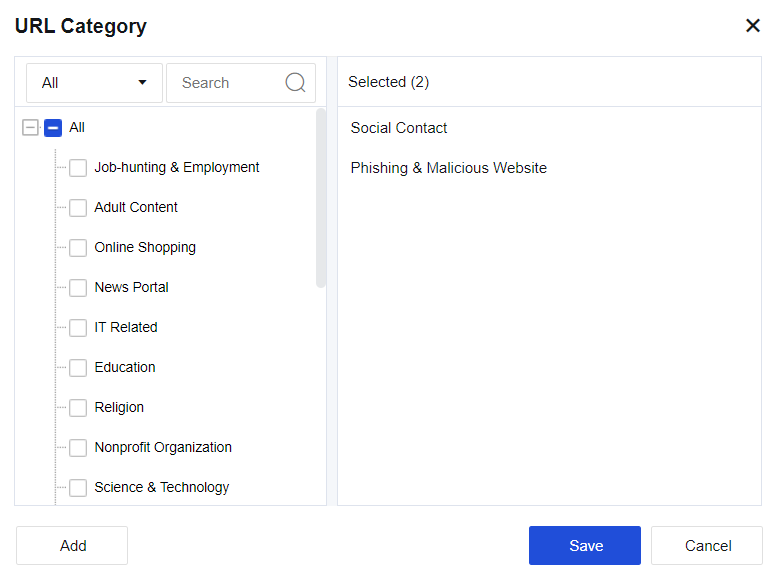
Dst Websites: Select Specified or All websites. If you select Specified, select the site category to be decrypted from the URL category database.
Upon access to the following webpage, a user is prompted to install the root certificate: When the decryption function is enabled, a certificate alert message is promoted to a user who accesses the HTTPS website. To avoid this message, select this option and set the URL from which the root certificate is downloaded.
If you set the URL (HTTPS) parameter to www.baidu.com, the following page reminding you to install the certificate will be displayed when the LAN user visits https://www.baidu.com.
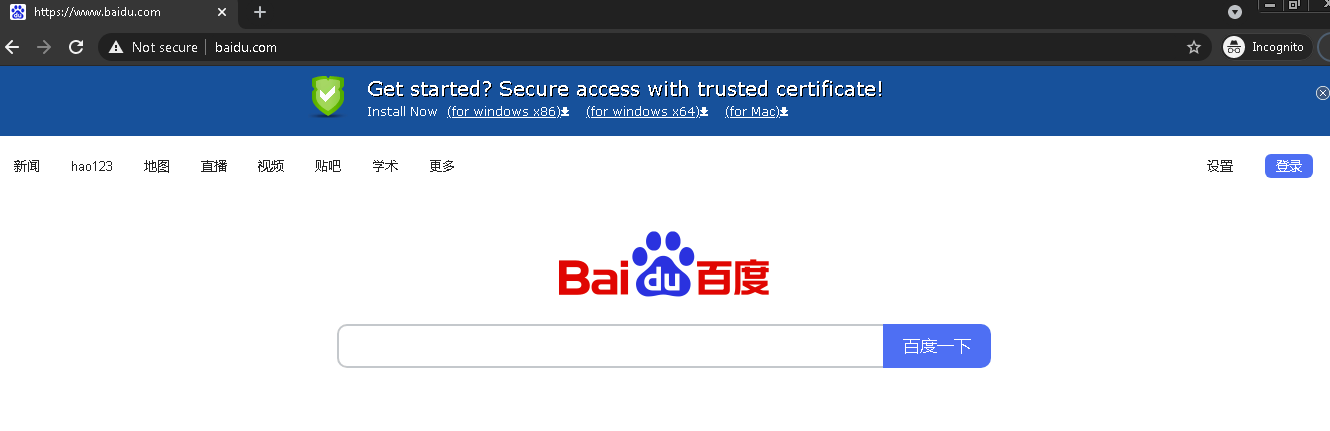
After the trusted certificate is downloaded and installed, the LAN user will not be prompted to download and install the certificate from Internet Explorer when visiting the HTTPS website.


 {{ $t('index.defaultHeader.chromeBrowserTip') }}